

Kerlig ✓
Contextual AI Writing Assistant & Chat for macOS
from $47
Verdict
A quick read before you dig into the full page.
- Best if
- You are product designers and need: Writing emails and Slack replies
- Skip if
- Varying performance/context window limit
- Pick this when
- Designed for macOS
Considering TheLibrarian.io instead? Compare side by side
Overview



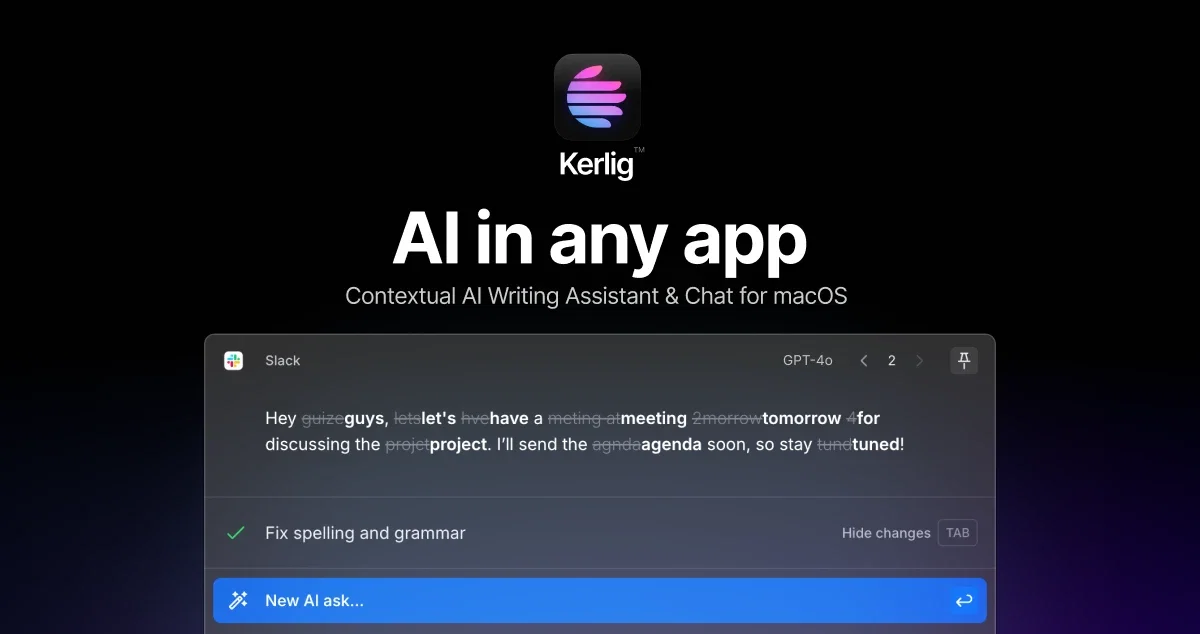
- Write replies on Slack and Mail using your tone of voice
- Fix spelling & grammar before sending a message
- Summarize websites and articles
- Chat with PDFs, documents, images and web pages
- Improve copy in Figma
- Translate to any language
- Change tone and more!
Supports all models from OpenAI, Anthropic, Google Gemini, Groq and local models via Ollama!
Best for
Short scenarios where Kerlig tends to shine.
-
Writing emails and Slack replies
Best for Product designers
-
Creating Jira tickets
Best for Business owners
-
Proofreading and correcting grammar
Best for Product managers
-
Summarizing websites and articles
Best for Designers
-
Chatting with PDFs and documents
Best for Product team
-
Improving copy in Figma
Best for Remote team
-
Translating to any language
Best for Product designers
-
Brainstorming ideas and drafting outlines
Best for Product designers
Example outputs 1
Sample generations and before/after results for Kerlig.
Access & connections
Where you can use Kerlig, and what it plugs into.
Platforms
Capabilities
What this tool accepts, produces, and is strongest at.
Input
- Code
- Image
- Text
Output
- Text
Highlights
- Local
- No Signup
Supported features
- Runs Locally
- No Signup
Pros & cons
Pros
- Designed for macOS
- Integrates into any app
- Features auto-correction
- Prevents grammatical errors
- Assists tone of voice
- Facilitates on-the-go replies
- API key integration
- Enables GPT-style conversations
Show 22 more
- Supports large documents
- Up to 350 pages
- Trusted by hundreds globally
- Easy payments via Lemon Squeezy
- Offers download before purchasing
- Has refund policy
- Flexible functionality
- Greater versatility
- Increases productivity
- Enhances writing tasks
- Crafts perfectly formulated messages
- Avoids embarrassing typos
- Offers real time assistance
- Stimulates conversation-like interaction
- Accommodates user's tone of voice
- Offers context window limit
- Regular performance checks
- Transparent service cost
- Provides user-friendly experience
- Efficient grammar helper
- Tailored for individual needs
- Globally accessible
Cons
- Only for macOS
- Not direct API access
- Requires own API keys
- Varying performance/context window limit
- Payment via Lemon Squeezy only
- Unclear refund policy details
- Limited to English grammar correction
Compare alternatives
Similar tools in the catalog — with a clear reason to open each one.

TheLibrarian.io ✓
Free TrialYour WhatsApp AI assistant for instant productivity.
Why look Typically cheaper
Full comparison
Supernormal App ✓
FreemiumThe AI assistant app that turns meetings into completed work
Why look Freemium alternative
Full comparison
Saidar ✓
FreemiumYour AI Secretary for Admin Tasks, now on SMS
Why look Freemium alternative
Full comparison
MiroAI ✓
FreemiumUnlock creative power with AI-driven collaboration.
Why look Typically cheaper
Full comparison
Collate ✓
FreeUnlimited free and private summaries and chat with PDF
Why look Fully free option
Full comparison
People also view
Tools that often show up alongside Kerlig in collections and comparisons.
Supernormal App ✓
FreemiumThe AI assistant app that turns meetings into completed work

WriteMage ✓
PaidSeamlessly integrate ChatGPT into your macOS workflow.

Voila ✓
Free TrialSeamless AI assistant to help you create, write, brainstorm, and research.

Rewriteit ✓
FreemiumRewrite content with AI, enhance your writing style.

MacCopilot ✓
PaidNative copilot app for macOS with advanced AI integration

IntelliBar ✓
FreemiumAI-powered assistant for your Mac

FridayGPT ✓
PaidYour AI copilot for Mac, offering instant access to ChatGPT, voice-to-text, and quick AI actions.

Flot.ai ✓
FreemiumYour Everywhere, All-in-one AI assistant
Releases 1
FAQ 12
What is Kerlig designed for?
How does Kerlig assist users in writing tasks?
What are the key features of Kerlig?
How does Kerlig's auto-correction feature work?
How does Kerlig adapt to user's tone of voice?
Can I use my own API keys with Kerlig?
What AI models are compatible with Kerlig?
How does Kerlig support large document writing?
What is the purpose of tools like OpenAI, Claude, Gemini Pro, and Groq in Kerlig?
What makes Kerlig versatile in terms of artificial intelligence systems?
How does the chat feature in Kerlig work?
How many users globally does Kerlig support?
Related tools
Recommended

Beeyond AI ✓
Free TrialBeeyond AI: Unlock 50+ AI tools under one subscription

IllumiChat ✓
FreemiumFrom Ticket Backlog to Instant Answers Powered by AI

Mindsmith ✓
FreemiumPlatform for building and sharing eLearning content

CleeAI ✓
FreeCustom AI for Enterprise, built in seconds

Thunderbit ✓
FreemiumScrape leads & other data in just 2-clicks.

Hyperis ✓
FreemiumOrganized task prioritization.