

Thunderbit ✓
Scrape leads & other data in just 2-clicks.
Free + from $9 / month
Verdict
A quick read before you dig into the full page.
- Best if
- You are sales teams and need: Scrape contact information from websites, PDFs, and images
- Skip if
- Complex interfacing for beginners
- Pick this when
- Offer an array of apps
Considering PixieBrix instead? Compare side by side
Overview



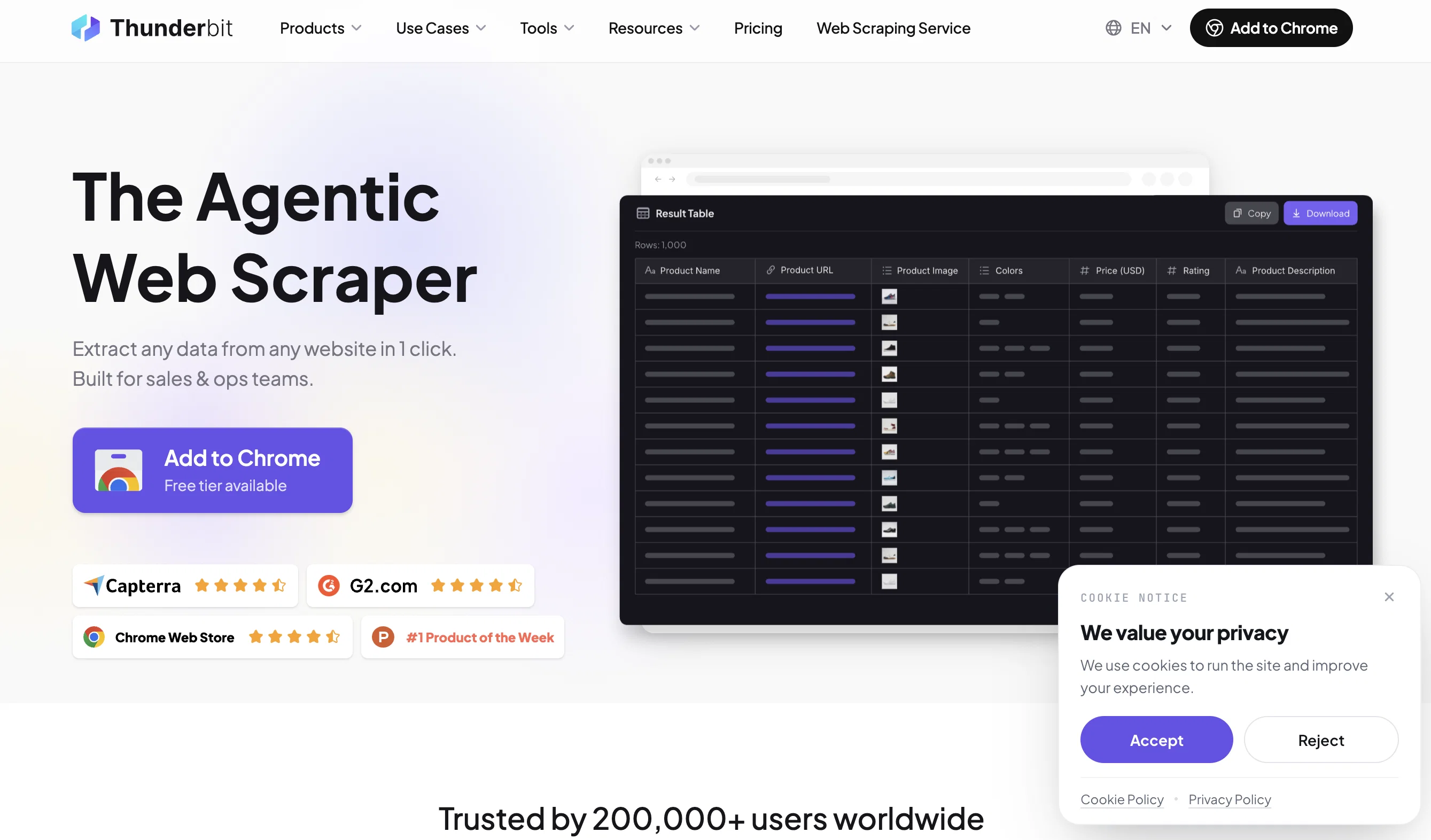
With a simple interface, let AI organize and extract the data for you. From contact details to product listings, Thunderbit turns any website into structured, export-ready data – all without the hassle of CSS selectors or manual setups.
Key Features:
- Scrape Any Website in 2-Clicks: Let AI extract and organize tables directly into your preferred format.
- Multi-Source Capability: Scrape data from websites, PDFs, images, and documents.
- Natural Language Data Extraction: Define column names and data types in plain language, and let AI handle the rest.
- Subpage Scraping: Automate multi-page data extraction, saving hours of manual work.
- Pre-Built Templates: Ready-to-go scrapers for sites like LinkedIn, Amazon, and Google Maps.
- Custom Data Formatting: Add summaries, categories, translations, or calculations directly during the scraping process.
- Flexible Data Export: Seamlessly transfer your data to Google Sheets, Airtable, Notion, or any app of your choice.
Use Cases:
- Build lead lists with enriched contact data.
- Extract long-form content such as articles or transcripts.
- Create product databases for eCommerce analysis.
- Automate LinkedIn data scraping for smarter networking.
Thunderbit isn’t just another web scraper; it’s your AI-powered assistant for transforming unstructured web content into actionable insights. Free tier available. Rated #1 Product of the Week on Product Hunt.
Start saving time today. Install from the Chrome Web Store.
Best for
Short scenarios where Thunderbit tends to shine.
-
Scrape contact information from websites, PDFs, and images
Best for Sales teams
-
Build email lists for lead generation
Best for Operations teams
-
Automate property listings aggregation from multiple websites
Best for Marketing teams
-
Monitor competitor pricing strategies and marketing tactics
Best for Realtors
-
Analyze customer sentiment and content marketing efforts
Best for Researchers
Example outputs 1
Sample generations and before/after results for Thunderbit.
Access & connections
Where you can use Thunderbit, and what it plugs into.
Platforms
Integrations
Capabilities
What this tool accepts, produces, and is strongest at.
Input
- Code
- Tabular
- Image
- Text
Output
- Tabular
- Text
Highlights
- Local
Supported features
- Runs Locally
- Crawling & Scrapping
Pros & cons
Pros
- Offer an array of apps
- Simplify automation tasks
- Minimal to no coding
- Features for writing and content detection
- Automated Voice and Image recognition
- Summarizes web content
- Elucidates complex texts
- Multilanguage text conversion
Show 10 more
- Contextual understanding in dictionary definitions
- Automated personalized emails from spreadsheets
- Interprets legal documents in plain language
- Enables web searches
- Drag-and-drop feature for customizations
- Interoperable with other popular applications
- Content generation feature
- Free-tier available forever
- Deploy Apps and Automations in 1-Click
- Intuitive business automation interface
Cons
- No offline functionality
- Possible lack of privacy
- Limited prebuilt app selection
- Dependency on third-party apps
- Potential language translation inaccuracy
- Limited user-interface customization
- Uncertain scalability for large businesses
- Complex interfacing for beginners
Show 1 more
- No mobile application support
Compare alternatives
Similar tools in the catalog — with a clear reason to open each one.



Unframe AI ✓
UnknownThe Managed AI Delivery Platform
Why look Higher community rating
Full comparison
WebFill ✓
FreemiumFilling forms and emails, solving MCQs, for students and professionals.
Why look Higher community rating
Full comparisonPeople also view
Tools that often show up alongside Thunderbit in collections and comparisons.
WebFill ✓
FreemiumFilling forms and emails, solving MCQs, for students and professionals.

n8nChat ✓
FreemiumAI-powered n8n workflow assistant

BotDojo ✓
UnknownThe Fastest Way to Build AI Agents

Younet ✓
Free TrialAI Agent Orchestration and Automation. Build your agentic business.

Process.st ✓
Free TrialAI-powered process management and automation.

OpenAdapt.AI ✓
UnknownAI-powered desktop automation without coding

Octoparse AI ✓
FreemiumBuild custom AI workflows and RPA bots effortlessly

MindPal ✓
FreemiumTurn domain expertise into sharable AI agents & multi-agent workflows, no code
Releases 1
Imported reviews 5
Absolutely amazing product – incredibly user-friendly with flexible pricing. Highly recommended!
Really great—simple, easy to use, and it quickly did exactly what I needed for scraping data. I’ll definitely recommend it to my friends
The easiest web scraping tool I’ve ever used! just click on AI suggest and everything’s set up!
This tool is amazing! The fastest way I’ve found to extract structured data from websites—no coding, just natural language prompt. So I can spend more time selling, not sourcing.
For now the best browser based AI scraper i have ever used.
FAQ 12
What is Thunderbit?
How does the drag-and-drop feature in Thunderbit work?
How does Thunderbit simplify automation tasks?
Can Thunderbit be integrated with other applications?
What are the specific features of Thunderbit?
How can Thunderbit help in sending personalized emails from spreadsheets?
Can Thunderbit convert texts across different languages?
How does Thunderbit's AI-driven form builder work?
What kind of tasks can be automated using Thunderbit?
How does Thunderbit help in summarizing web content?
Is coding required to use Thunderbit?
Can I customize my own AI applications in Thunderbit?
Related tools
Recommended

PrometAI ✓
FreemiumTurn ideas into viable reality with AI business plan generator.

FounderPal ✓
Free TrialGenerate a perfect marketing strategy in 5 minutes

Mindsmith ✓
FreemiumPlatform for building and sharing eLearning content

IllumiChat ✓
FreemiumFrom Ticket Backlog to Instant Answers Powered by AI

AI-Flow ✓
PaidConnect multiple AI models easily.

VenturusAI ✓
FreemiumBusiness idea analysis and reporting.