

Productivity vv1.1.1 2026 Rank: #146
MiroAI ✓
Unlock creative power with AI-driven collaboration.
Free + from $8
Verdict
A quick read before you dig into the full page.
- Best if
- You are product teams and need: Brainstorming and ideation
- Skip if
- Cluster feature limited to sticky notes
- Pick this when
- Generates expansive mind maps
Considering TheLibrarian.io instead? Compare side by side
Overview
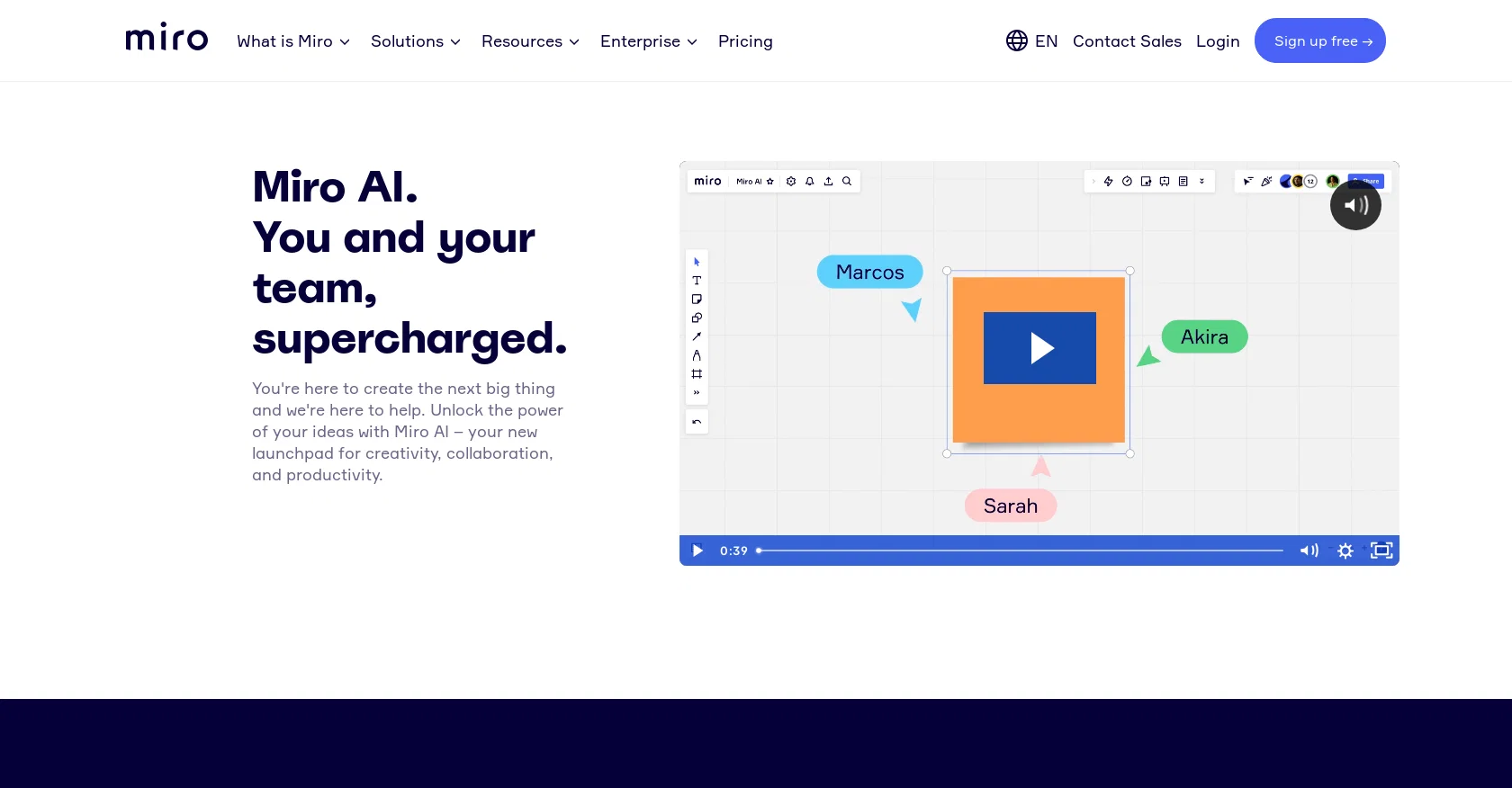
Miro AI is a tool designed to enhance creativity, collaboration, and productivity. It serves as a launchpad for generating ideas and streamlining work processes.
With Miro AI, users can access various features such as mind map Idea Generation, which automatically creates expansive mind maps with multiple branches.
Another feature, Summarize Sticky Notes, condenses multiple sticky notes into a single note for easier organization. Additionally, Miro AI allows users to convert natural language into code, create images from text using Image Generation, and generate user stories from ideas.
This tool aims to facilitate brainstorming and improve workflow efficiency.Miro AI is currently in beta, and users on Free, Starter, Business, or Consultant plans can access it starting from May 16.
Enterprise Admins can enable or disable Miro AI for their organization. The tool supports several board objects, including sticky notes, images, cards, code blocks, sequence diagrams, and mind maps.
Miro AI can also cluster sticky notes based on keywords or sentiment. The beta program allows for user feedback, contributing to the improvement of Miro AI as a service.The input data submitted through Miro AI is used solely to generate a response from the AI model and provide it back to the user.
Miro AI is hosted either in Miro or in Microsoft Azure AI, and the input data is not used for model training. The usage of content and usage data complies with Miro's Privacy Policy.
Participating in the Miro AI beta is currently free of charge, and any future changes to pricing will be communicated in advance.
Best for
Short scenarios where MiroAI tends to shine.
-
Brainstorming and ideation
Best for Product teams
-
Agile practices
Best for UX designers and researchers
-
Diagramming
Best for Engineering teams
-
Research & Design
Best for Program and project managers
-
Strategy & Planning
Best for Marketing teams
-
Meetings and Workshops
Best for IT teams
Example outputs 1
Sample generations and before/after results for MiroAI.
Access & connections
Where you can use MiroAI.
Platforms
Capabilities
What this tool accepts, produces, and is strongest at.
Input
- API
- Text
Output
- Code
- API
- Text
- Image
Supported features
- Team Collaboration
- Visual Creation
- Image Generation
- Code Assistant
- Automation
- Brand Strategy
Pros & cons
Pros
- Generates expansive mind maps
- Automatically condenses sticky notes
- Converts natural language into code
- Creates images from text
- Generates user stories from ideas
- Clusters sticky notes by keywords
- Optimized for English and other languages
- Free beta program
Show 8 more
- Data privacy focused
- Continuous addition of new features
- Robust feedback system
- Accessible on multiple plans
- Hosted on Miro or Microsoft Azure
- Supports various board objects
- Future changes communicated in advance
- Interactivity in multiple languages
Cons
- Freemium model limited to 3 boards
- No training usage
- Cluster feature limited to sticky notes
- Doesn't clarify data retention duration
- Requires specific board objects
- Interface only in English
Compare alternatives
Similar tools in the catalog — with a clear reason to open each one.

TheLibrarian.io ✓
Free TrialYour WhatsApp AI assistant for instant productivity.
Free + from $9.99/mo
Full comparison
Supernormal App ✓
FreemiumThe AI assistant app that turns meetings into completed work
Free + from $25.90/mo
Full comparison

Collate ✓
FreeUnlimited free and private summaries and chat with PDF
Why look More privacy-focused
Full comparison

Recall ✓
FreemiumSummarize Anything, Forget Nothing!
Why look Higher community rating
Full comparisonPeople also view
Tools that often show up alongside MiroAI in collections and comparisons.
TheLibrarian.io ✓
Free TrialYour WhatsApp AI assistant for instant productivity.
Supernormal App ✓
FreemiumThe AI assistant app that turns meetings into completed work

WordFlippin ✓
FreemiumBuild your vocabulary with AI-powered flashcards & smart spaced repetition.

Liminary ✓
Free TrialStop hunting for things you know you saved.

Good Assistant ✓
Free TrialYour AI companion for achieving what matters most.

Constella ✓
Free TrialForget files and folders, not your thoughts.

Cerebro ✓
Free TrialAmplify your ideas with AI-powered knowledge management.
Collate ✓
FreeUnlimited free and private summaries and chat with PDF
Releases 2
Miro AI is the artificial intelligence layer built directly into the Miro collaborative workspace. It helps teams think, create, and execute faster by embedding AI into the same visual environment where collaboration already happens.
Rather than being a separate tool, Miro AI works contextually across the canvas, using existing content to support teams throughout the entire workflow — from ideation to delivery.
What makes Miro AI valuable
-
AI embedded in the workspace Miro AI operates directly on boards and canvas content, reducing context switching and making AI support immediately relevant to the work at hand.
-
AI Sidekicks (AI teammates) Built-in AI Sidekicks assist teams with ideation, planning, writing, and structuring content, acting as collaborative partners rather than isolated tools.
-
AI Flows for end-to-end workflows AI Flows help guide and automate multi-step processes, enabling teams to move from idea to outcome more efficiently.
-
Content creation & refinement Teams can generate, edit, summarize, and refine text, visuals, and boards using AI — saving time on repetitive or manual tasks.
-
Smarter collaboration at scale Miro AI helps teams align faster by summarizing boards, extracting insights, and organizing information across large or complex projects.
-
Enterprise-ready & secure Designed with governance and security in mind, Miro AI supports enterprise requirements while remaining accessible for everyday team use.
Imported reviews 1
Miro has massively improved how we collaborate and execute. The AI features have made a real difference in day-to-day productivity, helping us structure ideas quickly and get to decisions faster. What really surprised me is the new prototyping feature: it’s now much easier to turn a workshop board into an actual prototype and iterate with the team. If you’re running product work, workshops, roadmaps, or even GTM planning, Miro is worth it.
FAQ 12
What is Miro AI and what functionality does it offer?
What are the key features of Miro AI?
How does the Miro AI 'Mind map Idea Generation' feature work?
What does the 'Summarize Sticky Notes' feature do in Miro AI?
Can Miro AI convert natural language into code?
What benefits can be derived from using Miro AI's 'Image Generation from text' feature?
Can Miro AI generate user stories from ideas?
Are there administrative controls for Miro AI in an organisation?
Is Miro AI available for both individual and Enterprise users?
What objects are supported by Miro AI?
Can Miro AI cluster sticky notes based on keywords or sentiment?
How is user data handled and secured in Miro AI?
Related tools
Recommended

VenturusAI ✓
FreemiumBusiness idea analysis and reporting.

Stratup.ai ✓
FreemiumInnovative idea generation for businesses.
MyReport
PaidAutomated report generation tool using augmented intelligence for data collection and citation.

LearningStudioAI ✓
Free TrialAI-powered authoring tool for effortless online course creation.

Agentgpt ✓
FreemiumDeploy autonomous AI Agents effortlessly in your browser.

Scisummary ✓
Free TrialCutting-edge scientific articles summarization.