

ImageUpscaler ✓
Enlarge images with AI, no quality loss.
Trial; then from $9.90/mo
Verdict
A quick read before you dig into the full page.
- Best if
- Enlarge images with AI, no quality loss
- Skip if
- Limited upscale options
- Pick this when
- Preserves image quality
Considering Deep Image instead? Compare side by side
Overview
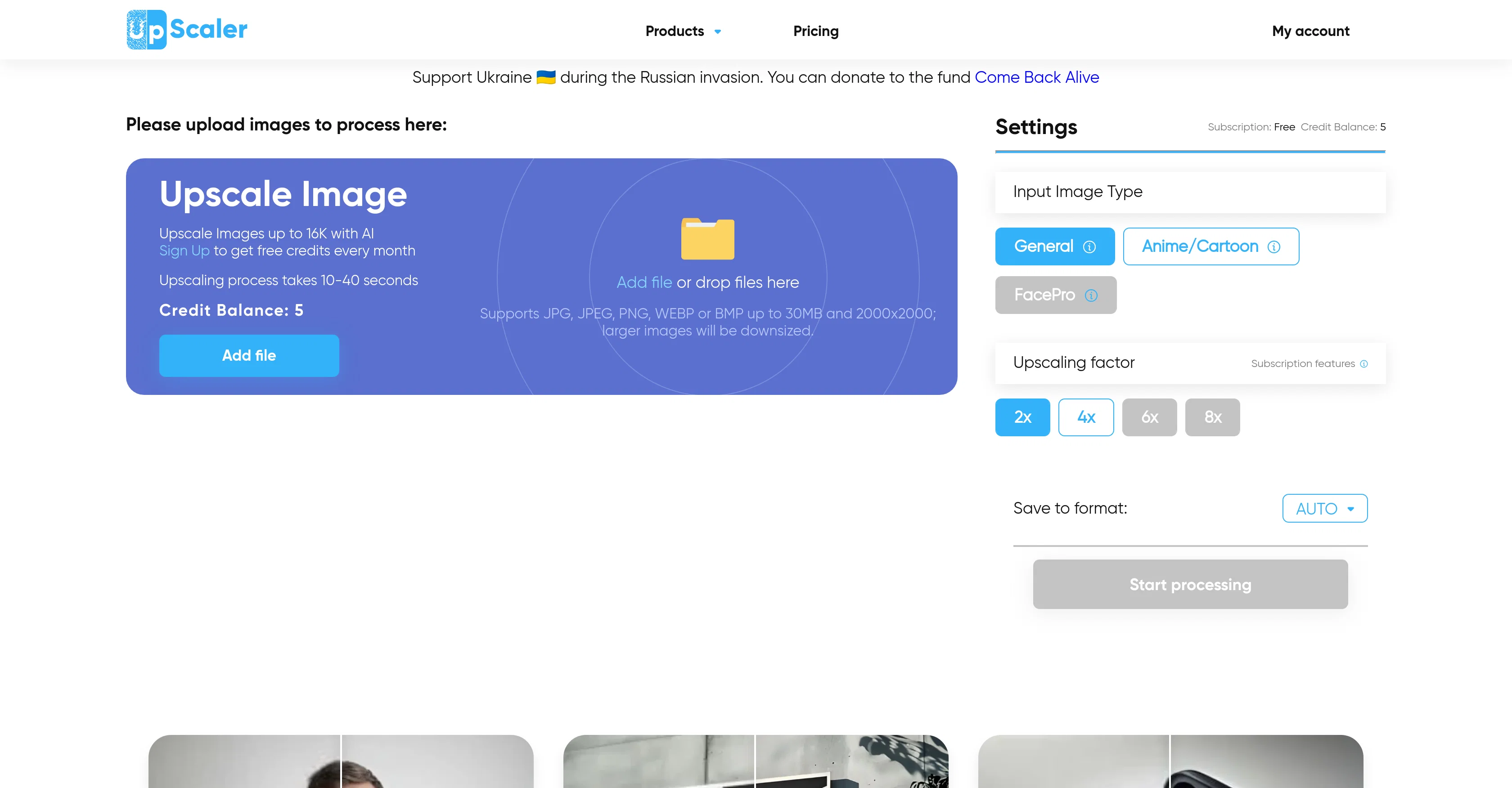
Upscale Image is an advanced AI tool that allows users to enlarge images while preserving their quality. Unlike traditional enlargement methods which often result in loss of resolution, this tool employs AI to analyze pixels in low-resolution images, predict, and replicate image details with high precision.
This process of image upscaling results in clearer, sharper, and more detailed high-resolution images. Users can upscale an image up to 16K depending on the initial size of the image.
Apart from providing an upscale feature, the tool offers multiple features such as Video Cartoonizer, Deblur, AI Image Generator, Photo to Anime, Face Blur etc.
Apart from image upscaling, this tool also assists with the creation of AI images for blogs, websites, business profiles, or social media. Users without an account can increase the resolution of an image with a free monthly plan.
The different processing options available for an upscale operation include 2X, 4X, 6X, and 8X, depending on the quality and requirement of the output image.
For best results, it is advised to use high-quality images for upscaling.
Access & connections
Where you can use ImageUpscaler.
Platforms
Capabilities
What this tool accepts, produces, and is strongest at.
Input
- Image
Output
- Image
Supported features
- Upscaling
- Inpainting
Pros & cons
Pros
- Preserves image quality
- Analyses pixels in low-resolution
- Predicts and replicates image details
- Upscale up to 16K
- Multiple features e.g Deblur, Cartoonizer
- Assists with blog content creation
- Helps in web development
- No account necessary for use
Show 37 more
- Free monthly plan
- Offers 2X, 4X, 6X, 8X upscale
- Results in accurate upscaling
- High precision prediction
- Image quality preservation
- Image Deblurring
- Photo to Anime transformation
- Face Blur feature
- Social media usage assistance
- Supports JPG, JPEG, PNG, WEBP, BMP
- Upscales faces optimally
- Output to various formats
- Transforms printed images
- Upscales product photos
- Upscales images up to 16K
- Images multiplied up to 16k
- Different upscaling methods
- Can increase resolution for free
- Saves to multiple formats
- Helps upscale security camera footage
- Enhances e-commerce product photos
- Upscales for design and educational materials
- Unblurs unclear images
- Different upscaling factors
- Automatic monthly plan on sign-up
- Upscales images of 2000x2000
- Can downsize and upscale larger images
- Achieves 4k, 8k and 16k upscaling
- High upscaling speed of 10-40 seconds
- Supports several image formats for upscaling
- Free monthly upscaling credits
- Upscales any images
- Can upscale blurry images
- Can work with images of 30MB and 2000x2000
- Option to select image type during upscaling
- Supports upscaling of medical images
- Helps upscale photos for printing
Cons
- Requires high-quality input
- Downsizes larger images
- Paid subscriptions required
- Limited free trials
- Processing time of 10-40 seconds
- May not improve blurry images
- Feature overload can be confusing
- Limited upscale options
Show 1 more
- Size limitation on input files
Compare alternatives
Similar tools in the catalog — with a clear reason to open each one.

Deep Image ✓
Free TrialEnhance photos with advanced editing features.
Free + from $9/mo
Full comparison
Upscayl ✓
Free TrialEnhance images with free, open-source AI upscaling.
Why look More privacy-focused
Full comparison
AI Upscaler ✓
FreemiumSmarter AI 4K Upscaler for Images & Videos
Why look Typically cheaper
Full comparison
SciFig ✓
FreemiumTurn text into publication-ready scientific figures.
Free + from $12/mo
Full comparison

Neurohelper AI ✓
PaidEvery leading AI model. One workspace.
Why look Better for writing
Full comparisonReleases 1
Imported reviews 1
It does not load the processor. Fast in operation.
FAQ 12
What is the maximum resolution ImageUpscaler can enhance to?
Can ImageUpscaler enhance images to 16K with any original image size?
What types of images work best with ImageUpscaler?
Can ImageUpscaler deblur images?
Does ImageUpscaler have a tool to turn photos into anime?
Can ImageUpscaler generate AI images for blogs or social media?
Is there free monthly plan available without an account with ImageUpscaler?
What types of processing options does ImageUpscaler provide for an upscale operation?
How does ImageUpscaler analyze and replicate pixels in low resolution images?
Does ImageUpscaler have a tool for face blurring?
What other features apart from image upscaling does ImageUpscaler offer?
What formats does ImageUpscaler support for image upscaling?
Related tools
Recommended

Icons8 AI Image Upscaler ✓
FreemiumEnhance images with AI up to 8x resolution.

Automateed ✓
Free TrialCreate eBooks effortlessly with Automateed, the AI-powered writing tool.

Scisummary ✓
Free TrialCutting-edge scientific articles summarization.

Free Text-To-Speech ✓
FreeText transformed into customizable spoken output.

Mindsmith ✓
FreemiumPlatform for building and sharing eLearning content

Mind Map Wizard ✓
FreemiumGenerate mind maps with AI: free, no sign-up, no ads