
3D objects 2026 Rank: #527
Image-to-3D.ai ✓
Turn any image into a 3D model instantly.
Verdict
A quick read before you dig into the full page.
- Best if
- Turn any image into a 3D model instantly
- Skip if
- Not suitable for complex models
- Pick this when
- Generates high-quality 3D models
Considering 3D AI Studio instead? Compare side by side
Overview
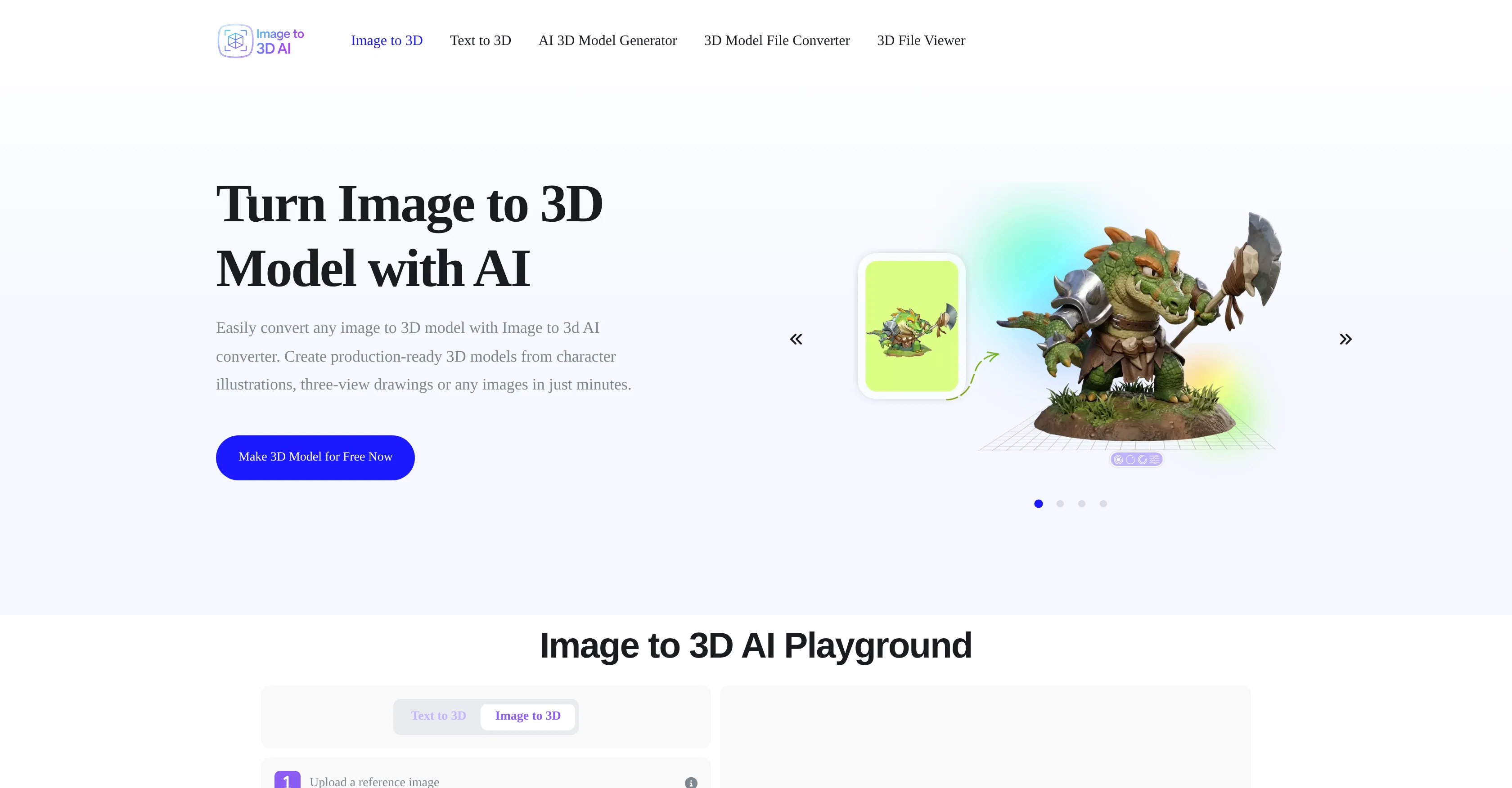
Image to 3D AI is a tool capable of generating high-quality 3D models from images or text in a matter of seconds. Its central function is to convert 2D images into ready-to-use 3D models, serving a wide range of applications such as game development, 3D Printing, Interior Design, and Education.
The generated models preserve key structures, edges, and proportions of the original image, making them highly accurate and suitable for professional use.
Users can also create 3D models from text prompts, which gives them the flexibility to prototype concepts, characters, or assets without manual modeling.
With every 3D model, users have the option to choose between a textured mesh with UV mapping for realistic rendering or a geometry-only model with clean topology for further editing.
The resultant 3D models can be exported as standard GLB files, promoting compatibility with a variety of 3D rendering and editing tools. By automating the creation process, Image to 3D AI provides a solution that simplifies the traditionally time-consuming and complex 3D modeling workflows.
Access & connections
Where you can use Image-to-3D.ai.
Platforms
Capabilities
What this tool accepts, produces, and is strongest at.
Input
- Image
- Text
Output
- 3D
Supported features
- 3D Generation
- Image Understanding
- Visual Creation
- Realism
- Styling
Pros & cons
Pros
- Generates high-quality 3D models
- Converts 2D images to 3D
- Apply to game development
- Works for 3D Printing
- Suits Interior Design
- Supports Education applications
- Preserves key structures, edges
- Maintains original proportions
Show 44 more
- Models from text prompts
- Flexible prototyping
- Textured mesh with UV mapping
- Geometry-only model option
- Optimized for realistic rendering
- Optimized for further editing
- Exports in GLB format
- Promotes compatibility with tools
- Automates 3D modeling workflows
- Serves a variety of projects
- Instant 3D Model generation
- Supports game development assets
- Supports 3D Printing projects
- Supports Interior Design projects
- Creates Interactive 3D models
- Supports Unity and Unreal Engine
- Optimized for 3D Printing workflows
- Encourages easy scaling and adjustments
- Accelerates 3D model production
- Supports efficient design layouts testing
- Enables interactive learning
- Models for subjects like science
- Generates high detail 3D models
- Surface details in 3D models
- Creates models based on text prompts
- Flexible output types
- Export in editable GLB format
- Reduced production time
- High-Precision Geometry Reconstruction
- Accurate Photorealistic Texture Mapping
- Consistent Multi-View Outputs
- Smart Auto-Retopology processing
- Clean Mesh Output
- Online preview and editing
- Automatic optimization for 3D reconstruction
- One-click model generation process
- Preview model from multiple angles
- Great for game developers
- Suits e-commerce branding
- Efficient tool for 3D artists
- Clean working methodology
- Rapid prototyping
- Compatible with Blender, Unity, Unreal Engine
- Lightweight file format
Cons
- Limited export format (GLB)
- Requires high-quality input images
- Non-specified error handling process
- No mention of scalability
- No integrated editing tools
- Might not preserve textures
- Not suitable for complex models
- No API for automation workflows
Show 2 more
- Possible privacy concerns
- Limited control over model generation
Compare alternatives
Similar tools in the catalog — with a clear reason to open each one.

3D AI Studio ✓
PaidEasily generate free 3D models with our AI-powered 3D AI Studio.
Why look Offers a public API
Full comparison
Mimetic Labs ✓
Free TrialTransform ideas into printable 3D models with AI.
Free + from $9.99
Full comparison
Image3D.io ✓
FreemiumImage to STL and 3D models from any image
Why look Stronger for image work
Full comparison
Hi3D ✓
Free TrialAI-powered 3D model generator with unprecedented precision.
Why look Higher community rating
Full comparison
TRELLIS 2 ✓
UnknownGenerate high-fidelity 3D assets from images instantly.
Why look Higher community rating
Full comparison
Neural4D | Image to 3D ✓
Free TrialTurn photos or prompts into 3D models instantly.
Why look Offers a public API
Full comparisonReleases 1
Imported reviews 2
It converts the image to glb with no problem but then the glb to anything else constantly times out.
Fantastic tool.
FAQ 12
What is the main function of Image to 3D AI?
How quickly can Image to 3D AI generate a 3D model?
Can Image to 3D AI create 3D models from text prompts?
What applications can Image to 3D AI serve?
Do the 3D models made by Image to 3D AI preserve key elements of the original image?
What are the options for the type of 3D model produced?
What file format do the generated 3D models come in?
How does Image to 3D AI impact modeling workflows?
Can Image to 3D AI convert any image to a 3D model?
Is Image to 3D AI suitable for professional use?
Does Image to 3D AI support UV mapping?
Can I create prototypes with Image to 3D AI?
Related tools
Recommended
MeshGPT ✓
FreeTurn text into 3D masterpieces.

Promtist AI ✓
FreeGenerate optimized prompts for better AI results.

Lyria ✓
FreeGenerate high fidelity music and audio

Free AI Video Upscaler ✓
FreeUpscale videos or images with AI for free, right in your browser

Vidu AI Video Generator ✓
FreemiumTransform text and images into high-quality AI videos.

AppDeploy ✓
FreeDeploy real apps directly from ChatGPT or Claude