

Graphy app ✓
Make stunning, interactive charts effortlessly.
Free + from $12/mo
Verdict
A quick read before you dig into the full page.
- Best if
- You are marketing teams and need: Creating marketing reports
- Skip if
- Limited applications integration
- Pick this when
- Free chart-maker tool
Considering Napkin instead? Compare side by side
Overview
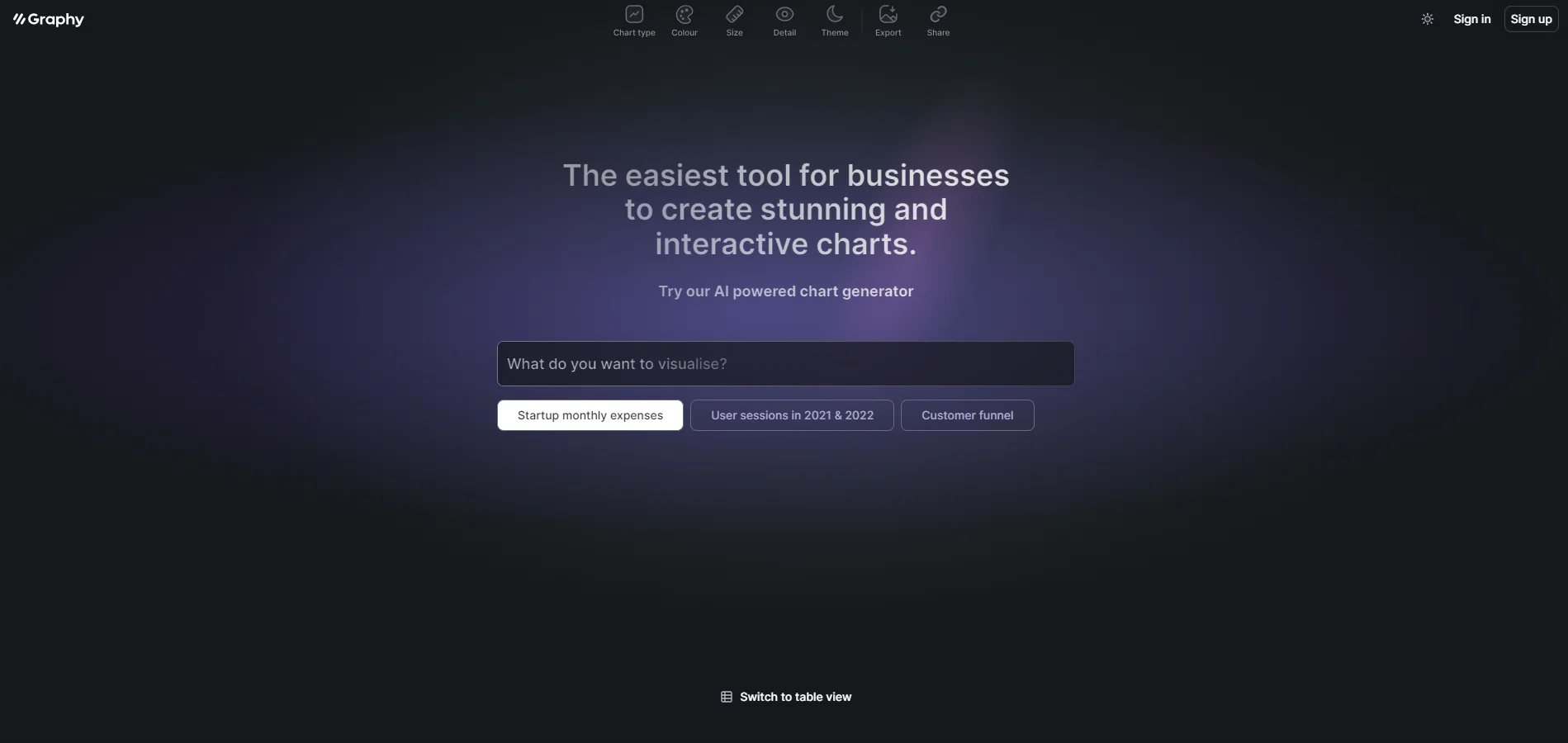
Graphy is a free chart-maker tool that allows businesses to easily create slick and interactive data visualizations. With the help of artificial intelligence, this tool enables users to generate stunning charts without the need for advanced technical skills.
The charts can be embedded into various platforms, including Notion and other preferred applications.By utilizing Graphy, businesses can effectively present their data in a visually appealing and engaging manner.
The tool offers a range of chart options, allowing users to showcase different types of data, such as startup monthly expenses, user sessions in specific time frames, and customer funnel analysis.
Users also have the option to switch to a table view for a more concise representation of their data.Graphy prioritizes user convenience by providing a simple and intuitive interface, making it accessible to individuals with varying levels of technical expertise.
This allows businesses to save time and resources that would otherwise be spent on manual chart creation or the hiring of specialized personnel. Moreover, the AI-powered capabilities of the tool assist users in generating charts quickly and accurately.Overall, Graphy is an efficient and user-friendly tool that empowers businesses to create visually impactful data visualizations.
By utilizing its features, businesses can effectively present their data, gain insights, and make informed decisions.
Best for
Short scenarios where Graphy app tends to shine.
-
Creating marketing reports
Best for Marketing teams
-
Driving decisions with data
Best for Finance directors
-
Internal reporting and board memos
Best for Growth marketing managers
-
Quickly creating visuals for newsletters and social feeds
Best for Analysts
-
Consulting business presentations
Best for CEOs
Example outputs 1
Sample generations and before/after results for Graphy app.
Access & connections
Where you can use Graphy app, and what it plugs into.
Platforms
Integrations
Capabilities
What this tool accepts, produces, and is strongest at.
Input
- Tabular
Output
- Image
Pros & cons
Pros
- Free chart-maker tool
- Embeddable into various platforms
- Appearance customization
- Range of chart options
- Table view option
- Simple, intuitive interface
- No advanced technical skills required
- Helpful for various business analyses
Show 11 more
- Quick, accurate chart generation
- Saves time and resources
- Aids in data presentation
- Facilitates insight gathering
- Assists in decision making
- Can showcase different data types
- Significant for customer funnel analysis
- Useful for user session analytics
- Handy for startup expense tracking
- User-friendly
- Efficient
Cons
- Limited chart customization options
- No offline mode
- No API for integration
- No multi-user collaboration
- Limited data import options
- No manual data manipulation
- Table view may lack details
- Limited applications integration
Show 1 more
- Unknown data security measures
Compare alternatives
Similar tools in the catalog — with a clear reason to open each one.

Napkin ✓
FreemiumBring your ideas to life with a visual copilot
Why look Typically cheaper
Full comparison
Highcharts ✓
FreemiumCreate charts instantly with natural language.
Why look Higher community rating
Full comparison
ChartGen ✓
FreemiumTransform data into professional charts in seconds.
Why look Higher community rating
Full comparison
People also view
Tools that often show up alongside Graphy app in collections and comparisons.

Scholarcy ✓
FreemiumConvert long articles into summary flashcards.

LearningStudioAI ✓
Free TrialAI-powered authoring tool for effortless online course creation.

Agentgpt ✓
FreemiumDeploy autonomous AI Agents effortlessly in your browser.

Verble ✓
FreemiumMaster the art of verbal persuasion with AI

PrometAI ✓
FreemiumTurn ideas into viable reality with AI business plan generator.

Informly Idea Validator ✓
FreemiumValidate and grow your business idea with AI.

Infographic Ninja ✓
Free TrialGenerate infographics from keywords instantly.

Findsight ✓
FreeCompare non-fiction ideas from multiple sources.
Releases 1
Imported reviews 4
Although I have accessed this in the free mode but there is a limit of 5 charts in this mode. Lastly it has made that chart absolutely brilliant so the issue is that if it's in the free mode then at least it should give the option of at least 25 charts.
hope it burns
Not bad at all for simple, colorful charts. Pretty straightforward to figure out.
Beatiful, easy and AI insights very useful.
FAQ 12
What is Graphy?
What are the key features of Graphy?
How does Graphy's AI work in creating charts?
How do I use Graphy for business?
Are there different types of chart options in Graphy?
Can I use Graphy without advanced technical skills?
How do I switch to a table view in Graphy?
Can I embed Graphy's charts into Notion and other applications?
Does Graphy have a user-friendly interface?
How can I generate charts quickly using Graphy?
Is Graphy free or are there premium options?
What type of data can I represent using Graphy's charts?
Related tools
Recommended

GPTExcel ✓
FreemiumGenerate spreadsheet formulas with AI

Scisummary ✓
Free TrialCutting-edge scientific articles summarization.
LearningStudioAI ✓
Free TrialAI-powered authoring tool for effortless online course creation.

MagicSlides.app AI PPT Maker ✓
FreemiumCreate Stunning PPTs in Seconds with the AI PPT Maker

DataSquirrel ✓
FreemiumData cleaning & visualization for insights gained.

KnowledgeGraph GPT ✓
FreeTransform unstructured text into knowledge graphs with AI.