

DataSquirrel ✓
Data cleaning & visualization for insights gained.
Free + from $15/mo
Verdict
A quick read before you dig into the full page.
- Best if
- You are management and need: Management: Generate clear, actionable reports quickly without complexity
- Skip if
- Not suitable for complex data
- Pick this when
- Automates data cleaning
Considering Grapha AI instead? Compare side by side
Overview
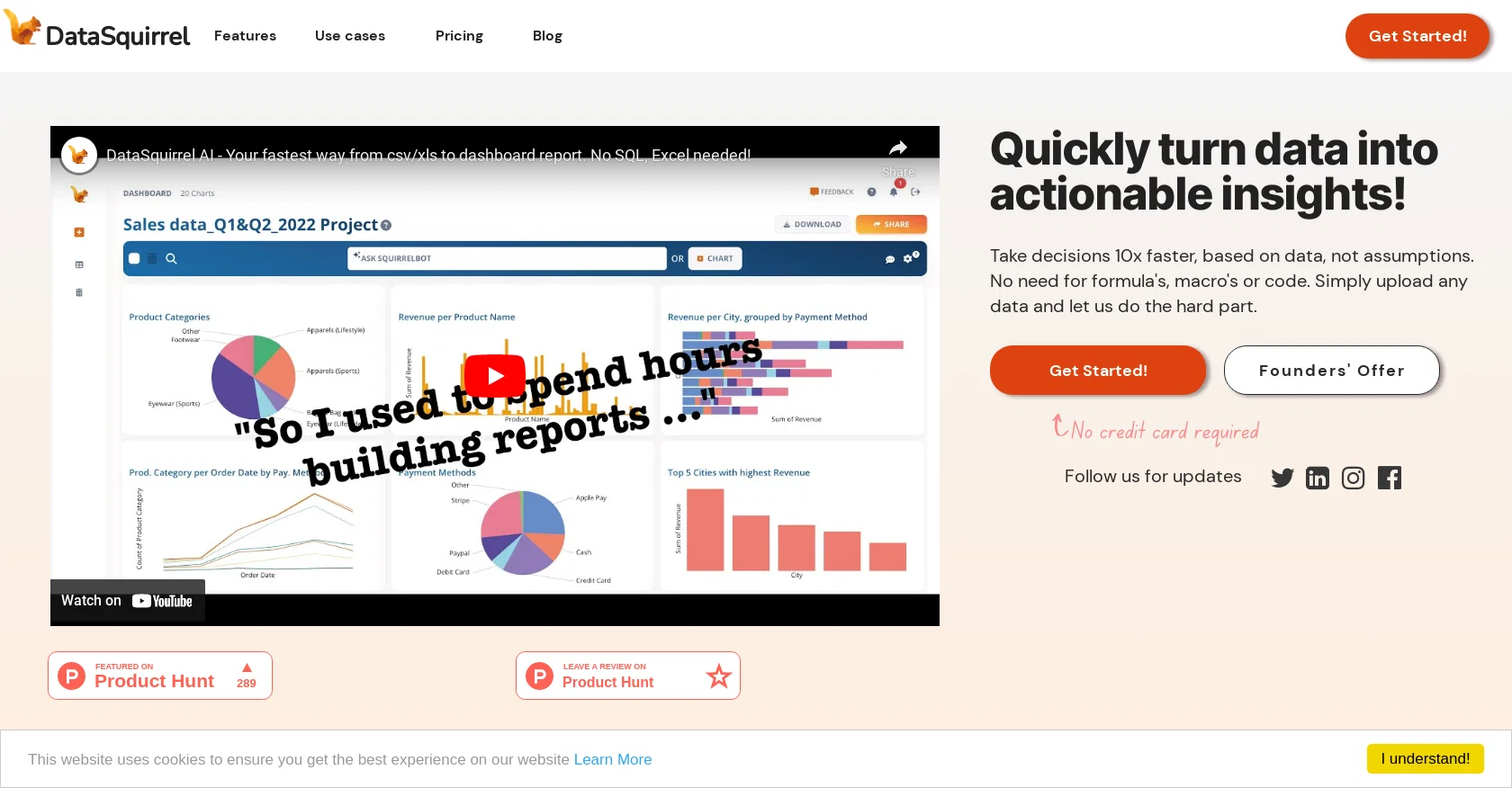
DataSquirrel.ai is an AI-powered data analytics tool that automates data cleaning and visualization processes, helping users to quickly turn raw data into actionable insights without the need for formulas, macros, or code.
Users can upload Excel, CSV, or Google Sheet data files, which are automatically cleaned for inconsistencies by DataSquirrel’s AI system. The tool also offers auto-analysis and customizable interactive dashboards or reports, enabling users to create reports and dashboards in minutes.DataSquirrel saves users time and reduces stress by eliminating manual data cleaning processes, automatically correcting input errors, empty rows, typos, and different date formats, and generating compelling visuals that tell the story of their data.
DataSquirrel's platform is GDPR/PDPA-compliant, and its features include secure data processing, anonymization by default, and easy collaboration with team members through visual sharing, commenting, and annotation capabilities.Users can create different reports with only relevant charts, KPIs, or tabular data for different audiences and share them as dashboards, presentations, or PDFs.
DataSquirrel also offers use cases across various industries, including B2B eCommerce, HR, financial accounting, and survey data analysis. With a user-friendly interface and guided data processing, DataSquirrel aims to help users make better decisions faster and see data as both exciting and useful.
Best for
Short scenarios where DataSquirrel tends to shine.
-
Management: Generate clear, actionable reports quickly without complexity.
Best for Management
-
Teams: Easily perform root cause analysis (RCA) and collaborate on data insights.
Best for Teams
-
Consultants: Quickly integrate diverse client data and generate detailed reports efficiently.
Best for Consultants
Example outputs 1
Sample generations and before/after results for DataSquirrel.
Access & connections
Where you can use DataSquirrel, and what it plugs into.
Platforms
Capabilities
What this tool accepts, produces, and is strongest at.
Supported features
- Data Analysis
- SQL
Pros & cons
Pros
- Automates data cleaning
- Automates data visualization
- No need for formulas
- No need for macros
- No need for code
- Supports Excel, CSV, Google Sheet
- Automatic error correction
- Automatic typo correction
Show 32 more
- Cleans different date formats
- Anonymization by default
- Offers secure data processing
- Facilitates easy team collaboration
- Visual sharing capabilities
- Annotation capabilities
- Customizable interactive dashboards
- Customizable reports
- Multiple report sharing formats
- Industry-specific use cases
- Can handle ad-hoc analysis
- Automated combining of data
- Automated cleaning of data
- Automated pivoting of data
- Automated visualization of data
- GDPR/PDPA-compliant platform
- 100% secure data processing
- Offers visual sharing via email
- Offers visual sharing via Telegram
- Offers visual sharing via Whatsapp
- Offers visual sharing via Slack
- Supports collaborative annotations on charts
- Generates different reports for different audiences
- Simplifies data analysis
- User-friendly interface
- Saves user's time
- Eliminates manual data cleaning
- Guided data processing
- Reduces stress associated with data cleaning
- Automated data wrangling
- Supports varied report formats
- Automatic inconsistency checking
Cons
- Limited to Excel/CSV/Google Sheets
- No SQL support
- Limited customization for dashboards
- Not suitable for complex data
- No data processing other than cleaning
- Confined to GDPR/PDPA
- Limited industry use cases
- No onsite deployment
Show 2 more
- No explicit multi-language support
- Automatic corrections may be erroneous
Compare alternatives
Similar tools in the catalog — with a clear reason to open each one.

Grapha AI ✓
PaidUncover hidden trends and patterns in your data effortlessly.
from $150
Full comparison
Breadcrumb ✓
FreemiumAutomate data work and reporting with AI Agents. No data|coding skills required.
Why look Better fit for coding
Full comparison
Anomaly AI ✓
FreemiumAI data analysis workspace for business datasets and reports.
Free + from $25/mo
Full comparison
ChartPixel ✓
FreemiumAI-assisted graphs and insights in 30 seconds!
Why look Typically cheaper
Full comparison
Vizly ✓
Free TrialAnalyze your Excel spreadsheet or CSV in seconds!
Free + from $19.99/mo
Full comparisonPeople also view
Tools that often show up alongside DataSquirrel in collections and comparisons.
Vizly ✓
Free TrialAnalyze your Excel spreadsheet or CSV in seconds!

Samwell ✓
FreemiumAI-powered essay writer for faster, better results.

OpenRead ✓
FreemiumAI-powered interactive papers for faster, intuitive research

Elicit ✓
Free TrialAI-powered research assistant for literature reviews and analysis.

Academic Help ✓
FreemiumAutomated essay support for academic writing.

Storytell.ai ✓
FreemiumTurn your data chaos into meaningful insights
Grapha AI ✓
PaidUncover hidden trends and patterns in your data effortlessly.
Anomaly AI ✓
FreemiumAI data analysis workspace for business datasets and reports.
Releases 1
Imported reviews 5
It is the ease of use for me. DataSquirrel is fast, the UI is super intuitive, and the guided analysis feature is highly convenient. I have officially moved from uploading CSV files from Google sheet to DataSquirrel. Within minutes, I can visualize my data and interpreting it becomes super simple.
I am biased of course, but 1000's of people worldwide clean and visualise data within minutes. No integration, no code, no formulas.
Definitely, I love how all the data cleaning and visualization can be done instantly. Safe time for me to do other things.
I love it, it's a huge time saver
Analysing data has never been simpler. Great tool!
FAQ 12
What is DataSquirrel?
How does DataSquirrel automate data cleaning?
What types of data files can DataSquirrel process?
What is auto-analysis in the context of DataSquirrel?
How does DataSquirrel help generate reports and dashboards?
How is DataSquirrel different from other data analysis tools?
Are my data safe when using DataSquirrel?
Why does DataSquirrel emphasize a feature of anonymization by default?
How does the collaboration feature work within DataSquirrel?
Can I customize the visuals and reports in DataSquirrel?
Does DataSquirrel only work with business data?
How user-friendly is DataSquirrel?
Related tools
Recommended

VenturusAI ✓
FreemiumBusiness idea analysis and reporting.

LearningStudioAI ✓
Free TrialAI-powered authoring tool for effortless online course creation.

GPTExcel ✓
FreemiumGenerate spreadsheet formulas with AI

MagicSlides.app AI PPT Maker ✓
FreemiumCreate Stunning PPTs in Seconds with the AI PPT Maker

Stratup.ai ✓
FreemiumInnovative idea generation for businesses.

Hyperis ✓
FreemiumOrganized task prioritization.