

Infographic Ninja ✓
Generate infographics from keywords instantly.
Trial; then from $5/mo
Verdict
A quick read before you dig into the full page.
- Best if
- You are educators and need: Turning blog posts or keywords into branded infographics
- Skip if
- Limited integration options
- Pick this when
- Generates infographics from keywords
Considering AI Infographic Generator instead? Compare side by side
Overview
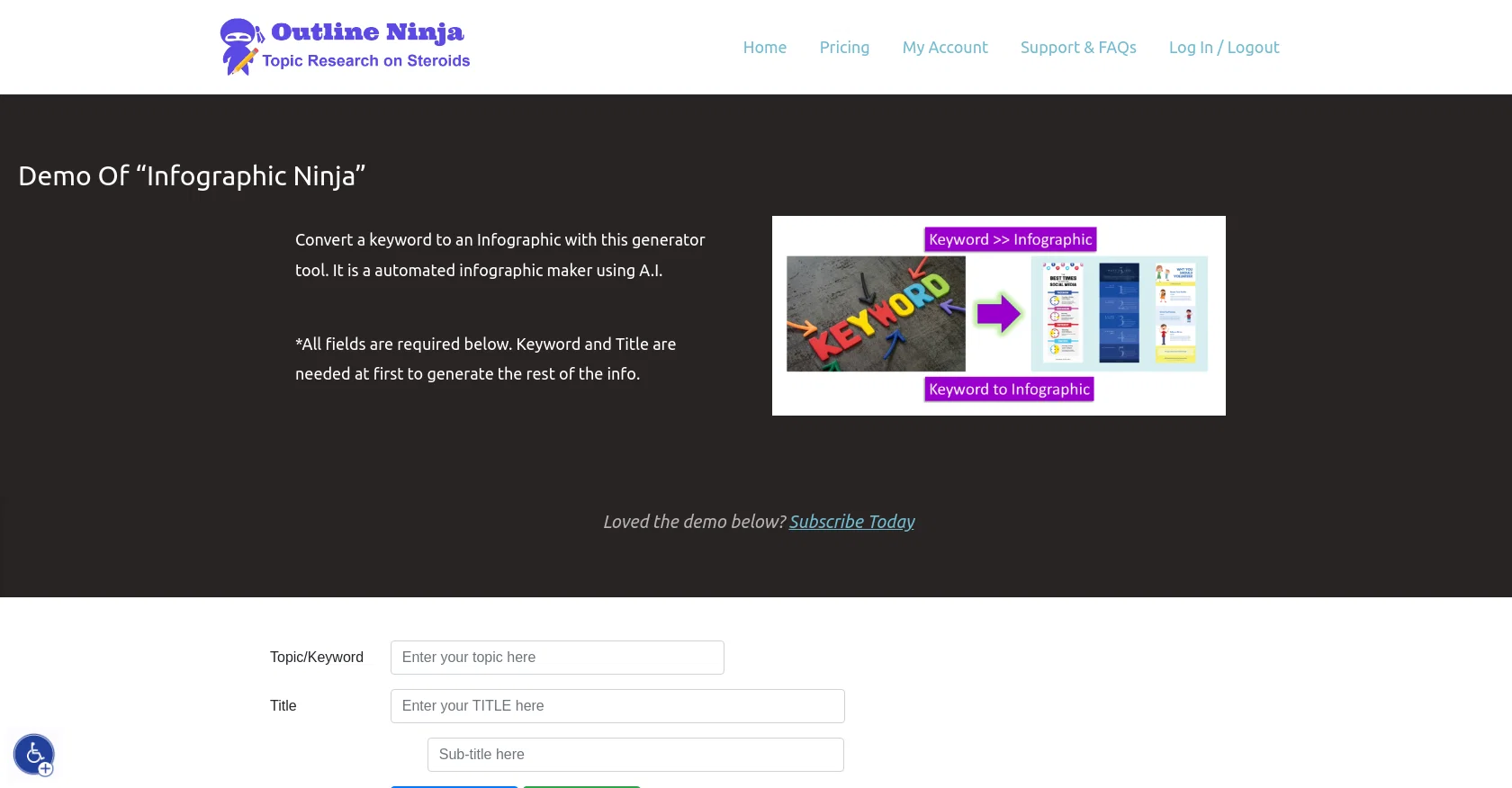
Outline Ninja’s “Infographic Ninja” is an automated infographic generator tool powered by AI. It is designed to provide users with the ability to quickly and easily convert keywords into an infographic format, allowing for easier understanding and sharing of information.
The tool requires a keyword and title to be provided initially, and then uses AI to generate the remainder of the info. The demo offers a glimpse into the features and capabilities of the tool, and users can subscribe to unlock the full version.
Accessibility options are also available, such as adjustable text size, color, contrast, and cursor size. Outline Ninja provides the terms and conditions of use and a privacy policy, ensuring that users’ data is protected.
Best for
Short scenarios where Infographic Ninja tends to shine.
-
Turning blog posts or keywords into branded infographics
Best for Educators
-
Content creation for educators, bloggers, and SEO agencies
Best for Bloggers
-
Data visualization for social media platforms
Best for SEO agencies
-
Creating blog post summaries in a graphical way
Best for Content creators
Example outputs 1
Sample generations and before/after results for Infographic Ninja.
Access & connections
Where you can use Infographic Ninja.
Platforms
Capabilities
What this tool accepts, produces, and is strongest at.
Input
- Text
Output
- Image
Pros & cons
Pros
- Generates infographics from keywords
- Easily converts text into infographics
- Offers demo for testing
- Subscription-based full version
- Has accessibility options
- Adjustable text size
- Adjustable color and contrast
- Offers adjustable cursor size
Show 18 more
- Provides terms and conditions
- Has a privacy policy
- Data protection measures
- Menu for easy navigation
- Support & FAQs available
- Web scanner
- Keyword and Title requirements
- Outline Ninja logo for brand recognition
- Reset Settings option
- Contact Us feature for support
- Zoom Screen feature
- Concise infographics
- Simplified information sharing
- White and Black Cursor options
- High contrast modes
- Images titles for better understanding
- Underline Headers and Links feature
- Readable text optimisation
Cons
- Requires initial keyword and title
- Subscription needed for full features
- Doesn't support multiple languages
- Limited formatting options
- No collaborative features
- Limited integration options
- No offline version
- No mobile application
Show 2 more
- Doesn't accept synonyms of keywords
- Infographics can't be customized
Compare alternatives
Similar tools in the catalog — with a clear reason to open each one.

AI Infographic Generator ✓
FreemiumAI infographic generator that turns blog posts into link magnets
Why look Better for writing
Full comparison
AI Infographic Generator ✓
FreemiumCreate infographics instantly from text prompts
Free + from $10/mo
Full comparison
Piktochart ✓
FreemiumVisually appealing infographics with ease.
Why look Higher community rating
Full comparison
KnowledgeGraph GPT ✓
FreeTransform unstructured text into knowledge graphs with AI.
Why look Fully free option
Full comparison
People also view
Tools that often show up alongside Infographic Ninja in collections and comparisons.

Mindmap ✓
FreemiumVisualize ideas effortlessly with free mindmaps.

ExtendImage ✓
Free TrialExtend images seamlessly with AI magic.

Stockimg AI ✓
PaidGenerated images and text for design ease.

Scholarcy ✓
FreemiumConvert long articles into summary flashcards.

LearningStudioAI ✓
Free TrialAI-powered authoring tool for effortless online course creation.

Agentgpt ✓
FreemiumDeploy autonomous AI Agents effortlessly in your browser.

Text to Infographic ✓
FreemiumTurn your text into visuals in minutes.

PrometAI ✓
FreemiumTurn ideas into viable reality with AI business plan generator.
Releases 1
Imported reviews 5
tooo limited. only works with the pre-set templates.
It took me less than 20 minutes to create infographic perfection- all the other AI design sites I tried, and I tried them all, weren't able to give me what I wanted in 1 way or another. Outline Ninja helped me create my infographic
Quick basic infographic.
Not recommended for any real projects, but it only takes 30 seconds with the free (watermarked) demo.
It doesnt appear you can customize the infographics in any way shape or form. Its just random generation
Structure was too rigid and would not allow for flexibility in the sample test.
FAQ 12
What is Infographic Ninja?
How does Infographic Ninja work?
What do I need to start using Infographic Ninja?
How does Infographic Ninja use AI to generate infographics?
Can I adjust the text size in Infographic Ninja?
Does Infographic Ninja have adjustable color and contrast options?
Is there a difference between the demo and the full version of Infographic Ninja?
How can I subscribe to the full version of Infographic Ninja?
What accessibility features does Infographic Ninja offer?
Do I need to provide both a keyword and a title for Infographic Ninja to work?
Does Infographic Ninja have a privacy policy?
Can Infographic Ninja create an infographic from any keyword?
Related tools
Recommended
LearningStudioAI ✓
Free TrialAI-powered authoring tool for effortless online course creation.

MagicSlides.app AI PPT Maker ✓
FreemiumCreate Stunning PPTs in Seconds with the AI PPT Maker

GPTExcel ✓
FreemiumGenerate spreadsheet formulas with AI

VenturusAI ✓
FreemiumBusiness idea analysis and reporting.

Hyperis ✓
FreemiumOrganized task prioritization.

Scisummary ✓
Free TrialCutting-edge scientific articles summarization.