

Highcharts ✓
Create charts instantly with natural language.
Free + from $168/yr
Verdict
A quick read before you dig into the full page.
- Best if
- Create charts instantly with natural language
- Skip if
- Complex for non-technical users
- Pick this when
- Generates visualizations from natural language
Considering Napkin instead? Compare side by side
Overview
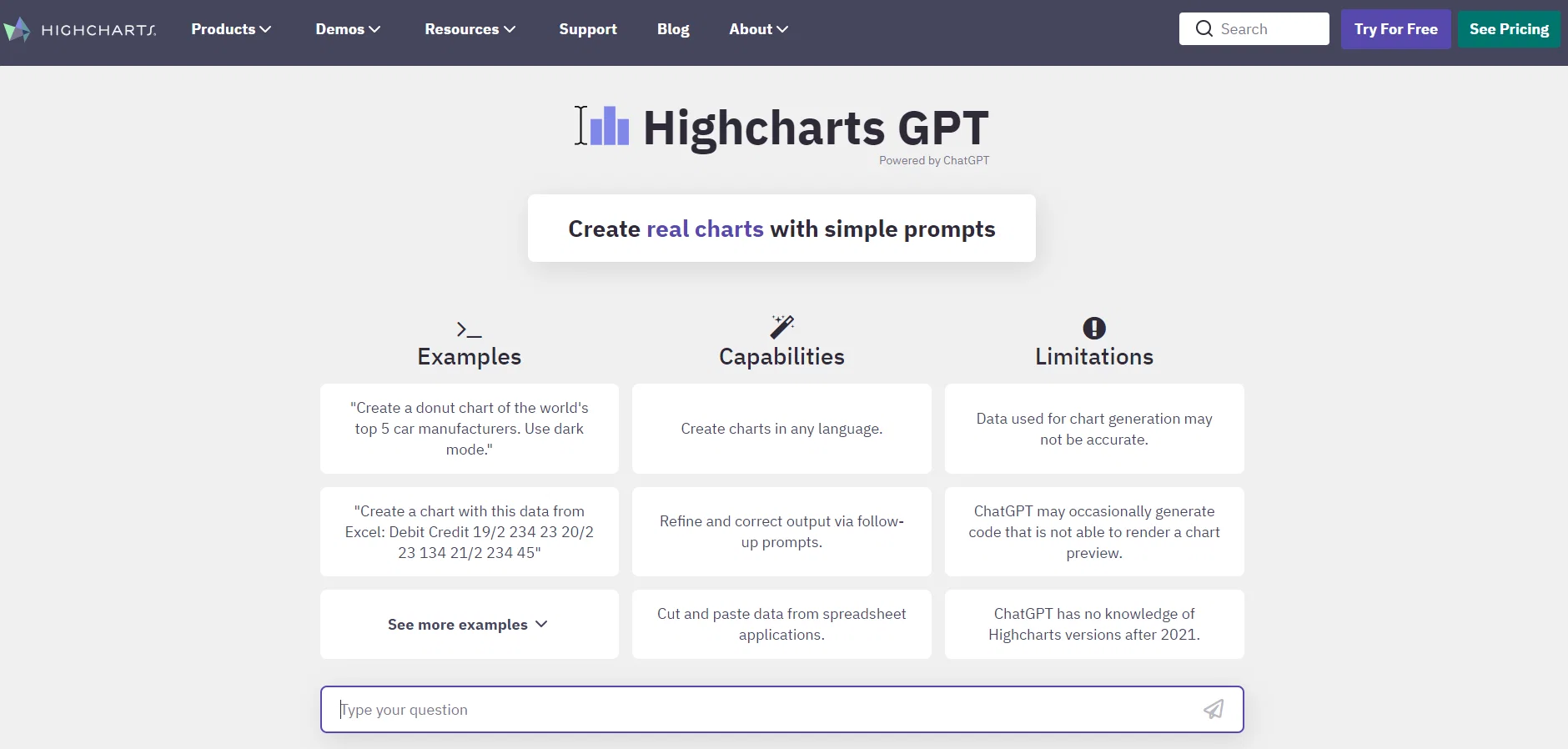
Highcharts GPT is a charting tool that utilizes natural language processing to generate Highcharts code through human-like conversations. It enables users to create various reliable and secure data visualizations with different chart types such as line, bar, and pie charts in seconds.
Highcharts GPT is powered by ChatGPT, which allows users to input natural language and receive instant responses, with chatbot technology. Highcharts GPT is easy to use, with its intuitive interface and natural language processing capability.
Users can simply type in the data they want to visualize, along with other parameters like the chart type, title, and axis labels, and the tool will create the Highcharts code necessary to generate the chart.
The tool also boasts robust security features to ensure all data being charted remains secure and confidential.Additionally, Highcharts GPT supports a wide variety of chart types and customization options, enabling users to create charts that meet their specific needs.
Highcharts GPT also provides seamless integration with other tools and applications, making it a valuable asset for developers and data analysts. Moreover, Highcharts GPT uses cookies to personalize content, provide social media features, and analyze traffic.
In conclusion, Highcharts GPT is a reliable, secure, and user-friendly tool for creating data visualizations in a matter of seconds with the help of natural language processing.
Its wide range of chart types and customization options, along with its integration options, make it a highly valuable tool for developers and data analysts alike.
Best for
Short scenarios where Highcharts tends to shine.
-
Create charts instantly with natural language.
Example outputs 1
Sample generations and before/after results for Highcharts.
Access & connections
Where you can use Highcharts, and what it plugs into.
Platforms
Integrations
Capabilities
What this tool accepts, produces, and is strongest at.
Input
- Text
Output
- Code
Pros & cons
Pros
- Generates visualizations from natural language
- Creates line, bar, pie charts
- Instant responses
- Intuitive interface
- Inputs data in natural language
- Generates Highcharts code
- Robust security features
- Wide variety of chart types
Show 10 more
- Extensive customization options
- Seamless integration with other tools
- Analyzes traffic
- Personalizes content
- Enables human-like conversations
- Ensures data confidentiality
- Supports various parameters like chart type, title, and axis labels
- User-friendly
- Cookies for improved user experience
- Supports safe transactions
Cons
- Data security concerns
- Cookie-heavy
- Limited chart customization
- Lacks advanced analysis functions
- Depends on ChatGPT
- Inaccurate code generation
- Complex for non-technical users
- Potential integration issues
Show 2 more
- Slow response times
- Limited language input processing
Compare alternatives
Similar tools in the catalog — with a clear reason to open each one.

Napkin ✓
FreemiumBring your ideas to life with a visual copilot
Why look Typically cheaper
Full comparison
Graphy app ✓
FreemiumMake stunning, interactive charts effortlessly.
Why look Typically cheaper
Full comparison
ChartGen ✓
FreemiumTransform data into professional charts in seconds.
Free + from $40 / month
Full comparison
Graph Maker ✓
FreemiumCreate any chart instantly with AI
Why look Typically cheaper
Full comparisonPeople also view
Tools that often show up alongside Highcharts in collections and comparisons.
Napkin ✓
FreemiumBring your ideas to life with a visual copilot
Graphy app ✓
FreemiumMake stunning, interactive charts effortlessly.
Graph Maker ✓
FreemiumCreate any chart instantly with AI
ChartGen ✓
FreemiumTransform data into professional charts in seconds.

Online Gantt ✓
Free TrialAI Assistant for Gantt Charts

Nereo AI Anime Shorts ✓
Free TrialGenerate complete 60-second anime videos from one prompt.

Claras ✓
FreemiumSummaries, transcripts, and answers on every video.

Chatty Tutor ✓
PaidConfigurable AI Language Tutor for English learners.
Releases 1
In the news
Launch coverage and community mentions for Highcharts.
FAQ 12
What is Highcharts GPT?
How does Highcharts GPT work?
What types of charts can I create with Highcharts GPT?
How does Highcharts GPT ensure data security?
Can I customize the charts created with Highcharts GPT?
Which AI technology does Highcharts GPT use?
Can I integrate Highcharts GPT with other tools or applications?
How fast can Highcharts GPT generate visualizations?
Which types of data can I visualize using Highcharts GPT?
How does Highcharts GPT use cookies?
What is the involvement of ChatGPT in Highcharts GPT?
What kind of user experience does Highcharts GPT provide?
Related tools
Recommended

MagicSlides.app AI PPT Maker ✓
FreemiumCreate Stunning PPTs in Seconds with the AI PPT Maker

Agentgpt ✓
FreemiumDeploy autonomous AI Agents effortlessly in your browser.

Hyperis ✓
FreemiumOrganized task prioritization.

LearningStudioAI ✓
Free TrialAI-powered authoring tool for effortless online course creation.

VenturusAI ✓
FreemiumBusiness idea analysis and reporting.

AskCSV ✓
FreemiumAsk your CSV file anything, instantly.