

Verdict
A quick read before you dig into the full page.
- Best if
- Compare non-fiction ideas from multiple sources
- Skip if
- Complex for beginner users
- Pick this when
- Specializes in non-fiction works
Considering Vertech Academy instead? Compare side by side
Overview
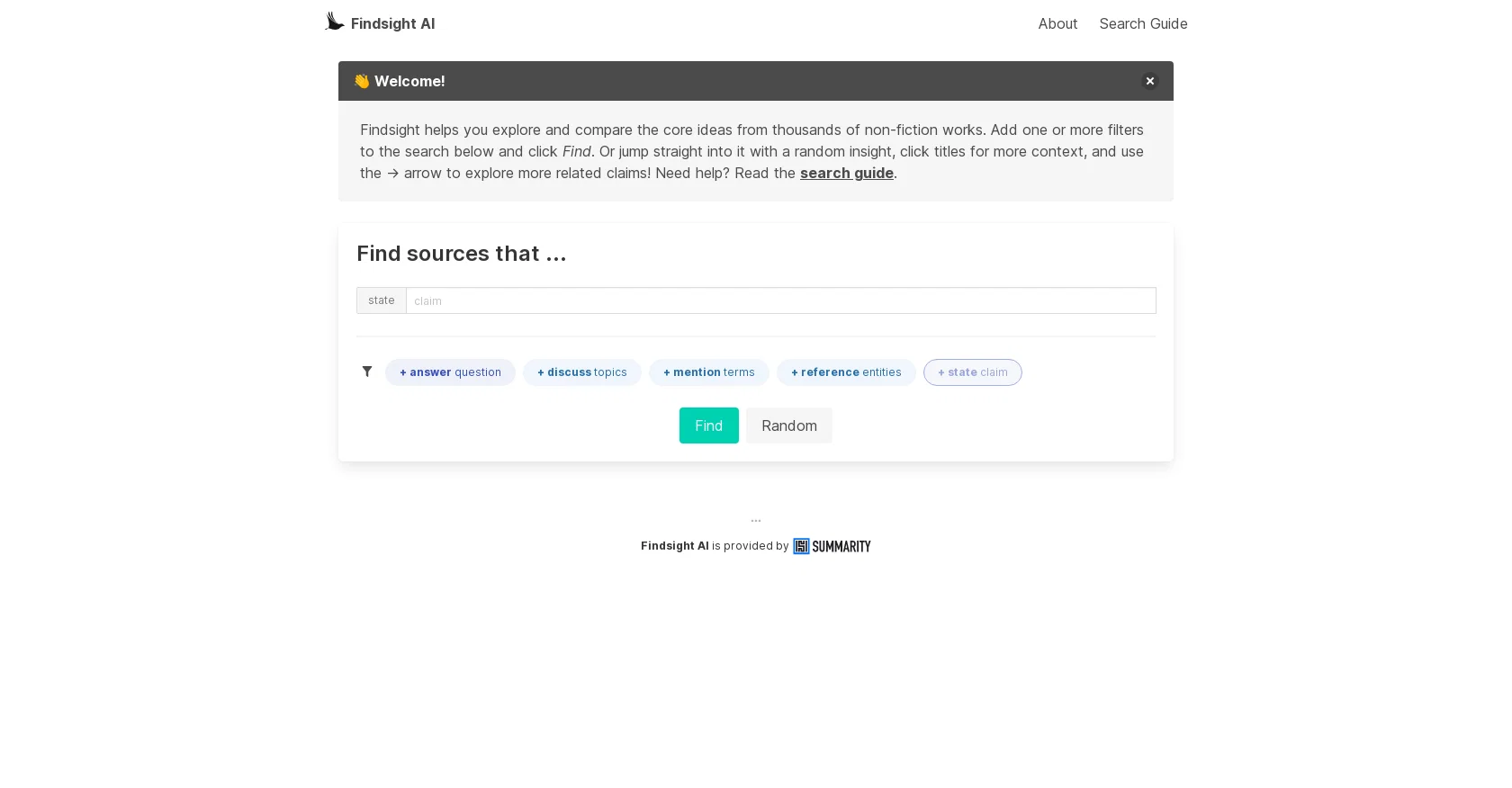
FINDSIGHT AI is a search engine that allows users to explore and compare the core ideas from thousands of non-fiction works. It is a syntopical reading engine that allows users to discover and compare claims from multiple sources, navigate through related topics and create their personalized learning journey.
Users can filter their search results using the basic filters such as the MENTION and REFERENCES filters or the more advanced AI-powered filters such as the STATE and ANSWER filters.
The MENTION filter works like Google and identifies sources based on literal text, while the REFERENCES filter suggests named entities or concepts referenced across sources that can be used to refine results.
The DISCUSS filter works similarly to the REFERENCES filter but targets specific tags linked to a source. The AI-powered filters, STATE and ANSWER, allow users to enter their custom claims, find related claims useful for citations, and find claims that address a question with accompanying data to help answer it.
Overall, FINDSIGHT AI provides a robust platform for exploring and comparing ideas from multiple sources to enhance users' learning and understanding of various topics.
Best for
Short scenarios where Findsight tends to shine.
-
Compare non-fiction ideas from multiple sources.
Example outputs 1
Sample generations and before/after results for Findsight.
Access & connections
Where you can use Findsight.
Platforms
Pros & cons
Pros
- Specializes in non-fiction works
- Comparative analysis of sources
- Syntopical reading engine
- Personalized learning journeys
- Basic filters for refining
- Literal text identification
- Entity reference filter
- Tag specific DISCUSS filter
Show 10 more
- Custom claims entry
- Citation assistance
- Question answering capability
- Contextual data provision
- Supports different search prefixes
- Named entities differentiation
- Provides links to original sources
- Topics linked to source
- Random browsing option
- Sharing results option
Cons
- Limited to non-fiction content
- Complex for beginner users
- Basic filters lack precision
- No mobile application
- Requires constant refining of results
- No multilingual support
- Limited user interface customization
- No offline usability
Show 1 more
- Potentially selective source material
Compare alternatives
Similar tools in the catalog — with a clear reason to open each one.

Vertech Academy ✓
Free TrialPre-built AI study workflows that outperform raw ChatGPT prompts.
Why look Higher community rating
Full comparison



PhotoSolve ✓
FreemiumScan, solve, and learn from any question.
Free + from $9.99/mo
Full comparison
Nolej ✓
FreemiumAI-powered platform for interactive courseware generation
Why look Higher community rating
Full comparisonPeople also view
Tools that often show up alongside Findsight in collections and comparisons.

Scholarcy ✓
FreemiumConvert long articles into summary flashcards.

LearningStudioAI ✓
Free TrialAI-powered authoring tool for effortless online course creation.

Agentgpt ✓
FreemiumDeploy autonomous AI Agents effortlessly in your browser.

Verble ✓
FreemiumMaster the art of verbal persuasion with AI

PrometAI ✓
FreemiumTurn ideas into viable reality with AI business plan generator.

Informly Idea Validator ✓
FreemiumValidate and grow your business idea with AI.

Infographic Ninja ✓
Free TrialGenerate infographics from keywords instantly.

Graphy app ✓
FreemiumMake stunning, interactive charts effortlessly.
Releases 1
Imported reviews 3
The interface is nice, but I found the search results a bit inconsistent. the search results don't always match what I'm looking for, and accuracy seems hit or miss depending on the topic.
One sunny day, Goku was training in a forest. Suddenly, a glowing magic stone fell from the sky and landed nearby.
Goku: "Wow! What is this? I can feel a lot of energy coming from it!"
Goku picked up the stone and looked at it carefully.
Great idea, but does not find what you are looking for-about the same as Google Scholar
FAQ 12
What is Findsight AI?
How does Findsight AI work?
What are the main features of Findsight AI?
How does the MENTION filter work in Findsight AI?
Can you explain how the REFERENCES filter works in Findsight AI?
What does the DISCUSS filter do in Findsight AI?
What is the difference between basic and AI-powered filters in Findsight AI?
How do the STATE and ANSWER filters function in Findsight AI?
What limits are there on using AI filters in Findsight AI?
Can you explain syntopical reading in the context of Findsight AI?
What's the difference between the MENTION and REFERENCES filters in Findsight AI?
How does Findsight AI help to compare claims from multiple sources?
Related tools
Recommended

TutorAI ✓
FreemiumInstant knowledge on any topic
LearningStudioAI ✓
Free TrialAI-powered authoring tool for effortless online course creation.

VenturusAI ✓
FreemiumBusiness idea analysis and reporting.

Scisummary ✓
Free TrialCutting-edge scientific articles summarization.

Business Idea Generator AI ✓
FreeGenerate innovative business ideas with AI

Summarist ✓
FreeAI-powered book summaries in seconds