Fotor ✓
Convert text to AI-generated images instantly
Free + from $3.33/mo
Verdict
A quick read before you dig into the full page.
- Best if
- You are social media managers and need: Remove backgrounds from product photos for e-commerce
- Skip if
- Limited image styles
- Pick this when
- Generates 'magic-wand' style art
Considering Photo AI instead? Compare side by side
Overview
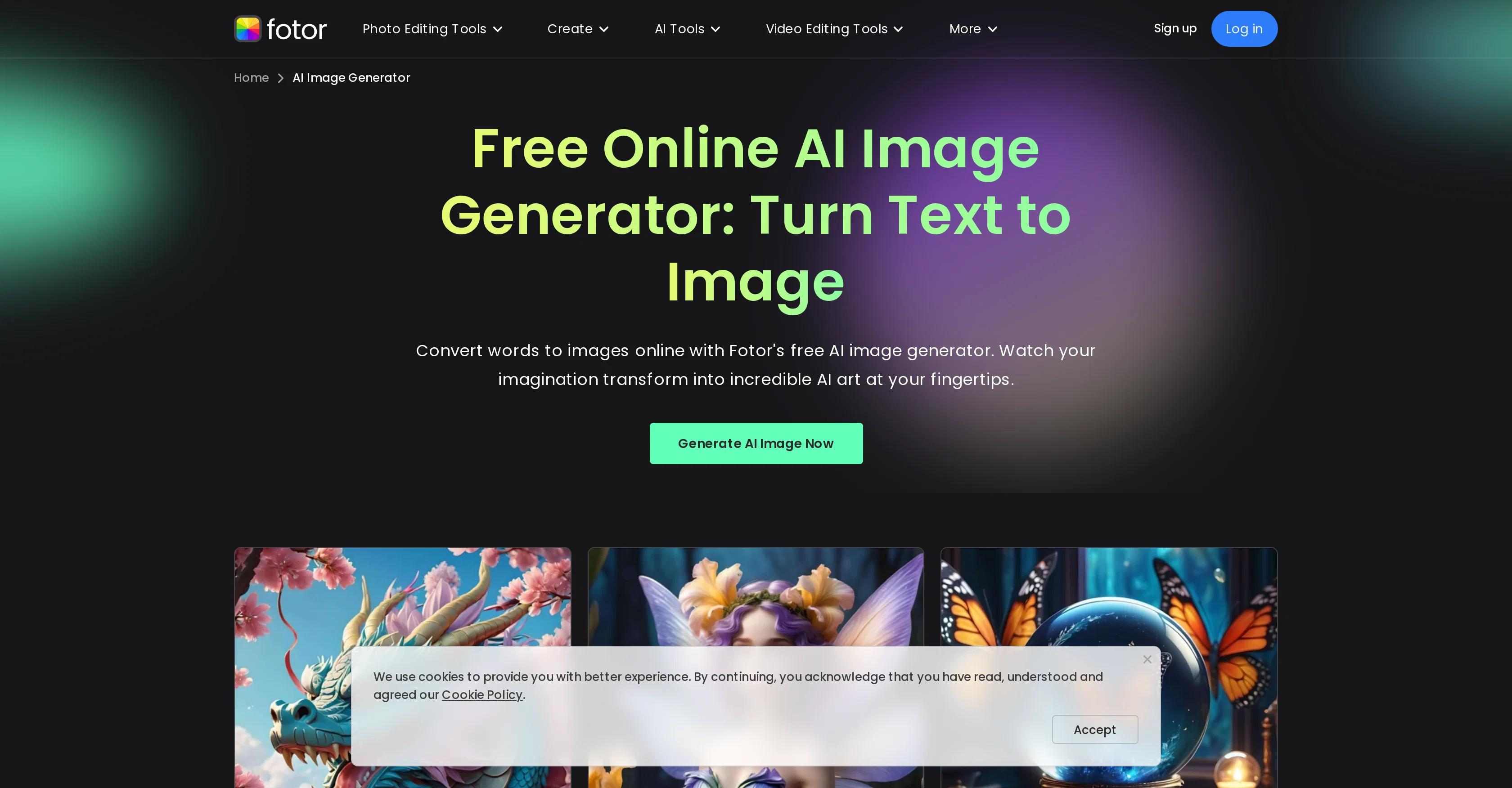
Fotor's AI Image Generator is an online tool designed to generate images from text prompts. It allows users to visualize ideas almost instantly by creating AI-generated art and images based on the input.
In addition to the AI-powered image generation feature, Fotor also offers a comprehensive suite of image editing tools. These include resizing, cropping, blurring, sharpening, and adding text or borders to images.
Apart from traditional edits, users may transform photos into sketches or cartoons, create collages, merge images, and change photo backgrounds. The platform also provides tools to manipulate facial features, upscale images, and even generate PNG files.
Fotor's capabilities extend to the creation of logos, flyers, and posters for marketing, as well as social media assets like YouTube thumbnails or Instagram post designs.
The platform covers a wide range of applications, such as editing text in images, colorizing photos, and removing objects or backgrounds from images. In addition to photo editing, Fotor offers similar AI tools for generating and enhancing videos and GIFs, also allowing users to remove watermarks or objects.
Fotor provides platform-specific applications for Windows, Mac, and mobile devices.
Best for
Short scenarios where Fotor tends to shine.
-
Remove backgrounds from product photos for e-commerce.
Best for Social media managers
-
Generate unique images for social media content.
Best for Small business owners
-
Unblur old or damaged photos to restore their quality.
Best for Marketing professionals
Example outputs 1
Sample generations and before/after results for Fotor.
Access & connections
Where you can use Fotor, and what it plugs into.
Platforms
Integrations
Capabilities
What this tool accepts, produces, and is strongest at.
Input
- Text
Output
- Image
Supported features
- Image to prompt
- Image Edit
- Image Generation
- Image Understanding
- Outpainting
- Inpainting
- Denoise
Pros & cons
Pros
- Free to use
- Generates 'magic-wand' style art
- No design expertise required
- Range of photo editing tools
- Includes graphic design tools
- Useful for marketing
- Recommended for students
- Recommended for freelancers
Show 30 more
- Recommended for businesses
- Logo making function
- Flyer making function
- Instagram post maker
- YouTube thumbnail maker
- Can crop images
- Can resize images
- Can add borders
- Blur background feature
- Collage maker
- Image upscaler
- Photo retouching
- Face editing
- Image enlarging
- Photo effect adding
- Batch photo editing
- Mobile app available
- Windows compatible
- Mac compatible
- Logo maker
- Resume maker
- Card maker
- YouTube Thumbnail maker
- Facebook Cover maker
- Background removing
- Editable templates
- Campaign templates
- Wedding templates
- Party templates
- Volunteer templates
Cons
- Single art style limitation
- No customization options
- Limited platform compatibility
- Image quality concerns
- Requires JavaScript
- Lack of advanced features
- Inconsistent image generation
- Limited image styles
Show 2 more
- Lack of offline access
- No batch processing capability
Compare alternatives
Similar tools in the catalog — with a clear reason to open each one.

Stockimg AI ✓
PaidGenerated images and text for design ease.
Why look Stronger for image work
Full comparisonPeople also view
Tools that often show up alongside Fotor in collections and comparisons.
Stockimg AI ✓
PaidGenerated images and text for design ease.

Photo AI ✓
PaidCreate beautiful AI photos and videos of real people

Midjourney ✓
PaidExpand human imagination through AI-powered visuals.

CreativePixel ✓
FreemiumOut-create Your Competition in Minutes

BestPhotoAI ✓
FreemiumCreate amazing AI photos instantly

Nathan Tailors AI Suit Generator ✓
FreeDescribe your dream suit. We draw it, then build it.

LineArt ✓
Free TrialTurn one photo into a whole coloring book.

Line Drawing Converter ✓
Free TrialConvert photos into clean line drawings online.
Releases 1
Imported reviews 1
Watch out! I canceled the trial period 2 or 3 days before its end but I was still charged.
Related tools
Recommended

Pixelcut ✓
FreemiumAll-in-one AI creative platform for images and video
AI Image Wizard ✓
UnknownTurn words into art with AI.
ImageEditor.AI ✓
FreemiumThe AI photo editor that does it all.

VanceAI ✓
Free TrialOne-click AI photo enhancement and editing tools.

Prome ✓
FreemiumAI-powered design assistant for stunning visuals.

PicAI ✓
FreemiumImage and avatar generation