

Canva AI Code Generator ✓
Transform designs into interactive experiences without coding.
Free + from $100/yr
Verdict
A quick read before you dig into the full page.
- Best if
- Transform designs into interactive experiences without coding
- Skip if
- Unknown handling of complex designs
- Pick this when
- Instant content creation
Considering Base44 instead? Compare side by side
Overview
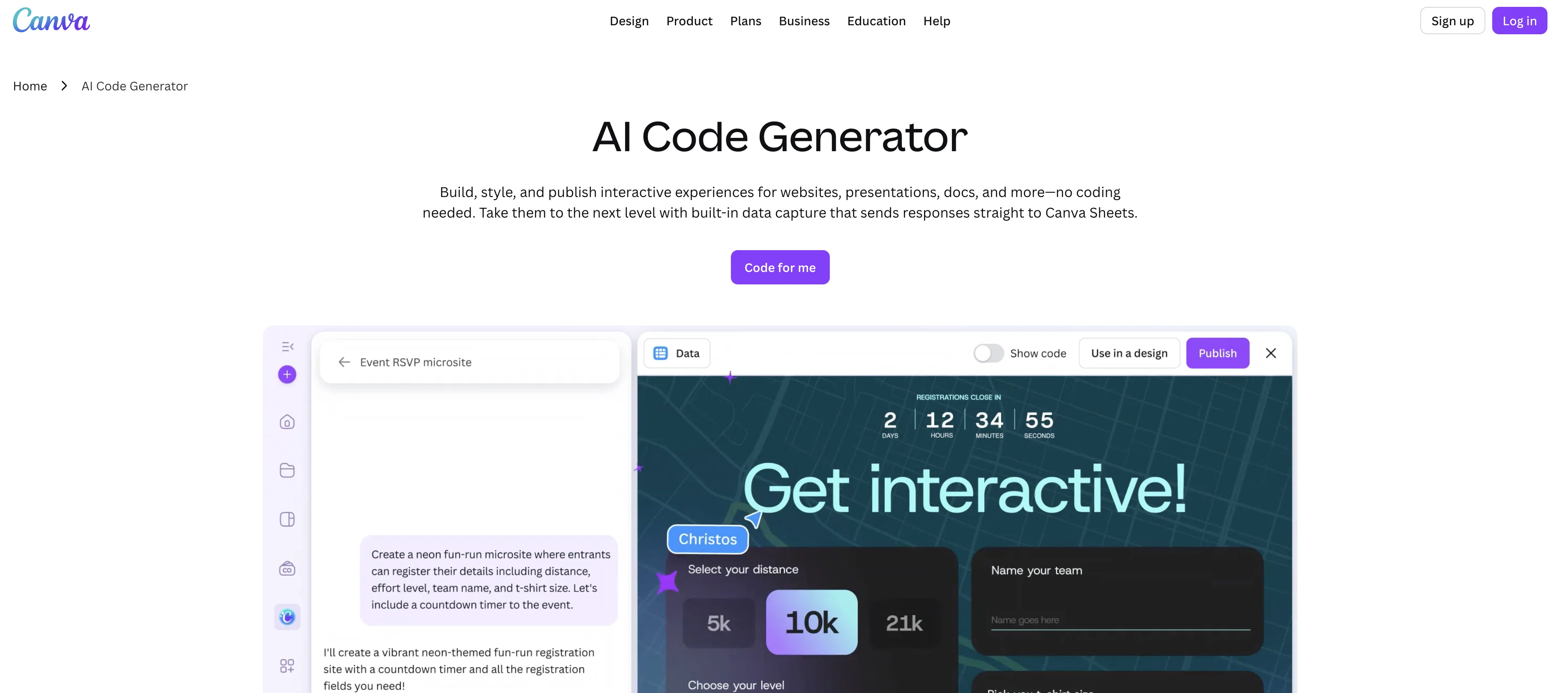
Canva's AI Code Generator is part of the Canva suite, designed to facilitate the creation of interactive experiences across various formats without the requirement for coding knowledge.
Users can develop a variety of content, including websites, presentations, and social posts. The tool allows users to customize elements such as colors and fonts to align with their style preferences or brand identity, and publish creations instantly.
Following the development and publishing processes, the tool helps to capture responses and audience interaction data directly into a connected Canva Sheet.
This data can then be shared, analysed, or used to build further content. The tool embeds the AI-generated interactive widget across different designs or published directly as a live website with a single click.
It enables responsive design for different devices, such as desktop, mobile, and tablet. The AI code generator also features built-in data capture, providing a platform for analyzing audience interactions, creating data visualizations, and facilitating team organization.
Canva's AI Code Generator works to enhance efficiency in the design process, automating various tasks which traditionally take hours and enabling rapid content creation.
Access & connections
Where you can use Canva AI Code Generator, and what it plugs into.
Platforms
Integrations
Capabilities
What this tool accepts, produces, and is strongest at.
Input
- API
- Tabular
- Text
Output
- Code
- Tabular
- API
Pros & cons
Pros
- Instant content creation
- Interactive experiences
- No coding knowledge required
- Customizable design elements
- Instant publishing abilities
- Capture audience responses
- Gathers interaction data
- Data shared in Canva Sheet
Show 26 more
- Responsive design capabilities
- Built-in data capture
- Audience interaction analysis
- Data visualization potential
- Efficient design process
- Automates time-consuming tasks
- Ability to embed widgets
- Can directly publish websites
- Facilitates team organization
- Cross-platform compatible
- Can generate social media posts
- Enhances brand identity
- Connects Canva designs
- Compatible with desktop, mobile, tablet
- Creates a variety of content
- Can transform designs directly
- Vibe coding feature
- Single click publishing
- Secured platform
- Natural language chat support
- Flexible input options - voice or text
- Instant design updates
- Seamless integration into Canva suite
- Smarter, data-connected workflows
- Preview panel for quick edits
- Coding-free interactive website elements
Cons
- Limited to Canva platform
- No offline capability
- Reliant on Canva Sheets
- Single click publishing risks
- No manual coding option
- Lacks API integration
- Unknown handling of complex designs
- Limited customization options
Show 1 more
- Potentially oversimplified design process
Compare alternatives
Similar tools in the catalog — with a clear reason to open each one.

Base44 ✓
FreemiumLet’s make your dream a reality. Right now.
Why look Typically cheaper
Full comparison

biela.dev ✓
Free TrialIf you can imagine it, Biela can code it!
Why look Typically cheaper
Full comparison

Trickle Magic Canvas ✓
FreemiumTurn your ideas into live apps and websites with AI.
Why look Typically cheaper
Full comparison
Floot ✓
FreemiumBuild AI apps with the subscription you're already paying for.
Why look Typically cheaper
Full comparisonReleases 1
FAQ 12
What is the Canva AI Code Generator?
What types of content can I create with the Canva AI Code Generator?
Is prior coding knowledge required to use the Canva AI Code Generator?
How can I customize the designs in the Canva AI Code Generator?
Can the Canva AI Code Generator help me analyze audience interaction data?
What does it mean that the Code Generator embeds AI-generated interactive widgets?
How does the Code Generator help with responsive design?
Can Canva AI Code Generator automatically capture data?
Can the Canva AI Code Generator aid in team organization?
How does the Canva AI Code Generator increase efficiency in the design process?
What is Vibe Coding in the context of the Canva AI Code Generator?
How can I share the created content from the Canva AI Code Generator?
Related tools
Recommended

Embeddable ✓
FreemiumCreate stunning widgets and landing pages by chatting with AI.

DeepSeek ✓
FreeUnravel the mystery of AGI with curiosity

Archie ✓
FreemiumThe platform to architect, build, and run production-grade applications.

PrompTessor ✓
FreemiumAI Prompt Workspace for Better AI Results

Cursor ✓
FreemiumAI-powered IDE for faster coding

Lovable ✓
Free TrialBuild software products using chat
More from this creator

remove.bg ✓
FreemiumRemove image backgrounds in 5 seconds with one click

Canva Magic Design ✓
FreemiumAuto-generate designs with AI

Canva Visual Suite ✓
UnknownDesign for the new visual era

Unscreen Pro ✓
PaidUnscreen Remove video background

Canva Magic Write ✓
FreemiumAI writer for fast first drafts.

Canva's Magic Insights ✓
FreemiumGet quick AI insights from your data.