

Video enhancement 2026 Rank: #568
Any Video Converter | AI Video Enhancer ✓
Upscale any video to stunning 4K with AI.
Verdict
A quick read before you dig into the full page.
- Best if
- You are content creators and need: Restore VHS, camcorder, and old family videos by removing noise and enhancing clarity
- Skip if
- Limited to 400% upscaling
- Pick this when
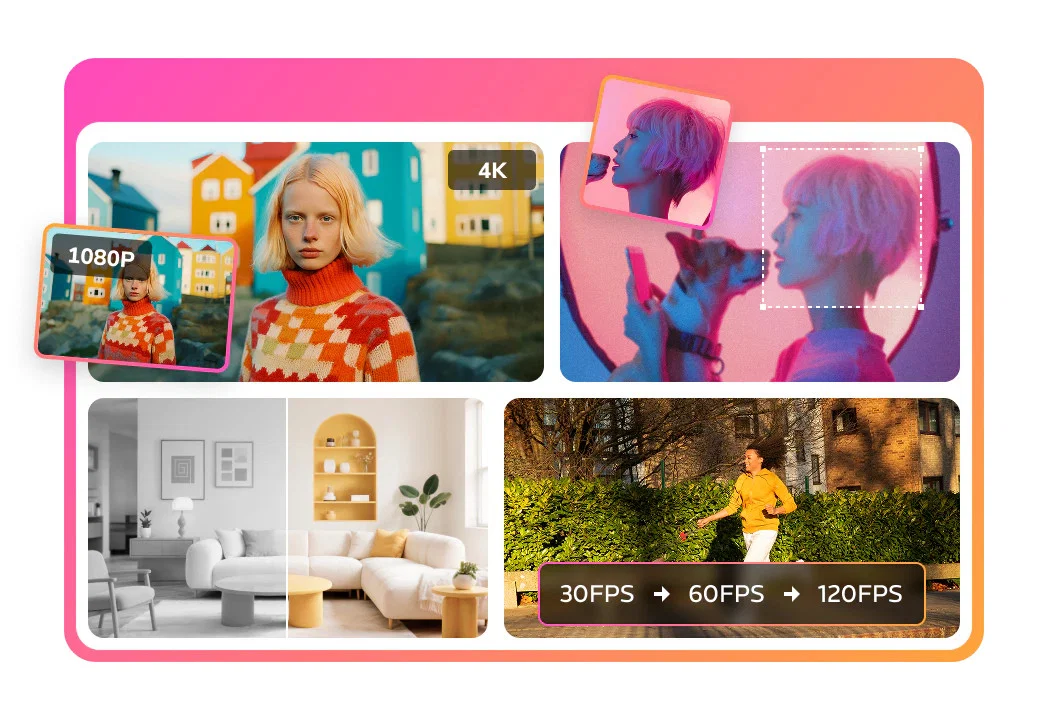
- Upscales videos to 4K
Considering Vmake Video Enhancer instead? Compare side by side
Overview



AI Video Enhancer is a professional-grade AI tool intended to upscale videos and significantly improve their quality. Offering the ability to enhance old, blurry footage into sharper 4K compliances, it employs intelligent algorithms to ensure the best possible video beneficial results.
This tool is not just restricted to enhancing video quality but also extends to optimizing color saturation and contrast. AI Video Enhancer possesses the ability to remove noise and grain from videos that were shot in low-light conditions.
It proves to be handy in optimizing YouTube videos converted from low-resolution, by fixing blurry details and optimizing overall image quality. Furthermore, this tool can upscale videos to various scales such as 100%, 200%, and 400% based on users' requirements, thereby affecting the level of details in the footage.
This feature can be particularly beneficial for in-depth analysis or extracting key information from low-resolution footage. In addition, AI Video Enhancer is also instrumental in restoring precious memories.
For instance, grainy, old, and faded recordings like home videos, wedding footage, and anniversaries can be restored to a better quality. The AI technology embedded into this tool automates the entire process, from uploading the source file to the AI-powered restoration of each frame, eliminating the need for manual intervention.
- Upscale And Enhance 4k+
- 2k And 4k High-resolution Output
- Video Upscaling
- Video Restoration
- Unblur Video
- Video Stabilization
Best for
Short scenarios where Any Video Converter | AI Video Enhancer tends to shine.
-
Restore VHS, camcorder, and old family videos by removing noise and enhancing clarity.
Best for Content creators
-
Upscale SD/HD videos to Full HD or 4K for modern screens and platforms.
Best for Video editors
-
Enhance mobile videos by reducing artifacts and improving sharpness.
Best for Social media managers
-
Improve YouTube, TikTok, and Instagram videos with higher quality output.
Best for Vloggers
-
Enhance animation while preserving line art, colors, and style.
Best for Archivists
-
Sharpen faces in vlogs, interviews, and talking-head videos.
Best for Digital marketers
-
Reduce noise and improve visibility in night or dark videos.
Best for Content creators
-
Enhance footage for commercial, marketing, and client projects.
Best for Content creators
Example outputs 1
Sample generations and before/after results for Any Video Converter | AI Video Enhancer.
Access & connections
Where you can use Any Video Converter | AI Video Enhancer.
Platforms
Capabilities
What this tool accepts, produces, and is strongest at.
Input
- Video
Output
- Video
Highlights
- Local
Supported features
- Runs Locally
- Video Edit
- Realism
- Video Understanding
- Automation
- Denoise
Pros & cons
Pros
- Upscales videos to 4K
- Restores detail, not just sharpening
- Flexible scale enhancement
- One-stop video enhancement workflow
- Removes visual noise
- Balanced sharpness, color, clarity improvement
- Deep reconstruction of details
- Specifically optimized for animated content
Show 34 more
- Improves color saturation and contrast
- Qptimizes YouTube videos
- Restores old, faded recordings
- Automated video enhancement process
- Memory restoration feature
- Grain removal feature
- Low-light condition correction
- Resolution conversion capability
- Frame by frame enhancement
- Compatible with Any Video Converter
- Quality optimization feature
- Available in different scales
- Can be used for in-depth analysis
- Integrated in multi-functional suite
- Optimizes overall image quality
- Restores precious memories
- Optimizes downloaded low-resolution videos
- Allows export in different formats
- Handles blurriness and graininess
- Maintains visual quality when upscaled
- Part of Any Video Converter Ultimate
- One click preview enhancement effect
- Trims and enhances specific segments
- Naturally clearer video enhancement
- Repairs valuable memories
- Handles videos converted from low-resolutions
- Enhancement for detail, sharpness, color accuracy
- Restores textures and edges
- Works with videos from Vimeo, YouTube
- Converts restored videos to MP4
- Removes unwanted footage in trimming
- Provides various output options
- Real-time preview of enhancements
- 24/7 professional email support
Cons
- Limited to 400% upscaling
- No manual frame restoration
- Doesn't support all video formats
- No explicit mention of speed and efficiency
Compare alternatives
Similar tools in the catalog — with a clear reason to open each one.

Vmake Video Enhancer ✓
FreemiumTransform low-res videos into high-quality masterpieces.
Why look Typically cheaper
Full comparison
TensorPix ✓
FreemiumOnline Video & Image Quality Enhancer
Why look Typically cheaper
Full comparison
UniFab Video Enhancer ✓
Free TrialAI Video Enhancer software; AI Video upscaling; Audio Upscaling; Video Conversion
Free + from $69.99
Full comparison
UniFab Studio ✓
PaidSharper Details, Smoother Motion, Enhanced in Every Frame
from $49.99/mo
Full comparison
HitPaw VikPea ✓
FreemiumAI-powered video quality enhancer for stunning clarity
Free + from $69.99
Full comparison
AVCLabs Video Enhancer AI ✓
PaidUpscale, Enhance, Restore, Colorize, Stabilize & Blur Videos with AI
Why look Higher community rating
Full comparisonPeople also view
Tools that often show up alongside Any Video Converter | AI Video Enhancer in collections and comparisons.
Vmake Video Enhancer ✓
FreemiumTransform low-res videos into high-quality masterpieces.
UniFab Studio ✓
PaidSharper Details, Smoother Motion, Enhanced in Every Frame
UniFab Video Enhancer ✓
Free TrialAI Video Enhancer software; AI Video upscaling; Audio Upscaling; Video Conversion
TensorPix ✓
FreemiumOnline Video & Image Quality Enhancer
HitPaw VikPea ✓
FreemiumAI-powered video quality enhancer for stunning clarity
AVCLabs Video Enhancer AI ✓
PaidUpscale, Enhance, Restore, Colorize, Stabilize & Blur Videos with AI

Vireel AI Photo to 4K ✓
PaidUpscale any photo to stunning 4K instantly.

Monipix ✓
FreemiumUpscale blurry photos to 4K & 16K instantly.
Releases 1
Imported reviews 1
I mainly use the AVC AI Video Enhancer to process old videos and those with poor quality. The overall experience is quite stable. The most obvious feeling is that the video clarity has indeed improved. Especially for the parts that were originally blurry and had lost details, after upscaling, the edges become cleaner. On some low-resolution videos, the detail restoration is quite good. For example, the facial features and background outlines will be clearer than before.
FAQ 12
What does the AI Video Enhancer do?
How does the AI Video Enhancer upscale videos?
🛠️ 1
tool
wrote:
The AI Video Enhancer upscales videos by intelligently analyzing and reconstructing each frame of the video to ensure its quality. It utilizes advanced AI technologies to enlarge video resolution up to 4K, dramatically improving the detail and clarity of the video. For instance, users can upscale videos to 100%, 200%, and even 400% according to their specific needs.
Step 1: Open Any Video Converter AI video enhancer.
Step 2: Click 'Add Files' to upload your low-resolution video, and then you can proceed to the next step.
Step 3: In the 'Output Options' on the right, you can choose AI models to enhance the video from 100% to 400%, or 1080P to 4K.
If you're not sure which AI option to use, you can click 'Preview Enhanced Frame' to see the effect in the program and make adjustments until you're satisfied.
Step 4: Click the 'Enhance Now' button and just wait for the output high-quality file.
What kind of videos can the AI Video Enhancer improve?
How does the AI Video Enhancer restore old and blurry videos?
Can AI clean up a blurry video?
🛠️ 1
tool
wrote:
Of course you can. AI has made great progress in the field of video restoration and can significantly clean up blurry videos through deblurring, frame interpolation, denoising, etc.
How do I upload videos into the AI Video Enhancer?
What different upscaling options does the AI Video Enhancer offer?
🛠️ 1
tool
wrote:
The AI Video Enhancer offers multiple upscaling options and models (Denoise, Ultra, Standard, Anime). Users can choose to upscale their videos to 100%, 200%, or 400% depending on their specific requirements. This means the tool can be used to simply improve the quality of an existing video, or it can be used to significantly upscale resolution for a greater level of detail and clarity.
How does the AI Video Enhancer improve minor flaws in videos?
How does the AI Video Enhancer adjust the contrast and color saturation?
Can the AI Video Enhancer enhance low-resolution videos downloaded from YouTube?
How does the AI Video Enhancer bring back to life old personal videos?
Is it possible to upscale any video to 4K using the AI Video Enhancer?
Related tools
Recommended

freebeat AI ✓
FreemiumTurn Music & Ideas into Viral Videos In One Click

Whacka ✓
Free TrialTurn ideas into real apps from your phone.

Thea ✓
FreemiumAI study tools to master material, not just memorize it.

ChatGPT ✓
FreemiumAsk anything, create anything, and move from idea to action.

CodeRabbit ✓
Free TrialEnhanced code review for improved workflow and quality.

Kling ✓
FreemiumCreate high-fidelity videos from text with lifelike motion and real-world physics