

Vmake Video Enhancer ✓
Transform low-res videos into high-quality masterpieces.
Free + from $3.99/mo
Verdict
A quick read before you dig into the full page.
- Best if
- You are content creators and need: Enhancing low-quality videos to high resolution (4K, 30FPS)
- Skip if
- Limited to 3 files upload
- Pick this when
- Converts low-resolution to high-quality
Considering TensorPix instead? Compare side by side
Overview
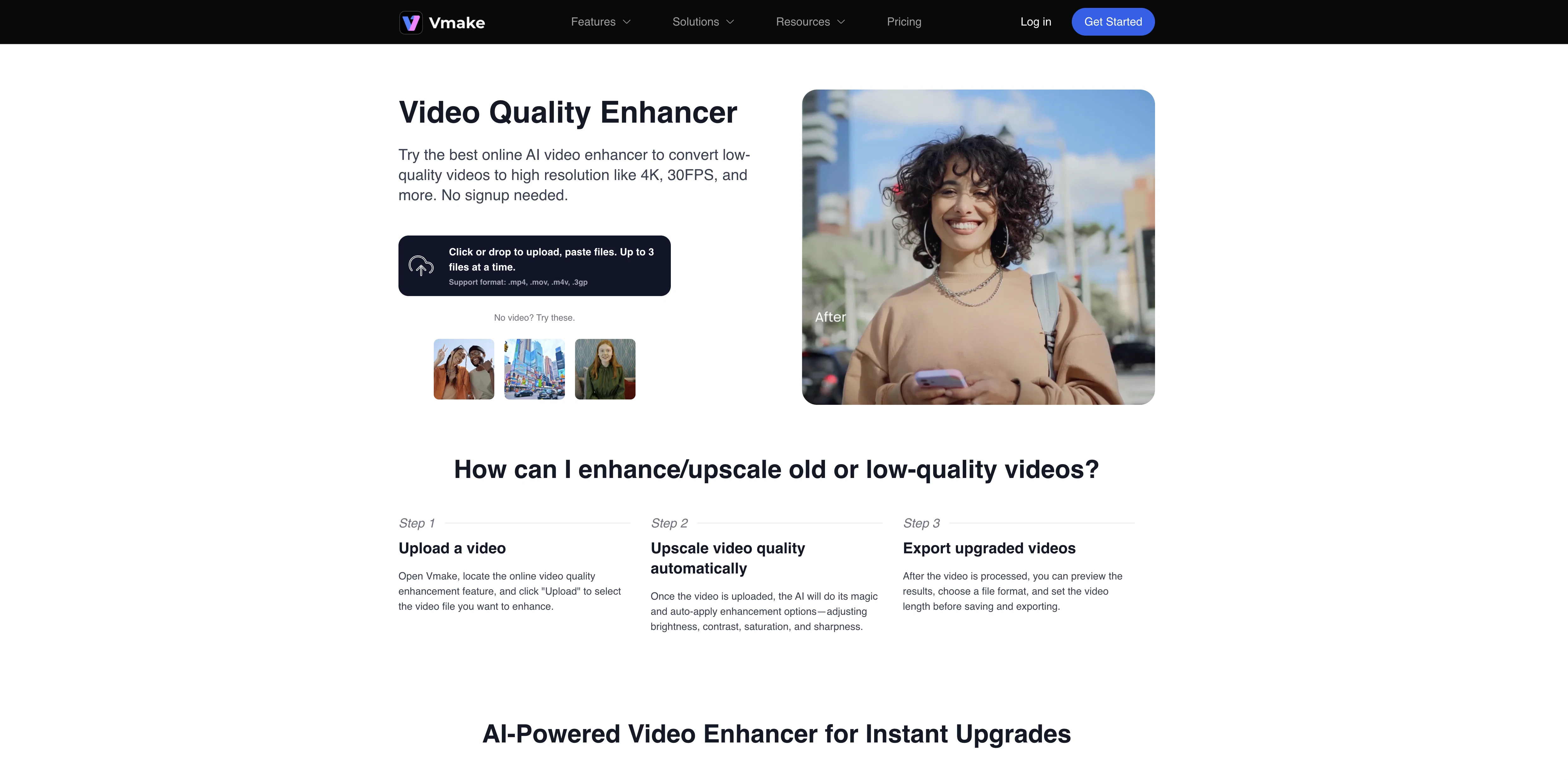
The Vmake AI Video Enhancer tool is designed to enhance the quality of videos by converting low-resolution content into a high-quality format. Alongside restoring old or blurry materials, the tool can also optimize videos to potentially high standards up to and including 4K and 30FPS.
Vmake's AI Video Enhancer accepts multiple file types such as .mp4, .mov, .m4v and .3gp. Users can easily upload up to 3 files at a time for enhancement via a straightforward process.
After uploading the video, the AI algorithm auto-applies enhancements, adjusting key attributes such as brightness, contrast, saturation and sharpness.
It previews the upgraded quality of the video, allowing users to choose their desired final format and video length before saving and exporting the finished product.
This tool can be useful for a range of applications, from boosting audience engagement through enhanced video quality, to creating a more professional look to the content which can help reinforce brand reputation.
Best for
Short scenarios where Vmake Video Enhancer tends to shine.
-
Enhancing low-quality videos to high resolution (4K, 30FPS)
Best for Content creators
-
Removing distracting watermarks and logos from videos
Best for Marketing professionals
-
Replacing video backgrounds with green or transparent backgrounds
Best for E-commerce businesses
-
Generating videos from text or images
Best for Online teachers
-
Creating AI-driven product introductions for e-commerce
Best for Social media managers
-
Making video courses for online teaching
Best for Freelancers
-
Creating videos for social media marketing
Best for Content creators
Example outputs 1
Sample generations and before/after results for Vmake Video Enhancer.
Access & connections
Where you can use Vmake Video Enhancer, and what it plugs into.
Platforms
Integrations
Capabilities
What this tool accepts, produces, and is strongest at.
Input
- Video
Output
- Video
Supported features
- Denoise
Pros & cons
Pros
- Converts low-resolution to high-quality
- Restores old videos
- Upscales video quality
- Adjusts brightness
- Adjusts contrast
- Adjusts saturation
- Adjusts sharpness
- Video file preview feature
Show 13 more
- Allows file format selection
- Allows video length selection
- Supports .mp4, .mov, .m4v, .3gp
- Single upload for multiple files
- Automates enhancement process
- Improves brand perception
- Increases audience engagement
- Preserves original aspect ratio
- Supports various video formats
- Outputs to 4K, 30FPS
- Improves customer satisfaction
- No signup needed
- Preserves original video format
Cons
- Limited to 3 files upload
- No batch processing
- Doesn't support all video formats
- No specific enhancement customization
- Not all videos reach 4K
- Not all videos reach 30FPS
- No video noise reduction
- Doesn't change video aspect ratio
Show 2 more
- Only basic enhancement controls
- Doesn't offer video trimming
Compare alternatives
Similar tools in the catalog — with a clear reason to open each one.

TensorPix ✓
FreemiumOnline Video & Image Quality Enhancer
Why look Stronger for image work
Full comparison
UniFab Video Enhancer ✓
Free TrialAI Video Enhancer software; AI Video upscaling; Audio Upscaling; Video Conversion
Free + from $69.99
Full comparison
UniFab Studio ✓
PaidSharper Details, Smoother Motion, Enhanced in Every Frame
from $49.99/mo
Full comparison
HitPaw VikPea ✓
FreemiumAI-powered video quality enhancer for stunning clarity
Free + from $69.99
Full comparison
AVCLabs Video Enhancer AI ✓
PaidUpscale, Enhance, Restore, Colorize, Stabilize & Blur Videos with AI
Why look Higher community rating
Full comparison
TotalMedia | Video Enhancer ✓
FreemiumAI-powered cloud video enhancement for creators.
Why look Higher community rating
Full comparisonPeople also view
Tools that often show up alongside Vmake Video Enhancer in collections and comparisons.
UniFab Studio ✓
PaidSharper Details, Smoother Motion, Enhanced in Every Frame
UniFab Video Enhancer ✓
Free TrialAI Video Enhancer software; AI Video upscaling; Audio Upscaling; Video Conversion
TotalMedia | Video Enhancer ✓
FreemiumAI-powered cloud video enhancement for creators.
TensorPix ✓
FreemiumOnline Video & Image Quality Enhancer
HitPaw VikPea ✓
FreemiumAI-powered video quality enhancer for stunning clarity
AVCLabs Video Enhancer AI ✓
PaidUpscale, Enhance, Restore, Colorize, Stabilize & Blur Videos with AI

Vireel AI Photo to 4K ✓
PaidUpscale any photo to stunning 4K instantly.

Monipix ✓
FreemiumUpscale blurry photos to 4K & 16K instantly.
Releases 1
FAQ 12
What is the Vmake AI Video Enhancer?
How does Vmake AI Video Enhancer improve video quality?
How can Vmake AI Video Enhancer help my brand?
How can Vmake AI Video Enhancer boost audience engagement?
What video formats are supported by Vmake AI Video Enhancer?
Does Vmake AI Video Enhancer affect the original video's aspect ratio or format?
Can I preview the resulting enhanced video before saving in Vmake AI Video Enhancer?
Up to what resolution can Vmake AI Video Enhancer upscale my videos?
Can Vmake AI Video Enhancer restore blurry or old videos?
How many files can I upload at once for enhancement in Vmake AI Video Enhancer?
What enhancements does Vmake AI Video Enhancer apply to videos?
Does Vmake offer other AI tools besides Video Enhancer?
Related tools
Recommended

Photoeditor ✓
PaidEnhanced image editing with object and text removal.

StoryBoardHero ✓
PaidGenerate convincing video concepts and storyboards with AI.

Resumatic ✓
FreemiumBuild your dream resume in minutes with AI

Photo AI ✓
PaidCreate beautiful AI photos and videos of real people

VenturusAI ✓
FreemiumBusiness idea analysis and reporting.

Lumen5
PaidAI-powered video creation platform for easy and quick video content generation.
More from this creator

Airbrush ✓
FreemiumGenerate AI-powered images in one click.

Vmake ✓
FreemiumAI-powered photo and video editing made easy

BeautyPlus AI Image Enhancer ✓
FreemiumEnhance images with AI for superior quality instantly.

AI Background Remover - Picsman ✓
Free TrialInstantly remove image backgrounds with AI

Airbrush AI Background Remover ✓
FreemiumRemove backgrounds from images with AI in seconds.

PhotoCat AI Image Extender ✓
Free TrialExpand images naturally with AI uncropping.