Ai Art Generator App ✓
Create stunning art with AI.
Verdict
A quick read before you dig into the full page.
- Best if
- You are individuals seeking AI companionship and need: Emotional Support: Finding a comforting companion to talk to anytime, anywhere
- Skip if
- 25 image daily limit
- Pick this when
- Unique art generation
Considering Photo AI instead? Compare side by side
Overview
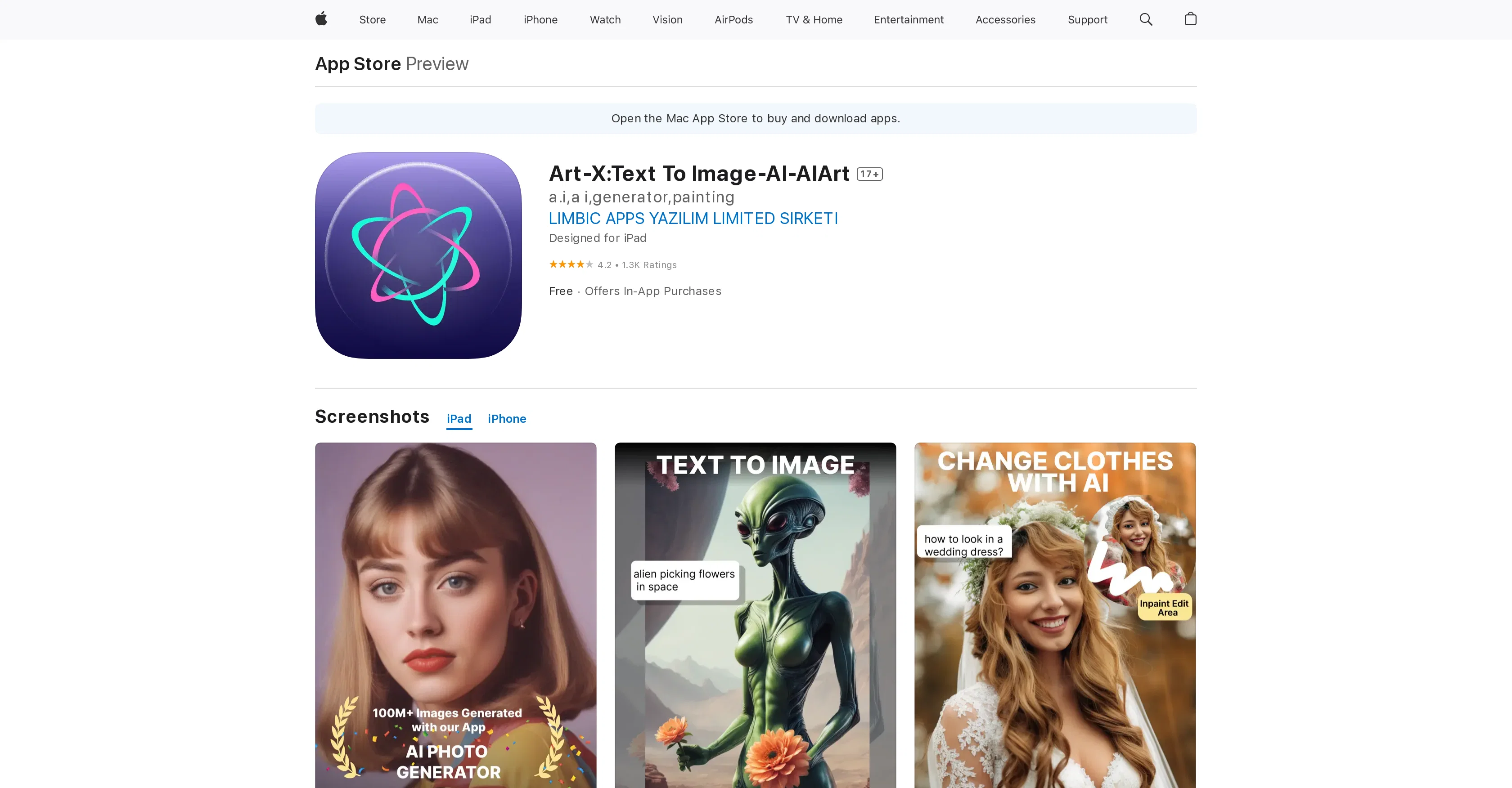
Art-X:Text To Image-AI-AIArt is an AI-powered art creation application, designed to bring the power of words to visual arts. The application's unique feature lies in its ability to transform words or phrases entered by the user into expressive, one-of-a-kind works of art.
The advanced AI algorithms handle the transformation, generating visually striking artwork based on the text input. To accommodate varying user preferences and styles, the tool offers a wide range of art styles, from realistic to abstract, making the creation options vast.
The tool is both user-friendly, requiring users to simply choose the preferred style and enter a description of the desired output, and versatile. Whether for home dcor, social media, or exploration of AI-generated art, the results cater to various needs.
Within seconds, users can enjoy their customized, AI-generated art piece. Notable for its innovative use of text as an art generation source, the tool adds depth and dimension to the user's words, resulting in personalized and unique pieces.
Best for
Short scenarios where Ai Art Generator App tends to shine.
-
Emotional Support: Finding a comforting companion to talk to anytime, anywhere.
Best for Individuals seeking AI companionship
-
Creative Storytelling: Exploring fantasy worlds and complex roleplay scenarios.
Best for Users interested in AI roleplay
-
Social Simulation: Practicing conversations and building confidence in a safe space.
Best for People looking for a private and judgment-free conversational AI
Example outputs 1
Sample generations and before/after results for Ai Art Generator App.
Access & connections
Where you can use Ai Art Generator App, and what it plugs into.
Platforms
Integrations
Capabilities
What this tool accepts, produces, and is strongest at.
Input
- Text
Output
- Image
Pros & cons
Pros
- Unique art generation
- Several art styles
- Ability to upscale images
- Social media integration
- Supports latest models
- iOS compatibility
- Can generate from text
- Multiple art creation per day
Show 7 more
- Faster image processing
- HD creation options
- Can mimic famous artists
- Supports customization
- Supports text input
- App Store available
- Subscription with extra features
Cons
- iOS only
- Ads after every photo
- 25 image daily limit
- Pay for additional features
- Aggressive monetization
- Forced 30-second advertisments
- Subscription for value
- In-app purchases
Compare alternatives
Similar tools in the catalog — with a clear reason to open each one.


Stockimg AI ✓
PaidGenerated images and text for design ease.
Why look Stronger for image work
Full comparison


People also view
Tools that often show up alongside Ai Art Generator App in collections and comparisons.

Zapt ✓
FreemiumCreate and discover AI-powered chat apps

Vondy ✓
PaidCreate and explore AI-powered apps for anything
The Forge ✓
FreePlatform for creating & selling workflows.

Suno ✓
FreemiumMake music at the speed of your ideas.

Pmfm ✓
FreemiumLaunch and monetize custom AI apps without code

Nova App ✓
FreemiumRevolutionary AI chatbot powered by ChatGPT & GPT-4.

freebeat AI ✓
FreemiumTurn Music & Ideas into Viral Videos In One Click
Bravostudio ✓
FreemiumBuild native mobile apps without code
Releases 1
Imported reviews 1
a Lamborghini submarine
FAQ 12
What is the AI Art Generator?
How does AI Art Maker generate images from text?
Can I choose different styles for my art in AI Art Generator?
How can I share my artworks created by AI Art Maker on social media?
What is the image limitation for free users in AI Art Maker?
What models does AI Art Generator support for art generation?
Can I use the AI Art Maker on my iPad?
Can I upscale images in AI Art Maker to HD?
What are the in-app purchases in AI Art Maker?
Why do I need to watch a 30-second ad after every photo in AI Art Generator?
Can AI Art Maker generate art in the style of specific artists?
How detailed should the text inputs be for optimal results in AI Art Maker?
Related tools
Recommended

Stunning ✓
PaidBuild AI-powered websites in seconds
Artificial Art ✓
FreeCreate AI art with Stable Diffusion

VenturusAI ✓
FreemiumBusiness idea analysis and reporting.

Baseten | Text to Image ✓
UnknownTransform text prompts into stunning images.
Imagine : AI Art Generator ✓
UnknownAI Art Generator Turns Words into Cool AI-Generated Art

Coloromo AI Art Generator ✓
FreeTurn photos into stunning AI-generated artwork