
Imagine : AI Art Generator ✓
AI Art Generator Turns Words into Cool AI-Generated Art
Verdict
A quick read before you dig into the full page.
- Best if
- You are artists and need: Transforming words into stunning AI visuals
- Skip if
- Limited difference between models
- Pick this when
- Generates stunning visuals
Considering Photo AI instead? Compare side by side
Overview
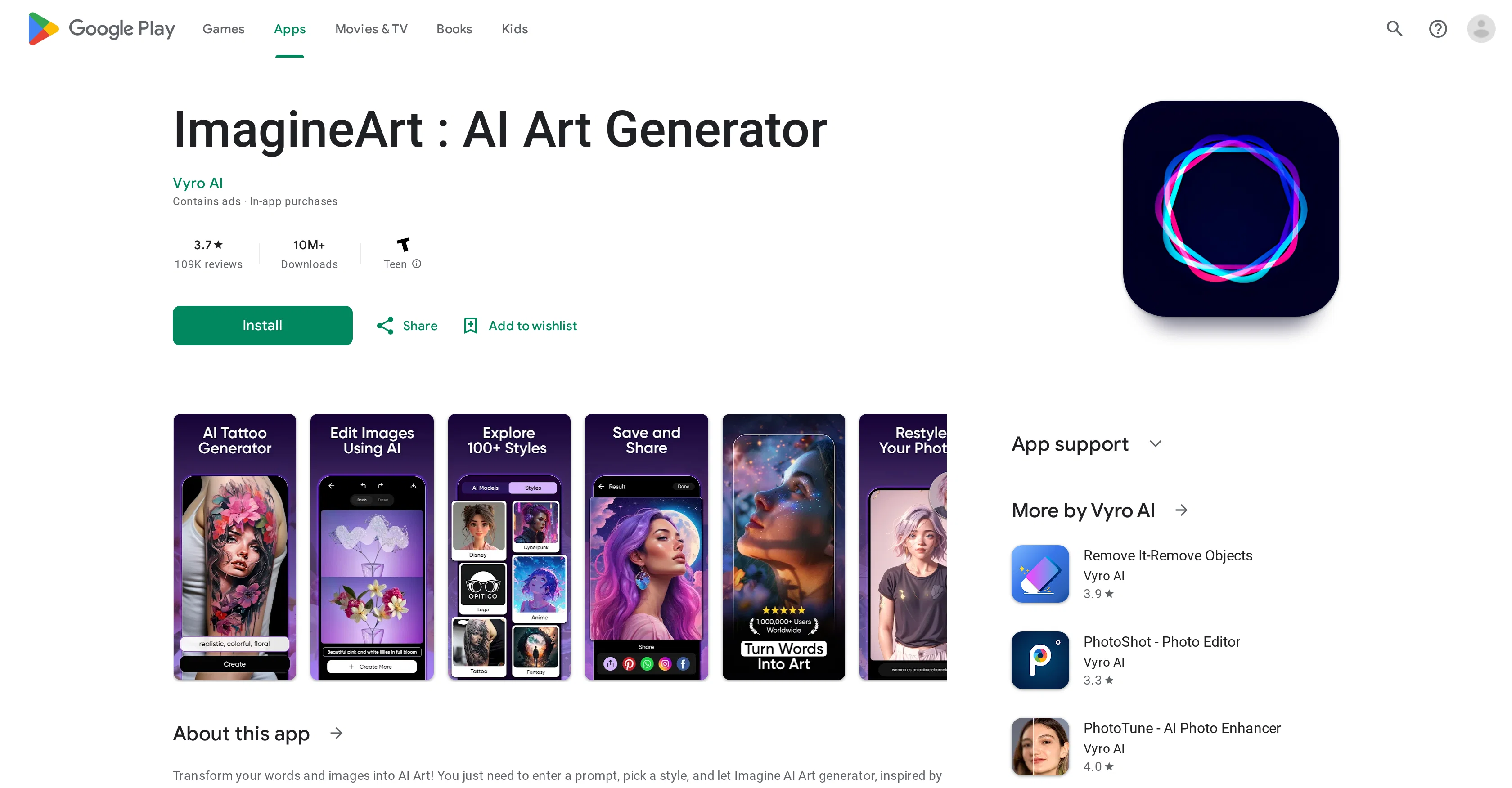
ImagineArt is an AI-powered art generator application that transforms words and images into AI-generated art. Users input a prompt and select a style, and the tool generates drawings, images, and paintings inspired by various AI models like Midjourney and Dall-E.
This tool also includes AI Headshots and AI Filter features which can transform photos into different portrait styles and even into cartoon-like representations.
The application is capable of expanding images using AI technology, perfect for resizing photos for social media. Additionally, the app can turn photos into various forms of art such as anime or pixel art.
Another fascinating feature of the app is the AI Tattoo Generator which can generate unique tattoo designs. The app can also generate high-resolution, hyperrealistic images from words and create art in a variety of styles.
Using ImagineArt, users have the power to generate wallpapers and even remove or add elements to images. The app allows users to share their AI-generated images directly to social media.
Best for
Short scenarios where Imagine : AI Art Generator tends to shine.
-
Transforming words into stunning AI visuals
Best for Artists
-
Adding creativity to photos and turning them into beautiful artworks
Best for Designers
-
Removing unwanted objects from images
Best for Content creators
-
Expanding the horizons of images
Best for Social media users
-
Transforming photos with background replacement
Best for Artists
Example outputs 1
Sample generations and before/after results for Imagine : AI Art Generator.
Access & connections
Where you can use Imagine : AI Art Generator, and what it plugs into.
Platforms
Integrations
Capabilities
What this tool accepts, produces, and is strongest at.
Input
- Image
- Text
Output
- Image
Pros & cons
Pros
- Generates stunning visuals
- Various art styles
- Built-in sharing features
- Regularly updated with new styles
- Data safety features
- Not requiring art knowledge
- Art customization
- Resizing images for social media
Show 33 more
- Photo to anime, pixel transformation
- High-resolution image generation
- Removal or addition of image elements
- Unique tattoo designs generation
- Constantly expanding art styles library
- Easy sharing to social media
- Produce hyperrealistic images
- Transform images into other art forms
- Generate art from words
- Safe data handling
- Supports multiple portrait styles
- Art generation from imagination
- Remove unwanted elements from images
- Add new elements to images
- Expand images for perfect size
- Direct art customization
- Supports generating wallpaper
- Allows variety with 'Variate Mode'
- Allows for room space transformation
- Easily create stunning drawings
- Create multiple variations of artwork
- Easily share directly on social media
- Encrypted data transit
- Offers a process to delete data
- User friendly interface
- Allows for frequent app updates
- Offers multiple art creation methods
- Highly customizable image generation
- Offers hyperrealism in images
- Supports design creation from words
- Enhanced user experience through intuitive design
- Options for professional photo studio effects
- Allows for inspirations from real-world models
Cons
- App crashes often
- Takes 1-4 minutes per image
- Requires additional payment for credits
- Still contains ads despite subscription
- Inconvenient layout
- Frequent crashes
- Limited difference between models
- Art style doesn't significantly vary
Show 2 more
- Removed image-to-prompt feature
- Prohibited word-flagging issue
Compare alternatives
Similar tools in the catalog — with a clear reason to open each one.

Stockimg AI ✓
PaidGenerated images and text for design ease.
Why look Stronger for image work
Full comparisonPeople also view
Tools that often show up alongside Imagine : AI Art Generator in collections and comparisons.
Stockimg AI ✓
PaidGenerated images and text for design ease.

Photo AI ✓
PaidCreate beautiful AI photos and videos of real people

Midjourney ✓
PaidExpand human imagination through AI-powered visuals.

CreativePixel ✓
FreemiumOut-create Your Competition in Minutes

BestPhotoAI ✓
FreemiumCreate amazing AI photos instantly

Nathan Tailors AI Suit Generator ✓
FreeDescribe your dream suit. We draw it, then build it.

LineArt ✓
Free TrialTurn one photo into a whole coloring book.

Line Drawing Converter ✓
Free TrialConvert photos into clean line drawings online.
Releases 1
Imported reviews 1
This is my favorite AI app for generating art. Yes, there are restrictions, as there should be for obvious reasons. But, if you know how to use the app and its various models and styles and are creative with your prompts, it can spit out some truly unique art. It currently has 15 models to choose from and 80 art styles. I'm pretty impressed with the images it comes up with, especially when combining certain models and styles together, e.g. Disney Anime, Toon You Surrealism, etc. Not to mention if you're a premium user, they permit you to use your generated art for commercial purposes (no more watermark on your images). The only reason I give it four stars instead of five is because the AI mostly sucks at drawing human hands and feet and has a tendency to mutate animals. A common problem with any AI art generator really.
FAQ 12
What is ImagineArt: AI Art Generator?
How does ImagineArt turn words into art?
Can I share my creations from ImagineArt directly on social media?
Does ImagineArt offer different art styles?
What is the AI Filters feature in ImagineArt?
Can I make artistic alterations to images with ImagineArt?
Can ImagineArt generate unique tattoo designs?
What is the AI Headshots feature in ImagineArt?
Can ImagineArt help me resize photos for social media?
Does ImagineArt ensures data safety and privacy?
Can ImagineArt create hyperrealistic images?
Is this app continuously updated with new features and styles?
Related tools
Recommended
Stable Diffusion ✓
FreemiumUnleash humanity's potential with generative AI

Stable Diffusion XL ✓
UnknownCreate stunning visuals with AI-powered image generation.

Playground AI ✓
FreemiumCreate art and visuals with AI, for free
AIimages ✓
FreeFree AI image generator: Write text, get images on your PC.
AI Gallery ✓
FreeCreate mind-blowing art in seconds with AI.
Diffusion Art ✓
FreemiumFree, web-based Midjourney alternative - no Discord, no signup.