
3D objects 2026 Rank: #1144
3D-Agent: Blender AI Plugin ✓
Generate 3D models from text in Blender.
Verdict
A quick read before you dig into the full page.
- Best if
- Generate 3D models from text in Blender
- Skip if
- Limited to Blender
- Pick this when
- Generates 3D from text
Considering 3D AI Studio instead? Compare side by side
Overview
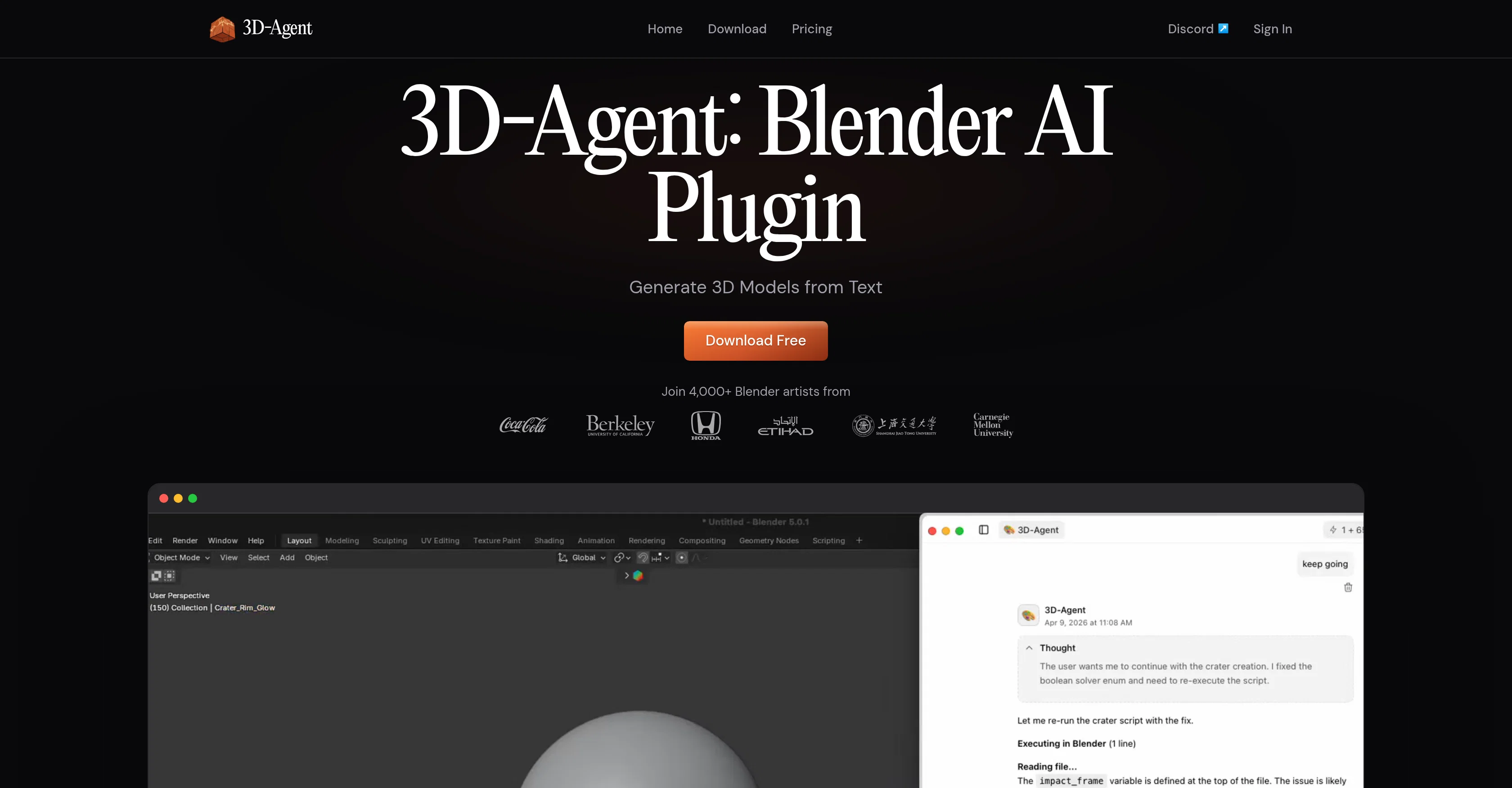
3D-Agent is a plugin for the 3D creation suite, Blender, that generates 3D models from natural language text inputs. The primary functionality of this tool revolves around creating high-quality models ranging from game assets to architecture and product renders.
Its AI-powered approach allows for clean topology with proper edge flow, making produced models ready to use in game engines, renderers, and animations rigs.
3D-Agent supports direct exports in multiple formats: OBJ, FBX, GLB, and USDZ directly from the Blender environment. 3D-Agent also boasts of capabilities such as photorealistic AI renders, scripting and animation.
Users may instruct the plugin to achieve specific results like object repositioning, lighting adjustments, or camera movement through text prompts. This tool enables automation of Blender Python script writing, lighting setups, batch operations, modifier stacks and keyframes operations.
The plugin's animation features, driven by text instructions, support keyframe animation, camera paths, flythroughs, character rigs, and walk cycles. Also notable is 3D-Agent's integration with Roblox, facilitating building game maps in Blender.
Overall, this tool streamlines the 3D model creation process, eliminates the need for extensive manual modeling and offers a considerable boost in productivity.
Access & connections
Where you can use 3D-Agent: Blender AI Plugin.
Platforms
Capabilities
What this tool accepts, produces, and is strongest at.
Input
- Text
Output
- 3D
Highlights
- Agents
Supported features
- 3D Generation
- Agents
- Automation
- Code Assistant
- IDE
- Visual Creation
- Realism
- Styling
- Integrations
Pros & cons
Pros
- Generates 3D from text
- Export-ready in various formats
- Integrates with Roblox
- Creates animations from texts
- Provides photorealistic renders
- Automates repetitive tasks
- Supports scripting automation
- Suitable for game assets
Show 42 more
- Useful in architectural designing
- Aids in product designing
- Clean, structured topology
- Produces export-ready models
- Python scripting
- Robust animation capabilities
- Keyframe animation support
- Camera paths and walkthroughs
- Character rigging support
- Supports light setup automation
- Batch processing capabilities
- Modifies operations support
- Camera animation feature
- Automates 3D workflow
- Blender plugin
- Text based 3D modelling
- Direct export to OBJ
- Direct export to FBX
- Direct export to GLB
- Direct export to USDZ
- Automates Blender Python scripting
- No need for manual modeling
- Text prompt based operations
- Supports texture creations
- Quad-dominant mesh topology
- Supports iteration of renders
- Updates scenes through text prompts
- Compatible with game engines
- Compatible with renderers
- Roblox terrain generation
- Supports simple text instructions
- Python scripts from plain text
- Blender scene updates
- Facilitates game map creation
- Topological edge flow management
- Control over animation process
- Proper UV unwrapping
- Text-driven character rigging
- Produces photorealistic interior renders
- Allows repositioning of objects via texts
- Supports creating environments for Unity
- Useful in rapid prototyping
Cons
- Limited to Blender
- Requires Natural Language Input
- No Manual Modeling Support
- Inability to Undulate Translations
- Dependent on Precise Descriptions
- Text-Based Animation Limitations
- Roblox Specific Integration
- Low Generative Flexibility
Show 2 more
- Python Scripting Automation Dependency
- One User Interface Approach
Compare alternatives
Similar tools in the catalog — with a clear reason to open each one.

3D AI Studio ✓
PaidEasily generate free 3D models with our AI-powered 3D AI Studio.
Why look Offers a public API
Full comparison
Mimetic Labs ✓
Free TrialTransform ideas into printable 3D models with AI.
Free + from $9.99
Full comparison
Image3D.io ✓
FreemiumImage to STL and 3D models from any image
Why look Typically cheaper
Full comparison
Hi3D ✓
Free TrialAI-powered 3D model generator with unprecedented precision.
Why look Higher community rating
Full comparison
TRELLIS 2 ✓
UnknownGenerate high-fidelity 3D assets from images instantly.
Why look Higher community rating
Full comparison
Neural4D | Image to 3D ✓
Free TrialTurn photos or prompts into 3D models instantly.
Why look Typically cheaper
Full comparisonReleases 1
FAQ 12
What is the main purpose of 3D-Agent?
How does 3D-Agent generate 3D models from text?
What export formats does 3D-Agent support?
Is 3D-Agent just for static modelling or does it also support animation?
How is 3D-Agent used for architectural and product design?
Does 3D-Agent offer photorealistic rendering within Blender?
What kind of scripting automation does 3D-Agent offer?
What types of animation-related tasks does 3D-Agent support?
How does 3D-Agent integrate with Roblox?
How does 3D-Agent help in generating game assets?
What can you tell me about 3D-Agent's support for keyframe animation?
How does 3D-Agent handle character rigging in its animation process?
Related tools
Recommended

ImaginPrompt ✓
FreemiumConvert any image into AI prompts instantly.

Watermelon ✓
FreemiumHandle up to 96% of your support automatically

Pounce ✓
Free TrialGet real followers and engagement in minutes.

Meshy ✓
FreemiumTurn text and images into production-ready 3D models with AI in seconds.

Renamer.ai ✓
FreemiumAI-Powered Bulk File Renamer & Organizer

MagicSlides.app AI PPT Maker ✓
FreemiumCreate Stunning PPTs in Seconds with the AI PPT Maker