Document management vv4.4.5 2026 Rank: #671
Renamer.ai ✓
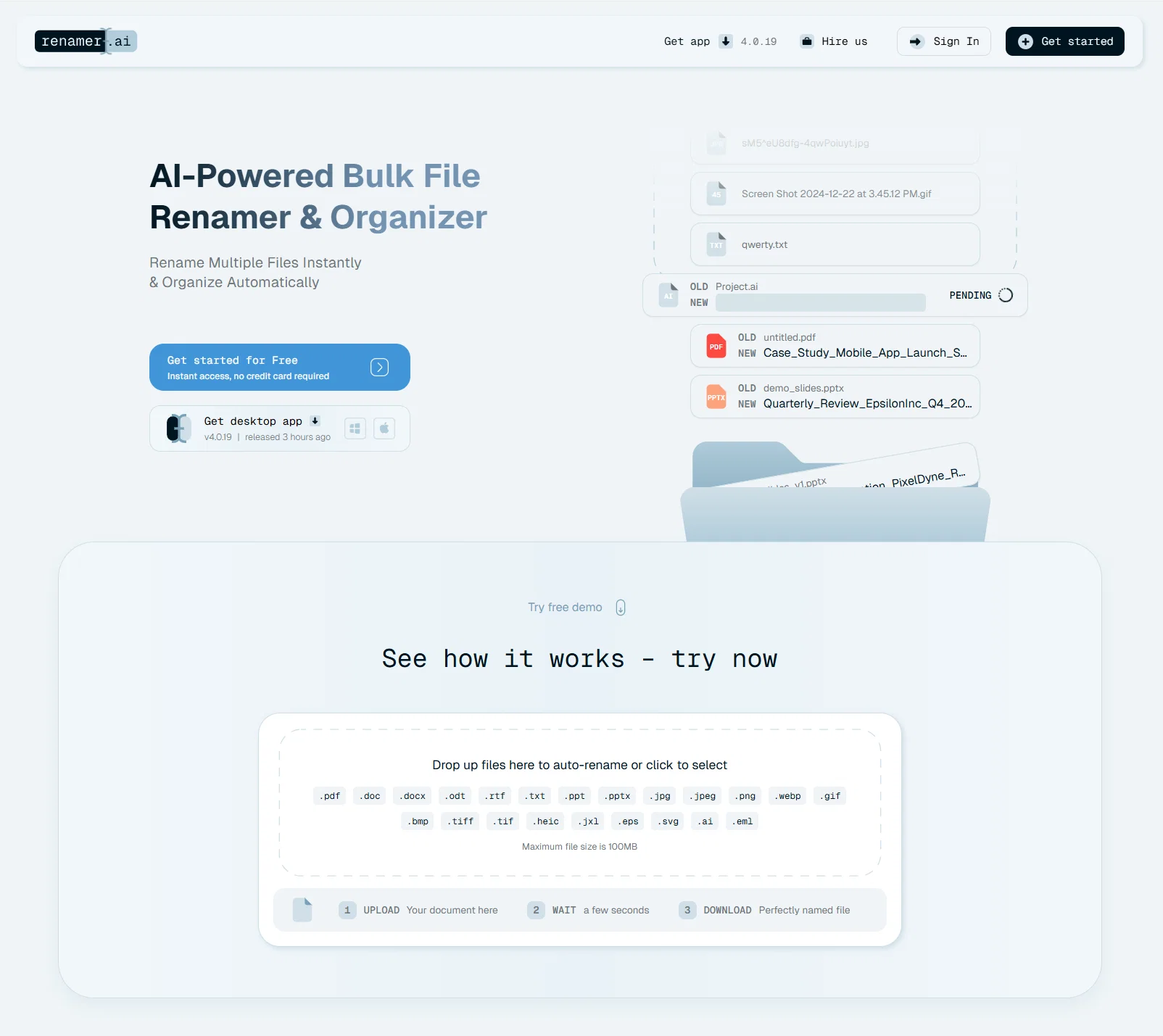
AI-Powered Bulk File Renamer & Organizer
Verdict
A quick read before you dig into the full page.
- Best if
- You are accountants and need: Organizing invoices and contracts for accounting teams
- Skip if
- Premium plans expensive
- Pick this when
- Bulk file renaming
Considering The Drive AI instead? Compare side by side
Overview
Transform your file chaos into a perfectly organized system in seconds. Renamer.ai uses advanced AI and OCR to read your documents' content and automatically generate descriptive, searchable file names - saving you hours of manual work weekly.
Key Benefits:
- Save time & never manually rename files again
- Find any file instantly - AI creates searchable, descriptive names based on actual content
- Process thousands at once - Bulk rename entire folders in seconds
- Works in 20+ languages - From English to Vietnamese, it understands your documents
- Set and forget automation - Magic Folders monitor and auto-organize incoming files
- Reduce support tickets by 70% - Proven results from real businesses
How It Works:
Simply drag and drop your files - PDFs, invoices, images, documents - and watch as our AI analyzes the content, extracts key information (dates, names, invoice numbers, document types), and creates consistent, professional file names automatically.
Available as:
- Desktop App (Windows & Mac) with background automation
- Web interface for quick access
- API for custom integrations
Perfect for accounting teams drowning in invoices, legal departments managing case files, or anyone tired of "untitled(23)_final_FINAL_v2.pdf" chaos. Free tier available - organize up to 15 files monthly at no cost.
Join 2000+ professionals who've already eliminated their file organization headaches with Renamer.ai.
Best for
Short scenarios where Renamer.ai tends to shine.
-
Organizing invoices and contracts for accounting teams
Best for Accountants
-
Standardizing thousands of client assets for marketing agencies
Best for Lawyers
-
Labeling and searching client tax documents
Best for Photographers
-
Organizing research papers and data for international collaborators
Best for IT Systems Administrators
-
Automating the downloads folder organization
Best for Researchers
Example outputs 1
Sample generations and before/after results for Renamer.ai.
Access & connections
Where you can use Renamer.ai.
Capabilities
What this tool accepts, produces, and is strongest at.
Highlights
- Local
- API
Supported features
- Runs Locally
- Automation
- Image Understanding
- Translation
- API
Pros & cons
Pros
- Bulk file renaming
- Organizes files automatically
- Supports various file formats
- Max file size 100MB
- OCR functionality
- Magic Folders feature
- Pattern-based bulk renaming
- Allows custom renaming patterns
Show 28 more
- Enterprise-grade encryption
- Data privacy focus
- Auto deletes files after 30 days
- Multi-language file processing
- Useful for diverse audience
- PDF, image, document management
- Helps maintain file organization
- Cloud storage capability
- Tax document management functionality
- Can enhance workflow
- Supports international teams
- Helpful for research management
- Desktop app availability
- Intuitive interface
- Can automate file renaming
- Automatically organizes files in background
- Helps prevent file duplicates
- Makes files search across platforms
- Handles documents in multiple languages
- Supports multiple file formats
- Allows scalability from personal to company use
- Facilitates creating custom naming patterns
- Batch renaming feature
- Auto delete feature
- Provides normal and priority support
- Handles thousands of company documents
- Can process files in any language
- Free trial available
Cons
- 100MB max file size
- No storage service
- Limited free renames
- Doesn't support custom file formats
- Lacks standalone app
- No rename files preview
- Automated file deletion
- Premium plans expensive
Show 2 more
- No immediate file purge
- Lacks encryption customization
Compare alternatives
Similar tools in the catalog — with a clear reason to open each one.

RenameClick ✓
FreemiumRename, organize, and search files by content with local AI
Why look Typically cheaper
Full comparison
Wellsent — Your forms, filled and filed. ✓
PaidAI fills out your PDF forms — then notarizes them by video
from $12
Full comparison

AetheriumAI ✓
FreeUnlock hidden insights from your PDFs with AI.
Why look Fully free option
Full comparison
AODocs ✓
UnknownAI-powered cloud content services for agile business
Why look Better for writing
Full comparisonPeople also view
Tools that often show up alongside Renamer.ai in collections and comparisons.

Suno ✓
FreemiumMake music at the speed of your ideas.

freebeat AI ✓
FreemiumTurn Music & Ideas into Viral Videos In One Click

The Drive AI ✓
FreemiumAI agents to organize files

Zapt ✓
FreemiumCreate and discover AI-powered chat apps

Vondy ✓
PaidCreate and explore AI-powered apps for anything

The Forge ✓
FreePlatform for creating & selling workflows.

Nova App ✓
FreemiumRevolutionary AI chatbot powered by ChatGPT & GPT-4.

Bravostudio ✓
FreemiumBuild native mobile apps without code
Releases 4
Version 4.4.5 - Streamlined Workflow & Expanded Format Support
📁 Move Files After Processing: You can now automatically move files to a different folder once they've been renamed, perfect for keeping your workflow organized
📈 CSV File Support: Added support for .csv files, so you can rename your spreadsheets and data exports alongside all your other files
👁️ Pattern Preview: See a live preview of your naming pattern right at the top of each file batch, so you always know what to expect before processing
📋 Copy & Paste Variables Across Templates: You can now copy and paste variables between different templates, saving time when building similar naming patterns
🎁 Higher Free Account Limit: Free accounts now get a more generous renaming limit, making it easier to try Renamer.ai before committing to a plan
⚡ Massive Magic Folder Support - Optimized to handle collections of 50,000+ files with confidence.
⏱️ Smoother Startup - Loading improvements for large folder syncs.
Renamer.ai uses AI to instantly read your file contents and automatically rename them with clear, descriptive names, turning messy folders into organized systems.
🚀 Major Performance Upgrade: Magic Folders now handle significantly larger file collections with optimized processing, keeping your computer responsive even with thousands of files
👁️ Live Template Preview: See exactly how your files will be renamed before applying changes - no more guesswork or trial-and-error
✨ Smarter Processing: Improved duplicate file detection ensures accurate credit usage, while ignored files now stay ignored correctly across restarts
🛠️ Rock-Solid Reliability: Enhanced template validation, smoother login flow, service status notifications, and dozens of bug fixes make Renamer.ai more dependable than ever
Imported reviews 10
Amazing tool, I saved DAYS of work by using it.
Naming results were excelent, but the app seems to not being able to renew credits at the end of the month/monthly cycle. Commiting to a subscription is inadvisable, if the usage limits do not renew automatically.
Renamer.ai is a must-have tool for anyone who values efficiency and organization. Highly recommended for anyone looking to simplify their digital life.
Best tool out there, especially for big data gang, simple interface, results are accurate, and it saves tons of time. Has my vote of confidence!
Amazing application... I Tried it out and wow… renaming files and folders has never been this easy 👌. Great Tool !
btw, it’s super cheap for what it offers
Super Handy Tool!
Renamer.ai is honestly a lifesaver. I had a bunch of random files all over the place, and this app made renaming everything so quick and painless.
Gave it a try and it makes managing my files easier 👌giving it a 5 out of 5.
Great tool if you have a lot of files that you need to organize! Will definitely make this task easier.
It's an amazing tool! Now I dont have to manually rename my files again. I also love the magic folder for easier file organization.
Looks super useful! No more messy file names, and the free trial makes it even better.
FAQ 12
What is Renamer.ai?
How does Renamer.ai handle bulk file renaming?
What types of files can Renamer.ai rename?
What is the maximum file size that Renamer.ai can process?
What is the OCR functionality in Renamer.ai and how does it enhance the tool?
What are 'Magic Folders' in Renamer.ai?
Can I input my own renaming pattern in Renamer.ai?
How does Renamer.ai ensure data privacy?
How does Renamer.ai handle file deletion?
What languages does Renamer.ai support?
Can Renamer.ai be used for both personal and professional use?
How does Renamer.ai handle renaming of image files?
Related tools
Recommended

Recall ✓
FreemiumSummarize Anything, Forget Nothing!

remio: Your Personal ChatGPT ✓
FreemiumGet Tailored Answer with Your Personal ChatGPT
freebeat AI ✓
FreemiumTurn Music & Ideas into Viral Videos In One Click

TheLibrarian.io ✓
Free TrialYour WhatsApp AI assistant for instant productivity.
Suno ✓
FreemiumMake music at the speed of your ideas.

Claude ✓
FreemiumBuilding reliable, interpretable AI systems