

Workflow.Design ✓
Simplify collaboration for creative teams.
Free + from $16/mo
Verdict
A quick read before you dig into the full page.
- Best if
- Simplify collaboration for creative teams
- Skip if
- Limited free trial or demo periods
- Pick this when
- Task management
Considering TheLibrarian.io instead? Compare side by side
Overview
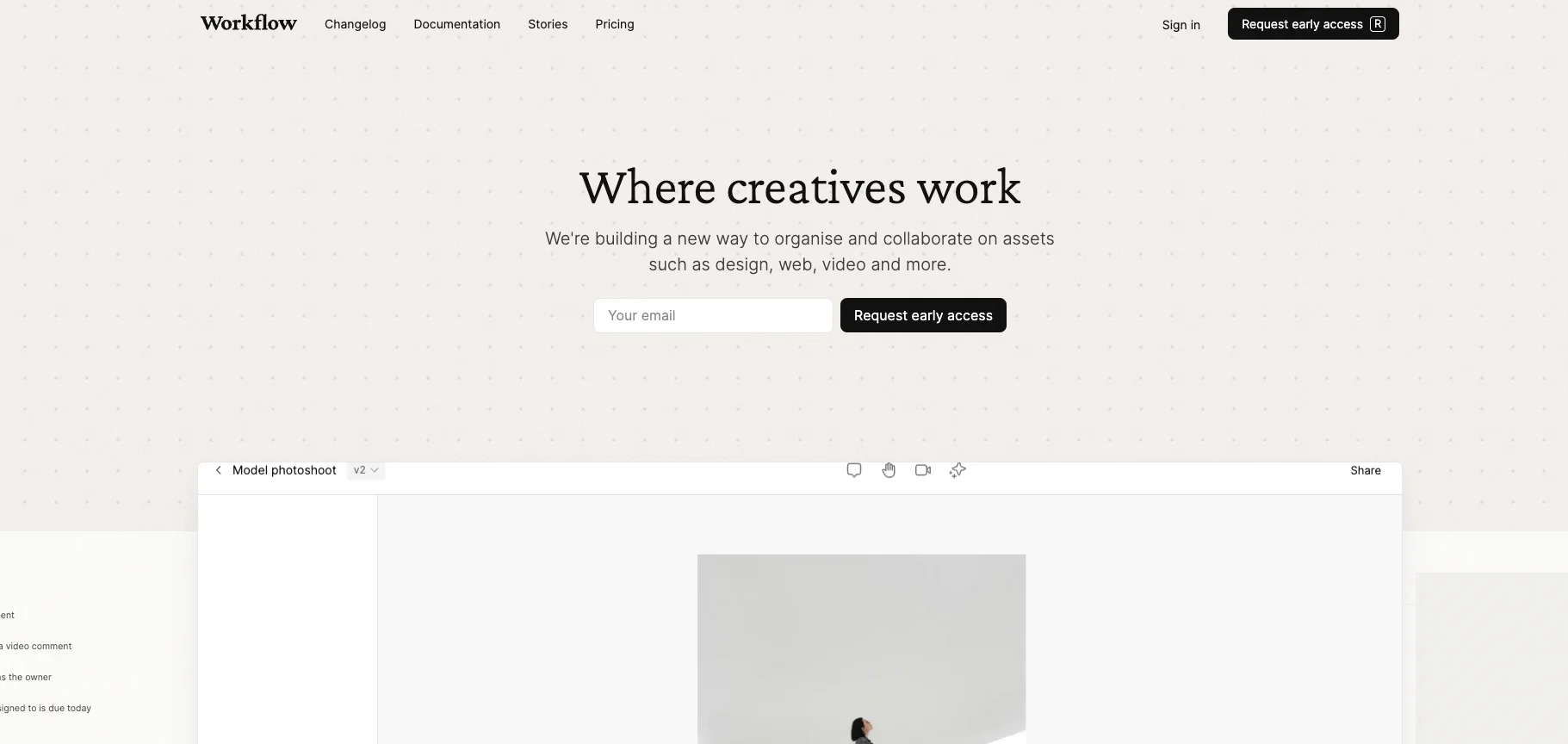
Workflow is a minimalist collaboration platform designed specifically for creative teams. The platform integrates several management and collaboration tools, allowing distinctive functionalities such as task management, AI reviews and work sharing, in one single platform.
It enables efficient organisation and collaboration on diverse creative assets, including design, web, video and more. The platforms user-friendly interface shows tasks, timelines, projects, and delivers notifications on real-time changes and updates.
It provides a space for smooth and real-time communication, where users can leave comments, conduct discussions, and contribute to projects. Workflow also supports versioning to compare, save, and track different stages of a project.
One distinct feature is its AI-powered review system that carries out automatic checks for issues such as tone of voice or spelling mistakes, facilitating fast feedback and approval.
Besides, Workflow provides functionalities for users to record and share feedback in forms of videos, enhancing the richness and expressiveness of feedback.
It also records and represents a timeline of discussions to ensure smooth communication among the team and provide a clear historical track of changes made.
With Workflow, creative teams can more efficiently and effectually manage their projects, streamline their work processes and enhance their collaboration.
Best for
Short scenarios where Workflow.Design tends to shine.
-
Simplify collaboration for creative teams.
Example outputs 1
Sample generations and before/after results for Workflow.Design.
Access & connections
Where you can use Workflow.Design.
Platforms
Pros & cons
Pros
- Task management
- Work sharing functionality
- Real-time notifications
- Real-time communication
- Version control
- Automatic checks for issues
- Tone of voice checker
- Spellcheck
Show 40 more
- Rich video feedback option
- Timeline of discussions
- Historical track of changes
- Collaborative editing
- Diverse creative assets management
- User-friendly interface
- Integration of multiple tools
- Design management
- Web management
- Change notifications
- Project history
- UI Design
- Content management
- Issue Tracker
- Video Content Workflow
- Minimalist platform
- Specifically for creative teams
- Efficiency in project management
- Workflow optimization
- Brand cohesion audits
- Readability audits
- Responsiveness checks
- Streamlines creative toolkit
- Trusted by various brands
- Guest collaboration without signup
- Responsive on various devices
- Improved feedback quality
- Capture ideas in video
- Track asset versions
- Inbox for review ready items
- Project summary overview
- Task assignment & due dates
- Status & priority setting
- Notification in Slack or email
- Designed for simplicity and speed
- Replace other project management tools
- Loved by designers and creatives
- Fast and efficient for creatives
- Intuitive for users and clients
- Minimalist interface design
Cons
- Limited platform integration
- No offline mode
- Early access only
- Limited customization
- Relies heavily on real-time
- Reliant on clear communication
- No available mobile app
- Lacks advanced project management features
Show 2 more
- No multiple language support
- Limited free trial or demo periods
Compare alternatives
Similar tools in the catalog — with a clear reason to open each one.

TheLibrarian.io ✓
Free TrialYour WhatsApp AI assistant for instant productivity.
Why look Typically cheaper
Full comparison
Supernormal App ✓
FreemiumThe AI assistant app that turns meetings into completed work
Free + from $25.90/mo
Full comparison
Saidar ✓
FreemiumYour AI Secretary for Admin Tasks, now on SMS
Why look Typically cheaper
Full comparison
MiroAI ✓
FreemiumUnlock creative power with AI-driven collaboration.
Why look Typically cheaper
Full comparison
Collate ✓
FreeUnlimited free and private summaries and chat with PDF
Why look Fully free option
Full comparisonPeople also view
Tools that often show up alongside Workflow.Design in collections and comparisons.
Supernormal App ✓
FreemiumThe AI assistant app that turns meetings into completed work
Collate ✓
FreeUnlimited free and private summaries and chat with PDF
TheLibrarian.io ✓
Free TrialYour WhatsApp AI assistant for instant productivity.
Saidar ✓
FreemiumYour AI Secretary for Admin Tasks, now on SMS

Runable ✓
FreemiumThe Best Way to Work with AI
MiroAI ✓
FreemiumUnlock creative power with AI-driven collaboration.

Knogra ✓
FreeChart the whole subject. One scene at a time.

Junie by JetBrains ✓
FreemiumStop switching tools. Start shipping.
Releases 1
FAQ 12
How does the task management feature work in Workflow?
Can I review past versions of performances in Workflow?
What kind of assets can Workflow handle (video, design, web etc)?
How does the AI review system function in Workflow?
Does Workflow support real-time collaboration?
What type of notifications does Workflow deliver?
As a potential user of Workflow, how can I benefit from its AI-powered automatic checks?
How can my team use the video feedback feature in Workflow?
Can the AI in Workflow check for tone of voice and spelling mistakes?
What kind of version control does Workflow offer?
How does the issue tracker work in Workflow?
Can Workflow support UI Design and Content Management?
Related tools
Recommended

Recall ✓
FreemiumSummarize Anything, Forget Nothing!

RightBlogger ✓
FreemiumAutomate blogging, SEO, and publishing in one simple platform
RewriteSomething ✓
FreeCreate product descriptions that sell with AI

FastBots ✓
FreemiumCreate AI chatbots customized with your business data.

B12 AI Website Builder ✓
FreemiumAI-powered website builder

Sourcetable — AI spreadsheet & data analyst ✓
FreemiumAI spreadsheet & data analyst. 10x your productivity.