

Voice Cleaner AI ✓
Remove background noise from audio instantly with AI.
Free + from $7.5
Verdict
A quick read before you dig into the full page.
- Best if
- Remove background noise from audio instantly with AI
- Skip if
- Not ideal for complex distortions
- Pick this when
- Supports numerous file formats
Considering Adobe Audio Enhancer instead? Compare side by side
Overview
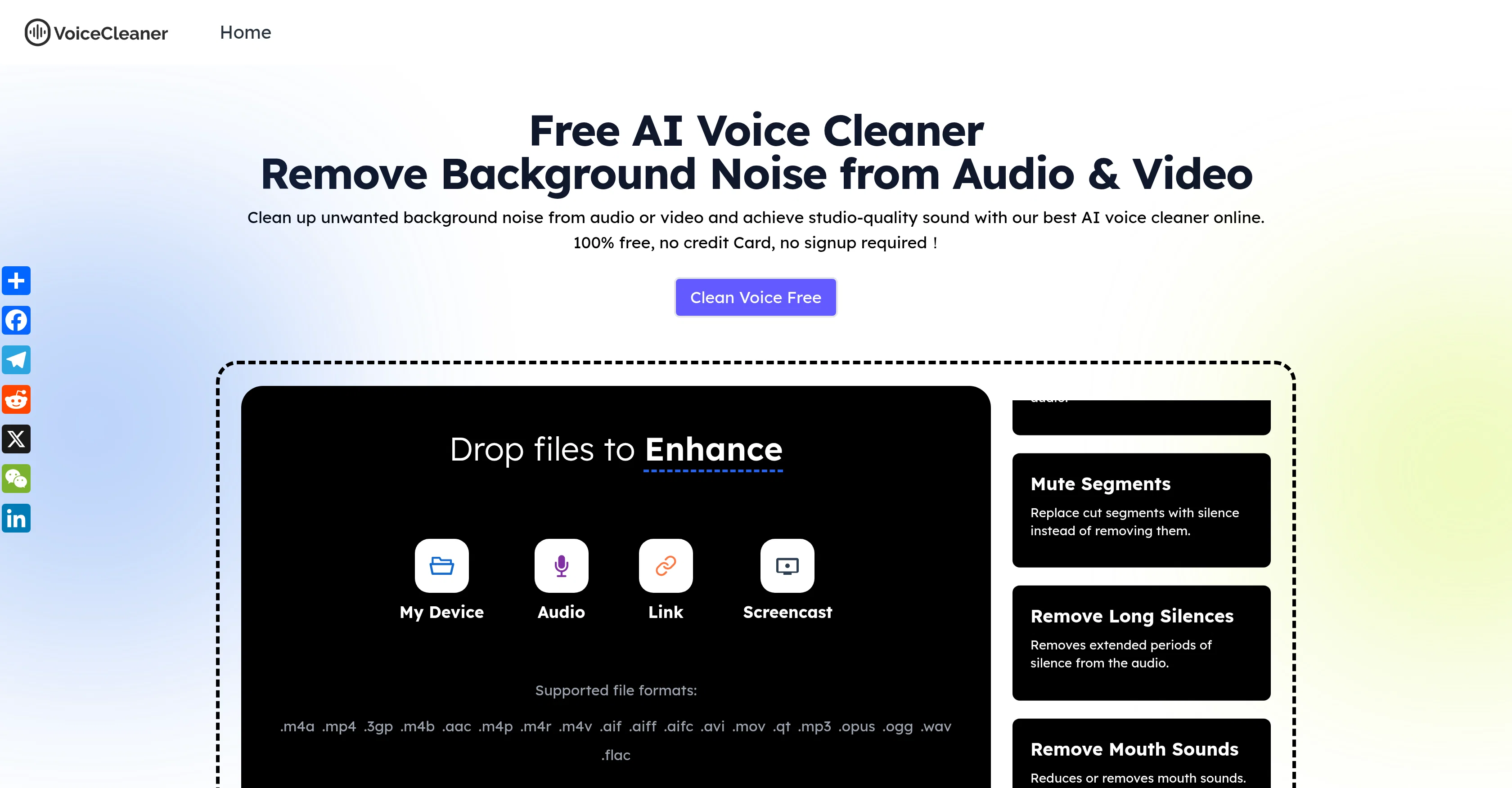
Voice Cleaner AI is an online tool powered by next-generation AI technology aimed at improving the quality of audio and video files by effectively removing background noises.
It is designed to enhance voice clarity, thus providing studio-quality sound. The tool is capable of automatically detecting and negating different types of noise, including hums, echoes, and static, to deliver professional, distraction-free audio.
It is an all-in-one solution that supports both audio and video files and allows users to export the cleaned files in various formats such as MP3, WAV, and MP4.
Voice Cleaner AI caters to a wide range of users including musicians, podcasters, business professionals, and social creators, offering cleaner and clearer audio by eliminating unwanted noise from their recordings.
It provides an efficient solution to common audio problems faced during recording music, conducting outdoor interviews, recording on-site, or even when dealing with old audio files.
The tool is straightforward and easy to use, requiring users to upload the file, choose the type of noise and content, and click 'Enhance'. After the processing, one can preview and download the cleaned file in the preferred format.
Access & connections
Where you can use Voice Cleaner AI.
Platforms
Capabilities
What this tool accepts, produces, and is strongest at.
Input
- Tabular
- Video
- Audio
Output
- Audio
- Video
Supported features
- Denoise
- Podcast
- Video Edit
Pros & cons
Pros
- Supports numerous file formats
- Exports in multiple formats
- Applicable for multiple user-groups
- Outdoor noise reduction
- Revives old audio files
- Simple usage
- Automatic noise detection
- Supports audio and video
Show 34 more
- Removes hums, echoes, static
- Perfect for social creators
- Helpful for business calls
- Great for podcasts
- Enhances music production
- Instant background noise removal
- Enhances voice clarity
- Streamlines interview cleaning
- Preview before download
- Choose your noise type
- User-friendly interface
- Effective for video editing
- Suitable for all devices
- Requires minimal effort
- Improves team communication
- Advanced audio enhancement
- Crucial for professional audio
- Significant for sound quality
- Single-click operation
- Robust for voiceover work
- Ideal for home-recorded audio
- Effective noise negation
- Best for phone recording
- Optimized for musicians
- Secure file handling
- SSL encrypted platform
- Free and instant cleaners
- Web-based tool
- No download required
- No learning curve
- Real-time recording cleaning
- Content type identification
- Podcast noise reduction
- Interactive audio link screencast
Cons
- No offline version
- Limited file format compatibility
- No advanced editing features
- Potential privacy issues
- Processing speed depends on internet
- Not ideal for complex distortions
- No multi-track support
- No option for manual adjustments
Show 1 more
- No mobile app
Compare alternatives
Similar tools in the catalog — with a clear reason to open each one.

Adobe Audio Enhancer ✓
Free TrialClean up spoken audio with AI studio-quality filters.
Free + from $12.95/mo
Full comparison
Free AI Audio Cleaner Online ✓
UnknownRemove background noise from audio with AI.
No pricing
Full comparison
Xound ✓
FreemiumAI sound enhancement for content creators
Why look Typically cheaper
Full comparison
AI Voice Cleaner ✓
Free TrialRemove background noise from audio instantly with AI.
Free + from $6.99
Full comparison
Noiseremoval.net ✓
FreemiumAI-powered background noise removal for crystal-clear audio.
Free + from $10/mo
Full comparison
AI Voice Enhancer Online ✓
FreeInstantly improve speech clarity in any audio or video.
Why look Fully free option
Full comparisonReleases 1
Imported reviews 2
useless because there was no noise reduction at all, but deleting all sound information instead
Works well, thanks!
FAQ 12
What types of files can AI Voice Cleaner process?
Can AI Voice Cleaner remove all types of background noise?
What formats can I export the cleaned files in?
Does AI Voice Cleaner enhance just the audio quality or also the voice clarity?
Can AI Voice Cleaner clean up old audio files?
How secure is AI Voice Cleaner in terms of data privacy?
Do I need to install any software to use AI Voice Cleaner?
Can I use AI Voice Cleaner for commercial purposes?
What makes AI Voice Cleaner's technology advanced?
Can AI Voice Cleaner process video files to clean the audio?
Is there any fee to use AI Voice Cleaner for an extended period of time?
How does AI Voice Cleaner ensure that the main voice is not compromised when removing background noise?
Related tools
Recommended

Free AI Video Upscaler ✓
FreeUpscale videos or images with AI for free, right in your browser

PixPal - Free AI Chat with Image Editor & Video Gener... ✓
FreeAI chat with images – Create, edit, innovate for free!

Video Transcriber AI ✓
FreeTranscribe video to text online free

AI Humanizer.work ✓
FreeTransform AI text into natural, undetectable human writing.

Video Compress AI ✓
FreeInstant compression, zero restrictions just fast, free, and flawless.

Clever AI Humanizer ✓
FreeMake AI text undetectable and human-like.