

AI Humanizer.work ✓
Transform AI text into natural, undetectable human writing.
Verdict
A quick read before you dig into the full page.
- Best if
- Transform AI text into natural, undetectable human writing
- Skip if
- Limited file formats support
- Pick this when
- Enhances clarity and readability
Considering WriteHuman instead? Compare side by side
Overview
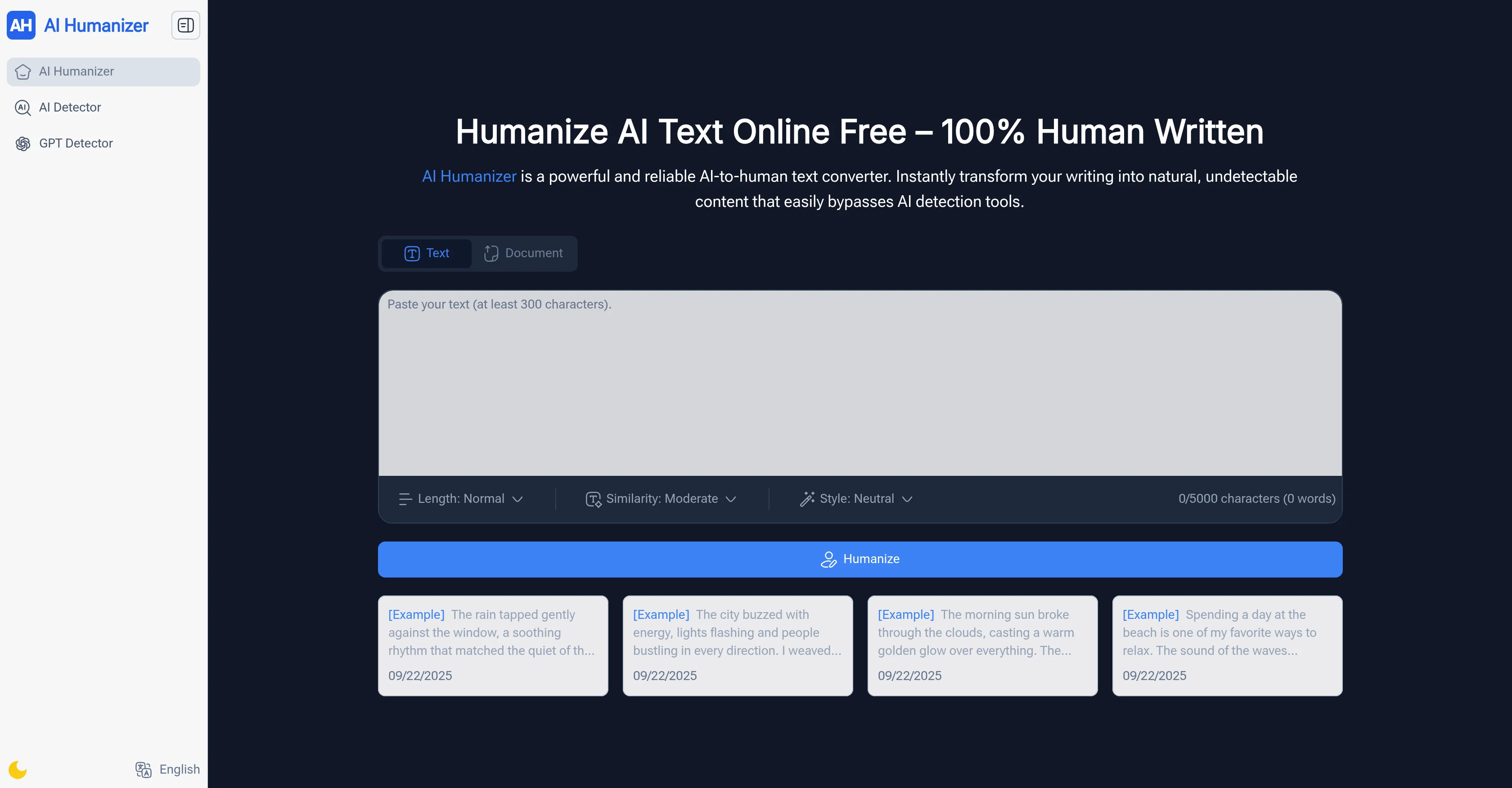
AI Humanizer is a robust tool that converts AI-generated text into natural, human-like language. The tool is designed to enhance the clarity, tone, and readability of the content, making it appear more humanized and less robotic.
Intended to be user-friendly and accessible, AI Humanizer does not require sign-up and offers unlimited usage. The tool is capable of handling long AI texts, and allows users to customize the level of human touch, from light edits to deeper rewrites.
Moreover, it features an in-built AI detection feature, ensuring that the transformed text maintains its safety and authenticity. Users also have the ability to adjust the language and tone of their content, making it suitable for a wide range of audiences.
The usage process entails pasting or uploading the text, selecting the desired style, and afterwards choosing to copy the transformed text or download it in different file formats.
Suitable for a diverse range of users such as students, content creators, freelancers, business professionals, and marketers, AI Humanizer optimizes AI text to sound more professional, natural, and engaging.
Access & connections
Where you can use AI Humanizer.work, and what it plugs into.
Platforms
Integrations
Capabilities
What this tool accepts, produces, and is strongest at.
Input
- Text
Output
- Text
Supported features
- Text Generation
- Writing
Pros & cons
Pros
- Enhances clarity and readability
- No sign-up required
- Unlimited usage
- Handles long texts
- Customization of human touch
- Language and tone customization
- Multi-format download options
- Suitable for diverse users
Show 12 more
- Recognized globally
- Handles super long texts
- No usage limits
- Tone adjustment feature
- Maintains text authenticity
- Multiple language styles
- Immediate usage
- Fast and efficient
- Ideal for academic use
- Useful for content creation
- Adaptable to audience needs
- Supports various file formats
Cons
- Lacks API
- Lacks mobile version
- No multi-user collaboration
- No integration with CMS
- Limited file formats support
- Not specific language support
- No option for feedback
- Leaves metadata trails
Show 2 more
- Has no offline functionality
- Lack of advanced customization
Compare alternatives
Similar tools in the catalog — with a clear reason to open each one.
WriteHuman ✓
Free TrialUndetectable and private content generation.
Why look More privacy-focused
Full comparison
Humanize ✓
FreemiumTransform AI text into undetectable human writing.
Why look Better for writing
Full comparison
Clever AI Humanizer ✓
FreeMake AI text undetectable and human-like.
Why look Higher community rating
Full comparison
AI Humanizer Text ✓
Free TrialTransform robotic AI text into natural writing.
Why look Better for writing
Full comparison
AI-Text-Humanizer.com ✓
FreemiumHumanize AI text into undetectable and convincing human content.
Why look Offers a public API
Full comparison
Oneclickhuman ✓
Free TrialEnhanced and humanized content through technology.
Why look Better for writing
Full comparisonReleases 1
Imported reviews 5
I often struggle to find the right words, but this tool helps me polish my expressions and make my writing flow naturally.
I experienced it, and it was pretty good
I'm so glad that I discovered this tool! Now its AI humanzer and AI detector functions have become my capable assistants when I write
It effortlessly transforms my robotic AI text into natural, engaging content. I love the customizable tones and the built-in AI detector for peace of mind. The fact that it's free with unlimited use and no sign-up is incredible. It's become my essential tool for making any content sound authentically human. Highly recommended
The AI Humanizer and AI Detector on this tool are very useful. I used it to rewrite the paper and it greatly improved the quality of my paper. I recommend it to everyone.
FAQ 12
What is AI Humanizer?
What types of users can benefit from AI Humanizer?
Does AI Humanizer require sign-up?
How does AI Humanizer handle long texts?
How can I customize the level of 'human touch' in my text with AI Humanizer?
What is the AI detection feature of AI Humanizer?
Can I adjust the language and tone of my content with AI Humanizer?
How do I use AI Humanizer?
What file formats does AI Humanizer support?
Does AI Humanizer offer any features to improve professional writing?
What can AI Humanizer offer for students and educators?
How can content creators use AI Humanizer in their workflow?
Related tools
Recommended

Video Transcriber AI ✓
FreeTranscribe video to text online free

Promtist AI ✓
FreeGenerate optimized prompts for better AI results.

Image Editor Online ✓
FreeTransform images with AI prompts instantly online.

PDF to Video AI ✓
FreeTurn PDFs into professional explainer videos in minutes.

PixPal - Free AI Chat with Image Editor & Video Gener... ✓
FreeAI chat with images – Create, edit, innovate for free!

AI Humanizer Tool ✓
FreeMake AI text sound human.