

Videos 2026 Rank: #1170
Squido AI - Video Generator ✓
Generate cinematic videos and high-fidelity images instantly.
Trial; then from $14.9/mo
Verdict
A quick read before you dig into the full page.
- Best if
- Generate cinematic videos and high-fidelity images instantly
- Skip if
- Complex interface for beginners
- Pick this when
- Generates cinematic videos
Considering freebeat AI instead? Compare side by side
Overview
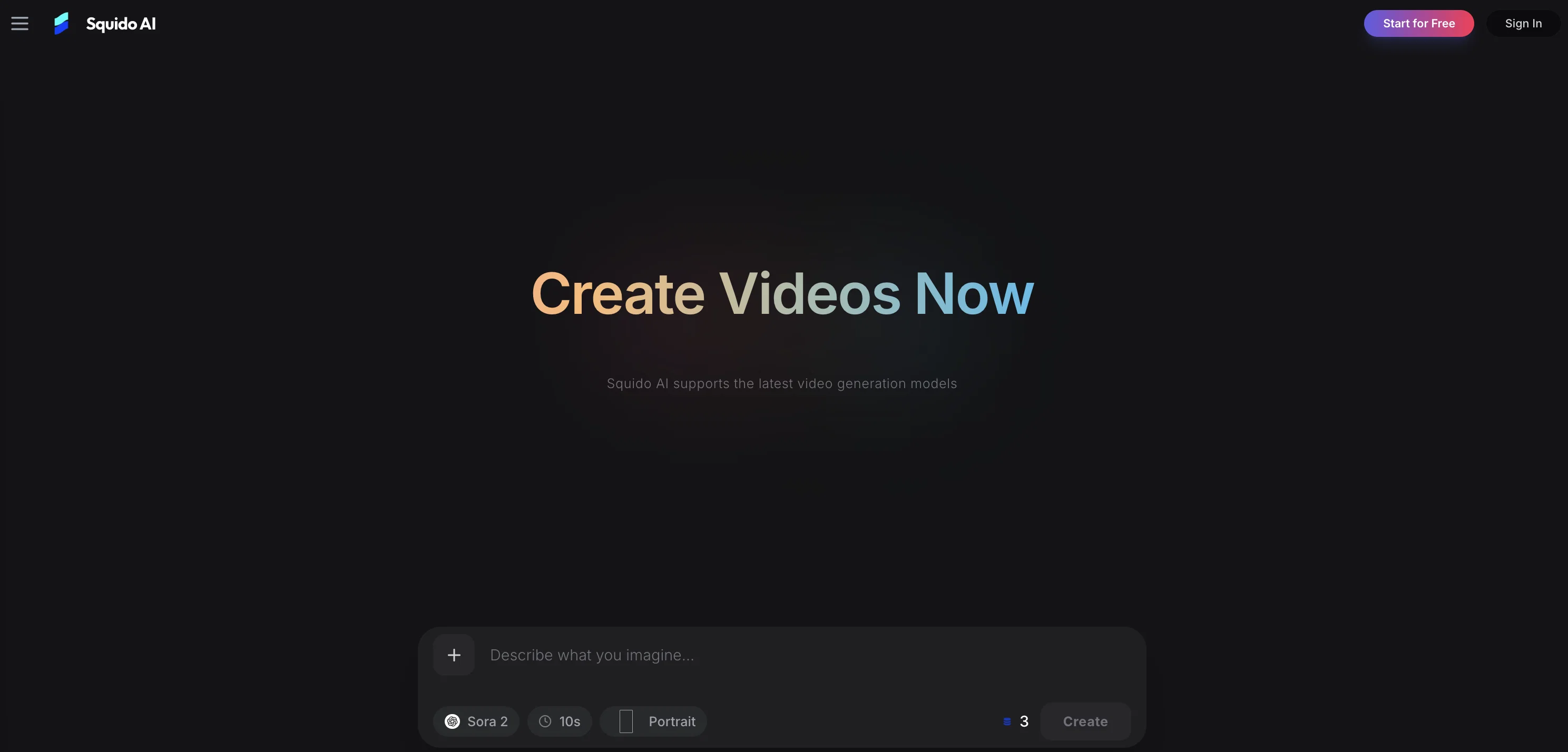
Squido AI is a platform for generating high-quality videos and images using advanced artificial intelligence models. Boasting a multi-model capability, Squido AI allows users to access top-tier AI models such as Seedance 2.0, Nano Banana Pro and more, all in one studio.
Users can turn text into video instantly with models like Seedance, Kling, and Runway, which provide professional-grade motion control. Alongside video generation, the platform also offers the option to create high-fidelity photos and art with models such as Flux and Mystic.
A key feature is its 'text to video and image instant generation' capability, utilising an optimised cloud engine to generate content in seconds. Squido offers different AI models for different creations including dynamic motion, natural motion, and cinematic storytelling.
The AI Image capabilities extend to static asset creation with AI models designed for tasks such as producing photorealistic textures or rendering clear text.
In terms of its technical advantages, multiple clips can be created simultaneously across different models. The platform prioritises user privacy by encrypting user data.
It also promotes efficiency by allowing users to switch between AI models instantly in one browser tab to compare results in real-time. Squido AI aims to cater to creators and businesses seeking to grow their social media channels, scale their marketing campaigns or express their creativity visually.
With a user-friendly interface, Squido AI allows users to generate, review, and share AI art and videos on different devices, including mobile devices.
Access & connections
Where you can use Squido AI - Video Generator.
Platforms
Capabilities
What this tool accepts, produces, and is strongest at.
Input
- Image
- Text
Output
- Video
- Image
Highlights
- SOTA
Supported features
- Image Edit
- Image Generation
- Video Generation
Pros & cons
Pros
- Generates cinematic videos
- Generates high-fidelity images
- Real-time result assessment
- Text to video/image feature
- Advanced output control parameters
- Camera movement control
- Option for start/end frames
- Parallel video generation
Show 43 more
- Data encryption for security
- Instant model switch
- Wide-ranging use-cases
- Optimized for social media
- Optimized for marketing campaigns
- Includes model like Seedance 2.0
- Offers professional-grade motion control
- Creates photorealistic textures
- Multiple clip generation
- User-friendly interface
- Effective for marketing scaling
- Real-time comparison of results
- Cross device compatibility
- Optimized cloud engine
- Models for different creations
- Static asset creation feature
- Superior text rendering
- Simultaneous clips across models
- Mobile optimized
- Chat-based creation
- Background remover tool
- Image enhancer tool
- Creative prompt suggestions
- Speed, quality, cost benchmarks
- Community showcases
- Detailed technical benchmarks
- High fidelity textures
- Controlled consistency
- Production-ready tools
- Tools for deeper control
- Direct model control
- Viral content creation
- Professional product demos
- Personal expression
- Encrypted user data
- Transition between models seamlessly
- Supports 4K video
- Understands narrative context
- Photorealism capabilities
- Simultaneous multi-model use
- Turns semantic engine instantly
- Text to motion capability
- Multiple viewing model access
Cons
- No offline mode
- Limited customization options
- No auto-save feature
- No multi-language support
- No integrated collaboration tools
- Complex interface for beginners
- No tutorials or user-guides
- Only support cloud engine
Show 1 more
- No direct customer support
Compare alternatives
Similar tools in the catalog — with a clear reason to open each one.

freebeat AI ✓
FreemiumTurn Music & Ideas into Viral Videos In One Click
Why look Typically cheaper
Full comparison
MagicLight ✓
FreemiumTransform text into captivating videos instantly.
Why look Typically cheaper
Full comparison



Seedance ✓
FreemiumMulti-shot video generation from text and image.
Why look Stronger for image work
Full comparisonReleases 1
FAQ 12
What is Squido AI?
How does Squido AI turn text into video or images?
What are the different models available in Squido AI?
Can I customize the duration and aspect ratio of my videos or images in Squido?
What is parallel generation in Squido AI?
What security measures does Squido AI have in place to protect user data?
How does Squido AI support real time result assessment?
Can Squido AI be used for commercial marketing campaigns?
Is Squido AI suitable for social media growth?
How does Squido AI help with personal content creation?
What does it mean to have camera movement control in Squido AI?
Can I configure start and end frames in Squido AI?
Related tools
Recommended

BestPhotoAI ✓
FreemiumCreate amazing AI photos instantly

Vocallab AI ✓
Free TrialAI voice tools for TikTok & YouTube creators.

Cliptude ✓
FreemiumCreate cinematic videos from any idea automatically.

Silo ✓
FreemiumAI ad creative generator for marketers.

VibeVideo ✓
FreemiumAll-in-one AI platform for video, image, motion & cinematic creation.

Genspark ✓
Free TrialGenerate webpages with built-in AI copilots.