
Runcell - Data Science AI Agent in Jupyter ✓
AI agent for Jupyter: Generate code, run cells with natural language.
Free + from $20/mo
Verdict
A quick read before you dig into the full page.
- Best if
- You are data Scientists and need: Automate data analysis in Jupyter Lab
- Skip if
- May misunderstand or oversimplify complex algorithms
- Pick this when
- Generates code
Considering Lime AI instead? Compare side by side
Overview
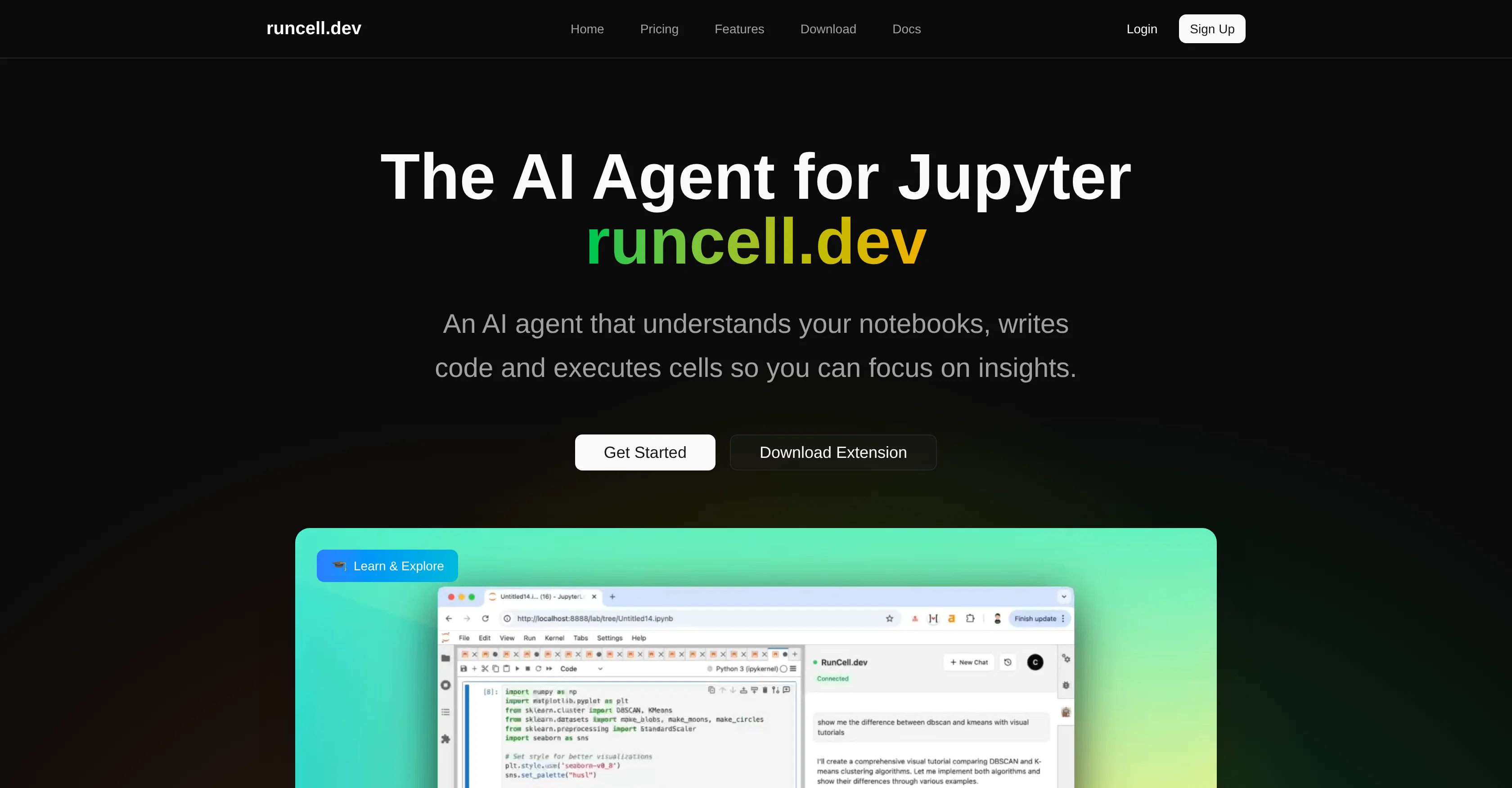
Runcell is an artificial intelligence (AI) tool designed exclusively for Jupyter notebooks. It acts as an AI agent capable of generating code and executing cells, letting users concentrate on extracting meaningful insights.
The tool exhibits interactive learning mode that explains concepts with live examples, perfect for understanding differences between various algorithms such as K-means and DBSCAN.
Runcell offers an autonomous agent mode fully automating notebook operations, completing complex workflows automatically, thus improving productivity for data scientists and developers.
Another highly-functional feature of this tool is its smart edit mode. Here, the AI assistant provides intelligent suggestions for editing and enhancing code leading to an improved notebook.
Moreover, Runcell functions as an AI-powered Jupyter enhancement tool. Users can pose questions about their code and receive AI-generated solutions along with smart recommendations on the possible next steps.
By effectively transforming and speeding up the Jupyter workflow, Runcell ensures that notebook work is efficient and streamlined, optimizing the coding process for developers without having to exit Jupyter.
Its service is offered as a free trial, with more comprehensive plans available.
Best for
Short scenarios where Runcell - Data Science AI Agent in Jupyter tends to shine.
-
Automate data analysis in Jupyter Lab
Best for Data Scientists
-
Use AI to generate interactive tutorial and lession through notebooks to study data science
Best for Machine Learning Engineers
Example outputs 1
Sample generations and before/after results for Runcell - Data Science AI Agent in Jupyter.
Access & connections
Where you can use Runcell - Data Science AI Agent in Jupyter.
Platforms
Capabilities
What this tool accepts, produces, and is strongest at.
Input
- Text
Output
- Code
Pros & cons
Pros
- Generates code
- Executes cells automatically
- Interactive learning mode
- Explains algorithms with examples
- Fully automates notebook operations
- Improves productivity
- Smart edit mode
- Intelligent code editing suggestions
Show 18 more
- Enhances Jupyter functionality
- Smart recommendations
- Boosts workflow efficiency
- Optimizes coding process
- In-notebook operation
- Free trial
- Comprehensive plans
- Suitable for data scientists
- Useful for developers
- Live concept explaining
- Improves notebook work
- Algorithm understanding tool
- Transforms Jupyter workflow
- Autonomous agent mode
- Supports natural language
- Workflow automation
- Suitable for coders
- Interactive demos available
Cons
- Only works with Jupyter notebooks
- May auto-complete workflows erroneously
- Smart Edit suggestions may fail
- Not open-sourced
- Lack of integration with other languages
- Dependent on users' correct questioning
- May misunderstand or oversimplify complex algorithms
- Potential data privacy concerns
Show 2 more
- Comprehensive plans could be expensive
- No version control
Compare alternatives
Similar tools in the catalog — with a clear reason to open each one.

Google Colab ✓
UnknownCode collaboratively in the cloud.
Why look Better fit for coding
Full comparisonPeople also view
Tools that often show up alongside Runcell - Data Science AI Agent in Jupyter in collections and comparisons.

Lime AI ✓
UnknownAI-powered data research assistant
Google Colab ✓
UnknownCode collaboratively in the cloud.

PlotStudio AI ✓
Free TrialAI agents that turn data into analytics in minutes.

Grok ✓
FreemiumConversational AI for understanding the universe.

GoThumbnails ✓
FreemiumCreate viral YouTube thumbnails that get clicks.

GlobalGPT ✓
Free TrialAll-in-One Access to AI power: GPT4, Claude, Gemini, Perplexity, Midjourney, Kling and

Cursor ✓
FreemiumAI-powered IDE for faster coding

CodeRabbit ✓
Free TrialEnhanced code review for improved workflow and quality.
Releases 1
FAQ 12
What is Runcell?
How does Runcell interact with Jupyter notebooks?
What does Runcell mean by generating code?
How does the cell execution feature work in Runcell?
What is interactive learning mode in Runcell?
How does Runcell explain algorithms like K-means and DBSCAN?
What is the autonomous agent mode of Runcell?
How does Runcell automate notebook operations?
What is the smart edit mode in Runcell?
How does Runcell provide code editing suggestions?
How does Runcell act as an AI-powered Jupyter enhancement tool?
Can Runcell generate solutions for problems in my code?
Related tools
Recommended

Suno ✓
FreemiumMake music at the speed of your ideas.
CodeRabbit ✓
Free TrialEnhanced code review for improved workflow and quality.

Jason AI ✓
PaidAI-powered assistant for B2B sales outreach

Veo ✓
PaidGenerate high-quality, cinematic videos with AI.

Younet ✓
Free TrialAI Agent Orchestration and Automation. Build your agentic business.
Cursor ✓
FreemiumAI-powered IDE for faster coding