
vizGPT ✓
Turn complex data into clear insights with AI.
Trial; then from $10/mo
Verdict
A quick read before you dig into the full page.
- Best if
- You are data analysts and need: Generating charts and graphs from datasets using natural language
- Skip if
- No offline mode
- Pick this when
- Natural language interaction
Considering StatPecker instead? Compare side by side
Overview
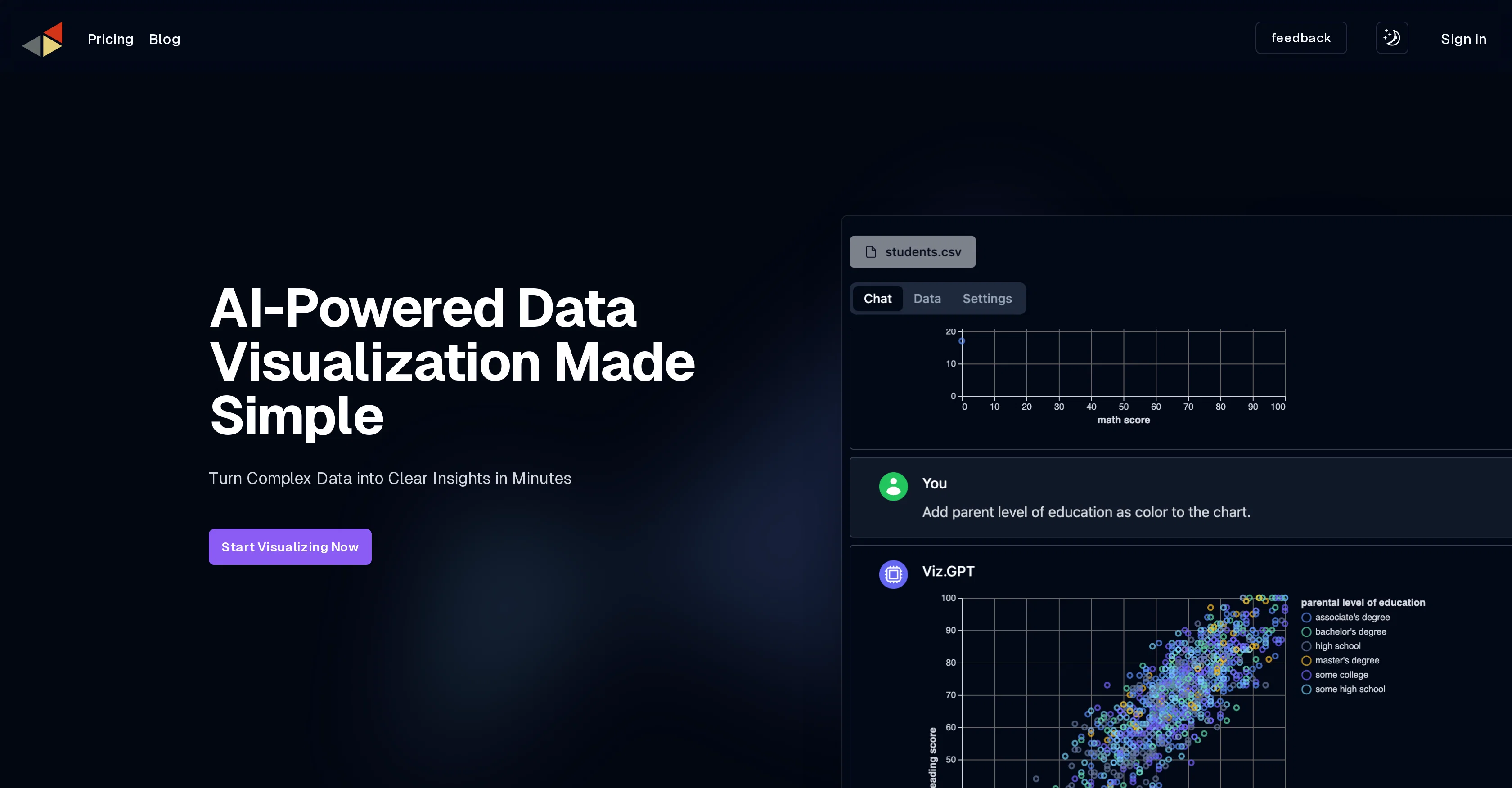
vizGPT is an AI-powered tool focused on data visualization. The tool's primary function is to facilitate the transformation of complex data into clear, insightful visualizations.
The software's defining feature is its ability to generate visualizations in response to natural language queries, allowing users to interact with their data using plain language instead of dealing with potential syntax errors.
Thanks to its advanced Natural Language Processing (NLP) capabilities, vizGPT makes the entire process of data analysis as straightforward as leading a conversation.
This feature includes real-time responses, which means that users can receive a visualization immediately upon asking a question. Furthermore, vizGPT's AI is designed to remember past queries, enabling a coherent narrative across ongoing data analysis tasks.
In addition to interaction through natural language, vizGPT also offers a no-code, drag-and-drop interface to create visualizations. Another core feature is the Intelligent Data Table that simplifies data transformation and profiling tasks.
The Intelligent Data Table is user-friendly, aiding the users to mold their data as needed. This combination of capabilities makes vizGPT a versatile and inclusive tool, suitable for users regardless of their technical expertise or familiarity with data analysis concepts.
Best for
Short scenarios where vizGPT tends to shine.
-
Generating charts and graphs from datasets using natural language
Best for Data analysts
-
Analyzing data through conversational interaction with AI
Best for Business intelligence professionals
-
Transforming and profiling data with easy-to-use data tables
Best for Researchers
Example outputs 1
Sample generations and before/after results for vizGPT.
Access & connections
Where you can use vizGPT.
Platforms
Capabilities
What this tool accepts, produces, and is strongest at.
Input
- Tabular
- Text
Output
- Image
Pros & cons
Pros
- Natural language interaction
- Immediate data visualization
- Contextual memory
- No-code interface
- Drag-and-drop data visualization
- Intelligent Data Table
- Data transformation
- User-friendly interface
Show 15 more
- Versatile tool
- Accessible regardless of expertise
- Simplifies data profiling
- Integrates advanced NLP
- Enable coherent data analysis
- Remembers past queries
- Real-time responses
- Transforms complex data
- Generates clear insights
- Effective data storytelling
- Eliminates syntax errors
- Data moulding capability
- Fast visualization generation
- Interactive data analysis
- Conversational data analysis
Cons
- No offline mode
- No syntax-related operations
- No explicit multi-platform support
- No multilingual support
- Doesn't mention source data integration
- No chart customization options
- Dependent on quality of question
- May forget infrequent past queries
Show 2 more
- No API for programmability
- Website lacks detailed technical specifications
Compare alternatives
Similar tools in the catalog — with a clear reason to open each one.

StatPecker ✓
FreemiumSmart insights for business, stunning visuals for creators.
Why look Higher community rating
Full comparison
Narraviz.ai ✓
UnknownTurn raw data into instant visual insights.
Why look Higher community rating
Full comparison
ChartGPT ✓
FreeMake Better Decisions with Data-Driven Charts, Clear Explanations, and Insightful Analysis
Why look Fully free option
Full comparison
PowerBI AI Lens ✓
FreemiumSupercharge Power BI dashboards with AI-driven insights
Why look Higher community rating
Full comparisonPeople also view
Tools that often show up alongside vizGPT in collections and comparisons.

VibeChart ✓
Free TrialTurn Data into Stunning Charts in Seconds
StatPecker ✓
FreemiumSmart insights for business, stunning visuals for creators.
PowerBI AI Lens ✓
FreemiumSupercharge Power BI dashboards with AI-driven insights
Narraviz.ai ✓
UnknownTurn raw data into instant visual insights.

LIDA ✓
FreeGenerate visualizations from data using AI
ChartGPT ✓
FreeMake Better Decisions with Data-Driven Charts, Clear Explanations, and Insightful Analysis

InfographicAI ✓
Free TrialCreate stunning infographics instantly with AI.

GoAI: Personal AI Investment Assistant ✓
FreemiumYour Personal AI Investment Analyst — See the opportunities others don't.
Releases 1
FAQ 12
What does vizGPT do?
What is the primary function of vizGPT ?
How does vizGPT use natural language queries?
What are the key features of vizGPT ?
How does vizGPT handle real-time responses?
How does vizGPT remember past queries?
What is the Intelligent Data Table in vizGPT ?
Who can use vizGPT ?
What is the no-code, drag-and-drop interface in vizGPT ?
How does vizGPT transform complex data?
Can I interact with vizGPT using plain language?
Can vizGPT generate visualizations immediately?
Related tools
Recommended

VenturusAI ✓
FreemiumBusiness idea analysis and reporting.

Agentgpt ✓
FreemiumDeploy autonomous AI Agents effortlessly in your browser.

PrometAI ✓
FreemiumTurn ideas into viable reality with AI business plan generator.

Thunderbit ✓
FreemiumScrape leads & other data in just 2-clicks.

Eightify
UnknownAI-powered YouTube video summarizer extracting key ideas for quick content assessment.

GPTinf ✓
PaidBypass AI detectors with one-click rephrasing.