Sales vv4.6 2026 Rank: #73
Jason AI ✓
AI-powered assistant for B2B sales outreach
Verdict
A quick read before you dig into the full page.
- Best if
- You are sales teams and need: Continuous Pipeline Generation: Works 24/7 to generate a steady pipeline of prospects
- Skip if
- Limited social media touchpoints
- Pick this when
- Automates B2B sales conversations
Considering Cora Intelligence instead? Compare side by side
Overview






Jason AI is a conversational AI tool focused on enhancing B2B sales processes. It acts as a personal assistant to sales teams by automating outreach sequences, handling responses from prospects, and booking meetings.
The tool applies filters to target the most suitable prospects and creates personalized emails, follow-ups, and social media touchpoints to establish contact.
It also suggests the most effective channels to communicate the message. Jason AI can learn about a company, its offerings, and automatically respond to basic customer inquiries.
The tool helps to manage conversations with leads and offers counter-offers to handle 'Not Interested' responses. It can forward requests to the correct contact and reschedule or cancel meetings.
The AI tool can handle a variety of conversations with leads as it learns more and becomes more refined. Once a meeting has been requested, Jason AI can suggest a time and date and book the slot in the team's calendar.
Overall, Jason AI streamlines the engagement cycle by handling the full outreach process, thereby freeing up time for sales teams to focus on more complex tasks.
Best for
Short scenarios where Jason AI tends to shine.
-
Continuous Pipeline Generation: Works 24/7 to generate a steady pipeline of prospects.
Best for Sales teams
-
Instant Lead Discovery: Identifies prospects with high buying intent.
Best for Marketing professionals
-
Engagement with Decision-Makers: Targets key decision-makers in important accounts.
Best for Business development managers
-
Market Expansion: Reaches audiences in over 150 countries.
Best for Account executives
How it works
Example outputs 1
Sample generations and before/after results for Jason AI.
Access & connections
Where you can use Jason AI, and what it plugs into.
Platforms
Capabilities
What this tool accepts, produces, and is strongest at.
Input
- API
- Text
- Audio
Output
- Text
Highlights
- Agents
- API
- MCP
Supported features
- Agents
- API
- MCP
- Outreach
- Automation
- Memory
- Social Media
Pros & cons
Pros
- Automates B2B sales conversations
- Personal assistant to sales teams
- Automates outreach sequences
- Handles prospect responses
- Books meetings
- Applies targeting filters
- Creates personalised emails
- Generates follow-ups and touchpoints
Show 25 more
- Suggests communication channels
- Learns about company offerings
- Handles basic customer inquiries
- Manages lead conversations
- Offers counter-offers
- Forwards requests to correct contact
- Reschedules or cancels meetings
- Learns over time
- Suggests meeting time and date
- Streamlines engagement cycle
- Frees up team time
- Targets most suitable prospects
- Handles 'Not Interested' responses
- Handles various conversation types
- Sets up outreach sequences
- Adapts to specific cases
- Can provide product details
- Automatically responds to inquiries
- Reads and handles lead emails
- Handles 'Not Now' responses
- Can explain difference from competitors
- Can provide detailed product explanations
- Seamlessly handles meeting reschedule requests
- Handles full engagement cycle
- Awkwardness-free conversation ramp-up
Cons
- Lacks multilingual support
- No mobile applications
- Limited social media touchpoints
- Training time for company specifics
- Doesn't support multiple calendars
Compare alternatives
Similar tools in the catalog — with a clear reason to open each one.

Cora Intelligence ✓
PaidThe AI SDR that fills your pipeline.
Why look Typically cheaper
Full comparison
Extruct AI ✓
Free TrialFind companies and contacts using natural language
Why look Typically cheaper
Full comparison
Vuepak ✓
PaidAI-powered outreach and multimedia delivery to help sales and marketing teams close.
Why look Typically cheaper
Full comparison
MagicBlocks ✓
PaidThe Omnichannel AI Sales Agent Platform for B2C
Why look Higher community rating
Full comparison
Reply ✓
Free TrialGenerate leads, convert website traffic, or hire sales AI SDRs.
Why look Typically cheaper
Full comparison
Expertise AI (Chatsimple) ✓
FreemiumWebsite chatbots for support and sales assistance.
Why look Freemium alternative
Full comparisonPeople also view
Tools that often show up alongside Jason AI in collections and comparisons.
MagicBlocks ✓
PaidThe Omnichannel AI Sales Agent Platform for B2C

SalesCred ✓
FreemiumAI tool building sales credibility and accelerating trust.

Onsa ✓
Free TrialRevolutionize B2B sales with AI-powered meeting prep and analysis.

Muraena - AI-powered B2B lead generation ✓
FreemiumFind targeted B2B leads 10x faster

Leadfwd ✓
FreemiumSupercharge B2B sales with AI-driven LinkedIn prospecting and outreach.

GetSales.io ✓
PaidAI-powered B2B sales engagement platform

Genesy AI ✓
UnknownSupercharge sales with AI-driven B2B data aggregation.

ChatOnce ✓
Free TrialTransform your website into a lead-generation powerhouse.
Releases 8
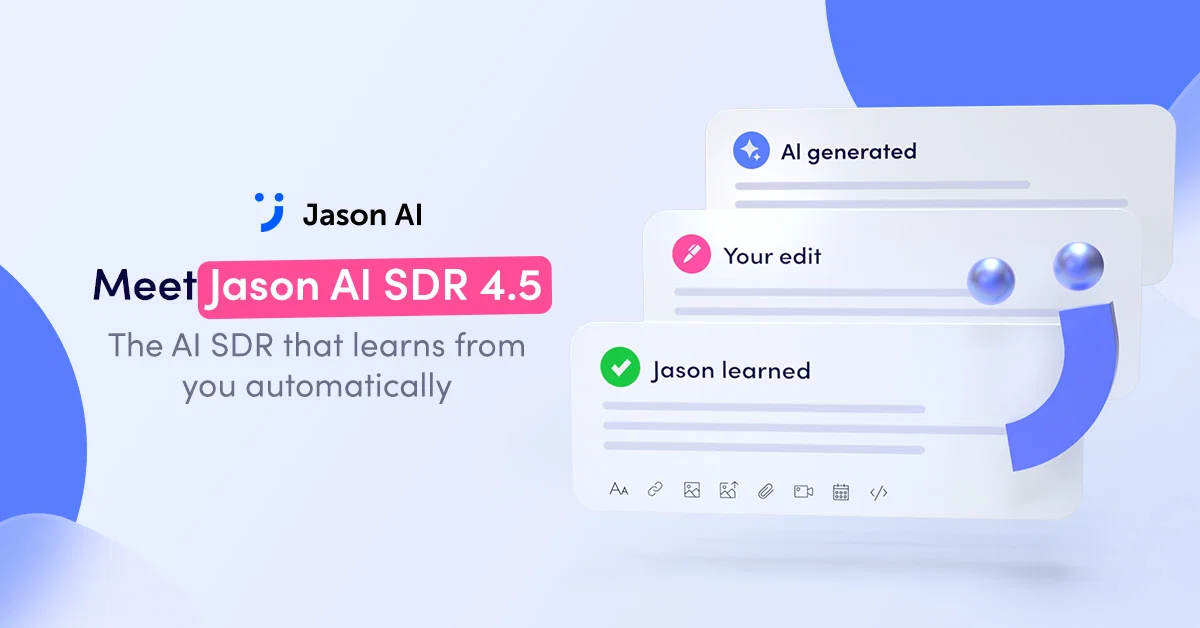
Meet Jason 4.6: The AI SDR that learns from you automatically
Getting Jason to write in your exact voice used to mean hours of prompt-tweaking. Not anymore.
Jason 4.6 picks up on your edits everywhere you make them — the Preview tab, Approval tab, or AI Draft — and turns repeated patterns into AI Learnings: rules he applies automatically the next time he writes.
🧠 Jason learns as you work:
Edit a message anywhere in Reply, and Jason notices — you'll even see a quick "Jason is learning from your edits" note pop up in real time. Make the same kind of tweak a few times, and it becomes a rule he'll follow going forward — no extra setup needed.
👍 Every reaction sharpens his output:
React to any AI-generated message with a thumbs up or down. Every tap teaches Jason what "good" looks like for your brand.
🎛️ You stay in control:
Every AI Learning can be reviewed, edited, toggled on or off, or sorted into Reply Handling or Outbound Communication. Nothing happens behind your back — you always see what Jason has learned and decide what stays.
Less time editing drafts. More time running a fully automated, brand-safe outreach engine that consistently books high-quality meetings — in your team's authentic voice.
Want Jason up to speed even faster? Start reacting to his drafts today — every tap makes the next generation sharper.
Book a demo and see how he can start booking qualified meetings for your pipeline with zero extra headcount.
Most outbound asks for a meeting before offering any value.
Now Jason AI SDR lets you flip that around.
You can attach case studies, reports, one-pagers, presentations, guides, ROI calculators, and other lead magnets directly inside your AI Playbooks.
Jason automatically sends the right attachment at the exact step you choose, whether it's your first email, a follow-up, a LinkedIn message, a connection request, or an InMail.
Instead of asking prospects for their time right away, you're giving them something useful throughout the conversation.
You can even add multiple attachments to the same Playbook and decide exactly when each one should be sent automatically.
It's a simple way to build trust before your sales team ever joins the conversation.
Book a demo and try it now.
Jason AI SDR 4.0 — end-to-end outbound, reimagined
Jason 4.0 is the biggest update we've shipped this year. One AI agent that sources, scores, researches, and reaches your ideal buyers — without stitching tools together.
What's new:
1️⃣ AI Web Search lets you describe your ideal buyer in plain language — behaviors, tech stack, recent moves, time-bound triggers. Jason scans the web and finds those exact people. The narrow, hyper-specific ICPs that filters always missed? Now reachable.
2️⃣ Custom Research runs automatically on every prospect in your sequence, pulling personalization context from public sources. Write a prompt once; Jason applies it at scale. Outreach that reads like 30 minutes of manual research — without the manual work.
3️⃣ Competitor Followers turns your competitors' audiences into your pipeline. Drop a company page link, Jason pulls every follower, scores each one against your ICP threshold, and adds only the matches. The hardest objection is already gone before you send a word.
4️⃣ LinkedIn Search pulls up to 2,000 contacts per day directly from LinkedIn — free account or Sales Navigator, no Chrome extension required. Turn a saved search into a running sequence in under a minute.
👉 9 sourcing methods, every angle covered:
AI Web Search · Sales Navigator Autopilot · Buying Intent Signals · LinkedIn Post Engagers · Competitor Followers · Website Visitors · CRM Sync · CSV Import · LinkedIn Search
Different ICPs live in different places. Match the source to your strategy, layer them when it makes sense, let Jason handle the rest end-to-end.
❗️ What changes for your team:
One tool replaces your outbound stack. Sourcing, scoring, research, drafting, sending, and follow-ups all run inside one workflow. Add time-bound triggers — "hired in the last 60 days", "raised in Q1" — and your message lands while your product is actually relevant. ICP scoring keeps noise out at every source. The pipeline keeps building even when you're out of ideas for your next sequence.
Jason 4.0 is live now.
Jason AI SDR 3.5 helped you focus on the right leads. Version 3.6 helps you reach them at exactly the right moment with more signals, sharper filters, and infrastructure that scales with you.
–> Email infrastructure, built in
Purchase domains from Google Workspace or Microsoft 365 and configure mailboxes without ever leaving the platform. Spin up sending capacity fast, warm mailboxes automatically, and scale your outreach safely – all from within Jason AI SDR.
–> New intent signal: Technologies Used
Jason now surfaces companies based on what's already in their tech stack. Target prospects whose existing tools align with your product or identify companies using competitor solutions where you can make a stronger case. Technographic targeting means you walk into every conversation with context.
–> New filter: Years in Current Company
Target contacts based on tenure. Whether you're looking for recently hired decision-makers still evaluating vendors, or long-tenured champions with real budget authority, this filter helps you find them.
–> LinkedIn Intent Signals
Jason now tracks LinkedIn engagement signals tied to your value proposition. If a prospect is interacting with content in your space, you'll know – and you can reach out while that intent is still fresh. Not weeks later.
–> Jason books meetings for you
Back-and-forth is over. Jason checks your calendar, confirms availability, books meetings, and manages cancellations automatically. Every interaction logs directly to the prospect's card, so nothing slips through.
Better signals. Sharper targeting. Meetings that book themselves.
See what Jason AI SDR can do for your pipeline — book a demo.
Most outreach fails because you're talking to the wrong people. Jason AI SDR 3.5 solves this.
Jason helps you zero in on the leads most likely to buy. It automatically builds strategies that target small, specific audiences. Instead of sending countless emails into the void, you run smart, high-quality campaigns that drive real results.
– Identify high-fit leads:
You receive a score, a label, and a clear explanation for every lead. Filter them with a single click and engage only the prospects who fit this particular campaign.
No more guessing - early users see 2–3× higher reply rates by focusing on high-fit prospects.
– Use channels that convert:
Jason measures LinkedIn activity. Every prospect gets an engagement score based on their LinkedIn activity: posts, comments, and interactions.
No more messages disappearing into accounts which will never respond.
– Convert traffic into meetings:
Jason doesn’t just help you prioritize - it helps you capture opportunities automatically. Website visitors are identified and added to sequences in real time, so you start conversations while interest is high.
– Generate strategies in a click:
Now, Jason creates 15 completely different outreach approaches for your business in one click - all organized into ready-to-launch sequences.
Jason often suggests new audiences you may not have considered, giving you fresh angles to engage.
Better targeting. Higher replies. More meetings. All backed by data, not hunches.
Book a demo and see how Jason can serve your business.
No more random facts in your messages – now you pick exactly what Jason should research and use to match your strategy.
Here's how it works:
1️⃣Select up to 3 personalization points that align with your outreach goals:
Basic Research – start with the essentials and find what makes your outreach personal
Company Research – dig into a company’s story and see what drives their business
Prospect Research – get to know your prospects as real people, not just names on a list
Industry Research – spot trends, keep an eye on competitors, and stay ahead
Contact Fields Personalization – use the info you already have in your CRM to make every message feel custom-made.
2️⃣ Our New Research Agents, in seconds, gather only the info you need and that matters for your chosen strategy. No fluff, just relevant insights.
3️⃣ Jason turns that info into personalized messages – picking the most impactful data for each prospect so your outreach hits the right note every time.
The result? You save time, skip manual research, and send messages that truly resonate. With AI SDR 3.0, auto-personalization finally makes sense.
Flexibility when you need it
– Want to personalize using contact fields? Just pick the ones that matter: first name, last name, title, company, city, state, country, company size, or industry.
– Don’t want to personalize this time? No problem. Skip the options, and Jason will still create unique messages automatically.
– When you choose multiple personalization points, Jason smartly picks the most relevant one for each message.
Try out the new Research Agents, and feel how much faster and easier personalization can be.
Jason AI SDR now gives you two sending modes, and you decide how you want to work:
- Review every message before it’s sent.
- Or let Jason send right after it’s generated.
Now, there are two sending modes:
- Automatic mode - Jason sends messages right away according to the schedule.
- Approval mode - Jason saves drafts in the Pending Approvals tab, where you can review, regenerate, or approve them in bulk or one by one. You’ll also see full context about each prospect and sequence to make reviewing easy.
Decide how much control you need - Jason adapts to your workflow!
Imported reviews 3
What signals are included if any to target leads?
Support is not responsive. Requested refund but no reply or action from the team.
that's such a great AI
FAQ 12
What is Jason AI?
How does Jason AI help in the sales process?
What does Jason AI do with outreach sequences?
Can Jason AI handle different kinds of conversations?
How does Jason AI target prospects?
Can Jason AI respond to basic customer inquiries?
How does Jason AI handle 'Not Interested' responses?
Does Jason AI reschedule or cancel meetings?
How does Jason AI assist in booking meetings?
Can Jason AI learn about my company and services?
How does Jason AI suggest effective channels for communication?
Can Jason AI forward requests to the right contact?
Related tools
Recommended

VenturusAI ✓
FreemiumBusiness idea analysis and reporting.

LearningStudioAI ✓
Free TrialAI-powered authoring tool for effortless online course creation.

PostPerfect ✓
FreemiumAutomated social media posts.

Business Idea Generator AI ✓
FreeGenerate innovative business ideas with AI

Stunning ✓
PaidBuild AI-powered websites in seconds

MagicSlides.app AI PPT Maker ✓
FreemiumCreate Stunning PPTs in Seconds with the AI PPT Maker