Image editing

Photoshop Express Photo Editor ✓

Enhance your photos with AI editing tools.

Source rating 4.0 (1) 658 views 5 saves Unknown
More categories (4)

Verdict

A quick read before you dig into the full page.

Best if
Enhance your photos with AI editing tools
Skip if
Metadata watermark hinders sharing
Pick this when
Adobe-level quality

Considering Viyou AI Image Generator instead? Compare side by side

Overview

Generated by ChatGPT

Photoshop Express Photo Editor is an intelligent image editing tool that brings Adobe-level quality to mobile platforms. It offers a range of conveniences for quick, effective photo editing and manipulation.

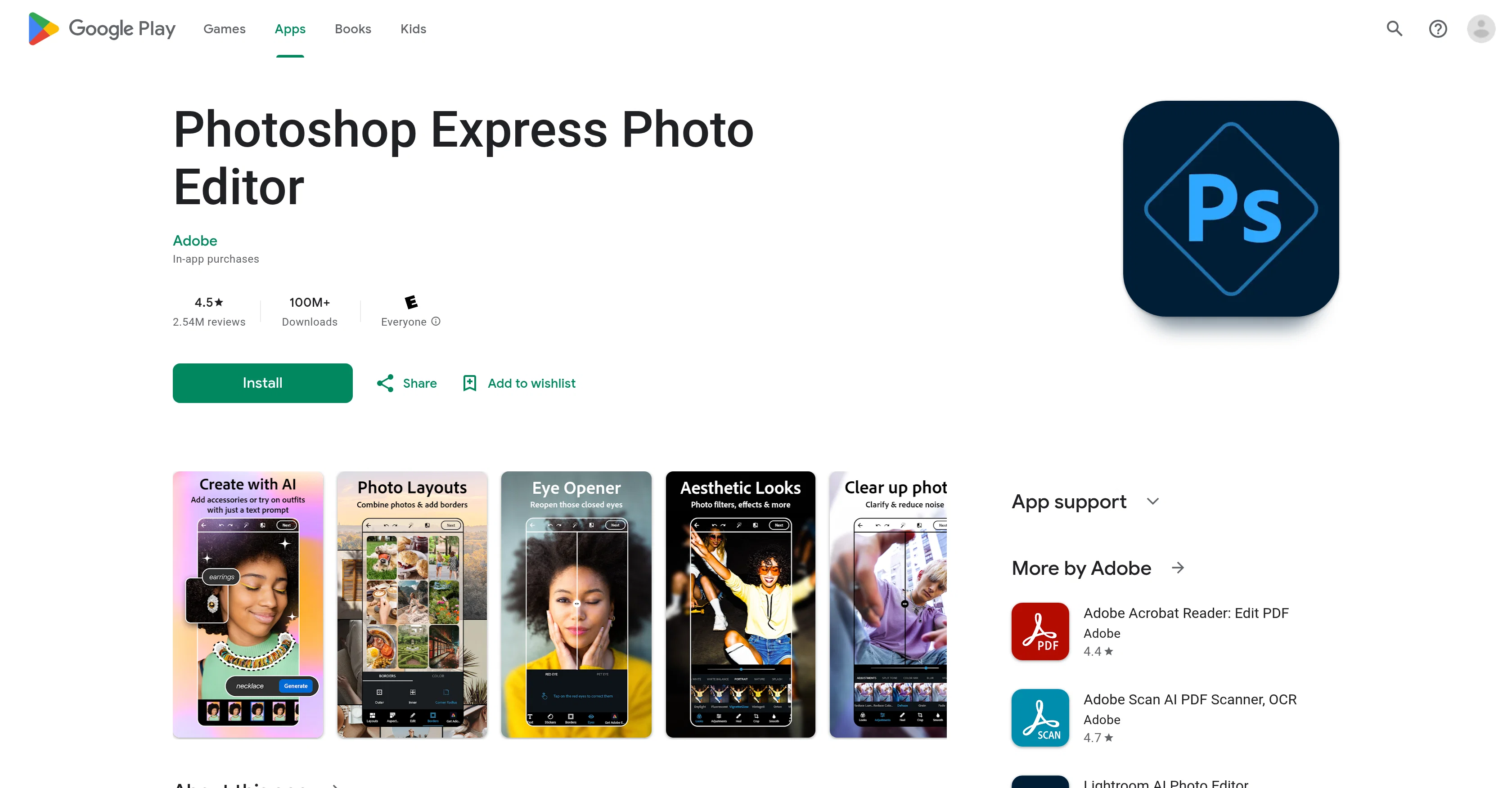
This app empowers users to delve into their creativity with various different editing features, including the addition of text to images, selfie touch-ups, pre-post edits, and application of a wide diversity of camera filters.

Photoshop Express stands out with its AI-powered image generator which allows users to manage and enhance their images with accuracy and simplicity. It also offers a collage maker and a face editor feature.

The tool can be used to airbrush selfies, adjust the content of images such as removing red eyes, managing blemishes, and stamping features. The app enables users to also switch image backgrounds, erase objects, and apply vintage-inspired filters.

Clarity improvements can be made by removing blur and erasing background noise. Furthermore, the app includes features for combining images into premade photo grids and offers a myriad of font choices and layout options for adding text to photos.

In addition to being a powerful editing tool, Photoshop Express allows simple uploading and sharing of images to popular social media platforms. A premium version of the app offers extra features.
Photoshop Express Photo Editor website

Access & connections

Where you can use Photoshop Express Photo Editor.

Platforms

Capabilities

What this tool accepts, produces, and is strongest at.

Input

  • Image

Output

  • Image

Pros & cons

Pros

  • Adobe-level quality
  • Quick, effective editing
  • Various editing features
  • Collage maker
  • Face editor
  • Selfies airbrush feature
  • Content adjustment of images
  • Red eye removal
Show 32 more
  • Blemish management
  • Image stamping
  • Background switching
  • Object erasing
  • Vintage filters
  • Blur removal
  • Background noise erasure
  • Premade photo grids
  • Diverse font choices
  • Different layout options
  • Bulk editing with text
  • Social media sharing
  • Extra features in Premium
  • Personal creativity enhancement
  • Image restoration
  • Easy mobile editing
  • Selfie touch-ups
  • Pre-post edits
  • Wide filter diversity
  • Accurate image management
  • Simple image enhancement
  • RAW, TIFF, PNG support
  • Image uploads from multiple sources
  • Premade photo grids
  • High-quality image editing
  • Watermarks creation
  • Easy meme creation
  • Customizable stickers
  • Creative outfit and accessory addons
  • Aesthetic imagery
  • Photo retouching
  • Photo customizing

Cons

  • Requires premium for full features
  • No layer editing capability
  • Unsafe project storage
  • Confusing interface for cropping
  • Forced share or close prompts
  • Metadata watermark hinders sharing
  • Risk of app discontinuation
  • In-app purchases

Compare alternatives

Similar tools in the catalog — with a clear reason to open each one.

Releases 1

Initial release January 2, 2024 Current
Initial release of Photoshop Express Photo Editor.

FAQ 12

What is Photoshop Express Photo Editor?
Photoshop Express Photo Editor is an intelligent image editing tool designed for mobile platforms. It brings Adobe-level quality featuring a variety of conveniences for quick and effective photo editing and manipulation. It includes features for text addition to images, selfie enhancement, pre-post edits, and the application of a wide variety of camera filters. The stand-out feature is the AI-powered image generator that allows users to manage and enhance their images with precision and ease.
How does the AI-powered image generator in Photoshop Express work?
The AI-powered image generator in Photoshop Express works by empirically analysing the content of the images and then applies suitable enhancements to increase the overall quality of the image. It operates with simplicity and accuracy, enabling users to manage and enhance their images efficiently.
Can I remove background noise with Photoshop Express?
Yes, with Photoshop Express, users can improve image clarity by removing blur and erasing background noise. This is part of its capabilities to enhance image quality and deliver professional-level photo edits.
Is there a feature to adjust content of images in Photoshop Express, such as blemishing and red eye removal?
Yes, Photoshop Express allows adjusting content of images such as managing blemishes and removing red eyes. These features are part of its image manipulation toolkit designed to enhance photo quality and ensure they look their best.
What different editing features does Photoshop Express offer?
Photoshop Express offers a variety of editing features such as the addition of text to images, selfie touch-ups, pre-post edits, the application of a diverse range of camera filters, image background switching, object erasure, application of vintage-inspired filters, adding noise reduction, clarity improvement, use of a collage maker, text addition, image stamping, and a face editor feature among others.
Can I apply vintage-inspired filters with Photoshop Express?
Yes, Photoshop Express allows the application of vintage-inspired filters for users to modify image aesthetics according to their taste. These vintage filters provide images with a customized and artistic feel.
What is the extent of social media integration in Photoshop Express?
Photoshop Express allows simple uploading and sharing of images to popular social media platforms. This enables users to showcase their creativity and edited images directly through prevalent social networks.
What extra features does the premium version of Photoshop Express offer?
The premium version of Photoshop Express offers extra features that are not available in the free version. While it is not specified exactly what these features are, typically, premium versions would provide more sophisticated editing tools or options.
Does Photoshop Express offer a tool to enhance selfies?
Yes, Photoshop Express offers tools to enhance selfies. It has a feature for airbrushing selfies, managing blemishes, and other adjustments to improve the aesthetic quality of selfie photos.
How can I add text to images using Photoshop Express?
Adding text to images in Photoshop Express is achieved through its text addition feature. It offers a myriad of font choices and layout options, empowering users to customize their text overlays in a multitude of creative ways.
Can I create image collages with Photoshop Express?
Yes, Photoshop Express includes features for combining images into premade photo grids, effectively allowing users to create image collages with ease and creativity.
Does Photoshop Express have a feature to airbrush selfies?
Yes, Photoshop Express includes a feature to airbrush selfies. This feature enhances the quality of selfies, allowing users to present their best look.
Photoshop Express Photo Editor




