

Image to video 2026 Rank: #1368
Photo to Video AI ✓
Turn photos into videos with AI.
from $9.9
Verdict
A quick read before you dig into the full page.
- Best if
- Turn photos into videos with AI
- Skip if
- Limited reference images support
- Pick this when
- Generates videos from images
Considering MojoMake - AI Image to Video Generator instead? Compare side by side
Overview
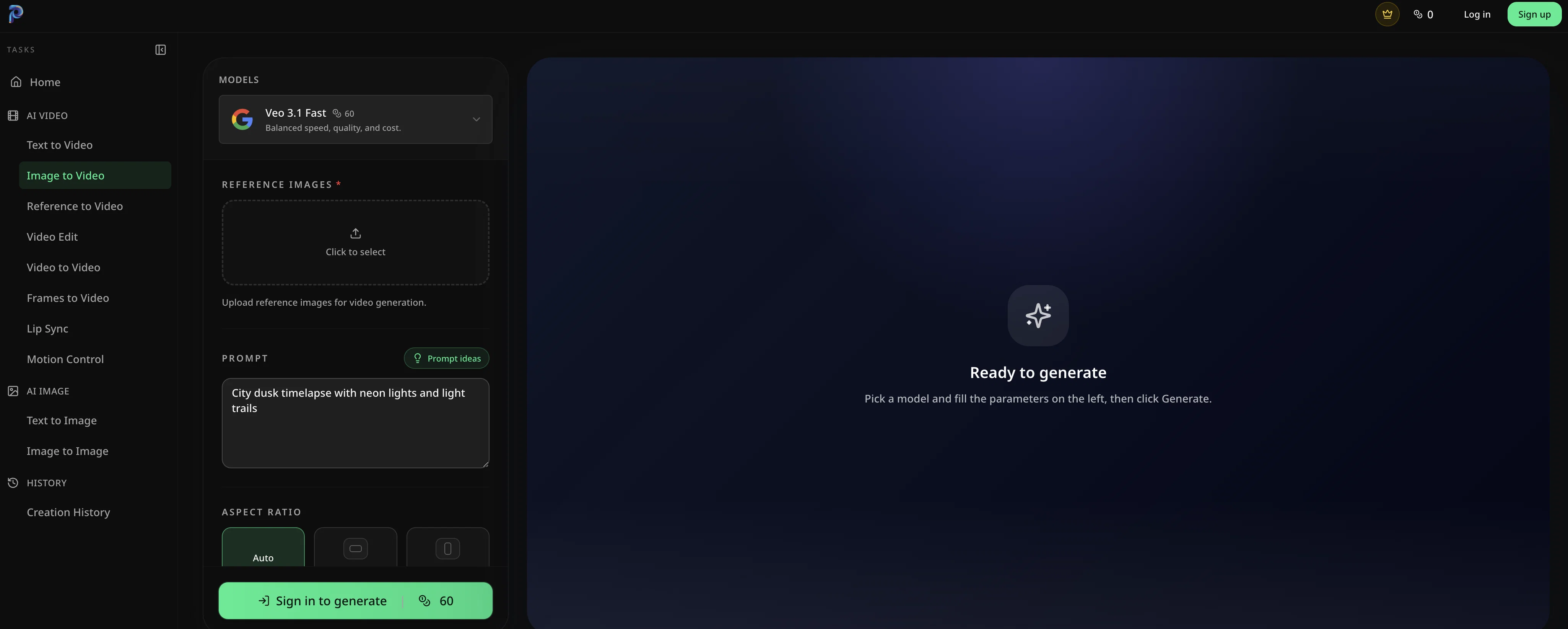
Veo 3.1 Fast is a sophisticated AI-powered tool specifically designed for generating videos from still images. One of its key features is the ability to use the provided mechanisms for uploading reference images which, once processed, can be transformed into dynamic video content.
This feature enables diverse applications, such as developing time-lapse videos of cityscapes at dusk, filled with vibrant neon lights and light trails.
With an intuitive and user-friendly interface, the tool provides a space where users can simply pick a model, fill in the parameters, and then generate videos.
It offers flexibility in terms of video aspect ratio, with options like automatic, 16:9, and 9:16 available. The 'Generate now' feature allows users to quickly start the video creation process with their chosen settings.
The tool also includes a workspace preparation feature that ensures all controls are ready before beginning the video generation. While specifics may vary, the notion of reference images suggests an AI learning component, where the tool uses these images to understand and replicate the desired visual thematic in the created videos.
This highlights a blend of AI proficiency with user control. The varied potential applications suggest a range of uses that could be appealing across different industries and practices, from professional content creation to social media users.
Access & connections
Where you can use Photo to Video AI, and what it plugs into.
Platforms
Integrations
Capabilities
What this tool accepts, produces, and is strongest at.
Input
- Image
Output
- Video
Pros & cons
Pros
- Generates videos from images
- Mechanism to upload reference images
- Develops dynamic video content
- Allows time-lapse videos creation
- User-friendly interface
- Flexible video aspect ratio
- Quick video creation process
- Workspace preparation feature
Show 8 more
- Applicable to multiple industries
- Prominent for social media content creation
- Enables cityscape visualization
- Supports digital photography
- Enables dynamic video effects
- Allows model selection
- Offers parameter control
- Enables aspect ratio manipulation
Cons
- Limited aspect ratio options
- No offline functionality
- Over-reliance on user-generated parameters
- No explicit image editing
- No batch processing
- Lacks advanced video customization settings
- No layering feature
- Lacks social sharing feature
Show 1 more
- Limited reference images support
Compare alternatives
Similar tools in the catalog — with a clear reason to open each one.

MojoMake - AI Image to Video Generator ✓
FreemiumUse every top AI model and 100+ effects in one account.
Why look Freemium alternative
Full comparison
VidFlux - Photo to Video Generator ✓
PaidTransform photos into cinematic videos with AI.
Why look Typically cheaper
Full comparison
Grok Imagine ✓
FreemiumUnleash Your Creativity with Grok Imagine
Why look Freemium alternative
Full comparison
VidFlux - Image to Video AI ✓
PaidTransform any image into stunning videos.
from $9/mo
Full comparison
MindVideo ✓
FreemiumCreate stunning videos from text or images.
Why look Freemium alternative
Full comparison
Releases 1
FAQ 12
What is Veo 3.1 Fast?
How does Veo 3.1 Fast convert images into dynamic video content?
How can one upload reference images on Veo 3.1 Fast?
What are the possible applications of Veo 3.1 Fast?
What categories of users can benefit from Veo 3.1 Fast?
What is the role of the 'Generate now' feature in Veo 3.1 Fast?
How do the different video aspect ratios work in Veo 3.1 Fast?
What is the function of the workspace preparation feature in Veo 3.1 Fast?
How does Veo 3.1 Fast use reference images in video generation?
How user-friendly is the interface of Veo 3.1 Fast?
How does the parameter control work in Veo 3.1 Fast?
Can I select my own model while working with Veo 3.1 Fast?
Related tools
Recommended

DeepSeek ✓
FreeUnravel the mystery of AGI with curiosity

Grok ✓
FreemiumConversational AI for understanding the universe.

Videnly ✓
PaidCreate & Publish AI Videos Automatically

MailSweeper ✓
PaidReclaim your inbox with AI-powered email cleanup.

LumiMusic ✓
Free TrialCreate any music you can imagine.

JBOX ✓
Free TrialTurn one prompt into a full-stack app.