Email management vv2.5 2026 Rank: #1356
MailSweeper ✓
Reclaim your inbox with AI-powered email cleanup.
Verdict
A quick read before you dig into the full page.
- Best if
- Reclaim your inbox with AI-powered email cleanup
- Skip if
- Limited email provider extension
- Pick this when
- Google account compatibility
Considering Ayari instead? Compare side by side
Overview
MailSweeper is an AI-assisted tool for managing and decluttering your email inbox. Designed to function with Google accounts, MailSweeper does not require a subscription and is available for a one-time purchase for personal use.
The tool simplifies the task of maintaining a clean inbox by periodically deleting unimportant emails. Users sign into their Google accounts, answer some quick questions to customize their preferences, then install the tool.
MailSweeper operates by collecting unimportant emails into a designated 'Dustpan', which are later moved to the trash, effectively assisting users in reducing their email storage costs.
Accordingly, it allows you to stay within the limits of free Gmail storage without the need to pay for extra space. Emails that are 'starred', marked as important, or in the primary inbox are exempt from being moved to the Dustpan.
MailSweeper is positioned not just as a tool for improving digital hygiene but also as a contributor towards reducing carbon footprint. The tool respects privacy, with the provider stating that it does not read, store, or sell any information about a user's emails, and it's CASA-certified.
Future updates may extend support to other email providers.
Best for
Short scenarios where MailSweeper tends to shine.
-
Reclaim your inbox with AI-powered email cleanup.
Example outputs 1
Sample generations and before/after results for MailSweeper.
Access & connections
Where you can use MailSweeper, and what it plugs into.
Platforms
Integrations
Capabilities
What this tool accepts, produces, and is strongest at.
Input
- Text
Output
- Text
Highlights
- Use code TAAFT
- 50% OFF
Supported features
- Automation
- Assistant
- Integrations
Pros & cons
Pros
- Google account compatibility
- No subscription required
- One-time purchase
- Automatic unimportant mail deletion
- Dedicated 'Dustpan' feature
- Reduces email storage cost
- Respects starred/important emails
- Improves digital hygiene
Show 21 more
- Contributes to carbon reduction
- Privacy-respecting
- Doesn't read/store/sell email information
- CASA-certified
- Preference customization
- Potential support for other providers
- Non-intrusive
- Email clutter management
- Shield important emails
- Eco-conscious tool
- Data security
- Early bird discounts
- Promotes email cleanliness
- Automated cleanup
- Space-saving
- Money-saving
- Lifetime use with purchase
- User-friendly
- Respects primary inbox emails
- Ease of installation
- Impact metrics available
Cons
- Only supports Google accounts
- One-time purchase (no subscription plan)
- Risk of deleting needed emails
- May not work for large inboxes
- Dependent on user-defined customization
- No multi-language support
- Limited email provider extension
Compare alternatives
Similar tools in the catalog — with a clear reason to open each one.

Ayari ✓
Free TrialConversational AI for email and calendar management.
Why look Typically cheaper
Full comparison
HeyHelp ✓
Free TrialAI Email Assistant in Gmail that saves you 1 hour each day.
Why look Typically cheaper
Full comparisonPeople also view
Tools that often show up alongside MailSweeper in collections and comparisons.

Pullsy ✓
Free TrialYour inbox, organized. Your replies drafted.
HeyHelp ✓
Free TrialAI Email Assistant in Gmail that saves you 1 hour each day.

Eloquens AI ✓
Free TrialAI email assistant that never sleeps.

Fyxer.ai ✓
Free TrialSave 1 hour daily with an AI executive assistant.
Ayari ✓
Free TrialConversational AI for email and calendar management.

Tame My Inbox ✓
FreemiumAI email assistant that solves Gmail overload effortlessly.

SuperIntern ✓
FreemiumYour always-on AI assistant that runs your admin so you can focus.

Remy - Newsletter summarizer ✓
FreemiumTurn newsletter chaos into one clear digest.
Releases 3
- Family plan, $49/year, up to 5 inboxes. One bill for the household instead of five separate subscriptions. Your own inbox counts as the first seat.
- Manage seats yourself. Add, remove, or swap a covered email address from Settings at any time. Access starts and ends immediately, and your billing doesn't change.
- Everyone gets the full product. Unlimited unsubscribe, bulk delete, and scheduled sweeps for every covered person, on web and mobile. They just sign in with their own Google account.
- Private by design. Each inbox stays completely separate. The plan owner sees only which email addresses are covered, never anyone's messages, senders, or stats.
- Already on the Annual plan? Switch to Family in one click. We prorate what you've already paid and charge only the difference.
- Lifetime owners get their own deal. Your inbox is free forever either way; add the rest of the family for $24/year, or unlock the whole household for life with a single $99 payment.
Mail Sweeper V2 — Four ways to clean your Gmail inbox
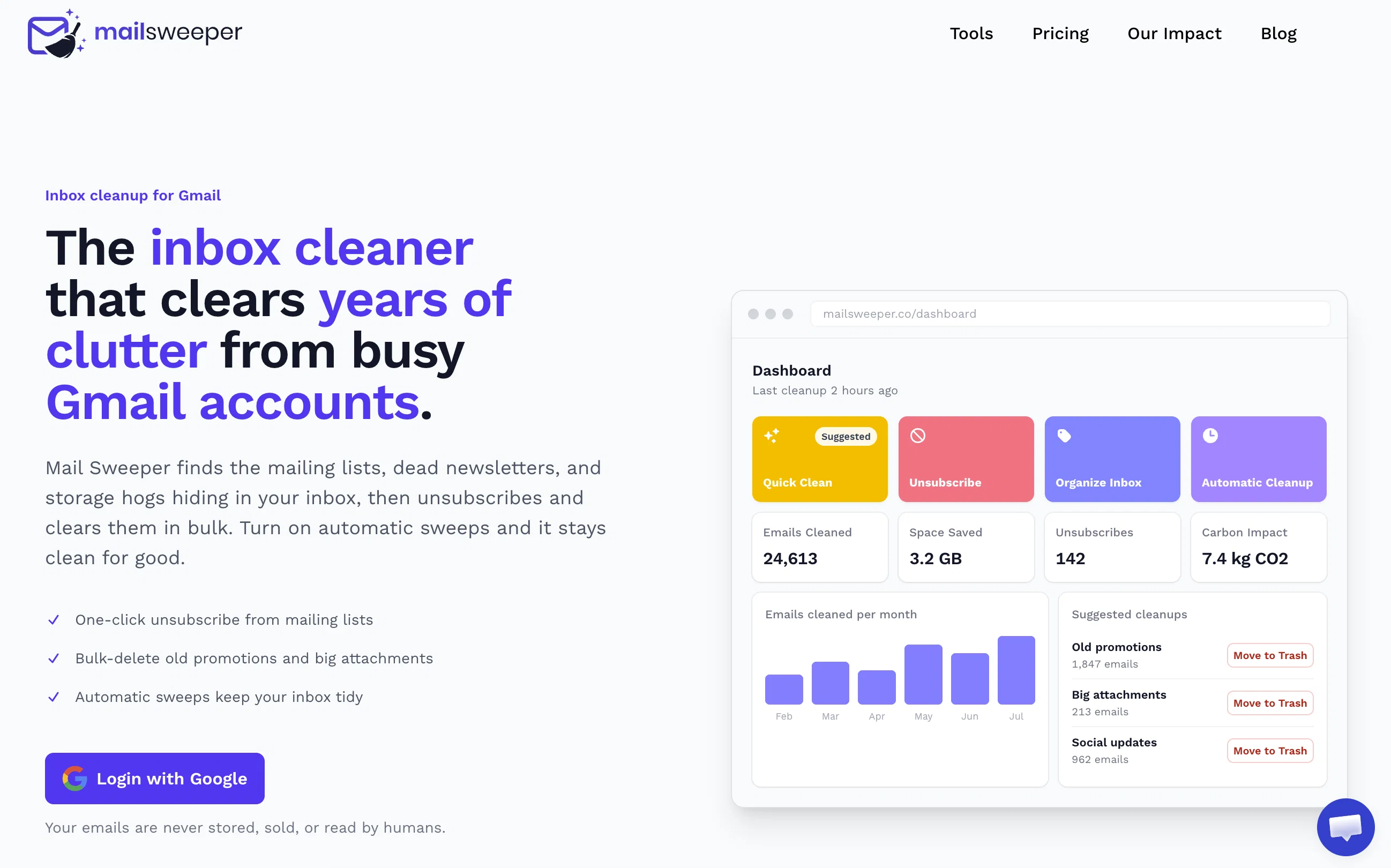
Mail Sweeper V2 turns a one-trick sweeper into a complete inbox-cleanup toolkit. A redesigned dashboard now offers four cleanup tools in one place:
- Quick Clean — scans your inbox and suggests the smartest cleanups: top cluttering senders, years-old unread mail, and storage-hogging attachments, each with a one-click sweep and a "View in Gmail" preview before anything moves.
- Organize Inbox — AI scans your senders, suggests smart Gmail labels grouped by category, and applies them in bulk.
- Unsubscribe — every mailing list in one place, with one-click unsubscribe and bulk delete.
- Automatic Cleanup — the signature Dustpan now has a guided setup and a dedicated configuration page, sweeping unimportant email to the trash on a schedule you control.
V2 also adds a 14-day free trial, a limited pay-once lifetime plan, impact stats (emails deleted, storage reclaimed, estimated CO₂e saved), and a faster, streamlined onboarding. Everything goes to Gmail's trash first — nothing is ever permanently deleted without a rescue window.
Imported reviews 1
Saved so much gdrive space it is insane!!
FAQ 12
What is MailSweeper?
How does MailSweeper assist in managing my emails?
What is the Dustpan in MailSweeper?
Does MailSweeper require a subscription?
Can MailSweeper delete my important emails?
Is MailSweeper only compatible with Google accounts?
How does MailSweeper respect user privacy?
What is MailSweeper's contribution to reducing carbon footprint?
Will my starred emails get deleted by MailSweeper?
Does MailSweeper read, store or sell information about my emails?
How does MailSweeper help in reducing email storage costs in Gmail?
Can I customize my preferences in MailSweeper?
Related tools
Recommended

DeepSeek ✓
FreeUnravel the mystery of AGI with curiosity

Kick ✓
FreemiumAccounting software that does the work for you

Marketing Assistant (Elsa AI) ✓
FreemiumDefine your ideal customers and craft a winning marketing strategy with Elsa.

ChatPlayground AI ✓
PaidThe #1 Platform for Comparing AI Models

StarterPilot ✓
Free TrialValidate ideas, name your business, create logos, and build websites in minutes

Notis ✓
Free TrialThe first WhatsApp assistant that runs on your ChatGPT and Claude subscriptions