

Coding vv5.3 2026 Rank: #309
OpenAI Codex ✓
Your AI-powered partner for smarter, faster, and more productive software engineering
Verdict
A quick read before you dig into the full page.
- Best if
- Your AI-powered partner for smarter, faster, and more productive software engineering
- Skip if
- Can misunderstand complex intent
- Pick this when
- Converts natural language into working code
Considering Cursor instead? Compare side by side
Overview
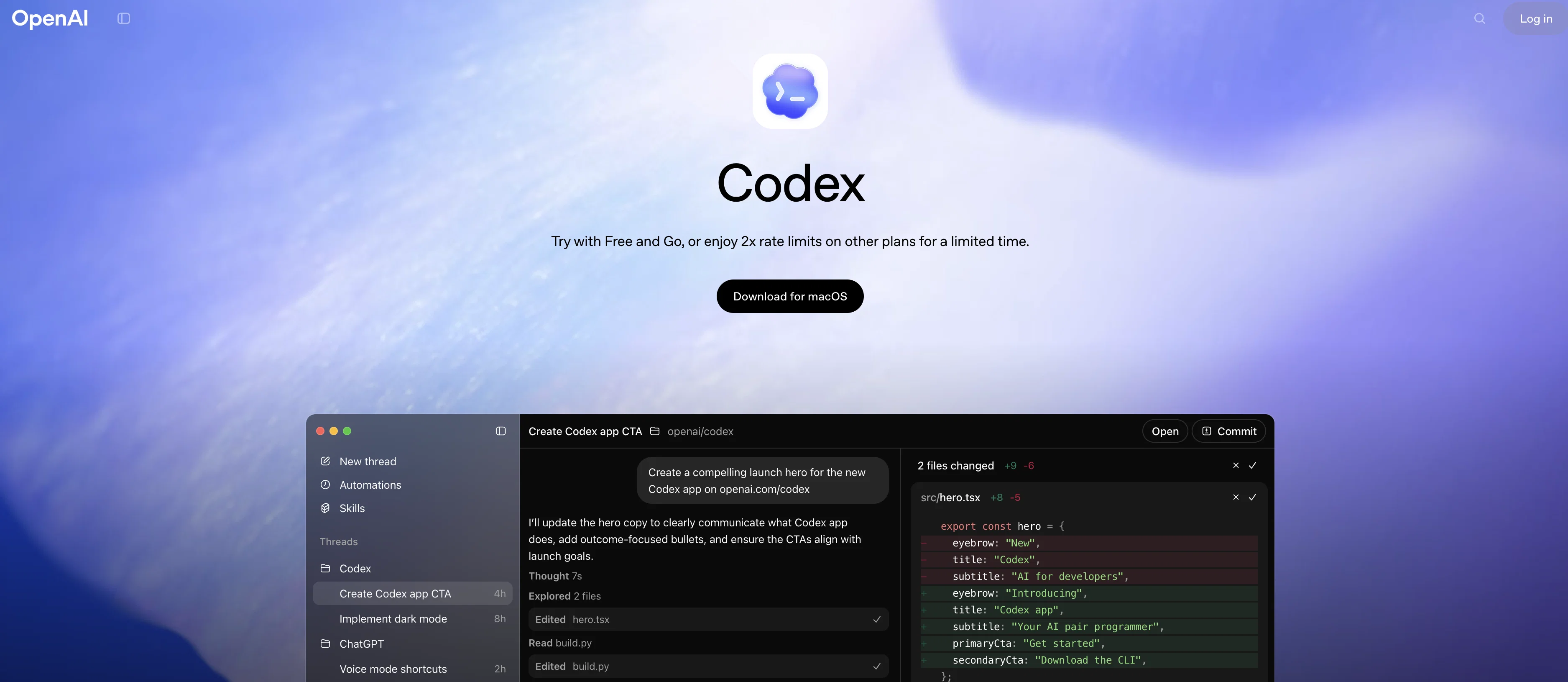
Codex can interpret a developer’s intent and generate accurate code snippets in languages including Python, JavaScript, Go, Ruby, Swift, TypeScript, and more, while also helping users navigate complex or unfamiliar codebases. It operates both in IDEs, terminals, and cloud environments as well as through seamless integration with platforms like ChatGPT and the dedicated Codex app, which functions as a command center for coordinating multiple AI coding agents. 
Beyond basic code generation, Codex supports entire software lifecycle tasks such as automated pull request generation, synthesizing tests, diagnosing performance bottlenecks, and suggesting architectural improvements. Engineers leverage these capabilities to streamline development cycles, reduce manual bottlenecks, and accelerate delivery timelines. Codex is included in higher-tier ChatGPT subscriptions (Plus, Pro, Business, Enterprise, Edu) and through standalone interfaces and CLI tools. 
Access & connections
Where you can use OpenAI Codex, and what it plugs into.
Integrations
Capabilities
What this tool accepts, produces, and is strongest at.
Highlights
- Agents
- MCP
- API
Supported features
- Agents
- IDE
- Code Assistant
- Integrations
- MCP
- API
- Automation
- Mobile Companion
- App Builder
- CLI
Pros & cons
Pros
- Converts natural language into working code
- Supports many programming languages.
- Accelerates repetitive and boilerplate coding
- Generates, refactors, and reviews code
- Integrates with IDEs, terminals, and cloud tools
Cons
- May produce redundant or suboptimal code
- Not always 100% correct — requires review
- Limited to serverless environments
- Can misunderstand complex intent
- Limited by token context length
Compare alternatives
Similar tools in the catalog.


OnSpace.AI - No Code App Builder ✓
FreemiumBuild Apps with AI, No Code
Free + from $20/mo
Full comparison

Github Copilot ✓
FreemiumAI-powered coding assistant for faster development
Free + from $10/mo
Full comparison

Releases 2
Integrated GPT-5.3-Codex as the core model powering the Codex app, enhancing coding intelligence and agent capabilities across workflows. 
Improved agentic software engineering support — better performance on large projects, complex tasks, refactors, and reviews (powered by Codex model evolution). 
Unified sign-in and context syncing between the Codex app and ChatGPT account workflows.
Parallel agent orchestration: Run multiple Codex agents simultaneously across projects with isolated worktrees. 
Skills & automations: Support for reusable skills that extend Codex beyond code generation (e.g., documentation, synthesis, workflows)
Performance improvements and bug fixes across app workflows. 
Enhanced git tooling incorporated directly in the app interface.
Imported reviews 1
codex is catching up significantly 2026, i have a few bugs that claude code got stuck with lots of back-and-forth, after throwing it to codex it just fixed it with one shot
FAQ 12
What does the OpenAI Codex The 405: NOT_ALLOWED do?
What is the primary role of the 405: NOT_ALLOWED AI tool?
Does the 405: NOT_ALLOWED handle connection defects or broader system errors?
What types of issues does the 405: NOT_ALLOWED primarily monitor?
Does the 405: NOT_ALLOWED generate unique identification codes for individual errors?
How does the 405: NOT_ALLOWED AI tool aid in debugging?
What is the utility of the log checking function in the 405: NOT_ALLOWED?
How does the notification system in the 405: NOT_ALLOWED work?
What solutions does the 405: NOT_ALLOWED propose when a function invocation failure occurs?
What kind of steps does the 405: NOT_ALLOWED provide for error rectification?
What is the importance of the 405: NOT_ALLOWED tool in serverless environments?
Can the 405: NOT_ALLOWED also guide an end visitor of a website?
Related tools
Recommended

Floot ✓
FreemiumBuild AI apps with the subscription you're already paying for.

Kimi AI ✓
FreeVisual coding meets agent swarm for complex tasks.

DeepSeek ✓
FreeUnravel the mystery of AGI with curiosity

TalkCody ✓
FreeGenerate correct code as quickly and cost-effectively as possible.

Claude Code ✓
FreemiumAI coding agent for terminal & IDE

Echoes of History AI ✓
FreeChat with history's greatest minds.
More from this creator

ChatGPT ✓
FreemiumAsk anything, create anything, and move from idea to action.

ChatGPT for iOS ✓
FreemiumPersonalized chatbot conversations.

ChatGPT Images ✓
FreemiumTurn words into visuals.

ChatGPT Codex ✓
FreemiumA cloud-based software engineering agent for codebase questions.

ChatGPT Health ✓
PaidYour health, clearly understood, securely, intelligently, and in one place.
Built with

PixResolve ✓
FreemiumTurn blurry photos into sharp, high-res images in one click.

TattooIdeas – AI Tattoo Generator, Stencil & Try-On ✓
Free TrialCreate, refine, and preview custom tattoo designs with AI.

TrustGrowth ✓
FreemiumKnow what AI and Google actually see on your site.

LumiMusic ✓
Free TrialCreate any music you can imagine.

Munder Difflin ✓
FreeMake digital clones to do your work using claude code or codex

Fiuto ✓
FreemiumAI-powered user research for everyone.