

Knowledge vv1.1.0
Constella ✓
Forget files and folders, not your thoughts.
Trial; then from $5.99/mo
Verdict
A quick read before you dig into the full page.
- Best if
- Forget files and folders, not your thoughts
- Skip if
- Limited customizability
- Pick this when
- Visual infinite graph
Considering Cerebro instead? Compare side by side
Overview


Instantly capture thoughts and see related notes as you type. Save time by just pressing Enter instead of hunting through files and folders.
Recall all your notes and files in the future with AI search. Get everything you need, when you need it.
Think on another level with advanced features as you read documents and connect your ideas.
Instead of having to use ChatGPT separately, get personalized responses from Stella, the built-in AI assistant.
Using your connected thoughts, she is much smarter than bland AI assistants and can give you the relevant advice you need with 'Deep Think' mode.
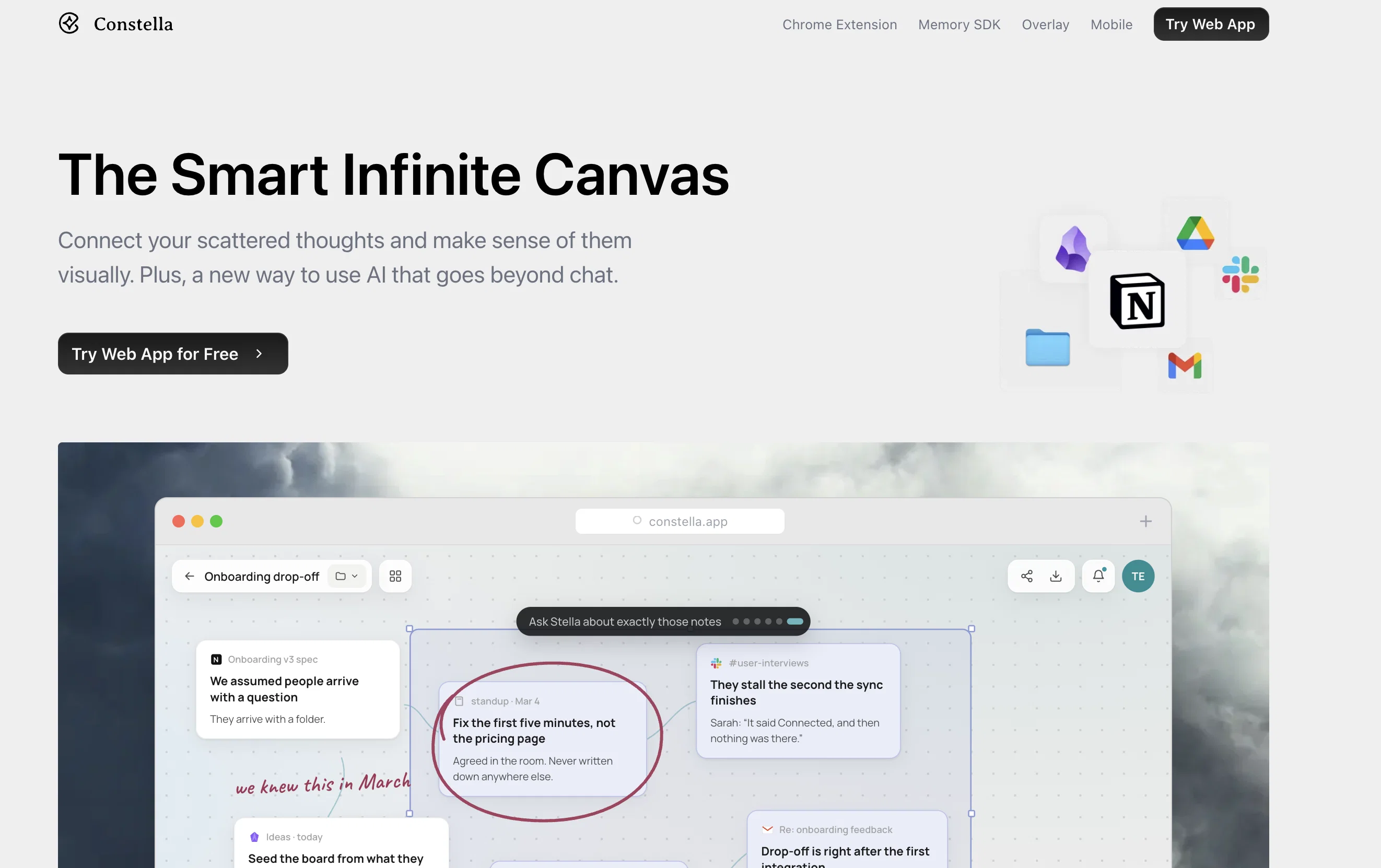
Constella is an intelligent canvas or 'Second Brain' app designed to help users build knowledge and streamline the organization of notes, links, and files. Operating as a visual infinite graph, it strives to eliminate the need to search through traditional files and folders by presenting related notes as the user types. The apps core functionality is powered by artificial intelligence, moving beyond the extension idea to place it squarely at the core. Users can effortlessly add notes or files, which are instantly stored by Constella, thereby allowing users to focus on thinking and creating. A key feature of the platform is its ability to surface relevant notes from the past on its canvas while the user is typing, thereby aiding recall. The app supports connections between thoughts in a visual and intuitive way that mirrors the functionality of neurons, and it also allows for easy import and export of content from other apps for full ownership of the user's second brain. Further capabilities include quick searching, built-in importing and exporting, and mobile on-the-go features. Beyond just being an organizational tool, Constella can be used for a variety of use-cases including as a Personal Knowledge Management system (PKMS), assisting in research, aiding in decision-making, facilitating mind mapping, and generating knowledge based on the Zettlekasten system used by Niklas Luhmann. Flat data privacy and secure cloud sync features promote user security.
Best for
Short scenarios where Constella tends to shine.
-
Forget files and folders, not your thoughts.
Example outputs 1
Sample generations and before/after results for Constella.
Access & connections
Where you can use Constella.
Platforms
Capabilities
What this tool accepts, produces, and is strongest at.
Input
- Tabular
- Image
- Text
Output
- Audio
- Tabular
- Text
Highlights
- Local
Supported features
- Runs Locally
Pros & cons
Pros
- Visual infinite graph
- No-search note retrieval
- Real-time note surfacing
- Facilitates neurologically-informed thoughts mapping
- Content import/export capability
- Efficient searching feature
- Mobile compatible
- Assists in decision-making
Show 38 more
- Supports Zettlekasten knowledge system
- Built-in importing/exporting feature
- Facilitates mind mapping
- Supports PKMS
- Secure data privacy
- Robust cloud sync
- 3x faster note taking
- Facilitates text recognition
- Intuitive thought connection
- Texture-based file search
- Promotes adaptive learning
- On-the-go access
- Advanced research tool
- Supports work on-the-go
- Infinite canvas for thoughts
- Instant thoughts capturing
- Visual thought tracing
- Thought-based web clipping
- Supports multiple file formats
- Markdown export support
- Handles ideas and typos
- Intelligent note recall
- Cloud sync encrypted buckets
- Offline support
- Ease of use
- Adaptive to user
- Thoughts backlinking
- Powerful organizing capability
- Material visualization
- Rapid thought-retrieval
- Local-first support
- Contextual decision-making aid
- Auto-implements Zettlekasten
- All data ownership
- Integrated chat with files
- Dynamic file management
- Visualized task management
- Supports personal note jotting
Cons
- Limited customizability
- No multi-users/shared canvas capability
- Weak offline support
- No folder-based organization
- Inflexible exporting formats
- Inefficient when overloaded with notes
- No annotation for imported files
- No web-browser extension
Show 1 more
- Reliance on cloud sync
Compare alternatives
Similar tools in the catalog — with a clear reason to open each one.

Cerebro ✓
Free TrialAmplify your ideas with AI-powered knowledge management.
Why look Typically cheaper
Full comparison
Keymate.AI ✓
FreemiumOrganize digital resources and research with AI
Free + from $16/mo
Full comparison
ArcaNotes ✓
FreeFree your mind with AI-powered micro-notes.
Why look Fully free option
Full comparison
everfind | AI workspace ✓
FreemiumFind and ask all your documents and emails in one AI workspace.
Free + from $16/mo
Full comparison
MyMemo ✓
FreemiumTransform personal data into actionable wisdom.
Free + from $5.9/mo
Full comparisonPeople also view
Tools that often show up alongside Constella in collections and comparisons.
Cerebro ✓
Free TrialAmplify your ideas with AI-powered knowledge management.

TheLibrarian.io ✓
Free TrialYour WhatsApp AI assistant for instant productivity.

MiroAI ✓
FreemiumUnlock creative power with AI-driven collaboration.

Liminary ✓
Free TrialStop hunting for things you know you saved.

Good Assistant ✓
Free TrialYour AI companion for achieving what matters most.
MyMemo ✓
FreemiumTransform personal data into actionable wisdom.
Keymate.AI ✓
FreemiumOrganize digital resources and research with AI

Keepi ✓
UnknownCapture and instantly retrieve your knowledge effortlessly.
Releases 2
AI synthesis from all your files — extract insights from books, papers, work documents via Stella Sidekick. Plus, instant syncing from your phone!
Imported reviews 1
Love this!! 100x better than Notion, this should get more attention
FAQ 12
What is Constella?
What does Constella mean by 'Second Brain'?
How does Constella's visual infinite graph work?
How does Constella use AI to enhance its core functionality?
How does Constella aid in recalling past notes?
In what ways does Constella allow for content import and export?
How can Constella be used for Personal Knowledge Management?
Can Constella assist in research?
How does Constella facilitate decision-making?
How does Constella facilitate mind-mapping?
What is the Zettlekasten system in Constella?
What kind of privacy and security features does Constella offer?
Related tools
Recommended

remio: Your Personal ChatGPT ✓
FreemiumGet Tailored Answer with Your Personal ChatGPT

Thea ✓
FreemiumAI study tools to master material, not just memorize it.
TheLibrarian.io ✓
Free TrialYour WhatsApp AI assistant for instant productivity.

Notis ✓
Free TrialThe first WhatsApp assistant that runs on your ChatGPT and Claude subscriptions

Mind Map Wizard ✓
FreemiumGenerate mind maps with AI: free, no sign-up, no ads

Mindsmith ✓
FreemiumPlatform for building and sharing eLearning content