

AI Course Creator ✓
AI-powered course creation in minutes.
Free + from $15/mo
Verdict
A quick read before you dig into the full page.
- Best if
- You are training providers and need: Educational lead magnets
- Skip if
- Limited payment options
- Pick this when
- Suggests titles and outlines
Considering LearningStudioAI instead? Compare side by side
Overview
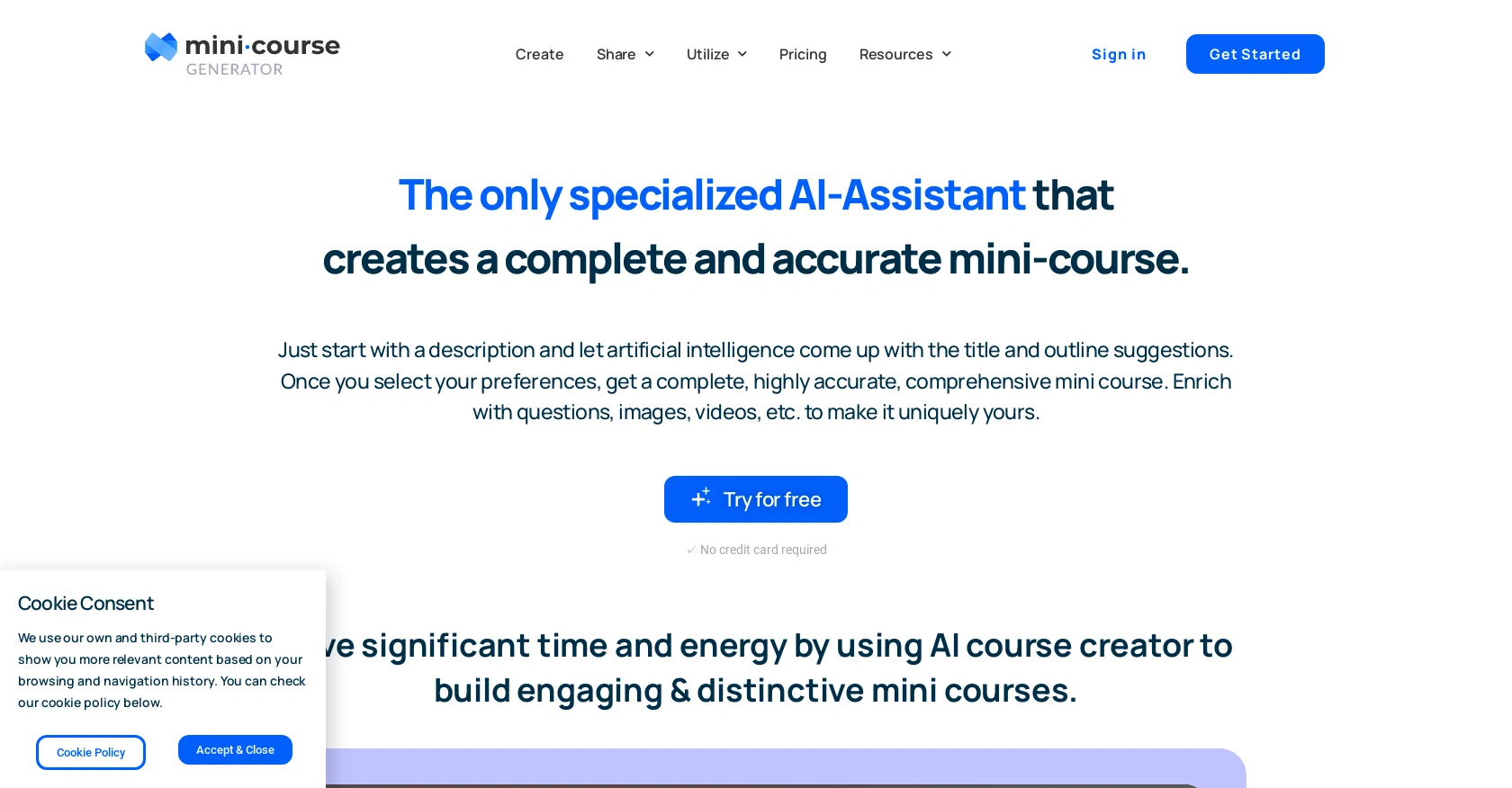
The AI Assistant tool by Mini Course Generator simplifies the process of creating mini-courses by using artificial intelligence to suggest titles and outline suggestions based on a provided description.
Once you select your preferences, the tool generates a complete and highly accurate mini-course that you can edit and personalize with questions, images, videos, customized completions, and more.
You have complete control over the mini-course, from title selection to determining the outline, and can guide the AI Assistant to create content that aligns with your vision.
Additionally, the tool provides versatile capabilities to edit and share the mini-course in the same platform, making the entire process seamless. Mini Course Generator offers different options for presenting and distributing the mini-course, such as embedding it on webpages, sharing it with customizable links, using it as lead magnets to collect emails, adding exclusivity to the content via a password wall, and monetizing know-how with a payment wall.
The tool also allows you to enhance the content by adding interaction through quiz and survey questions, customizing appearance according to branding, and adding gateways depending on educational or marketing goals.
Overall, the AI Assistant tool by Mini Course Generator saves significant time and energy by streamlining the process of creating engaging and distinctive mini-courses with the help of artificial intelligence.
Best for
Short scenarios where AI Course Creator tends to shine.
-
Educational lead magnets
Best for Training providers
-
Workshop enrichment assets
Best for HR & community managers
-
Micro-learning materials for community education
Best for Product owners
-
Monetizing expertise through paid courses
Best for Coaches & consultants
-
Automating onboarding processes
Best for Creators selling courses
-
In-app education for product users
Best for Training providers
-
Lead generation for coaches and consultants
Best for Training providers
Example outputs 1
Sample generations and before/after results for AI Course Creator.
Access & connections
Where you can use AI Course Creator.
Platforms
Capabilities
What this tool accepts, produces, and is strongest at.
Input
- Text
Output
- Text
Pros & cons
Pros
- Suggests titles and outlines
- Generates accurate courses
- Personalize with media
- Full control over content
- Edit and share capabilities
- Embed on webpages
- Share with custom links
- Email lead magnets
Show 15 more
- Content exclusivity with password wall
- Monetize with payment wall
- Interactive quizzes and surveys
- Customizable appearance
- Multiple presentation options
- Adds gateways for marketing or education
- Access control options
- Stripe integration
- Add your own titles
- Change order of outline
- Distributed content on cards
- Works as course title generator
- Works as course outline generator
- Can match your branding
- Sense of privilege through exclusivity
Cons
- Limited content editing options
- No multi-language support
- Lacks collaborative features
- No mobile app available
- Content ownership unclear
- Uncertain integration capabilities
- No offline usage
- No custom branding
Show 2 more
- Limited payment options
- No live support
Compare alternatives
Similar tools in the catalog — with a clear reason to open each one.

LearningStudioAI ✓
Free TrialAI-powered authoring tool for effortless online course creation.
Free + from $39/mo
Full comparison
Mindsmith ✓
FreemiumPlatform for building and sharing eLearning content
Why look Better for writing
Full comparison
AiCoursify ✓
PaidBuild your online course in minutes with AI.
Why look Higher community rating
Full comparison
CraftedCourses.io ✓
PaidCreate and Share High-Quality Online Courses in Minutes
from $13.34/mo
Full comparison
Mexty ✓
FreemiumAI-native interactive learning platform with LMS and SCORM
Why look Typically cheaper
Full comparisonPeople also view
Tools that often show up alongside AI Course Creator in collections and comparisons.
Mindsmith ✓
FreemiumPlatform for building and sharing eLearning content
LearningStudioAI ✓
Free TrialAI-powered authoring tool for effortless online course creation.

Coursebox ✓
PaidEffortless online course creation
CraftedCourses.io ✓
PaidCreate and Share High-Quality Online Courses in Minutes

Synthesia ✓
FreemiumCreate AI videos from text in minutes.
Search Alkemy ✓
FreemiumClient-Ready Keyword Research in Minutes

Osum ✓
Free TrialSupercharge Your Market Research With AI ⚡

Kraftful ✓
FreemiumAI-powered user feedback analysis for product builders
Releases 1
FAQ 12
What is Mini Course Generator?
Can I add my own content to the course created by Mini Course Generator?
Does Mini Course Generator offer title and outline suggestions for the mini-courses?
How does the AI within Mini Course Generator work?
Can I edit the course after Mini Course Generator has created it?
How can I share the mini-courses created by Mini Course Generator?
What customization options does Mini Course Generator offer?
Is there a way to monetize the mini-courses created by Mini Course Generator?
Can Mini Course Generator be used for both education and marketing purposes?
How do I create a mini course with Mini Course Generator?
Can I add interactive elements like quizzes or surveys with Mini Course Generator?
What types of media can be added to a mini-course created by Mini Course Generator?
Related tools
Recommended

TutorAI ✓
FreemiumInstant knowledge on any topic

VenturusAI ✓
FreemiumBusiness idea analysis and reporting.

MagicSlides.app AI PPT Maker ✓
FreemiumCreate Stunning PPTs in Seconds with the AI PPT Maker

Stratup.ai ✓
FreemiumInnovative idea generation for businesses.

GPTExcel ✓
FreemiumGenerate spreadsheet formulas with AI

PostPerfect ✓
FreemiumAutomated social media posts.