

MagicAI ✓
Create AI art, images, and videos effortlessly
Free + from $9.99/mo
Verdict
A quick read before you dig into the full page.
- Best if
- You are anime enthusiasts and need: Creating AI Ghibli style images from text prompts
- Skip if
- Limited engines/styles customization
- Pick this when
- Suitable for a wide range of digital artwork
Considering Photo AI instead? Compare side by side
Overview
MagicAI is an accessible online AI tool that specializes in image and video generation. The tool is suitable for creating a wide range of digital artwork, including AI art, posters, and anime art.
The software offers easy-to-use functionalities that streamline the artistic creation process for both novice users and experienced artists. It affords free access and comes with optional premium plans granting users more features.
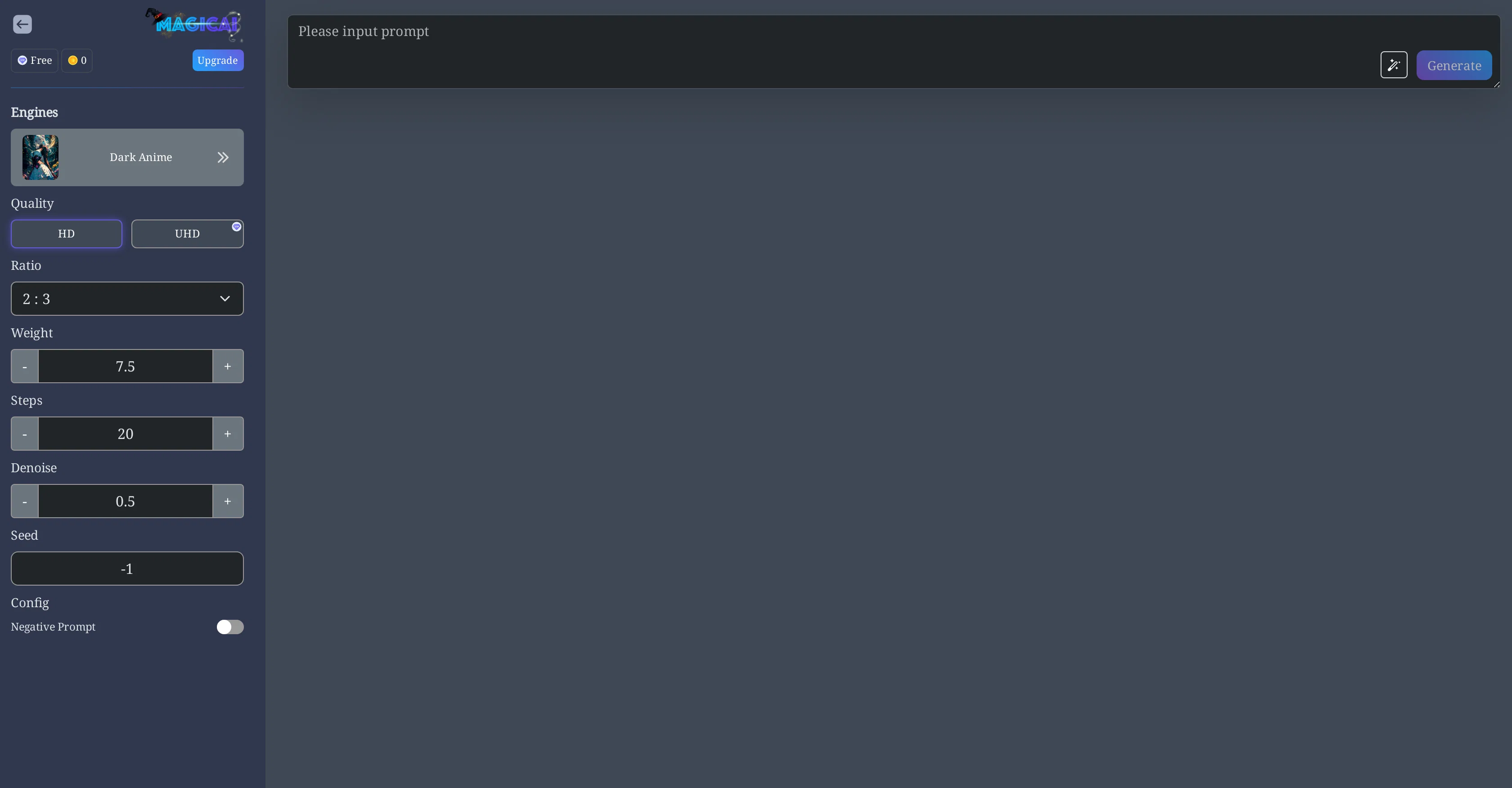
MagicAI supports different quality levels like HD and UHD. Users can adjust image settings like ratio, weight, steps, and denoise using provided controls.
This level of customization allows for control over the final output to match the desired aesthetic. Furthermore, users have the ability to utilize a 'Negative Prompt' feature to generate unique and specific results.
Upon artwork generation, users can proceed to download or publish their creations in high resolution. The platform also keeps track of user's creation history for easy reference.
However, usage of some features might require VIP membership. Charges may also apply when using certain features, payable in the platform's credits. Additionally, users can experience restrictions on the number of creations they can generate for free, with the option to gain unlimited access via the MagicAI Pro plan.
It mentions 'Engine' and 'Style Engine', which signifies that the AI used could be customizable or there might be different AI options available for different kinds of art.
Best for
Short scenarios where MagicAI tends to shine.
-
Creating AI Ghibli style images from text prompts.
Best for Anime enthusiasts
-
Generating AI art and videos for various purposes.
Best for AI art creators
Example outputs 1
Sample generations and before/after results for MagicAI.
Access & connections
Where you can use MagicAI.
Platforms
Pros & cons
Pros
- Suitable for a wide range of digital artwork
- Functionalities streamline the artistic creation process
- Novice-friendly tool
- Beneficial for experienced artists
- Free access
- Optional premium plans for more features
- Supports HD and UHD quality levels
- Ability to adjust image settings: ratio, weight, steps, denoise
Show 14 more
- High level of customization
- 'Negative Prompt' feature for unique results
- High resolution download or publishing
- Tracks user's creation history
- VIP membership for exclusive features
- Features payable using platform's credits
- Pro option for unlimited generation
- Engine and Style Engine available
- Artwork, Image Generation, Video Generation
- Anime Art, Artistic Automation
- Poster Design flexibility
- Negates limitations with Pro plan
- Easy UX/UI
- Flexible image settings
Cons
- Limited free creations
- Charges for features
- VIP membership required
- Restrictions on ratio settings
- Specific Pro plan features
- No SDK for integration
- Limited engines/styles customization
- In-app credits system
Show 2 more
- History loading issues
- High-resolution restricted to Pro
Compare alternatives
Similar tools in the catalog — with a clear reason to open each one.

Stockimg AI ✓
PaidGenerated images and text for design ease.
Why look Stronger for image work
Full comparison
Midjourney ✓
PaidExpand human imagination through AI-powered visuals.
Why look Typically cheaper
Full comparisonPeople also view
Tools that often show up alongside MagicAI in collections and comparisons.
Stockimg AI ✓
PaidGenerated images and text for design ease.

Photo AI ✓
PaidCreate beautiful AI photos and videos of real people
Midjourney ✓
PaidExpand human imagination through AI-powered visuals.

CreativePixel ✓
FreemiumOut-create Your Competition in Minutes

BestPhotoAI ✓
FreemiumCreate amazing AI photos instantly

Nathan Tailors AI Suit Generator ✓
FreeDescribe your dream suit. We draw it, then build it.

LineArt ✓
Free TrialTurn one photo into a whole coloring book.

Line Drawing Converter ✓
Free TrialConvert photos into clean line drawings online.
Releases 1
Imported reviews 2
As soon as I type in a prompt, the “create button “ disappears.
Easy to use with lots of image style options. Created a few images and they turned out exactly how I imagined if not better.
FAQ 12
What does MagicAI specialize in?
What type of digital artwork can I create with MagicAI?
Who is MagicAI suitable for?
Does MagicAI offer free access?
What is included in the MagicAI premium plans?
What quality levels does MagicAI support?
Can I customize my creation on MagicAI?
What is the 'Negative Prompt' feature on MagicAI?
Can I download or publish my MagicAI creations?
Does MagicAI keep track of my creation history?
When do I need a VIP membership on MagicAI?
What are the payment methods on MagicAI?
Related tools
Recommended

OnlyPrompts ✓
Free TrialAutomate 37,000+ tasks with 150,000+ prompts

PicLumen ✓
FreemiumPic the future: Free AI images in one click.

Cabina.AI ✓
FreemiumCabinaAI: Your All-in-One AI Platform 🚀

VideoGen ✓
Free TrialCreate videos in seconds with one click.

Video Studio AI ✓
FreemiumGenerate AI videos from text or images instantly

SitesGPT.com ✓
FreemiumBuild stunning websites instantly with AI.