

Photoroom: AI Photo Editor ✓
Transform your photos with Studio Editor
Verdict
A quick read before you dig into the full page.
- Best if
- You are individuals seeking AI companionship and need: Emotional Support: Finding a comforting companion to talk to anytime, anywhere
- Skip if
- Limited language support
- Pick this when
- Background Removal tool
Considering Viyou AI Image Generator instead? Compare side by side
Overview
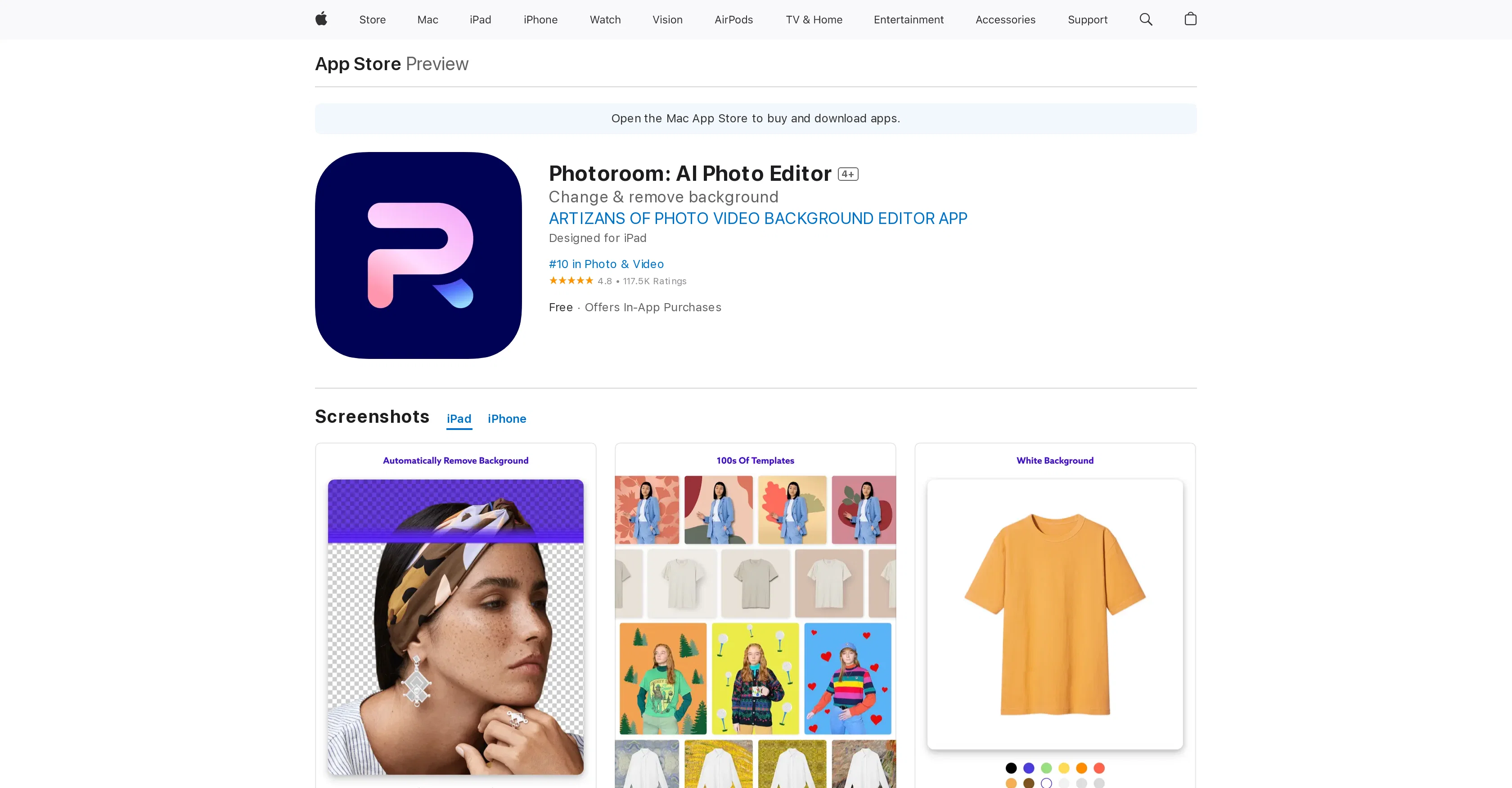
Photoroom is an AI-powered photo editing app designed for suite of functions such as creating, editing and organizing product shots. The tool uses artificial intelligence to offer varied features like Background Removal, Magic Retouch, Instant Backgrounds, and Batch Editor which help to edit photos quickly and accurately while saving time.
The built-in app tools help to create professional images for e-commerce websites, customize profile pictures and create marketing materials using built-in templates suited for multiple social media platforms.
Additionally, the app allows users to remove unwanted objects in photos, refine edges of photos and resize them for any social media or selling platform.
The tool offers Smart Templates, which provide recommendations best suited for your needs. Catering to the needs of creators and online sellers, the tool aids in digitizing their offerings and increasing sales.
The tool is built for usage on platforms like iPad and iPhone and is accessible through the Apple App Store.
Best for
Short scenarios where Photoroom: AI Photo Editor tends to shine.
-
Emotional Support: Finding a comforting companion to talk to anytime, anywhere.
Best for Individuals seeking AI companionship
-
Creative Storytelling: Exploring fantasy worlds and complex roleplay scenarios.
Best for Users interested in AI roleplay
-
Social Simulation: Practicing conversations and building confidence in a safe space.
Best for People looking for a private and judgment-free conversational AI
Example outputs 1
Sample generations and before/after results for Photoroom: AI Photo Editor.
Access & connections
Where you can use Photoroom: AI Photo Editor, and what it plugs into.
Platforms
Integrations
Capabilities
What this tool accepts, produces, and is strongest at.
Input
- Image
Output
- Image
Supported features
- E-Commerce
Pros & cons
Pros
- Background Removal tool
- Batch Editor for multiple photos
- Magic Retouch for object removal
- Magic Resize for easy exporting
- Smart Templates for recommendations
- Assisted Cutout for edge refinement
- Supports team favorites
- Shared with You section for shared designs
Show 14 more
- Camera with photo-taking tips
- New text styles
- Improved background removal for hair
- Free to download and use
- Offers Pro subscription for advanced features
- Highly regarded by users (4.8/56K Ratings)
- In-app support available
- Available on Apple devices
- Interface improvements over time
- Multiple language support
- Tips to help take better photos
- Search function to find templates
- Cloud project saving
- New templates added every week
Cons
- iOS exclusive
- No desktop version
- Subscription-based Pro features
- Limited to specific regions
- Automatic QR code insertion
- Frequent changes to interface
- Limited opacity controls
- Glitches in design features
Show 2 more
- Lacks advanced editing options
- Limited language support
Compare alternatives
Similar tools in the catalog — with a clear reason to open each one.

Viyou AI Image Generator ✓
FreemiumTransform text and images into stunning videos and visuals.
Free + from $39.99/yr
Full comparison
Img2Img AI ✓
FreemiumTransform any image with AI in seconds.
Why look Offers a public API
Full comparison

Photoeditor ✓
PaidEnhanced image editing with object and text removal.
from $9.99/mo
Full comparison
Cleanup pictures ✓
FreemiumRemove unwanted elements from photos instantly.
Why look Typically cheaper
Full comparisonPeople also view
Tools that often show up alongside Photoroom: AI Photo Editor in collections and comparisons.

Stable Diffusion ✓
FreemiumUnleash humanity's potential with generative AI

Playground AI ✓
FreemiumCreate art and visuals with AI, for free

Napkin ✓
FreemiumBring your ideas to life with a visual copilot

KREA ✓
FreemiumIntuitive AI for image and video generation

Google Imagen ✓
Free TrialTransform images with AI-powered creativity

Ideogram ✓
FreemiumAI-powered creativity booster

FASHN Virtual Try-On ✓
PaidChange the clothes in any model photo using another reference image
Viyou AI Image Generator ✓
FreemiumTransform text and images into stunning videos and visuals.
Releases 1
FAQ 12
What is Magic Studio by PhotoRoom?
How does the Magic Retouch tool of PhotoRoom work?
Is PhotoRoom available on Apple’s App Store?
Can I edit multiple photos at once with PhotoRoom's Batch Editor?
What is the Background Removal tool in PhotoRoom?
Does the Magic Resize feature in PhotoRoom support all social media platforms?
How does the Assisted Cutout tool in PhotoRoom enhance my images?
Can I use PhotoRoom to create professional product images for e-commerce marketplaces?
How can PhotoRoom assist me in organizing my pictures?
Does PhotoRoom have a Smart Templates feature?
Does PhotoRoom offer any guidelines or tips on taking better photos?
Is there a Shared with You section available on PhotoRoom where I can view designs sent by my friends?
Related tools
Recommended

ExtendImage ✓
Free TrialExtend images seamlessly with AI magic.

Stockimg AI ✓
PaidGenerated images and text for design ease.

Photo AI ✓
PaidCreate beautiful AI photos and videos of real people

TutorAI ✓
FreemiumInstant knowledge on any topic

VenturusAI ✓
FreemiumBusiness idea analysis and reporting.

Stratup.ai ✓
FreemiumInnovative idea generation for businesses.