Keyframes.studio ✓
Create social media videos in minutes, hassle-free.
Trial; then from $9/mo
Verdict
A quick read before you dig into the full page.
- Best if
- Create social media videos in minutes, hassle-free
- Skip if
- Perhaps limited audio editing
- Pick this when
- Optimized social media videos
Considering CapCut Online Creative Suite instead? Compare side by side
Overview
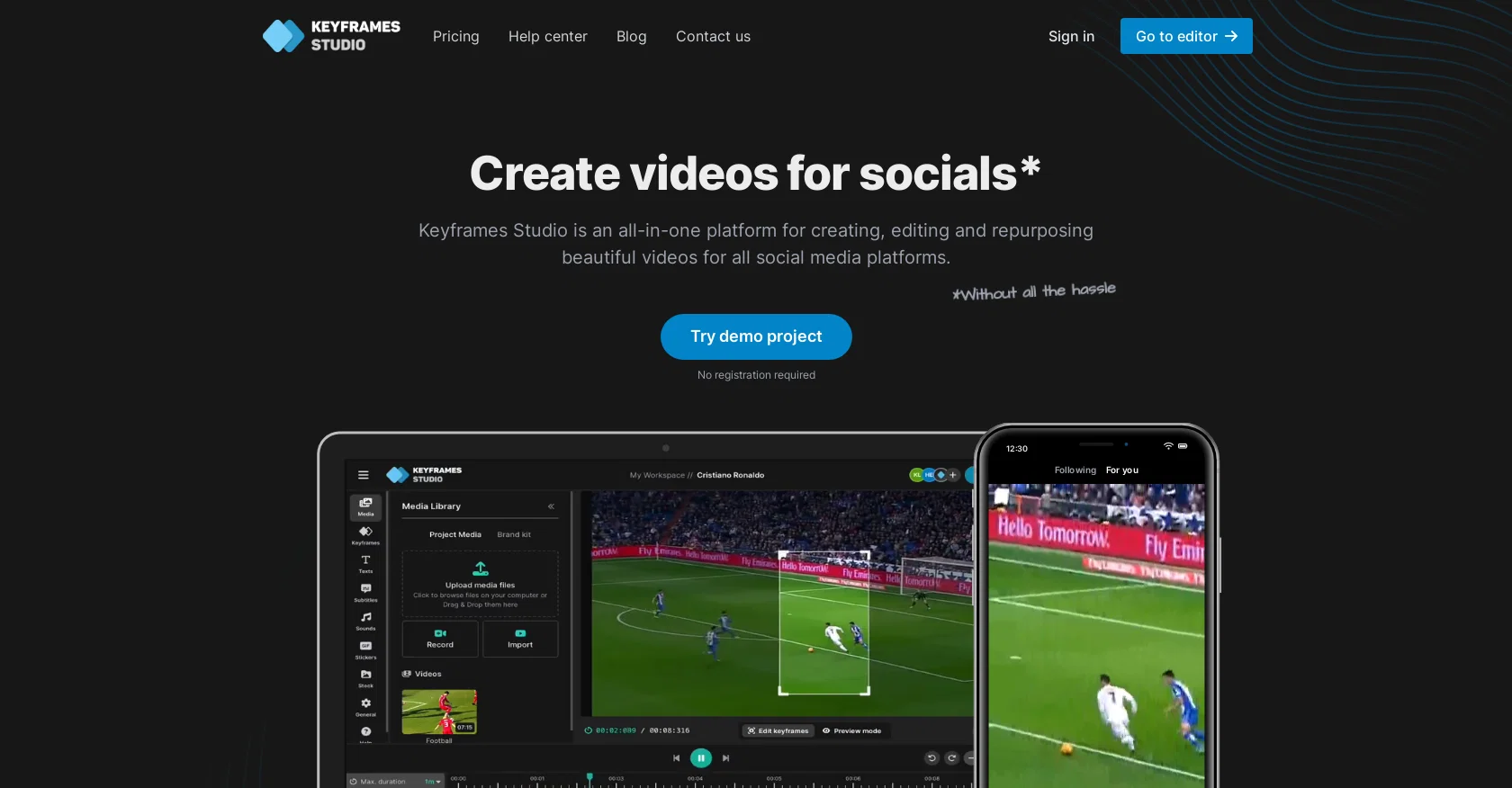
Keyframes Studio is an all-in-one online video editor platform that specializes in creating videos specifically tailored for social media. It eliminates the need for time-consuming research on aspect ratios and heavy video editing software, offering an intuitive and efficient solution for content creators.
The platform uses AI technology to simplify the video creation process and provides a variety of features to enhance the quality and engagement of videos.With Keyframes Studio, users can easily repurpose their existing content with just a few clicks.
The platform offers automatic keyframe creation and catchy subtitles powered by AI algorithms. It also integrates a library of stock images, videos, and viral sounds to add extra elements and enhance the visual appeal of videos.Collaboration is made effortless through the platform, as it allows users to invite their team members to work together on projects.
The workspace supports unlimited projects and provides the ability to save work and continue at a later time. Additionally, Keyframes Studio offers a brand kit feature, enabling digital agencies to streamline their branding efforts.The editing process is made simple and accessible to users of all experience levels.
Keyframes Studio provides an easy-to-use editor with features such as resizing, trimming, cropping, zooming, and live preview. It supports automatic subtitle generation in multiple languages and provides options for highlighting words karaoke-style.Whether users are content creators, digital agencies, or individuals looking to create videos, Keyframes Studio offers a comprehensive solution that allows users to create high-quality videos optimized for social media platforms.
Best for
Short scenarios where Keyframes.studio tends to shine.
-
Create social media videos in minutes, hassle-free.
Example outputs 1
Sample generations and before/after results for Keyframes.studio.
Access & connections
Where you can use Keyframes.studio.
Platforms
Capabilities
What this tool accepts, produces, and is strongest at.
Input
- Tabular
- Image
- Video
- Audio
Output
- Audio
- Video
- Image
Pros & cons
Pros
- Optimized social media videos
- Automatic keyframe creation
- Integrated library of stock content
- Viral sounds addition
- Effortless team collaboration
- Work on unlimited projects
- Branding efforts streamlining
- Resizing and trimming features
Show 28 more
- Cropping and zooming features
- Live video preview
- Multiple languages subtitle generation
- Karaoke-style words highlighting
- Save work and continue later
- Brand kit feature
- Videos for all socials creation
- No registration required for demo
- Resize, trim, crop, cut
- Automatic subtitles creation
- Supports 12 languages
- Workspace sharing
- Keyword search in libraries
- Screen and camera recording
- Control camera movements
- Direct post to social media
- Target audience reach
- No credit card required for demo
- Repurpose existing content
- Easy-to-use editor
- Mobile-friendly video creation
- Video aspect ratios management
- No software download required
- Online tool access
- Social media aspect ratios automatic generation
- Intuitive user interface
- For content creators and agencies
- Templates availability
Cons
- No offline editing option
- No plugin integration mentioned
- Only 12 languages supported
- Not mentioned file size limits
- No third-party sharing capabilities
- Perhaps limited audio editing
- No versioning control
- No specific format export options
Show 2 more
- Not mentioned different user roles
- No professional color grading
Compare alternatives
Similar tools in the catalog — with a clear reason to open each one.

CapCut Online Creative Suite ✓
FreemiumUnleash creativity with CapCut's all-in-one online suite
Free + from $28.5/mo
Full comparison
ClipFinder ✓
FreemiumTurn hours of streams and VODs into viral clips automatically.
Why look Offers a public API
Full comparison
Gling - AI Video Editing Software for YouTube ✓
FreemiumAI-powered video editing for YouTube creators.
Free + from $10/mo
Full comparison
Captions ✓
PaidAI-powered creative studio for studio-grade videos.
Why look Offers a public API
Full comparisonPeople also view
Tools that often show up alongside Keyframes.studio in collections and comparisons.

Wondershare Filmora ✓
PaidEdit smarter, faster and easier with Filmora’s powerful AI video tools.

Video to Video AI ✓
PaidTransform videos using simple text commands.
Gling - AI Video Editing Software for YouTube ✓
FreemiumAI-powered video editing for YouTube creators.
ClipFinder ✓
FreemiumTurn hours of streams and VODs into viral clips automatically.
Captions ✓
PaidAI-powered creative studio for studio-grade videos.
CapCut Online Creative Suite ✓
FreemiumUnleash creativity with CapCut's all-in-one online suite

MF0.ai ✓
PaidEvery top AI in one chat. Real memory. No subscription.

DraftReel ✓
Free TrialOne click. Complete short-form video package.
Releases 1
FAQ 12
What is Keyframes Studio?
How does the AI technology in Keyframes Studio simplify video creation?
What features does Keyframes Studio offer to enhance video quality and engagement?
How can users repurpose existing content in Keyframes Studio?
What does the automatic keyframe creation feature do in Keyframes Studio?
How does the subtitle feature work in Keyframes Studio?
What resources are included in the Keyframes Studio library?
Can Keyframes Studio be used for collaborative projects?
How does the brand kit feature in Keyframes Studio aid digital agencies?
What editing features does the Keyframes Studio editor provide?
In what languages are Keyframes Studio's automatic subtitles available?
How are words highlighted karaoke-style in Keyframes Studio?
Related tools
Recommended

Fineshare ✓
FreemiumAn online all-in-one AI voice generator for everyone

Vidio ✓
FreemiumTransform videos effortlessly with AI-powered editing.

TutorAI ✓
FreemiumInstant knowledge on any topic

Supercreator ✓
FreemiumCreate short videos 10x faster with AI

VideoGen ✓
Free TrialCreate videos in seconds with one click.

D-ID Creative Reality Studio ✓
UnknownCreate AI-powered videos from still images.