

Online Gantt ✓
AI Assistant for Gantt Charts
Trial; then from $8/mo
Verdict
A quick read before you dig into the full page.
- Best if
- AI Assistant for Gantt Charts
- Skip if
- Requires subscription for full functionality
- Pick this when
- Manage Gantt charts with natural language
Considering Projecttile instead? Compare side by side
Overview
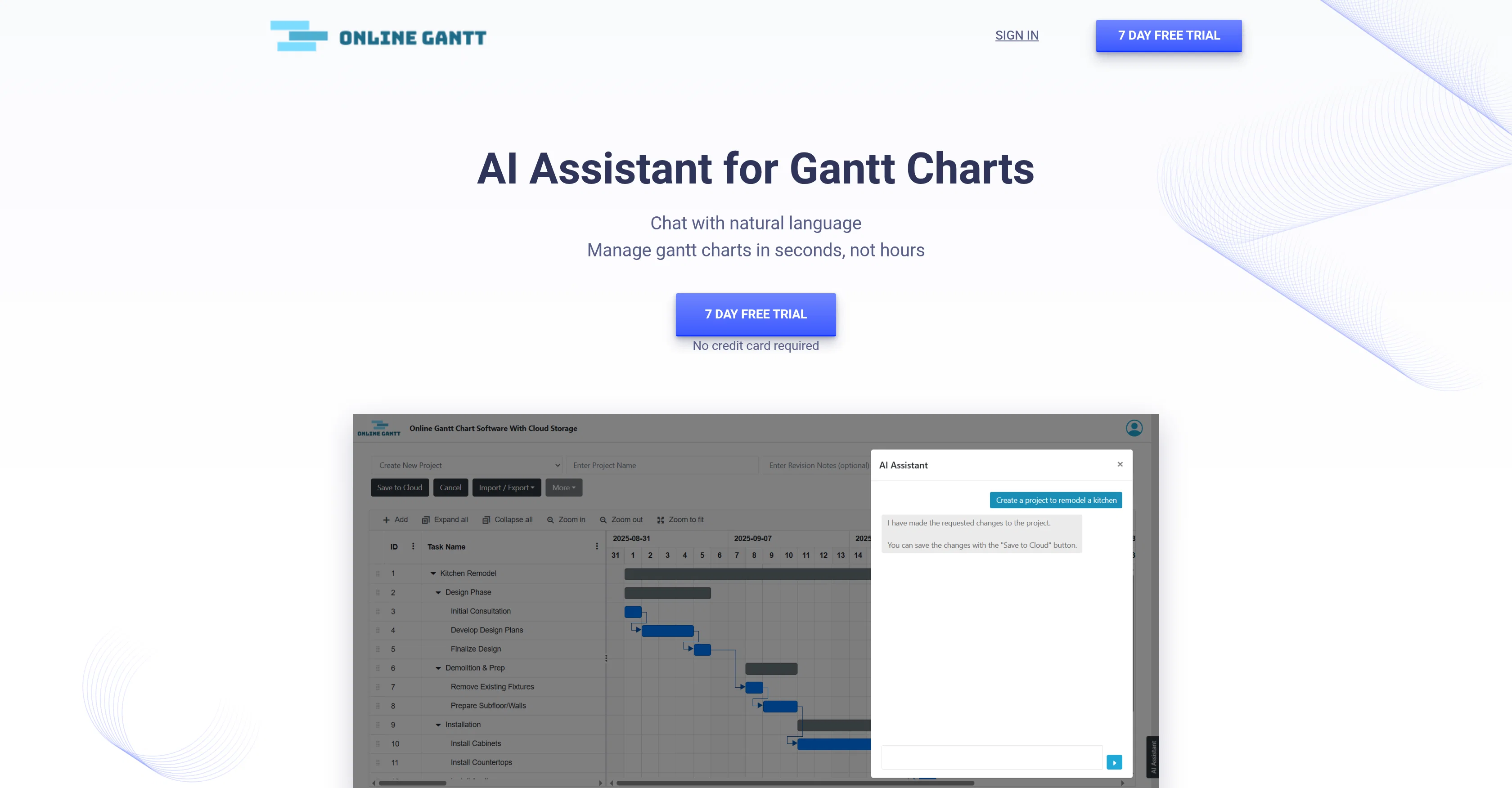
The assistant supports a wide range of project management tasks: creating charts from scratch based on prompts or meeting notes, bulk editing tasks, assigning responsibilities, shifting deadlines, and marking progress. It also allows dynamic revisions, such as changing durations or overlapping tasks, without the manual drag-and-drop hassle that traditional Gantt tools require.
Beyond task editing, the AI delivers insights and answers about projects in real time. Users can ask questions about blocking tasks, risk dependencies, or workload distribution between team members, making it an intelligent companion for keeping projects on track.
Accessible via the cloud, the platform requires no advanced knowledge of prompts, making it beginner-friendly while still supporting professional teams. With affordable pricing and a free trial, it enables anyone to save hours of manual work and achieve higher clarity and control in project execution.
Access & connections
Where you can use Online Gantt.
Platforms
Capabilities
What this tool accepts, produces, and is strongest at.
Input
- Text
Output
- Tabular
Pros & cons
Pros
- Manage Gantt charts with natural language
- Quickly create templates from ideas or notes
- Bulk edit tasks in seconds
- Instant revisions for timelines and dependencies
- Get answers to blockers, risks, and workloads
- 7-day free trial with no credit card required
- Affordable $8/month pricing per user
- Beginner-friendly, no prompt expertise needed
Cons
- Focused only on Gantt chart workflows
- Limited to features provided in Online Gantt cloud
- Not as flexible as full project management suites
- Requires subscription for full functionality
Compare alternatives
Similar tools in the catalog — with a clear reason to open each one.


GanttPRO ✓
Free TrialCreate project timelines in seconds with AI.
Free + from $7/mo
Full comparison
FastGantt ✓
Free TrialUpload Excel, create Gantt charts instantly.
Why look Higher community rating
Full comparison
VizText ✓
FreeAI Diagram Generator — from Prompt or Chat
Why look Fully free option
Full comparison
Vaiz ✓
FreemiumAI-powered work management for teams escaping tool complexity.
Why look Typically cheaper
Full comparisonReleases 1
FAQ 5
Will my data be used for AI training?
Do I need to know AI prompts to use it?
How much does it cost?
Can I try it before paying?
What kind of insights can the AI provide?
Related tools
Recommended

CodeRabbit ✓
Free TrialEnhanced code review for improved workflow and quality.

FlowPost ✓
Free TrialAI autopilot for social media posting

120.dev ✓
FreeA free-forever AI chat app that feels instant.

Elite Strategy Enforcer ✓
FreeBrutally honest strategist who finds gaps, pushes limits, and demands elite execution

ChatGPT ✓
FreemiumAsk anything, create anything, and move from idea to action.

Midjourney ✓
PaidExpand human imagination through AI-powered visuals.