

Faceless videos vv2.0 2026 Rank: #126
GoFaceless ✓
Turn any idea into a finished faceless video.
Verdict
A quick read before you dig into the full page.
- Best if
- Turn any idea into a finished faceless video
- Skip if
- You are not ready to evaluate a time boxed trial
- Pick this when
- Free Trial · Trial; then from $29/mo
Considering Blipix instead? Compare side by side
Overview
What it does
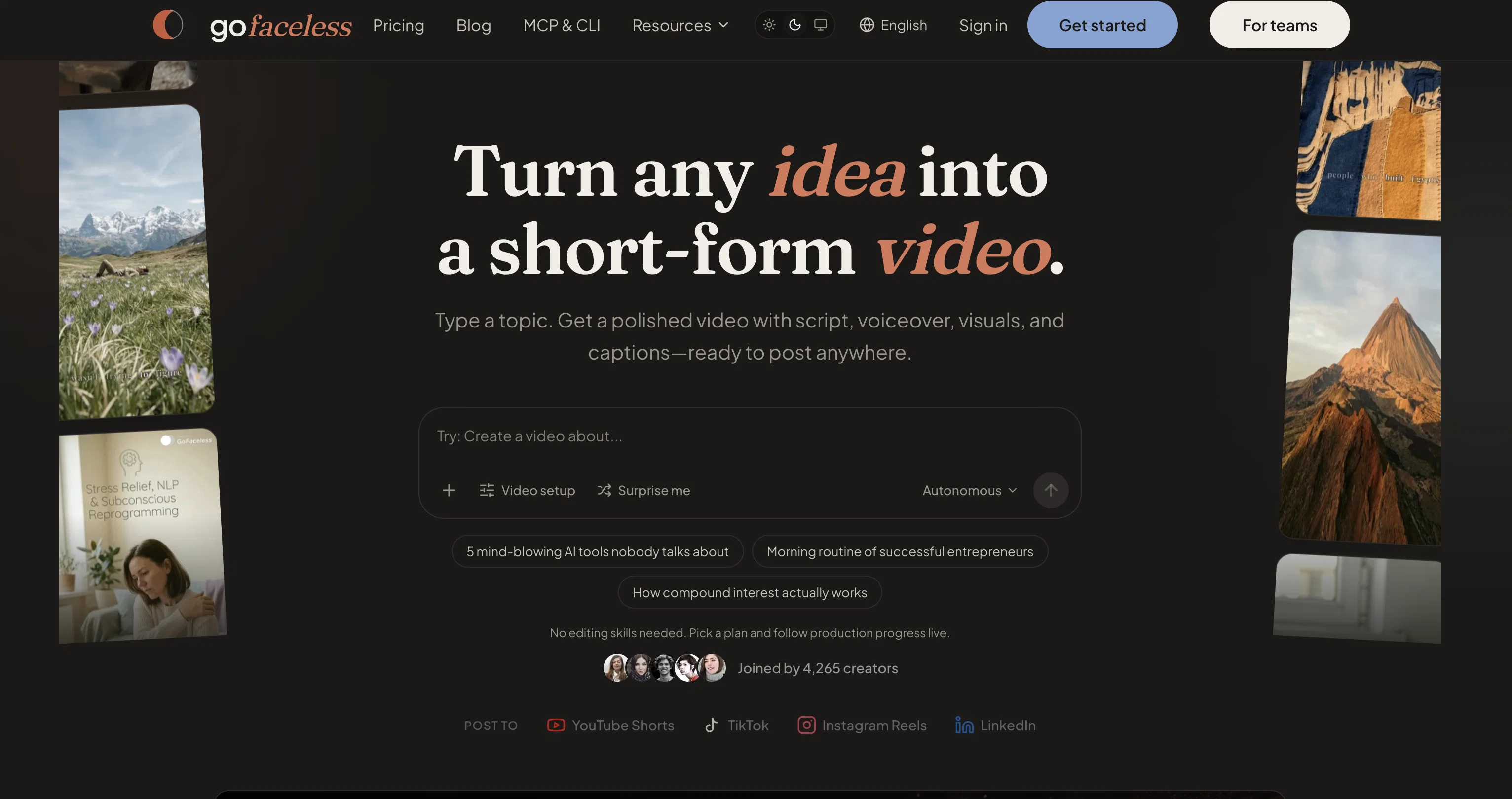
You describe the video you want. GoFaceless writes the script, generates an AI voiceover, sources and generates matching B-roll, lays in music and sound, burns in captions and on-screen titles, and returns a finished MP4. There's no timeline to wrestle with and no stock footage to hunt down — the whole production is assembled for you. It's faceless content on autopilot.
How it works
- Chat-first creation. You brief it in plain language; it orchestrates the entire pipeline — no forms to fill, no editor to learn.
- Edit by talking to it. Change the voice, script, language, pacing, tone, aspect ratio, music, or presenter just by typing, and it re-renders. No setting is locked behind a menu.
- Full timeline control when you want it. Trim, split, reorder, and adjust the volume of any track — video or audio — for precise edits.
- On-screen titles and captions. Add and edit titles; captions auto-generate.
What you can make
- Faceless B-roll videos — narrated content over generated and real-world visuals, the core use case.
- AI presenter videos — reusable on-screen characters with lip-sync, so a "host" carries across every video instead of being rebuilt each time.
- Music-only or silent formats — not everything needs narration.
- Format templates — proven structures (explainer, talking-style, rant, and others) you can start from.
Key capabilities
- 30+ languages, with pacing tuned per language.
- Vertical (9:16) and landscape (16:9) — built for TikTok/Reels and YouTube/TV.
- Grounded visuals — real places, real reference imagery, and factual accuracy, so the video actually reflects the subject rather than generic AI filler.
- Rich audio — voiceover, music, ambience, and sound effects, mixed and ducked automatically.
- Reusable characters and brand settings — set your presenter, voice, and look once, reuse across your whole channel.
Who it's for
Creators and teams shipping short-form video at volume — faceless channels, marketers, and anyone who wants finished videos without an editing suite or a production crew.
What makes it different
Most AI video tools hand you a cockpit of controls and make you assemble the result. GoFaceless is the autopilot: you get a finished, on-brand video from a prompt, and you steer it by conversation instead of by timeline. The emphasis is on output that's actually usable and accurate — grounded, correctly paced, properly mixed — not just clips that look AI-generated.
Best for
Short scenarios where GoFaceless tends to shine.
-
Turn any idea into a finished faceless video.
Example outputs 1
Sample generations and before/after results for GoFaceless.
Access & connections
Where you can use GoFaceless, and what it plugs into.
Platforms
Integrations
Capabilities
What this tool accepts, produces, and is strongest at.
Input
- Text
Output
- Video
Highlights
- Agents
- Hard Paywall
Supported features
- Video Generation
- Video Avatars
- Video Edit
- Social Media
- Writing
- TTS
- Image Generation
- Sound Creation
- Automation
- Styling
Show 2 more
- Agents
- Viral baseball trend
Compare alternatives
Similar tools in the catalog — with a clear reason to open each one.

Vadoo AI ✓
PaidGenerate videos from prompts and scripts.
Why look Typically cheaper
Full comparison
AutoReels ✓
PaidCreate captivating faceless videos in minutes with AI.
Why look Typically cheaper
Full comparison
VideoPal AI ✓
FreemiumCreate viral faceless videos with AI
Why look Typically cheaper
Full comparison
Renderfire ✓
PaidAutomate faceless videos for YouTube and TikTok.
Why look Typically cheaper
Full comparisonPeople also view
Tools that often show up alongside GoFaceless in collections and comparisons.

Vsub ✓
PaidCreate faceless videos in seconds with AI
VideoPal AI ✓
FreemiumCreate viral faceless videos with AI
Vadoo AI ✓
PaidGenerate videos from prompts and scripts.
Renderfire ✓
PaidAutomate faceless videos for YouTube and TikTok.

Blipix ✓
PaidCreate viral faceless videos in one click.
AutoReels ✓
PaidCreate captivating faceless videos in minutes with AI.

TubeTube ✓
Free TrialTurn lyrics or a story into a finished, fully edited video

FacelessReels.app ✓
PaidCreate and publish faceless reels with AI—no camera needed.
Releases 2
GoFaceless turns a single prompt into a finished, ready-to-post video — script, AI voiceover, B-roll, music, titles, and captions, fully assembled. No timeline to wrestle with, no stock clips to hunt down.
New in this release:
- Edit by chatting — change the voice, script, pacing, language, or any setting just by typing, and it re-renders instantly.
- Full timeline control when you want it — trim, split, reorder, and adjust volume on any track.
- Reusable AI presenters + faceless B-roll — pick a character once, reuse it across every video.
- 30+ languages, vertical and landscape (16:9), with grounded visuals that match real places and facts.
Describe your video, get a finished one back, then refine it in plain English. Faceless content on autopilot.
FAQ 12
What is GoFaceless?
How does GoFaceless generate video content?
What kind of video formats does GoFaceless offer?
Can I use my own voice for voiceovers in GoFaceless?
What additional features does GoFaceless provide to create unique content?
What is the 'done-for-you' service offered by GoFaceless?
How does GoFaceless increase content creation efficiency?
Can GoFaceless really produce natural and human-like output?
What are the pricing plans for GoFaceless?
Can GoFaceless generate videos with matched visuals for each script?
What is AI Video Generator feature in GoFaceless?
How does GoFaceless help in creating Brand-Specific Content?
Related tools
Recommended

freebeat AI ✓
FreemiumTurn Music & Ideas into Viral Videos In One Click

VibeVideo ✓
FreemiumAll-in-one AI platform for video, image, motion & cinematic creation.

Musci.io ✓
Free TrialCreate professional AI music from text descriptions.

D-ID ✓
FreemiumCreate AI-generated videos with ease

Automateed ✓
Free TrialCreate eBooks effortlessly with Automateed, the AI-powered writing tool.

Suno ✓
FreemiumMake music at the speed of your ideas.