

Music videos 2026 Rank: #1524
TubeTube ✓
Turn lyrics or a story into a finished, fully edited video
Verdict
A quick read before you dig into the full page.
- Best if
- Turn lyrics or a story into a finished, fully edited video
- Skip if
- Pay-per-use can become expensive
- Pick this when
- Converts narratives into videos
Considering BeatViz AI Music Video Generator instead? Compare side by side
Overview
What makes TubeTube different:
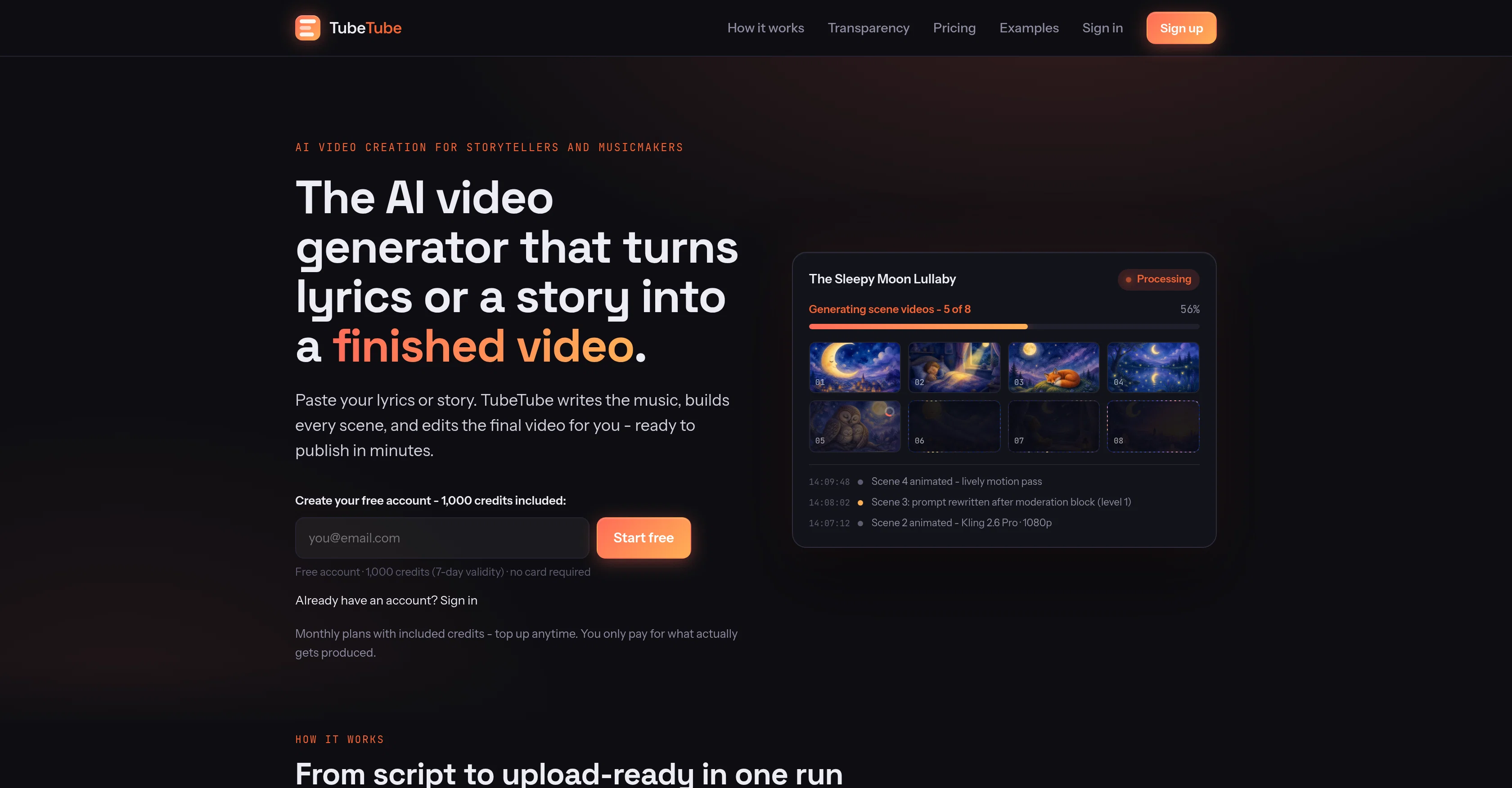
- Finished videos, not clips: multi-scene, multi-minute videos edited end-to-end. A typical 3-minute music video is ready in about 15 minutes.
- 15+ video engines in one place: Kling 3, Veo 3.1, Hailuo 2.3, Seedance 2, LTX-2, PixVerse and more — pick per project, no separate subscriptions.
- Music included: Suno-powered original songs from your lyrics, or upload your own MP3 and TubeTube builds the video around it, scene-synced to the beat.
- Character consistency: the same characters, outfits and art style across every scene.
- 20+ visual styles: Pixar-like 3D, watercolor storybook, claymation, anime, photorealistic film and more.
- Multi-language dubbing: clone the video's voice into new languages to multiply one channel into many.
- Transparent credits: see exactly what every scene costs, pay only for what gets produced. Free credits at signup, no card required.
Made for musicians, storytellers, kids' channels, faceless YouTube creators and anyone who wants complete videos out of plain text — without touching an editor.
- Finished Multi-scene Videos, Edited End-to-end
- 15+ Video Engines: Kling 3, Veo 3.1, Hailuo, Seedance…
- Original Music From Your Lyrics (suno) Or Mp3 Upload
- Character Consistency Across Every Scene
- Multi-language Dubbing With Voice Cloning
- Free Credits At Signup, No Card Required
Access & connections
Where you can use TubeTube.
Platforms
Capabilities
What this tool accepts, produces, and is strongest at.
Input
- Image
- Text
- Audio
Output
- Video
Highlights
- SOTA
Pros & cons
Pros
- Converts narratives into videos
- Generates soundtrack
- Constructs scenes
- Conducts final cut
- User-friendly application
- Upload MP3 option
- Range of graphic styles
- Customization of video style
Show 44 more
- Consistent character design
- Automated editing
- Real-time automated action logging
- Transparent credit system
- Multiple visual styles
- Lyric video creation
- Seamless viewing experience
- Automated final cut
- Option to pick style
- Script to video
- Automated music generation
- Option to upload own music
- Automated scene creation
- Custom graphic style
- Image style options
- Choice of video model
- Video duration choice
- Video resolution options
- Automatic video production in minutes
- Community video showcase
- Automated 10-step workflow
- Visual memory for character consistency
- Self-remediation for failed scenes
- Transparent usage monitoring
- Automated retries and rewording
- Automated asset generation
- Automated SEO
- 100+ visual styles
- Thriving user community
- Option to create own style
- Infinite choice of options
- Live task journal
- Transaction ledger for credits
- 3D graphic styles
- Anime style
- Vintage styles
- Live production monitoring
- Unique credit estimation system
- Full project report
- Wide range of style options
- Consistent video style
- Storyboard creation
- Automated background soundtrack
- MP3 file upload
Cons
- Limited to video animation
- Can't incorporate live footage
- Styles might not satisfy everyone
- Pay-per-use can become expensive
- Style consistency might limit creativity
- No manual editing
- Dependent on text input
- Cannot upload own visuals
Show 2 more
- Possible copyright issues with music
- Cannot control character design
Compare alternatives
Similar tools in the catalog — with a clear reason to open each one.

BeatViz AI Music Video Generator ✓
FreemiumTransform your music into stunning visual experiences with AI
Free + from $19.9/mo
Full comparison
Music Video Generator ✓
PaidTurn your song into a cinematic, lyrics-driven music video
Why look Typically cheaper
Full comparison
BeatMV ✓
Free TrialTurn any song into scroll-stopping videos in minutes with AI-directed scripts and
Free + from $11.9/mo
Full comparison
1MoreShot ✓
FreemiumTransform tracks into professional music videos instantly.
Why look Typically cheaper
Full comparison
Plazmapunk ✓
FreemiumTurn Your Music into Stunning AI-Generated Videos in Minutes
Why look Typically cheaper
Full comparison
Releases 1
FAQ 12
How does TubeTube create videos from lyrics?
What type of graphic styles does TubeTube offer?
Can I use my own MP3 file with TubeTube?
How does TubeTube ensure visual consistency across video scenes?
What is TubeTube's real-time logging feature?
What is the pay-per-use credit system in TubeTube?
How long does the TubeTube video generation process take?
What does TubeTube do with my input song lyrics or story?
How do I choose a visual style in TubeTube?
Can I customize my video in TubeTube?
Does TubeTube charge for the actual usage?
How does TubeTube generate soundtracks for the videos?
Related tools
Recommended

Reel Estate ✓
FreemiumTransform property photos into stunning marketing videos with AI.

ParseStream ✓
Free TrialFinds buyers asking for what you sell and drafts your reply

Seonix ✓
FreemiumYour brand in Google, ChatGPT & Gemini answers. On autopilot.

EstateReel AI ✓
FreemiumTurn listing photos into property videos instantly.

Delulu Stream ✓
Free TrialLet your chat control your stream.

Prosperian ✓
Free TrialAI finds your best prospects and contacts them for you.