

Faceless videos 2026 Rank: #1930
FacelessReels.app ✓
Create and publish faceless reels with AI—no camera needed.
Verdict
A quick read before you dig into the full page.
- Best if
- Create and publish faceless reels with AI—no camera needed
- Skip if
- Limited to three platforms
- Pick this when
- Creates faceless reels
Considering Blipix instead? Compare side by side
Overview
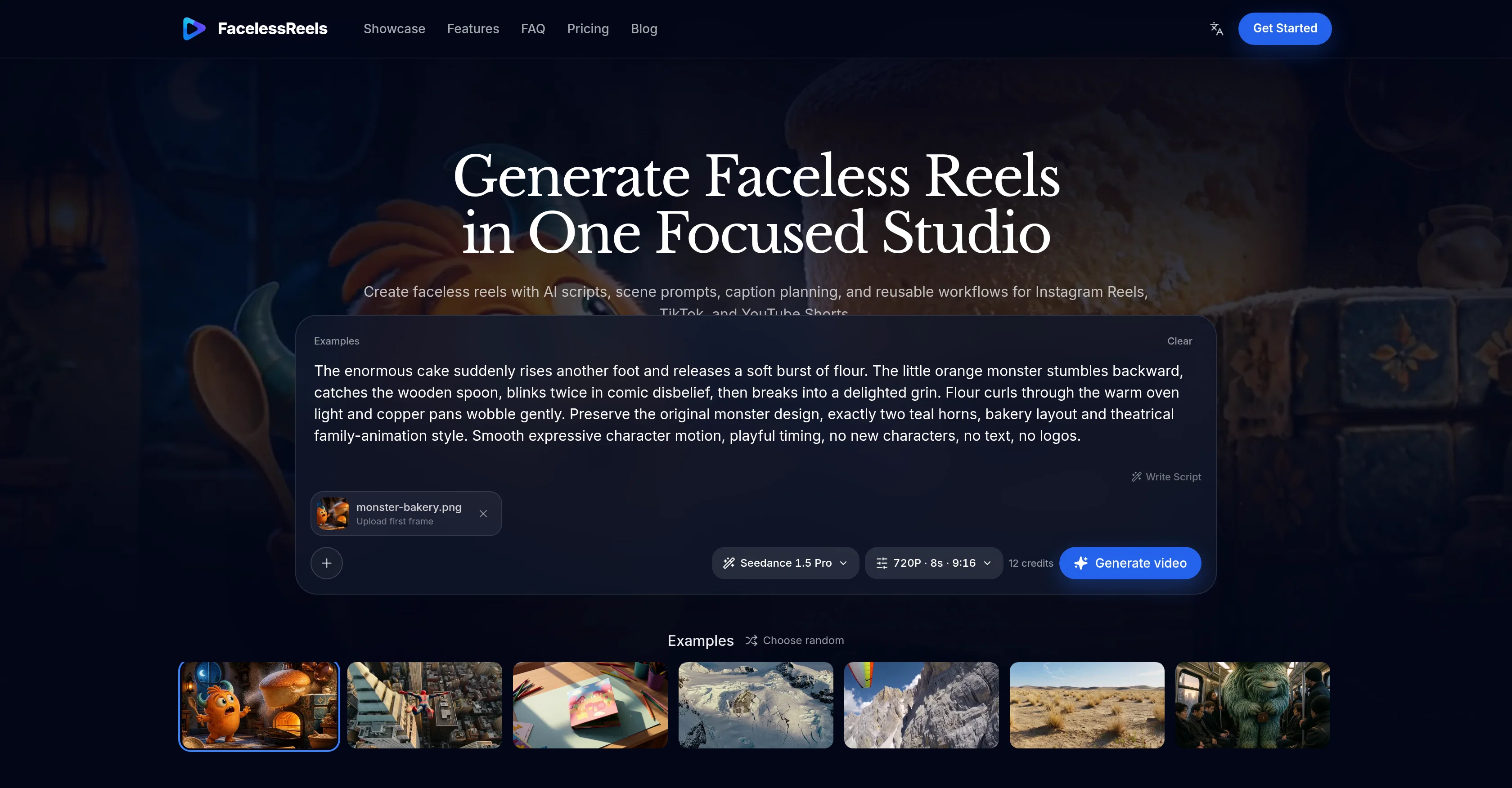
Faceless Reels AI Generator is a tool designed for creating short, AI scripted videos commonly known as 'faceless reels'. This tool caters to social platforms like Instagram Reels, TikTok, and YouTube Shorts.
Its primary functionality entails generating videos using AI scripts, scene prompts, caption planning, and reusable workflows, which simplifies and streamlines the video creation process.
Users can start with a topic and shape the hook and script, map out scenes, and plan captions. The tool offers various customization options, including motion control, framing, lighting, and mood adjustments.
In addition to that, the AI generator can turn storyboard frames or reference media into animation to guide composition and motion for the next scene of the user's reel.
The application is equipped with multiple AI video models, resolution and duration controls, and a private video library for keeping successful creations with their prompts and settings.
The Faceless Reels AI Generator tool aims to create a seamless workflow from preparing to producing and publishing a faceless reel video.
- Ai Video Generation (text-to-video, Image-to-video)
- Image-to-video Generation
- Script Studio
- Private Video Library
- Social Publishing
- Scheduled Publishing
Access & connections
Where you can use FacelessReels.app, and what it plugs into.
Platforms
Integrations
Capabilities
What this tool accepts, produces, and is strongest at.
Input
- Image
- Text
Output
- Video
Highlights
- SOTA
Pros & cons
Pros
- Creates faceless reels
- Customizable video aspects
- Social media content creation
- Storyboard-to-animation functionality
- Multi-platform output (Instagram, TikTok, Youtube)
- Mappable scene creation
- Caption planning capability
- Reusable workflows
Show 18 more
- Motion control in videos
- Adjustable lighting effects
- Mood adjustments
- Facilitates end-to-end workflow
- Local private video library
- Resolution and duration control
- Direct publishing feature
- Facilitates reusable video templates
- Supports text to video
- Offers image to video
- Commercial use capability
- Scene audio generation in some models
- Background job handling
- One-time credit pack purchasing options
- Subscription-based offerings
- Categorized content prompts
- Focus on vertical videos
- Automated credit refund on task failure
Cons
- Limited to short videos
- No audio generation
- Doesn't support real faces
- No multi-platform publishing
- No collaboration tools
- Controls availability dependent on models
- Generation time is indefinite
- Failure leads to credit reuse
Show 2 more
- Commercial use limitations
- Limited to three platforms
Compare alternatives
Similar tools in the catalog — with a clear reason to open each one.


Vadoo AI ✓
PaidGenerate videos from prompts and scripts.
Why look Typically cheaper
Full comparison
AutoReels ✓
PaidCreate captivating faceless videos in minutes with AI.
Why look Higher community rating
Full comparison
VideoPal AI ✓
FreemiumCreate viral faceless videos with AI
Why look Freemium alternative
Full comparison

Releases 1
FAQ 12
What is the Faceless Reels AI Generator?
What platforms does Faceless Reels AI Generator support?
What are some key features of the Faceless Reels AI Generator?
How does the scripting process work in the Faceless Reels AI Generator?
How is the storyboard animation created in Faceless Reels AI Generator?
What customization options does Faceless Reels AI Generator provide?
Can the Faceless Reels AI Generator create animations from reference media?
What role do AI video models play in the Faceless Reels AI Generator?
Does the Faceless Reels AI Generator allow control over resolution and duration of videos?
How does the private video library function in Faceless Reels AI Generator?
What makes the workflow seamless in Faceless Reels AI Generator?
How does the Faceless Reels AI Generator use AI in creating faceless reels?
Related tools
Recommended

Kick ✓
FreemiumAccounting software that does the work for you

Supernormal App ✓
FreemiumThe AI assistant app that turns meetings into completed work

HappySeeds ✓
FreemiumTurn ideas into AI-powered apps instantly.

SimplePath ✓
Free TrialDescribe your business, get a website instantly.

plori ✓
FreemiumAn AI agent with its own computer.

Video to Frames | AI Video Upscaler ✓
FreeUpscale your videos locally with AI free, private, no sign-up.