

Faceless videos vv2
Renderfire ✓
Automate faceless videos for YouTube and TikTok.
from $19/mo
Verdict
A quick read before you dig into the full page.
- Best if
- You are content creators and need: Creating daily video content for YouTube or TikTok without showing your face
- Skip if
- Subscription plans may be expensive
- Pick this when
- Automates video production
Considering Blipix instead? Compare side by side
Overview


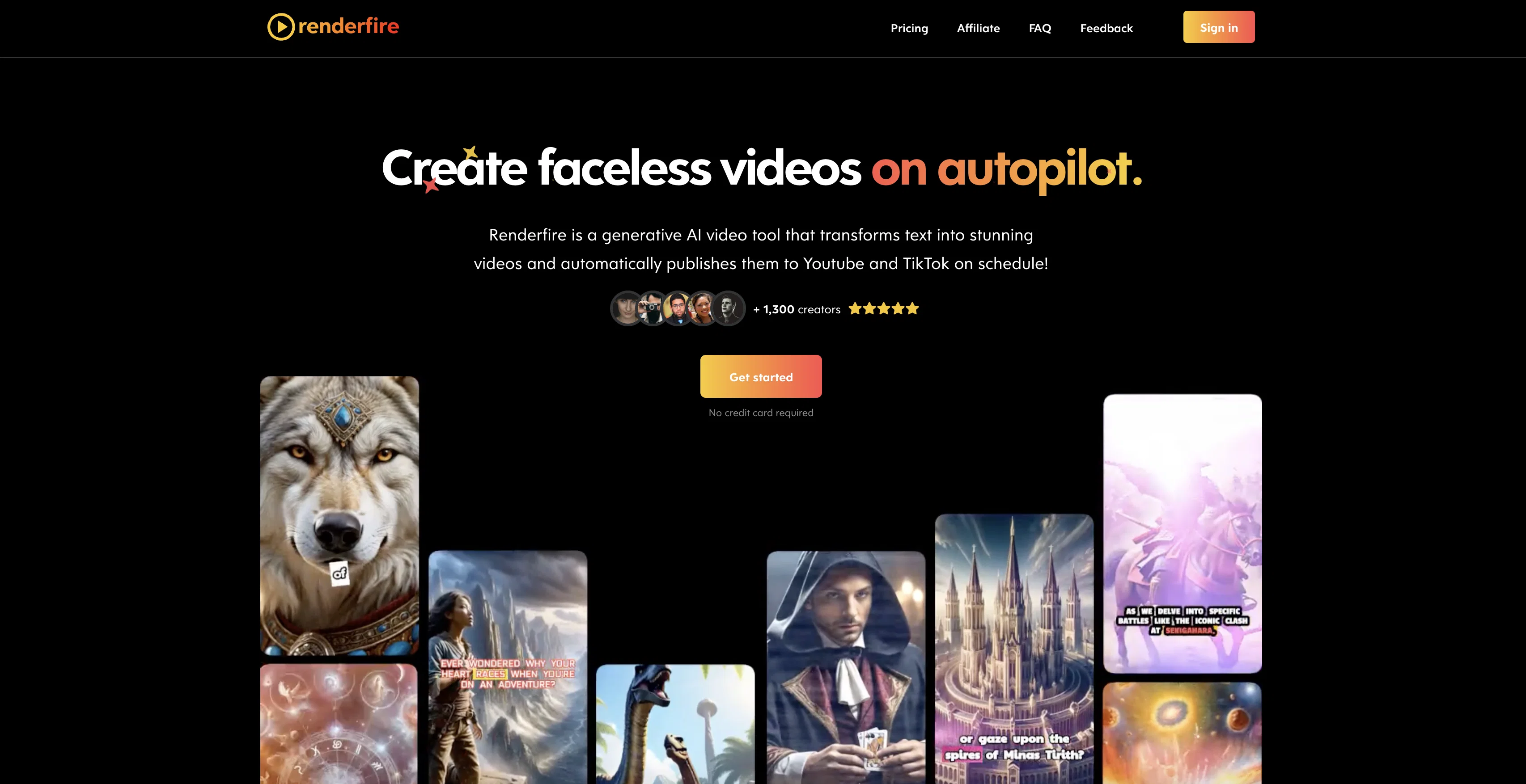
Renderfire is a revolutionary generative Artificial Intelligence (AI) video tool designed to automate the production and publication of faceless videos.
Users provide a chosen topic, and the application's AI system turns the theme into engaging videos, which can be automatically posted to YouTube and TikTok on schedule.
A faceless video typically involves content without personal representation, and thus the tool is valuable for users who prefer anonymity or businesses looking to create professional content without the need for human characters.
A user can customize and preview their videos prior to the scheduled posting time, and manage all of their series in one location, ensuring ease and efficiency of use.
Renderfire boasts high-quality output with HD to 4K UHD image inclusions, and videos are made without watermarks allowing a clean and personalised end product.
The videos created are unique, offering possible differentiation in saturated digital platforms. With various subscription plans, Renderfire is built to cater to different users needs, from individuals to business demands.
Users retain ownership of the videos produced, hence opening opportunities to further monetise their creations. It is available in multiple languages, expanding its accessibility across different regions and cultures.
Best for
Short scenarios where Renderfire tends to shine.
-
Creating daily video content for YouTube or TikTok without showing your face
Best for Content creators
-
Generating themed video series on autopilot
Best for Social media marketers
-
Quickly producing videos for social media marketing
Best for Businesses
Example outputs 1
Sample generations and before/after results for Renderfire.
Access & connections
Where you can use Renderfire.
Platforms
Pros & cons
Pros
- Automates video production
- Built-in scheduling feature
- Content anonymity option
- Pre-publication video preview
- Series management in one place
- HD to 4K UHD quality
- No watermark videos
- Customizable videos
Show 29 more
- Posts to YouTube and TikTok
- Supports multiple languages
- Unique video creation
- Various subscription plans
- Users retain video ownership
- Monetisation opportunity
- Content without personal representation
- Automatic video posting
- User-customizable topic selection
- Provision for content anonymity
- Availability in numerous languages
- One-location series management
- Unique content generation
- Facilitates professional content creation
- Supports user ownership
- Facilitates business demands
- Optimized for digital platforms
- Average 4 minutes rendering time
- Supports multimedia platforms
- Automated social media postings
- Content customization options
- Free trial availability
- Subscription plans flexibility
- Adjustable video lengths
- Produced content non-restricted
- Offers long-form content generation
- Allows membership cancellation
- Allows subscription upgrade/downgrade
- Supports HD to 4K UHD
Cons
- Limited to faceless videos
- No free trial offered
- Limited posting platforms
- Limited video customization
- Subscription plans may be expensive
- Videos may lack personalization
- Doesn't mention data privacy
- No mentioned integration capability
Show 2 more
- Not suitable for character-focused content
- Limited to 1 series
Compare alternatives
Similar tools in the catalog — with a clear reason to open each one.

Vadoo AI ✓
PaidGenerate videos from prompts and scripts.
Why look Typically cheaper
Full comparison
AutoReels ✓
PaidCreate captivating faceless videos in minutes with AI.
Why look Higher community rating
Full comparison
VideoPal AI ✓
FreemiumCreate viral faceless videos with AI
Why look Freemium alternative
Full comparisonPeople also view
Tools that often show up alongside Renderfire in collections and comparisons.

Vsub ✓
PaidCreate faceless videos in seconds with AI
VideoPal AI ✓
FreemiumCreate viral faceless videos with AI
Vadoo AI ✓
PaidGenerate videos from prompts and scripts.

Blipix ✓
PaidCreate viral faceless videos in one click.

AutoShorts.ai ✓
Free TrialAutomate Faceless Videos with a Single Click
AutoReels ✓
PaidCreate captivating faceless videos in minutes with AI.

TubeTube ✓
Free TrialTurn lyrics or a story into a finished, fully edited video

GoFaceless ✓
Free TrialTurn any idea into a finished faceless video.
Releases 2
Renderfire V2 is here with powerful new features! 🎉 Now create video series of 1, 2, or 3 minutes and choose from 20+ styles. Edit, regenerate, upscale, search stock images or footage, and add motion effects to bring your ideas to life!
Imported reviews 1
It looks interesting, they give demos of their AI work but no way to test it with your own script or image prompts just demos from what could be anywhere.
FAQ 12
What is Renderfire?
How does Renderfire work?
What are the key features of Renderfire?
Can I customize the videos made with Renderfire?
What resolution does Renderfire offer for the videos?
Are there any watermarks on the videos created with Renderfire?
Do I own the videos created with Renderfire?
Can Renderfire post the videos to my YouTube and TikTok accounts automatically?
Can Renderfire create unique videos every time?
What does a 'faceless' video mean in the context of Renderfire?
Can Renderfire create video content without needing human characters?
What subscription plans are available for Renderfire?
Related tools
Recommended

AI Video ✓
Free TrialCreate stunning YouTube Shorts with AI for faceless channels.

VenturusAI ✓
FreemiumBusiness idea analysis and reporting.

SEO Writing AI ✓
Freemium1-click SEO-optimized articles generation

Automateed ✓
Free TrialCreate eBooks effortlessly with Automateed, the AI-powered writing tool.

ReadPo ✓
FreemiumAI-powered reading and writing assistant for rapid content creation.

LearningStudioAI ✓
Free TrialAI-powered authoring tool for effortless online course creation.