

Foneo ✓
AI photo editing made simple for photographers
Verdict
A quick read before you dig into the full page.
- Best if
- AI photo editing made simple for photographers
- Skip if
- Limited language support
- Pick this when
- Bulk photo editing
Considering Viyou AI Image Generator instead? Compare side by side
Overview

Instead of requiring users to configure models, APIs, GPUs or complicated AI workflows, Foneo provides ready-to-use editing tools for common photography tasks. Users can upload an image, choose the effect they need and let Foneo handle the AI processing.
Foneo includes tools for creating realistic lighting and weather effects, replacing backgrounds, restoring and colorizing old photos, enhancing image details, removing or adding objects, improving portraits, changing outfits, enhancing product photos and performing edits from natural-language descriptions.
For photographers who already use Photoshop, Foneo can also fit into an existing editing workflow rather than replacing it. Images can be processed with AI in Foneo and then refined further in Photoshop when more precise control is needed.
Foneo is built for people who want the benefits of advanced AI image editing without needing to understand prompting, models, servers or other technical AI concepts.
- Ai Photo Editing
- Add Realistic Lighting To Photos
- Replace Photo Backgrounds
- Restore Old Photos
- Upscale Photos
- Remove Or Add Objects From Photos
- Edit Photos Using Text Descriptions
- Change Outfits In Photos
- Enhance Product Photography
- Generate Product Backgrounds
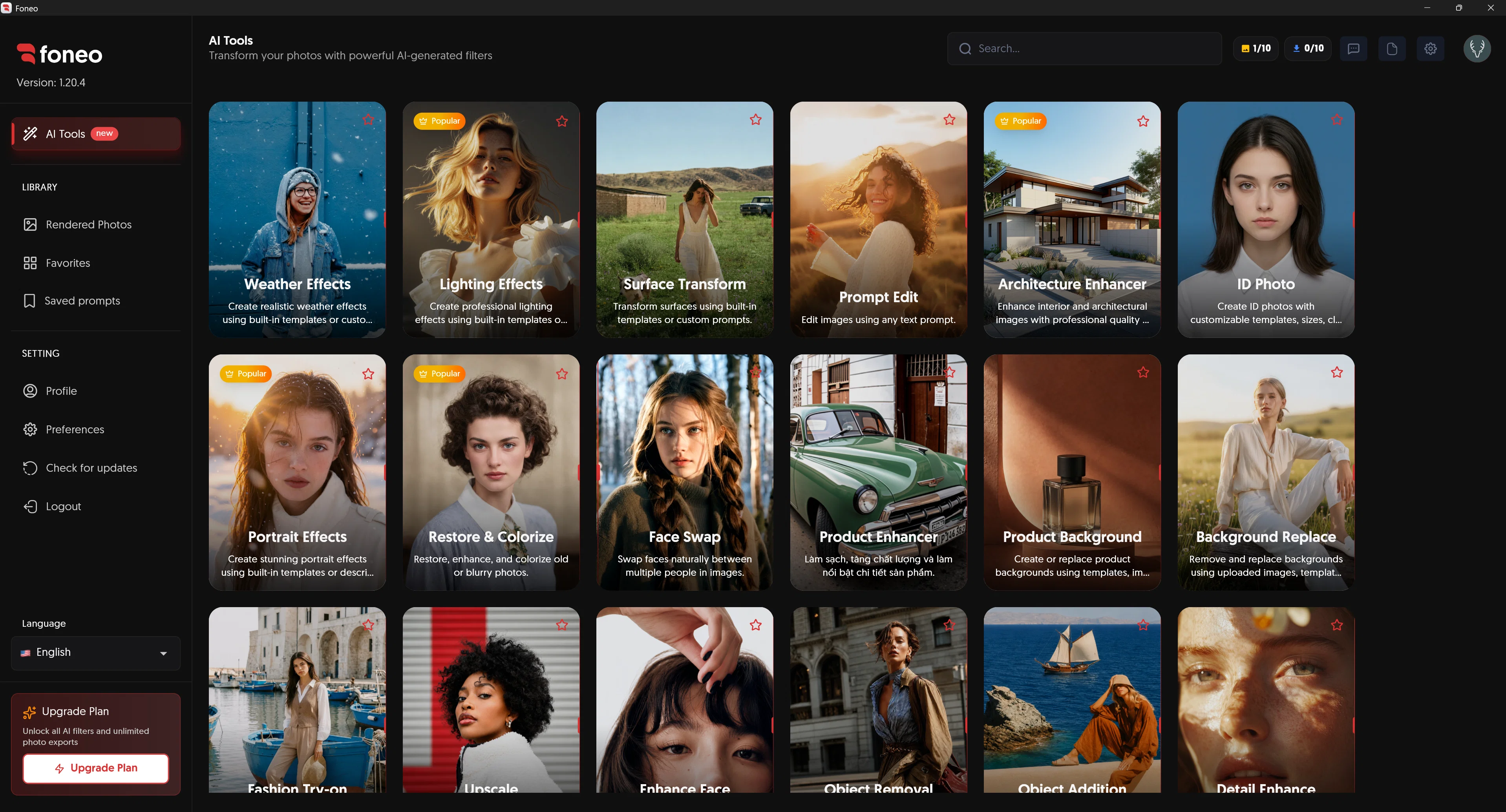
Access & connections
Where you can use Foneo, and what it plugs into.
Platforms
Integrations
Capabilities
What this tool accepts, produces, and is strongest at.
Input
- Image
Output
- Image
Pros & cons
Pros
- Bulk photo editing
- Cross-device compatibility
- Unlimited photo editing
- Lighting effects editing
- Surface transformation
- Architectural enhancement
- Face swapping
- Product enhancement
Show 33 more
- Background replacement
- ID photos customization
- Image upscaling
- Object addition/removal in images
- Text-prompted editing
- Cloud-based
- No export charges
- Works for professional/non-professional users
- Works for different photos genres
- No technical knowledge required
- Managed infrastructure
- Applicable for high volume images
- Customizable templates
- Enhances old or blurry photos
- Fashion try-on editing
- Detail enhancement
- Style transfer
- Makeup application
- Skin retouching
- Reflection removal
- Facial detail enhancement
- No complex setup
- One-click tools
- Weather effects creation
- Natural looking makeup
- Realistic skin smoothing
- No external APIs connection
- No private servers need
- Editable with custom prompts
- Change outfit options
- Image style transformation
- Natural face retouch
- Colorize old photos
Cons
- Limited tutorial resources
- No API connections
- Lack of platform integrations
- Unspecified processing speed
- Unable to handle RAW images
- Lack of advanced manual controls
- No standalone desktop application
- Limited language support
Show 1 more
- No free version available
Compare alternatives
Similar tools in the catalog — with a clear reason to open each one.

Viyou AI Image Generator ✓
FreemiumTransform text and images into stunning videos and visuals.
Free + from $39.99/yr
Full comparison
Img2Img AI ✓
FreemiumTransform any image with AI in seconds.
Why look Typically cheaper
Full comparison

Photoeditor ✓
PaidEnhanced image editing with object and text removal.
Why look Typically cheaper
Full comparison
Cleanup pictures ✓
FreemiumRemove unwanted elements from photos instantly.
Why look Typically cheaper
Full comparisonReleases 1
FAQ 12
What is Foneo?
What kind of photos can Foneo edit?
Who is Foneo designed for?
Can Foneo edit photos in bulk?
Is Foneo compatible with all devices?
Does Foneo offer unlimited photo editing?
What unique features does Foneo offer?
What functionality does Foneo have for lighting effects?
Can I swap faces using Foneo?
How can Foneo enhance product photos?
Does Foneo have a background replacement feature?
Can I create ID photos with Foneo?
Related tools
Recommended

AI Photo Editor Free ✓
Freemium3 free edits daily. No sign-up, no watermark.

VidLux – AI Image Generator & Editor ✓
FreemiumTransform any photo with AI, instantly.

Collart | AI Image to Image ✓
FreemiumTransform any image with AI style transfer.

ClearCrowds ✓
FreemiumAny photo. Fixed in one click.

CraftVis AI Image Editor & Generator ✓
Free TrialEdit images by just describing the change.

Vdoo AI | Image Editor ✓
Free TrialEdit photos with AI, free, fast, no watermark.