

Image editing 2026 Rank: #1095
AI Photo Editor Free ✓
3 free edits daily. No sign-up, no watermark.
Free + from $4.83/mo
Verdict
A quick read before you dig into the full page.
- Best if
- 3 free edits daily. No sign-up, no watermark
- Skip if
- Limited image generation models
- Pick this when
- Instant image editing
Considering Viyou AI Image Generator instead? Compare side by side
Overview
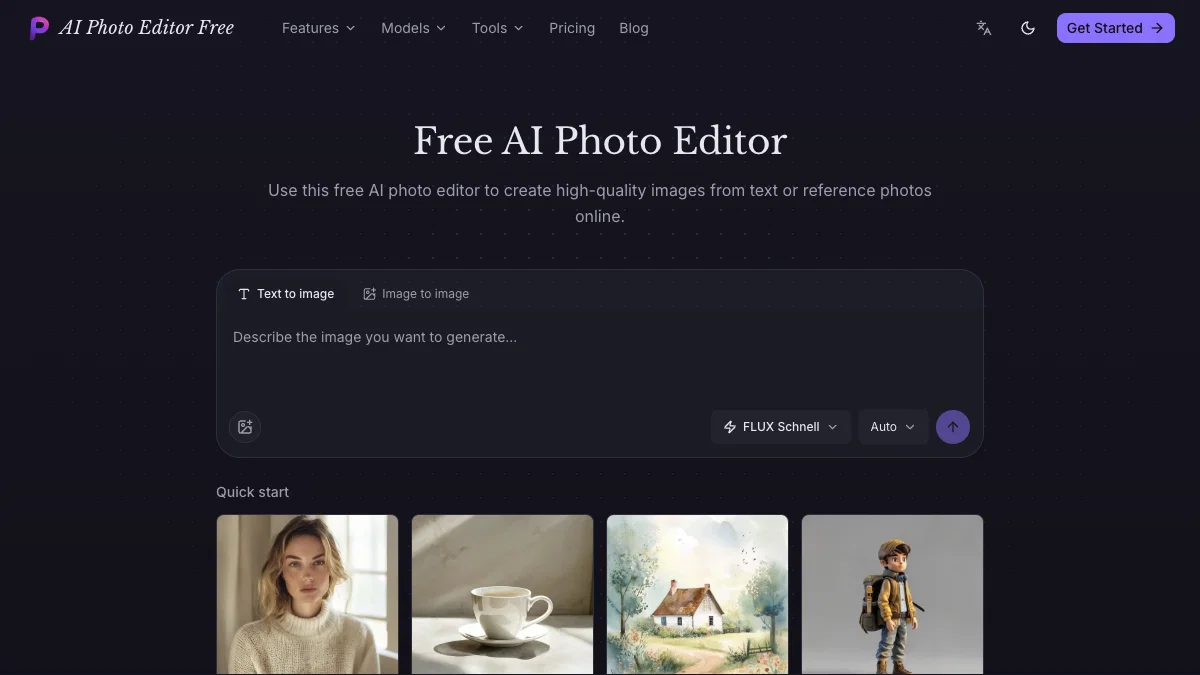
AI Photo Editor Free is a browser-based AI image editor for background removal, image enhancement, image expansion, and creative image generation. No sign-up is required.
The free plan includes 3 edits per day with no watermark; unlimited editing is available through a paid upgrade. Use it for quick edits online, then upgrade only if you need more capacity.
Access & connections
Where you can use AI Photo Editor Free.
Platforms
Capabilities
What this tool accepts, produces, and is strongest at.
Input
- Image
- Text
Output
- Image
Pros & cons
Pros
- Instant image editing
- No sign-up required
- No watermark inclusion
- Background removal feature
- Image upscaling feature
- Image expansion beyond original frame
- Transformation of photos into illustrations
- Private image library storage
Show 42 more
- Four image generation models
- Fast drafting capability
- Detailed scene creation
- Prompt-faithful illustration capability
- Product shot generation
- Precise layout generation
- Production layouts for multilingual text
- Realistic material rendering
- Efficient multi-reference edits
- Create images from text online
- Create images from reference photos online
- Built-in image generator
- Incidental creation of professional photography scenarios
- Graphical poster generation
- Perfect layout creation
- Image generation from real prompts
- In-browser operation
- Free to use
- Focused image editing tools
- PNG transparency support
- Image extension to new aspect ratio
- Photo-to-illustration style transformation
- Detailed scene generation
- Reference-guided image edits
- Prompt-faithful illustration creation
- Precise product shot creation
- Multilingual text support in layouts
- Realistic material rendering in design
- Multireference edit capability
- Prompt reuse from generator examples
- Creating dense infographic posters
- Single interface for multiple models
- Multi-image variation exploration
- Detailed model strength comparison
- Preview images in full size
- Realistic fabric and street texture rendering
- Vector style polished alignment in infographics
- Sophisticated design-magazine art direction
- Clear visual hierarchy in poster creation
- Engraved texture representation
- Soft shadow rendering in product shots
- Generate images from real prompts
Cons
- No offline functionality
- Inability to add watermarks
- No dedicated mobile app
- No integrated tutorial
- Limited image generation models
- No third-party integrations
- Lacks advanced editing tools
- No vector editing support
Show 2 more
- No image organization feature
- No collaborative functionality
Compare alternatives
Similar tools in the catalog — with a clear reason to open each one.

Viyou AI Image Generator ✓
FreemiumTransform text and images into stunning videos and visuals.
Free + from $39.99/yr
Full comparison
Img2Img AI ✓
FreemiumTransform any image with AI in seconds.
Why look Offers a public API
Full comparison

Photoeditor ✓
PaidEnhanced image editing with object and text removal.
from $9.99/mo
Full comparison
Cleanup pictures ✓
FreemiumRemove unwanted elements from photos instantly.
Why look Typically cheaper
Full comparisonReleases 1
Imported reviews 2
The free daily edits were enough for me to test the workflow before deciding whether I needed more. I especially liked having background removal, enhancement, and image expansion in one browser-based editor.
not free at all
FAQ 12
What is Free AI Photo Editor Online?
What features does the Free AI Photo Editor Online offer?
Do I need to sign-up to use the Free AI Photo Editor Online?
Does the Free AI Photo Editor Online add a watermark to edited images?
Can this tool remove the background from photos?
Can I upscale my images with the Free AI Photo Editor Online?
Does Free AI Photo Editor Online allow expansion of images beyond their original frame?
Can I transform my photos into illustrations with this tool?
Can I store my edited images in a private image library?
What are the four image generation models provided by the Free AI Photo Editor Online?
Can I generate images from text with this tool?
What does it mean that the program executes multi-reference edits?
Related tools
Recommended

GetLogit ✓
FreemiumArtificial intelligence, available for everyone.

ChatGPT ✓
FreemiumAsk anything, create anything, and move from idea to action.

freebeat AI ✓
FreemiumTurn Music & Ideas into Viral Videos In One Click

Pounce ✓
Free TrialGet real followers and engagement in minutes.

AirMusic ✓
Free TrialAI music generator and music video creator in one platform.

WebsitePublisher AI ✓
FreemiumYour AI builds a full app, right from your phone