

Excel Master ✓
Excel's AI assistant for expert formulas and VBA.
Trial; then from $15/mo
Verdict
A quick read before you dig into the full page.
- Best if
- You are excel professionals and need: Automating repetitive Excel tasks
- Skip if
- Specifically for complex tasks
- Pick this when
- Handles complex Excel tasks
Considering Macabacus instead? Compare side by side
Overview
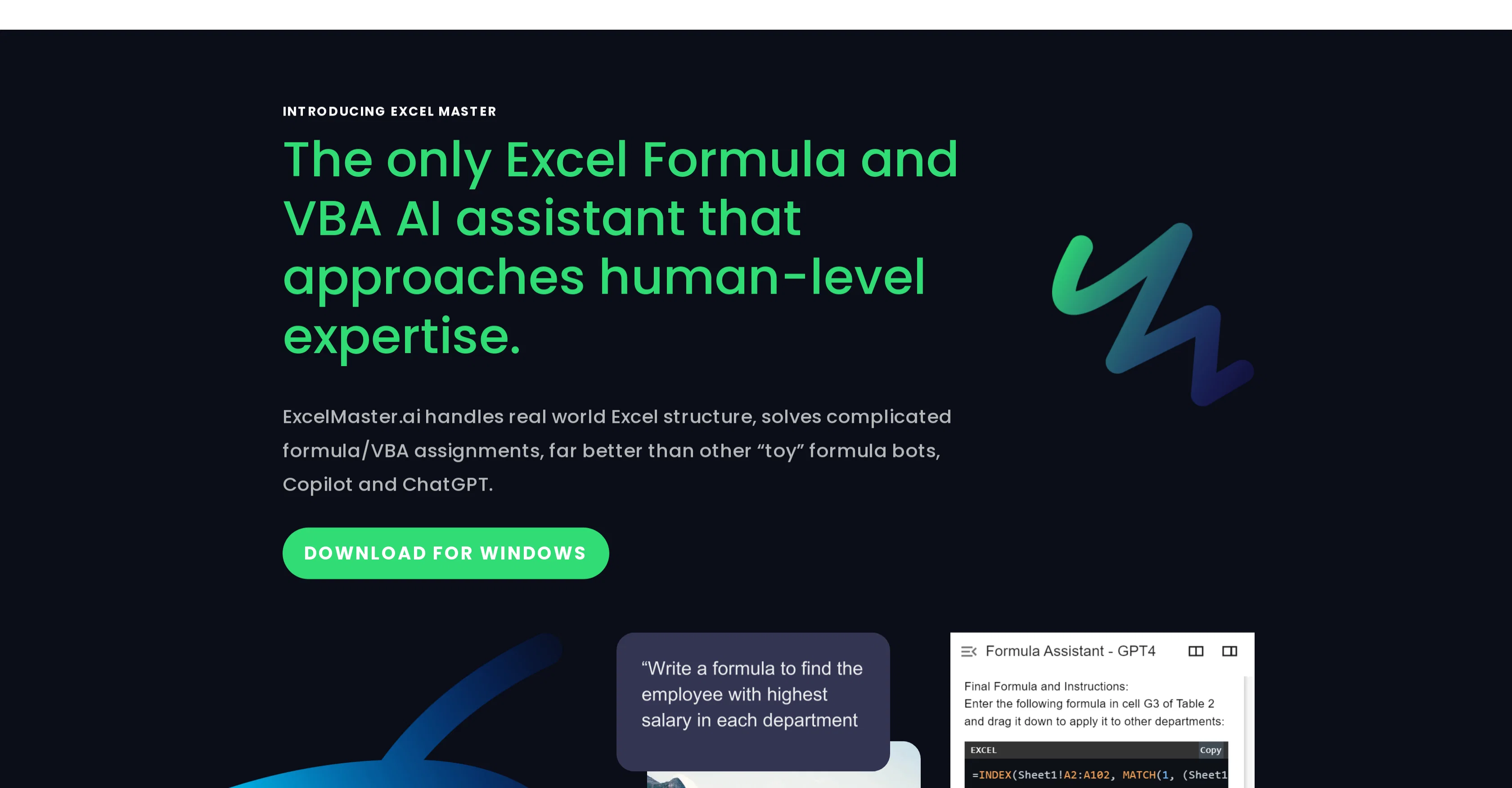
Excel Master is an Artificial Intelligence (AI) assistant focusing on Microsoft Excel, specifically around complex formulas and Visual Basic for Applications (VBA) tasks.
It provides functionality far beyond other similar programs available, offering a level of understanding that is comparable to a human expert on real-world Excel tasks.
The AI assistant is designed for complex Excel structures and tasks that require in-depth knowledge about Excel formulas and VBA. Employing advanced algorithms and the latest GPT-4 AI models, Excel Master achieves impressive proficiency in both formula and VBA code handling.
The tool fosters collaboration between the user and the AI, often solving even the most difficult problems within several rounds of conversation. It provides assistance in generating and fixing formulas, drafting and refining VBA scripts, explaining existing formulas, providing step-by-step Excel instructions and more.
Furthermore, it serves as an effective learning tool for users looking to improve their Excel formula and VBA coding skills, guiding them through real tasks.
This tool is also already preparing for more advanced future developments, including customized AI functions and data analysis capabilities. Excel Master assures user data security through local analysis of Excel structures and minimal required data transmission.
Best for
Short scenarios where Excel Master tends to shine.
-
Automating repetitive Excel tasks
Best for Excel professionals
-
Generating complex formulas across multiple sheets
Best for Financial analysts
-
Creating custom VBA code for specific Excel tasks
Best for Data analysts
-
Cleaning and transforming data within Excel
Best for Accountants
-
Extracting data from PDFs and importing into Excel
Best for Business analysts
-
Building financial models and automation features
Best for Researchers
Example outputs 1
Sample generations and before/after results for Excel Master.
Access & connections
Where you can use Excel Master, and what it plugs into.
Platforms
Integrations
Capabilities
What this tool accepts, produces, and is strongest at.
Input
- Text
Output
- Code
Pros & cons
Pros
- Handles complex Excel tasks
- In-depth knowledge of Excel formulas
- In-depth knowledge of VBA
- Uses advanced algorithms
- High proficiency in formula handling
- High proficiency in VBA code handling
- Excells at problem solving
- Generates and fixes formulas
Show 32 more
- Drafts and refines VBA scripts
- Explains existing formulas
- Provides step-by-step instructions
- Effective learning tool
- Guides users through real tasks
- Data analysis capabilities
- Ensures data security
- Local analysis of Excel structures
- Minimal required data transmission
- Better than other bots
- Helps in navigation of Excel
- Teaches Excel shortcuts
- Teaches best practices
- Helps with data visualization
- Understand users' assignment needs
- Explains complex formula
- Understands sheet structure
- Generates VBA scripts
- Refines VBA scripts
- Multi turn chats for accuracy
- Mapped to real-world tasks
- Accurate formula generation
- Accurate VBA generation
- Cost-effective plans
- Free trial available
- Strives for precision in tasks
- Superior accuracy over competitors
- Far better than Microsoft Copilot
- Assist in complex structure
- Unmatched performance
- Scales to more pro functionalities
- Proactive assistance
Cons
- Only for Excel
- Specifically for complex tasks
- May require multiple iterations
- Limited to formula and VBA
- Costly GPT-4 API use
- Subscription required
- Limited GPT-4 responses
- Data transmission required
Show 2 more
- Windows only
- No support for older Excel versions
Compare alternatives
Similar tools in the catalog — with a clear reason to open each one.

Macabacus ✓
Free TrialAI-Powered Workflows for Faster Financial Modeling and Deck Creation
Free + from $200/yr
Full comparison
RowSpeak ✓
FreemiumAI data analysis for messy spreadsheets and business files
Why look Typically cheaper
Full comparison
FreeOCR.AI ✓
FreemiumConvert document images into editable Word, Excel, and structured data.
Why look Typically cheaper
Full comparison
UAE SmartTaxReceipt ✓
Free TrialTurn scanned or normal PDF invoices into UAE FTA-ready Excel in minutes.
Why look Typically cheaper
Full comparison
2markdown ✓
FreemiumConvert anything to Markdown, instantly.
Why look Typically cheaper
Full comparison
Monkey Eating Mango ✓
FreemiumYour complete trip, planned in minutes.
Why look Typically cheaper
Full comparisonPeople also view
Tools that often show up alongside Excel Master in collections and comparisons.
RowSpeak ✓
FreemiumAI data analysis for messy spreadsheets and business files

ExcelDashboard AI ✓
Free TrialTransform Excel files into instant dashboards.

Excel Bot AI assistant ✓
PaidYour free AI assistant for Excel formulas

Chat4Data ✓
FreemiumGet Any Web Data You Like. Just Chat.
Macabacus ✓
Free TrialAI-Powered Workflows for Faster Financial Modeling and Deck Creation
Monkey Eating Mango ✓
FreemiumYour complete trip, planned in minutes.

Messy2Sheet ✓
Free TrialMessy file in. Clean sheet out.
FreeOCR.AI ✓
FreemiumConvert document images into editable Word, Excel, and structured data.
Releases 1
Imported reviews 2
I get this error every time:
Analyzing Excel file locally...
cannot unpack non-iterable int object
I paid for this software and it wont even work please swifty provide a fix.
Seems very different from other formula bots product, focusing professional Excel users. Worth trying.
FAQ 12
What is Excel Master?
How is Excel Master different from other AI assistants?
Why should I use Excel Master for handling complex Excel tasks?
How efficient is Excel Master in handling complex formulas and VBA tasks?
What AI models does Excel Master use?
How does Excel Master assist in fixing Excel formulas?
How does the AI tool assist in drafting and refining VBA scripts?
Can Excel Master provide step-by-step Excel instructions?
Can Excel Master serve as a learning tool?
Does Excel Master assure data security?
What features make Excel Master stand out from similar programs?
How does Excel Master handle user data security?
Related tools
Recommended

GPTExcel ✓
FreemiumGenerate spreadsheet formulas with AI

Mindsmith ✓
FreemiumPlatform for building and sharing eLearning content

PrometAI ✓
FreemiumTurn ideas into viable reality with AI business plan generator.

AI E-books ✓
FreemiumEasily generate e-books using advanced GPT models.

Marblism ✓
FreemiumAI Employees who Work for Your Business

Thunderbit ✓
FreemiumScrape leads & other data in just 2-clicks.