
Markdown 2026 Rank: #3004
2markdown ✓
Convert anything to Markdown, instantly.
Verdict
A quick read before you dig into the full page.
- Best if
- Convert anything to Markdown, instantly
- Skip if
- OCR capabilities in paid versions
- Pick this when
- Online browser-based suite
Considering MD Editor instead? Compare side by side
Overview

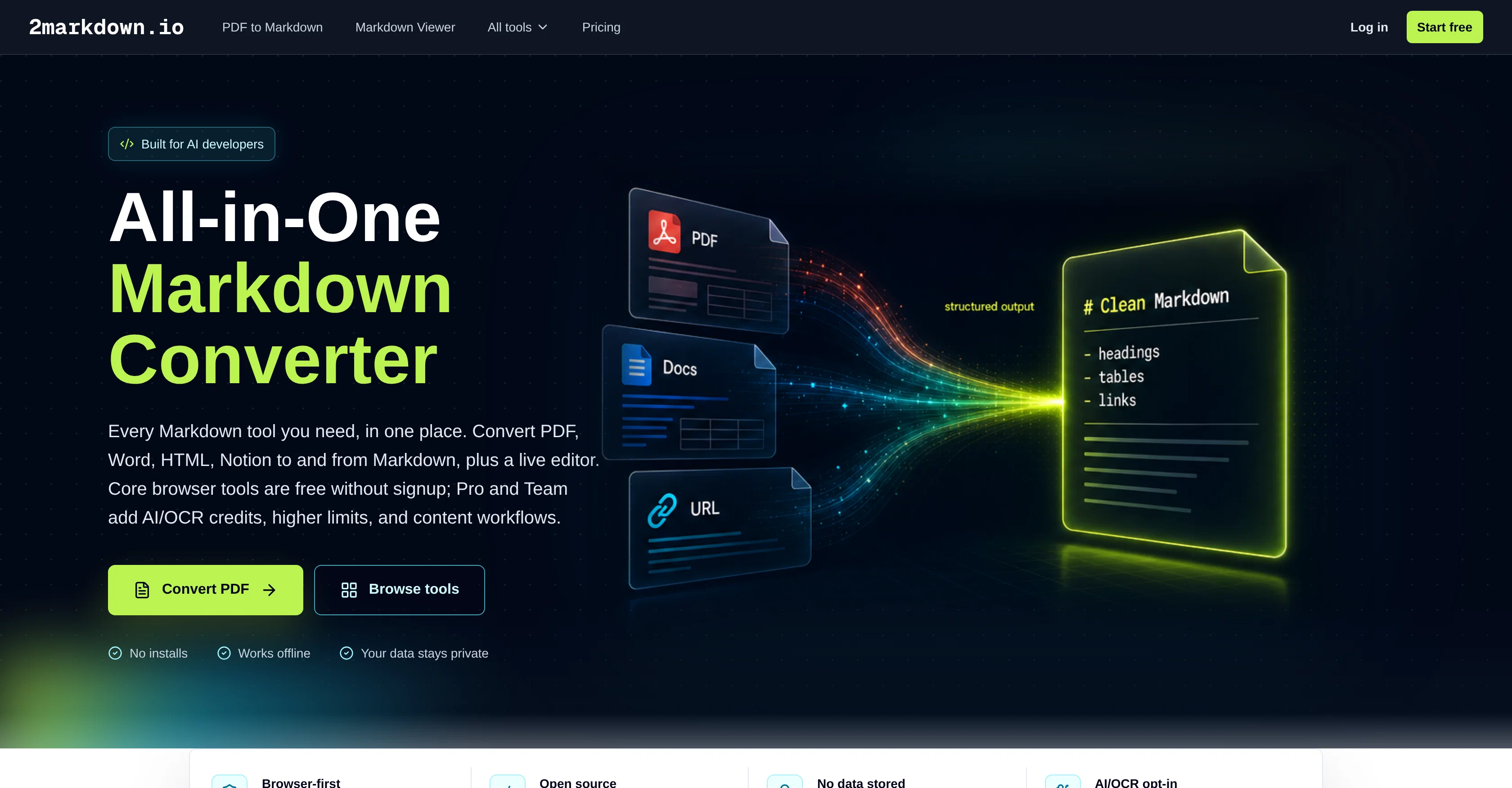
2markdown is an entirely online, browser-based suite of Markdown converters and utilities. Aimed at AI developers and users often working with AI, documentation, and content pipelines, the tool facilitates file conversion to and from the Markdown format.
Users can convert PDF, Word, HTML, Notion, and several other formats to Markdown, and vice versa. The tool also allows conversion to Markdown from CSV, Excel and JSON, among others.Moreover, users can perform web URL-to-markdown conversions and utilize CSV and JSON-to-Markdown conversion for data tables.
The tool also provides Markdown utility tools such as a Markdown viewer and converters for RTF to Markdown, Markdown to Confluence, and Markdown to Slack.Aside from file format conversion, 2markdown supports specific platform content conversions like WeChat to Markdown and Image to Markdown.
The core browser tools are free to use without signing up, while Pro and Team plans offer additional features like AI/OCR credits, higher usage limits, and content workflows.This tool also promotes privacy, stating that the user files remain on the device without data storage on their servers.
It also provides full control to the user on what gets processed by its conversion tools. To reassure users further, its operation does not demand software installation and can work offline.
Access & connections
Where you can use 2markdown, and what it plugs into.
Platforms
Capabilities
What this tool accepts, produces, and is strongest at.
Input
- Tabular
- Image
- Text
Output
- Text
Highlights
- No Signup
- Local
Supported features
- No Signup
- Runs Locally
Pros & cons
Pros
- Online browser-based suite
- Multiple format conversion
- Specific platform conversion
- CSV to Markdown
- Excel to Markdown
- JSON to Markdown
- RTF to Markdown
- Web URL to Markdown
Show 40 more
- WeChat to Markdown
- Image to Markdown
- No sign-up required
- Free core tools
- Pro and Team features
- Offline compatibility
- User-privacy focused
- PDF to Markdown
- Word to Markdown
- HTML to Markdown
- Notion to Markdown
- Markdown to Confluence
- Markdown to Slack
- No installation required
- Converting data tables
- Markdown utility tools
- Markdown viewer
- Efficient workflows
- Higher usage limits with plans
- Supports content pipelines
- Doesn't store data on servers
- Full user control
- Content-rich file conversion
- LaTeX to Markdown
- EPUB to Markdown
- Markdown to EPUB
- Markdown to Image
- Table to Markdown
- Markdown to CSV
- Markdown to Excel
- ChatGPT to Markdown
- Bilibili to Markdown
- Podcast to Markdown
- Xiaohongshu to Markdown
- Supports GitHub Flavored Markdown
- Supports CommonMark
- Markdown previewing
- Direct download after conversion
- Open source tool
- Markdown formatting review
Cons
- No mobile app
- Depends on Internet connection
- Browser based: memory heavy
- Lack of UI customization
- Not open-source
- No offline mode
- No batch processing feature
- Limited free tool usage
Show 2 more
- No built-in collaboration features
- OCR capabilities in paid versions
Compare alternatives
Similar tools in the catalog — with a clear reason to open each one.

MD Editor ✓
FreemiumAI-powered Markdown editor for tech writers
Why look Typically cheaper
Full comparison
PDF to Markdown - Markitdown ✓
FreemiumConvert any document to AI-ready Markdown instantly.
Free + from $9.9/mo
Full comparison
PDFtoMD Converter ✓
FreemiumTurn any PDF into clean Markdown instantly.
Free + from $15.9/mo
Full comparison

WebCrawler API ✓
Free TrialTurn docs and websites into clean markdown for AI agents
Why look Offers a public API
Full comparison
Cronloop ✓
FreemiumAI agents that run on a schedule, with memory.
Why look Offers a public API
Full comparisonReleases 1
Imported reviews 1
What is markdown?
FAQ 12
What types of files can 2markdown convert to Markdown?
What is the benefit of using 2markdown for AI developers?
Does 2markdown require any installation or signup?
What are the specific features offered under the Pro and Team plans of 2markdown?
Which content platforms can 2markdown convert to Markdown?
Is it possible to convert CSV, Excel and JSON files to Markdown using 2markdown?
How does 2markdown prioritize user privacy?
What is the scope of offline usage with 2markdown?
Does 2markdown support URL to Markdown conversions?
How can I use the 2markdown viewer?
How do the Markdown to Confluence and Markdown to Slack converters work?
What is the process of converting WeChat and image content to Markdown using 2markdown?
Related tools
Recommended

MagicSlides.app AI PPT Maker ✓
FreemiumCreate Stunning PPTs in Seconds with the AI PPT Maker

GetLogit ✓
FreemiumArtificial intelligence, available for everyone.

ChatGPT ✓
FreemiumAsk anything, create anything, and move from idea to action.

Automateed ✓
Free TrialCreate eBooks effortlessly with Automateed, the AI-powered writing tool.

Kin - Personal AI Advisors ✓
FreePrivacy-first & designed your for mind, and life at work

Aiter.io | Paste a URL. Ship a Campaign That Sounds L... ✓
FreemiumAI marketing that sounds like you, not everyone else.