

Evoto ✓
AI photo editing for faster culling, retouching, and batch workflows.
Free + from $9.9
Verdict
A quick read before you dig into the full page.
- Best if
- You are headshot photographers and need: Retouching portraits
- Skip if
- No text editing tools
- Pick this when
- Simplified photo editing
Considering Viyou AI Image Generator instead? Compare side by side
Overview
Key features:
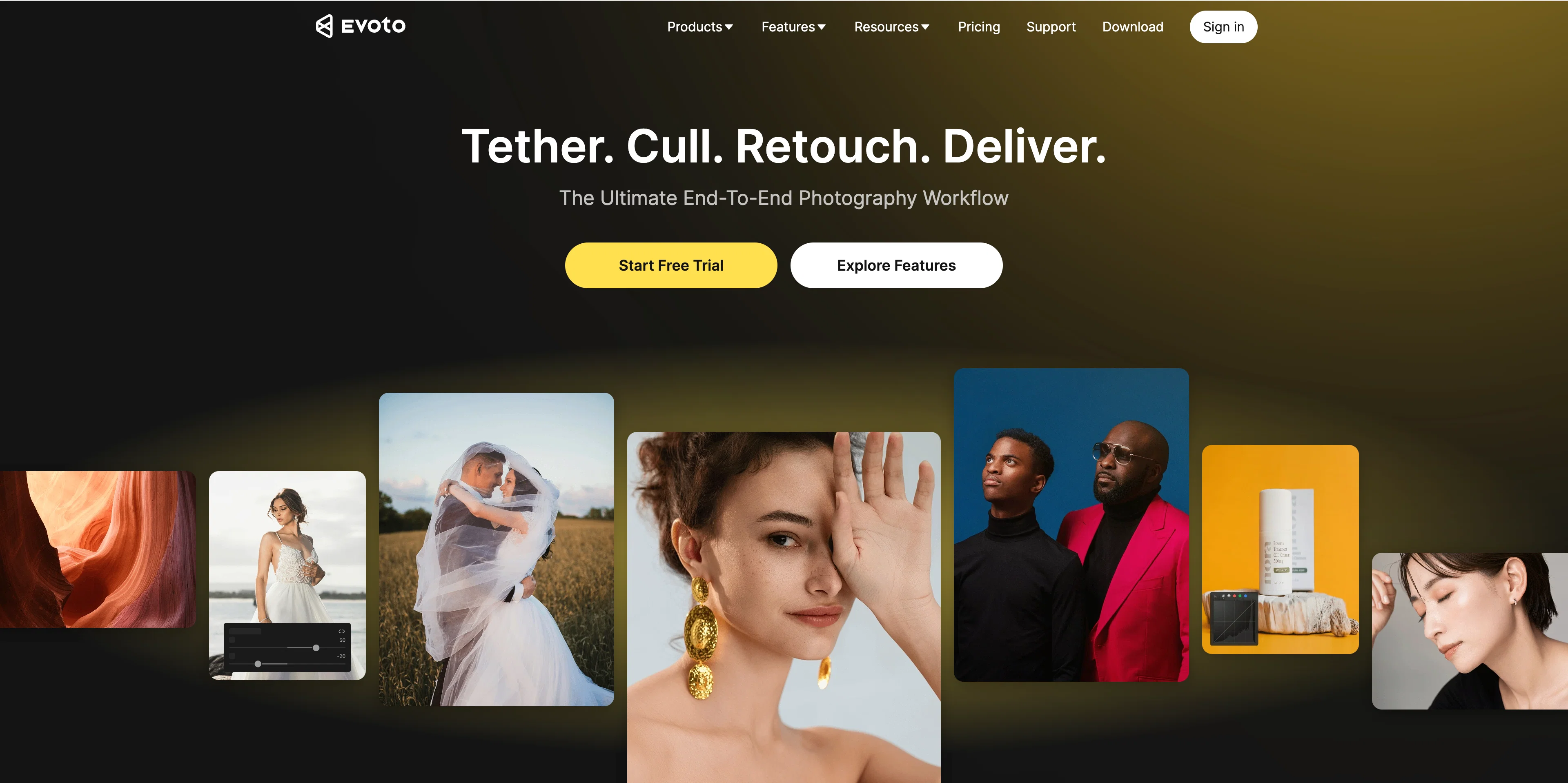
AI Photo Culling — Automatically detects blur, exposure issues, and duplicates to surface only the best shots from large batches
Portrait Retouching — Per-face AI retouching for skin smoothing, blemish removal, eye whitening, and stray hair elimination, while preserving natural skin texture
Color Grading — Batch color editing with preset support, including Lightroom preset import for consistent style across full shoots
Background Removal & Replacement — Precise AI-powered background editing applied across entire sets in one pass
Batch Processing — Multithreaded processing handles thousands of images simultaneously, with hot folder automation for import and export
Gallery Sharing — Instant branded client galleries for seamless delivery and download
Available on: Desktop (Windows & Mac), iPad, Mobile, and Evoto Instant for on-location tethered shooting workflows.
Evoto reduces post-production time by up to 85%, helping photographers take on more clients, deliver faster, and focus on shooting — not editing. Trusted by 1M+ photographers across 100+ countries.
- Transparent Background
- Upscale And Enhance 4k+
- Old Photo Restoration
- Object Remover
- Add Shadow To Image
Best for
Short scenarios where Evoto tends to shine.
-
Retouching portraits
Best for Headshot photographers
-
Adjusting colors and tones
Best for Wedding photographers
-
Replacing backgrounds
Best for Fashion photographers
-
Batch editing large photo albums
Best for Portrait photographers
-
Tethered shooting for real-time editing
Best for Photography studios
Example outputs 1
Sample generations and before/after results for Evoto.
Access & connections
Where you can use Evoto.
Capabilities
What this tool accepts, produces, and is strongest at.
Input
- Image
Output
- Image
Supported features
- Outpainting
- Inpainting
Pros & cons
Pros
- Simplified photo editing
- Streamlines editing workflow
- Eliminates repetitive tasks
- Cutting-edge effects
- Face, gender, age detection
- Touch up for diverse skin
- Face sculpting tools
- Body reshaping tools
Show 25 more
- Digital makeup options
- Advanced color editing
- Exposure control
- Background adjustments
- White balance adjustment
- Color correction settings
- Accurate sky replacement
- Effortless background change
- Removal of backgrounds
- Designer-built presets
- Save and share presets
- Batch processing capabilities
- Edit multiple photos simultaneously
- Real-time updates on latest techniques
- Seamless collaboration
- High-speed processing (1000 photos/2mins)
- Free trial available
- Raw files processing
- Live preview of edits
- Creation of natural skin tones
- Clean backdrop creation
- Customizable presets
- Bulk editing
- MacOS and Windows compatibility
- Responsive help and support
Cons
- No text editing tools
- Lacks vector editing features
- Doesn't support 3D editing
- Unspecified file format support
- No API for integration
Compare alternatives
Similar tools in the catalog — with a clear reason to open each one.

Viyou AI Image Generator ✓
FreemiumTransform text and images into stunning videos and visuals.
Free + from $39.99/yr
Full comparison
Img2Img AI ✓
FreemiumTransform any image with AI in seconds.
Why look Typically cheaper
Full comparison
Photoeditor ✓
PaidEnhanced image editing with object and text removal.
from $9.99/mo
Full comparison
Cleanup pictures ✓
FreemiumRemove unwanted elements from photos instantly.
Why look Typically cheaper
Full comparisonPeople also view
Tools that often show up alongside Evoto in collections and comparisons.
Viyou AI Image Generator ✓
FreemiumTransform text and images into stunning videos and visuals.
Photoeditor ✓
PaidEnhanced image editing with object and text removal.
Img2Img AI ✓
FreemiumTransform any image with AI in seconds.

Creen AI ✓
Paid40+ AI models for video, image and art. Free, no sign-up.
Cleanup pictures ✓
FreemiumRemove unwanted elements from photos instantly.

MF0.ai ✓
PaidEvery top AI in one chat. Real memory. No subscription.

LineArt ✓
Free TrialTurn one photo into a whole coloring book.

Kyukoma ✓
Free TrialTurn your stories into manga pages with AI.
Releases 1
FAQ 12
What is Evoto?
What are the key features of Evoto?
How does Evoto's AI improve photo editing?
How does Evoto handle portrait retouching?
What advanced color editing features does Evoto have?
How does Evoto's background adjustment feature work?
What are the exclusive presets offered by Evoto?
What is Evoto's batch processing capability?
How does Evoto speed up the photo editing workflow?
Does Evoto offer realistic digital makeup options?
What are the face, gender, and age detection capabilities of Evoto?
What's the process for editing 1000 photos in two minutes with Evoto?
Related tools
Recommended

HeyPhoto ✓
FreemiumFree AI photo editor to change faces in clicks

Phot AI ✓
PaidTransform photos with AI-powered editing tools.

Deep Art Effects ✓
FreemiumEnhancing images with famous artistic styles.

ObjectRemover ✓
FreeAI-powered magic to remove unwanted objects from photos.

PhotoFairy ✓
FreemiumInfinite AI canvas for photo editing and design

ExtendImage ✓
Free TrialExtend images seamlessly with AI magic.