HeyPhoto ✓
Free AI photo editor to change faces in clicks
Free + from $9/mo
Verdict
A quick read before you dig into the full page.
- Best if
- You are casual users and need: Tune selfies and group photos
- Skip if
- Watermark on edited photos
- Pick this when
- Free online tool
Considering Viyou AI Image Generator instead? Compare side by side
Overview
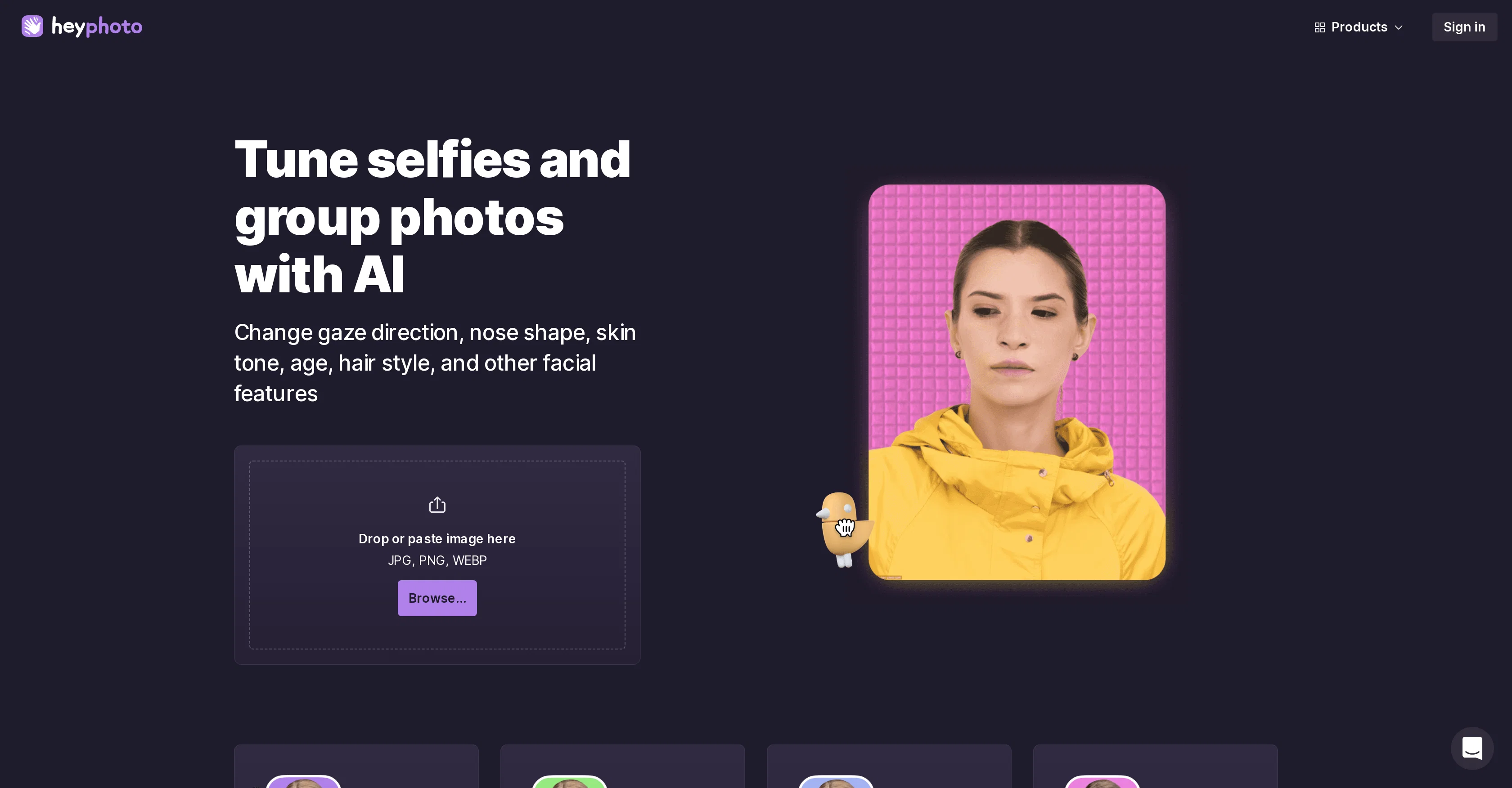
HeyPhoto is an online photo editor that utilizes artificial intelligence to modify elements in images. Its capabilities include editing facial attributes, such as changing hairstyles, adjusting emotions, applying makeup, and editing age.
The service is straightforward and does not require specialized skills for operation. It operates best with quality photos where faces are directly aimed at the camera.
The AI technology of HeyPhoto detects faces in uploaded images and modifies them based on the selected features by the user. This AI photo editor is considered perfect for tasks like fine-tuning selfies, group photos, changing gaze direction, skin tone, hairstyle, and other facial features.
It also offers an 'anonymizer' feature, primarily designed to help individuals protect their identity by becoming unrecognizable to face recognition systems.
HeyPhoto also allows users to generate photorealistic headshots with the 'Face Generator' feature. An added advantage of using the service is that it securely stores the uploaded images for quick access, with an option for the user to delete them anytime if they wish.
Best for
Short scenarios where HeyPhoto tends to shine.
-
Tune selfies and group photos
Best for Casual users
-
Anonymize faces for privacy
Best for Social media users
-
Experiment with different looks
Best for Hobbyist photographers
-
Improve portrait photos
Best for Anyone needing quick and easy face editing
Example outputs 1
Sample generations and before/after results for HeyPhoto.
Access & connections
Where you can use HeyPhoto.
Platforms
Capabilities
What this tool accepts, produces, and is strongest at.
Input
- Image
Output
- Image
Pros & cons
Pros
- Free online tool
- Easy face modifications
- Change hairstyles feature
- Emotion editing tool
- Makeup simulation
- Age editing feature
- Intuitive design
- Slight rotation acceptable
Show 37 more
- Supports photos up to 5MB
- Supports faces up to 1024x1024 pixels
- Change gaze direction feature
- Nose shape editing
- Skin tone adjustment
- Gender change feature
- Face reshaping feature
- Anonymous feature
- Face Generation feature
- Image secure storage
- User-controlled image deletion
- Photorealistic headshot generation
- Identity anonymization
- Headshot generation online
- Quality preserved in edited photos
- Watermark for promotion
- Straightforward operation
- Fine-tuning selfies tool
- Group photos editing
- Facial attributes editing
- Helps protect individual's identity
- Guarantees unrecognizability to face recognition systems
- Quick access to stored images
- Option to become invisible to face recognition systems
- Facial expressions adjustment tool
- Weight loss/gain simulation
- Facial makeover feature
- New hairstyles try feature
- Special skills not required for operation
- Privacy protection
- Generative media for identity protection
- Background removing feature
- Facial parameter customization
- Images quick access
- Selected tool-based image modifications
- Intuitive service
- Supports JPG, PNG, WEBP formats
Cons
- Watermark on edited photos
- Requires high-quality photos
- Limited to 5MB photos
- Only supports 1024x1024 faces
- No direct API access
- Lack of advanced features
- No mobile app provided
- Lack of offline capabilities
Show 2 more
- Limited image file types supported
- User identity anonymization untested
Compare alternatives
Similar tools in the catalog — with a clear reason to open each one.

Viyou AI Image Generator ✓
FreemiumTransform text and images into stunning videos and visuals.
Free + from $39.99/yr
Full comparison
Img2Img AI ✓
FreemiumTransform any image with AI in seconds.
Why look Typically cheaper
Full comparison

Photoeditor ✓
PaidEnhanced image editing with object and text removal.
from $9.99/mo
Full comparison
Cleanup pictures ✓
FreemiumRemove unwanted elements from photos instantly.
Why look Typically cheaper
Full comparisonPeople also view
Tools that often show up alongside HeyPhoto in collections and comparisons.
Cleanup pictures ✓
FreemiumRemove unwanted elements from photos instantly.

Deep Art Effects ✓
FreemiumEnhancing images with famous artistic styles.

Zawa AI | Brand Kit Generator & Editor ✓
FreemiumCreate logos, videos, and brand assets instantly.

SellerPic ✓
FreemiumSupercharge photos with AI, boost sales in minutes.

ProductShots ✓
FreemiumeCommerce product photography without studio or shoot.

ProductAI ✓
PaidAccurate on-brand AI Product Photos

Packify.ai ✓
FreemiumAI-powered packaging design in seconds.
insMind ✓
FreemiumBoost your product photos with our free AI photo editor.
Releases 1
Imported reviews 1
Would be nice to try some other feature without paying even if only 5 trys
FAQ 12
What is HeyPhoto?
How does HeyPhoto use AI in photo editing?
Is HeyPhoto free to use?
What image file types and sizes are supported by HeyPhoto?
Can I use HeyPhoto to change the age appearance in a photo?
How accurate is the face detection in HeyPhoto?
Does HeyPhoto maintain the quality of the original photo after editing?
Can I change my hairstyle using HeyPhoto?
What kinds of emotions can I modify with HeyPhoto?
Is there a privacy policy in place for photos I upload onto HeyPhoto?
Does HeyPhoto offer a feature to change skin tone?
How can I use HeyPhoto to change my nose shape?
Related tools
Recommended

Photo AI ✓
PaidCreate beautiful AI photos and videos of real people
Fixpix ✓
FreeAI-powered image processing for everyone

Phot AI ✓
PaidTransform photos with AI-powered editing tools.

Photoroom: AI Photo Editor ✓
FreemiumTransform your photos with Studio Editor

Stunning ✓
PaidBuild AI-powered websites in seconds

RestorePhotos ✓
PaidRestore old photos with AI magic