

DreamCut ✓
Edit videos effortlessly with AI in your browser
Free + from $14/mo
Verdict
A quick read before you dig into the full page.
- Best if
- Edit videos effortlessly with AI in your browser
- Skip if
- Browser-based may limit features
- Pick this when
- Browser-based
Considering CapCut Online Creative Suite instead? Compare side by side
Overview
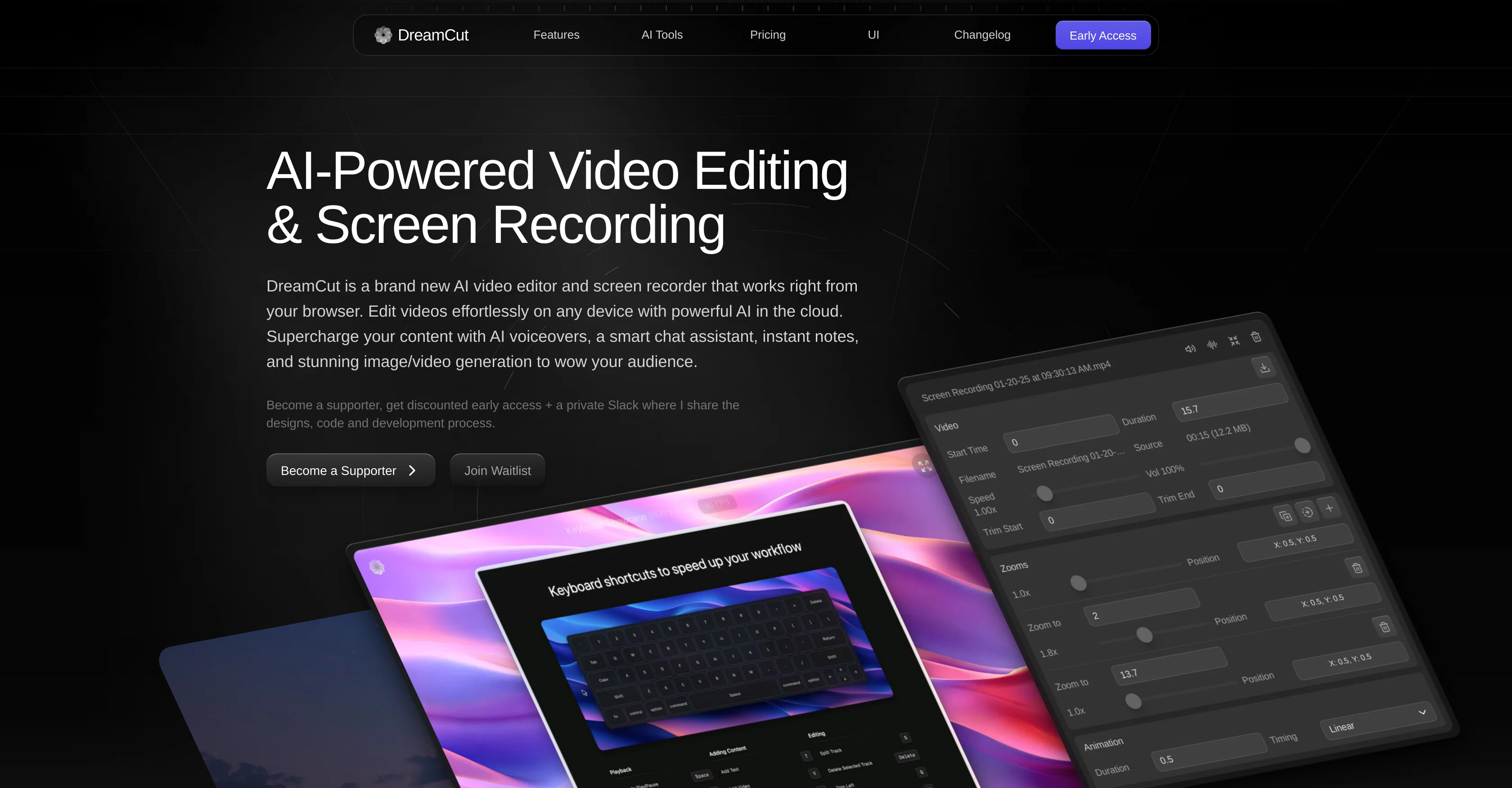
DreamCut is a browser-based AI-driven video editor and screen recording platform. The core advantage of this tool is it's device agnostic: can be used on any device with browser access, creating a seamless user experience.
Its core functionalities include AI-enabled video editing capabilities that allow for an effortless and intuitive editing process. It includes a platform for generating AI voiceovers, thus aiding users in creating engaging content.
Another feature includes the integration of a smart chat assistant, which can help users navigate through the site and provide guidelines for using the tool.
It extends its features to a facility for instant notes, thereby aiding in content organisation and recall. Furthermore, a unique feature in DreamCut is its stunning image/video generation utility, which can significantly enhance the visual appeal of produced content.
However, being a cloud-based tool, users should ensure they have reliable internet connectivity for effective use. Overall, DreamCut is a comprehensive tool suitable for anyone aiming to create and enhance digital content using AI technology.
Access & connections
Where you can use DreamCut.
Platforms
Capabilities
What this tool accepts, produces, and is strongest at.
Input
- Video
Output
- Audio
- Video
- Text
Pros & cons
Pros
- Browser-based
- Device agnostic
- Seamless user experience
- Smart chat assistant
- Content organisation tools
- Instant note feature
- Image/video generation utility
- Cloud-based
Show 8 more
- Effective digital content enhancement
- Intuitive interface
- Screen recording
- Enhanced visual appeal functionality
- Works effectively with stable internet
- In-browser editing process
- Supports content creation
- Aids in content recall
Cons
- Requires reliable internet connectivity
- Browser-based may limit features
- Potential data security concerns
- Limited offline functionality
- Usage may consume high bandwidth
- Dependent on browser's performance
- Potential delays with cloud processing
- Inability to handle heavy files
Show 1 more
- Chat assistant might not always understand complex inquiries
Compare alternatives
Similar tools in the catalog — with a clear reason to open each one.

CapCut Online Creative Suite ✓
FreemiumUnleash creativity with CapCut's all-in-one online suite
Free + from $28.5/mo
Full comparison
ClipFinder ✓
FreemiumTurn hours of streams and VODs into viral clips automatically.
Why look Offers a public API
Full comparison
Gling - AI Video Editing Software for YouTube ✓
FreemiumAI-powered video editing for YouTube creators.
Why look Typically cheaper
Full comparison
Captions ✓
PaidAI-powered creative studio for studio-grade videos.
Why look Typically cheaper
Full comparison

Releases 1
FAQ 12
What is DreamCut?
How does the AI-driven video editing feature of DreamCut work?
Can DreamCut be used on mobile devices?
Can DreamCut function without an internet connection?
What is the AI voiceover feature in DreamCut?
How can the smart chat assistant in DreamCut help me?
How does the content organisation feature in DreamCut work?
What is the image/video generation feature in DreamCut all about?
How does DreamCut enhance the visual appeal of produced content?
What are the basic system requirements to use DreamCut?
How does the screen recording feature work in DreamCut?
Does DreamCut offer any features for content recall?
Related tools
Recommended

Jumper ✓
FreemiumJump to the best parts of video editing.

Mosaic ✓
UnknownEdit videos in seconds with AI-powered natural language commands.

ElevenLabs ✓
FreemiumCreate lifelike AI voices for compelling storytelling.

AutoCut ✓
Free TrialAI-powered video editing for Premiere Pro.

Automateed ✓
Free TrialCreate eBooks effortlessly with Automateed, the AI-powered writing tool.

FetchFox ✓
FreemiumScrape any data from any website, with AI