AutoCut ✓
AI-powered video editing for Premiere Pro.
From $6.6/month ($79.0 billed )
Verdict
A quick read before you dig into the full page.
- Best if
- You are video editors and need: Remove silences from videos in seconds
- Skip if
- Inadequate handling of complex scenes
- Pick this when
- Adobe Premiere Pro integration
Considering CapCut Online Creative Suite instead? Compare side by side
Overview
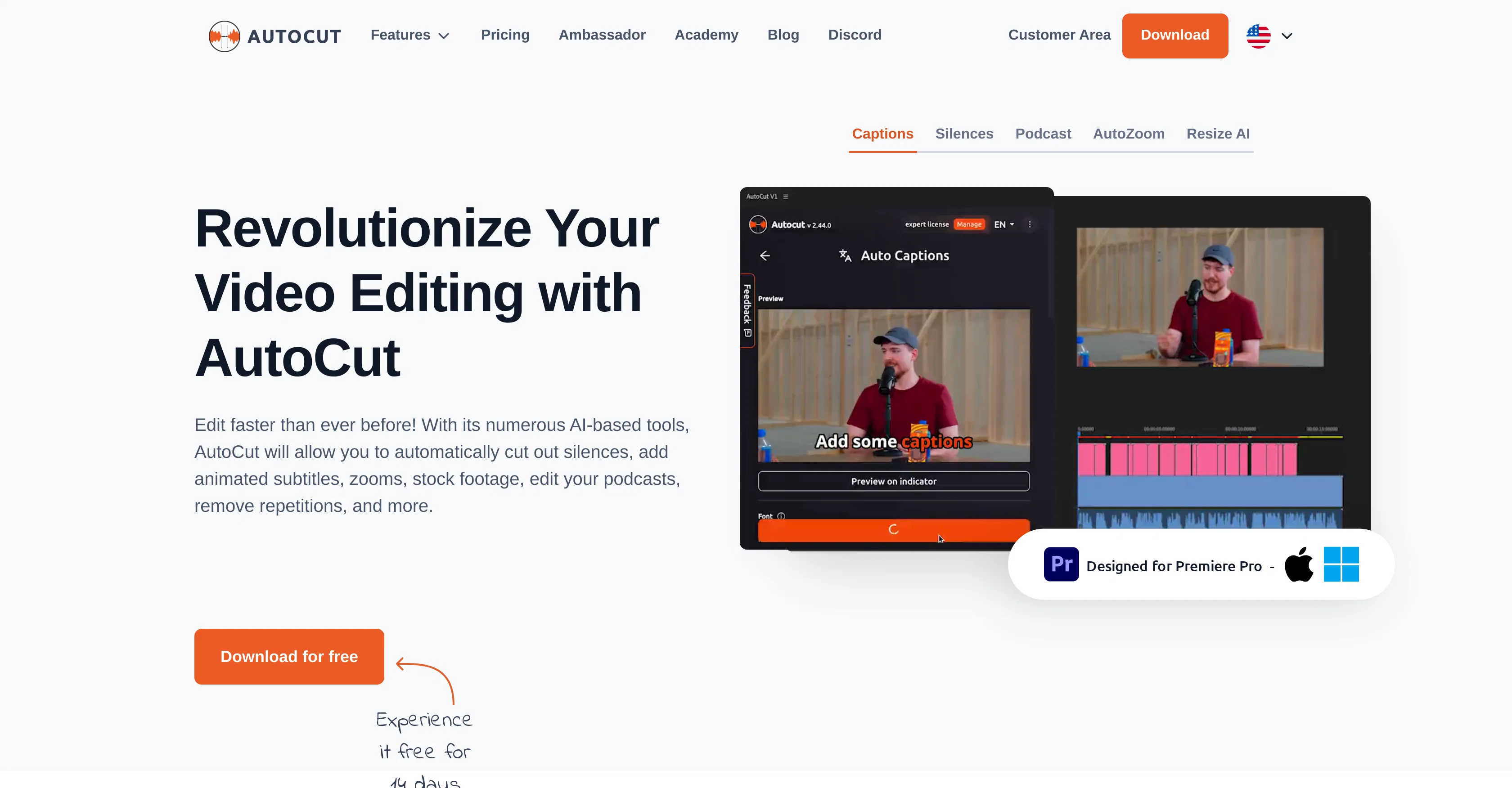
AutoCut is a robust plugin developed specifically for Adobe Premiere Pro to automate and streamline the video and podcast editing process. The tool intelligently applies various AI-based mechanisms such as removing silences to create a more fluid audiovisual experience, detecting repetitions and keeping only the best takes, applying automatic J-Cut & L-Cut edits, and automating the deployment of relevant B-roll footages.
Additionally, it enhances the interactive part of the content by adding animated subtitles that sync with the audio, thus, improving user engagement. The AutoCut tool also provides features like AutoResize and AutoZoom intended to improve the visibility and focus of the subject in the videos, thereby making the content more immersive.
Furthermore, it offers the AutoProfanity filter feature that automates the detection and masking of profanities in the videos dialogue, maintaining the integrity of the content.
Finally, it aids in the editing of podcasts, allowing the user to activate specific cameras based on the sound input from mirrored microphones. AutoCut's overall goal is to help the user manage zooms, animations, transitions, etc., making the video dynamic and captivating.
Best for
Short scenarios where AutoCut tends to shine.
-
Remove silences from videos in seconds.
Best for Video editors
-
Add animated subtitles to videos quickly.
Best for Podcast editors
-
Edit multicam podcasts in minutes.
Best for Content creators
-
Automatically add zooms to videos.
Best for Social media managers
-
Create viral shorts from long videos.
Best for Youtubers
Example outputs 1
Sample generations and before/after results for AutoCut.
Access & connections
Where you can use AutoCut.
Platforms
Capabilities
What this tool accepts, produces, and is strongest at.
Input
- Video
Output
- Video
Pros & cons
Pros
- Adobe Premiere Pro integration
- Automates video editing
- Streamlines podcast editing
- Automatic silence removal
- Detects repetitions
- Automated J-Cut & L-Cut edits
- B-roll footage deployment
- Adds animated subtitles
Show 38 more
- Syncs subtitles with audio
- Improves user engagement
- AutoResize feature
- AutoZoom feature
- Enhances video visibility
- Focuses on video subject
- Makes videos immersive
- AutoProfanity filter
- Automates profanity detection
- Masks profanities in dialogue
- Maintains content integrity
- Assists in camera activation
- Space management in videos
- Creates dynamic videos
- Automatic stock video addition
- Edits podcast visually
- Automatic dialogue sync
- Animated caption addition
- One-click subtitle transformation
- Automated silence detection
- Removes unwanted repetitions
- Automated social media formatting
- Automated video centering
- Profanity masking with effects
- Relevant B-Roll addition
- Satisfactory user reviews
- Over 10k+ satisfied users
- Over 30M Precision Cuts
- Auto-generated video sequences
- Free 14-days trial
- No credit card required
- Customer success support
- Fair subscription pricing
- Unlink key feature
- Single key multi-computer use
- Subscriptions cancellable at any time
- Single-click animated captions
- Customizable output formats
Cons
- Only for Adobe Premiere Pro
- Less effective indoor recording
- Possible over-cutting errors
- Subscription needed for all features
- Inadequate handling of complex scenes
- Prone to detecting false positives
- Limited language support on AutoCaptions
- Does not support Final Cut Pro or DaVinci Resolve
Show 2 more
- Animated subtitles may not align perfectly
- AutoZoom may lose focus on multiple subjects
Compare alternatives
Similar tools in the catalog — with a clear reason to open each one.

CapCut Online Creative Suite ✓
FreemiumUnleash creativity with CapCut's all-in-one online suite
Free + from $28.5/mo
Full comparison
ClipFinder ✓
FreemiumTurn hours of streams and VODs into viral clips automatically.
Why look Offers a public API
Full comparison
Gling - AI Video Editing Software for YouTube ✓
FreemiumAI-powered video editing for YouTube creators.
Free + from $10/mo
Full comparison
Captions ✓
PaidAI-powered creative studio for studio-grade videos.
Why look Offers a public API
Full comparison
Video to Video AI ✓
PaidTransform videos using simple text commands.
from $29.99/mo
Full comparison
Wondershare Filmora ✓
PaidEdit smarter, faster and easier with Filmora’s powerful AI video tools.
Why look Higher community rating
Full comparisonPeople also view
Tools that often show up alongside AutoCut in collections and comparisons.

VenturusAI ✓
FreemiumBusiness idea analysis and reporting.

VideoDubber ✓
FreemiumTranslate and dub videos, audios and subtitles with voice cloning and lipsync

Viddo AI ✓
PaidAll-in-one AI Video Generator

Topaz Video AI ✓
PaidCinematic superpowers: Ultra smooth, sharp, and steady.

Colourlab
PaidExpress yourself in the language of color with AI

AutoPod ✓
Free TrialAutomate video podcast editing in Premiere Pro
Wondershare Filmora ✓
PaidEdit smarter, faster and easier with Filmora’s powerful AI video tools.
Video to Video AI ✓
PaidTransform videos using simple text commands.
Releases 1
FAQ 12
How does AutoCut remove silences in video editing?
What is the function of AutoCut's repetition detection?
How does AutoCut integrate B-roll footages automatically?
In what way does AutoCut help improve user engagement?
How do the AutoResize and AutoZoom features work in AutoCut?
How does AutoCut detect and mask profanities in video dialogues?
What role does AutoCut have in podcast editing?
What platforms is AutoCut compatible with?
Can I cancel my AutoCut subscription at any time?
What are the main benefits of AutoCut?
How does AutoCut assist with creating dynamic and captivating videos?
Does AutoCut offer any trials?
Related tools
Recommended

Fineshare ✓
FreemiumAn online all-in-one AI voice generator for everyone

LearningStudioAI ✓
Free TrialAI-powered authoring tool for effortless online course creation.
VenturusAI ✓
FreemiumBusiness idea analysis and reporting.

IllumiChat ✓
FreemiumFrom Ticket Backlog to Instant Answers Powered by AI

Limecube ✓
FreemiumTransforming the way websites are created with AI.

Vmaker ✓
FreemiumTransform raw footage into pro videos with AI.