
Meeting notes 2026 Rank: #1727
Dragon Notes ✓
AI notes that remember who said what.
Trial; then from $1.99/mo
Verdict
A quick read before you dig into the full page.
- Best if
- AI notes that remember who said what
- Skip if
- Subscription model expensive
- Pick this when
- Immediate transcription conversion
Considering Mumble AI: Voice-first workspace for Mac & iOS instead? Compare side by side
Overview
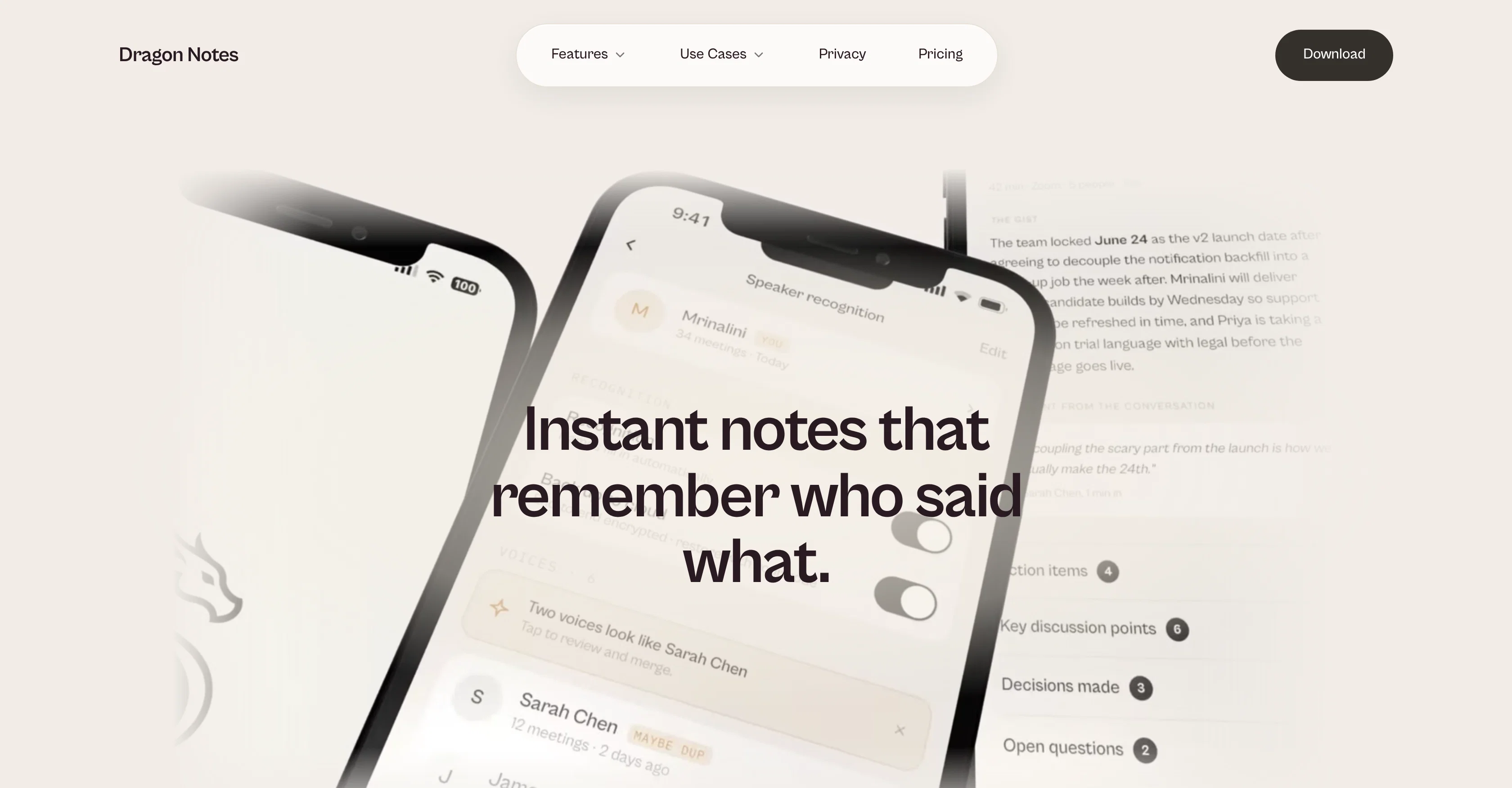
Dragon Notes is an AI tool designed to assist users in keeping a record of verbal conversations, meetings, calls, and appointments. The central feature of the application enables audio recording which is then immediately converted into a transcript, thereby facilitating focusing solely on the discussion at hand without the need to take manual notes.
These instantly generated notes can be accessed across various devices, including iOS, Android, macOS, and eventually Windows and Apple Watch. Network maps of conversations are created that recognize and remember context, relationships, and topics over time.
Moving beyond the traditional role of a note-taking tool, Dragon Notes positions itself as a memory companion that understands and recalls the broader picture of users' spoken world.
Furthermore, privacy is a significant consideration in the technology. Audio records remain on the device that captured them, encrypted notes synchronize to the user's account alone, and local processing can be opted for increased data protection.
While the technology is mobile-first, it enables cross-platform usage. Dragon Notes is equally useful in professional work settings, personal life exchanges, health-related appointments, and more.
The app is designed to support individuals with multiple conversations, like founders, managers, parents and others who consider their mind as the primary record of verbal interactions.
Access & connections
Where you can use Dragon Notes.
Capabilities
What this tool accepts, produces, and is strongest at.
Input
- Audio
Output
- Text
Pros & cons
Pros
- Immediate transcription conversion
- Accessible on various devices
- Network maps of conversations
- Understands context over time
- Data encryption for privacy
- Local processing option
- Cross-platform use
- Applicable to work and personal
Show 43 more
- Supports multiple conversation types
- Mobile-first technology
- Who said what feature
- Private by design
- Affordable subscription plan
- Remembers people and connections
- Tracks patterns across conversations
- Notes sync to account
- Transcript and summary output
- Instant note generation
- Supports iOS, Android, macOS
- Windows and Apple Watch support soon
- Useful for founders, managers, parents
- Helpful in healthcare appointments
- Local processing for data protection
- Meeting recorder and note-taker
- Facilitates focusing on conversations
- Memory companion feature
- Remembers context across conversations
- Recalls the broader picture
- Recognize and remember relationships
- Mapping spoken world context
- Searchable memory feature
- Understanding your people
- Professional and Personal Use
- Mind as primary record keeper
- Conversation analytics capability
- Transparent pricing model
- Privacy protection at core
- Designed for context-heavy lives
- Individual user account encryption
- Compatibility for health appointments
- Meeting-specific recall capabilities
- Seamless note-capturing experience
- Records verbal interactions
- Tool for life administration
- Instant note conversion
- Support for voice notes
- Remote work utility
- Meeting decision record
- Conversation context tracking
- On-device audio recording
- Encrypted note sync
Cons
- No live support
- Limited platform support
- Not fully voice-activated
- Lacks offline functionality
- Limited storage for free
- High accuracy required
- No multilingual support
- No collaboration feature
Show 2 more
- Subscription model expensive
- Windows version not yet available
Compare alternatives
Similar tools in the catalog — with a clear reason to open each one.

Mumble AI: Voice-first workspace for Mac & iOS ✓
FreemiumVoice-first AI workspace for meetings, notes, and dictation. Works offline.
Free + from $3/mo
Full comparison
Discord DiscMeet ✓
FreemiumDiscord voice transcription and note taking app for teams and DnD sessions
Why look Higher community rating
Full comparison
Discord NotesBot ✓
Free TrialRecord, Transcribe, and AI Summarize Discord Calls
Why look Higher community rating
Full comparison
TicNote Cloud ✓
FreemiumAI note taker for meetings and insights.
Free + from $6.58/mo
Full comparison
Granola ✓
FreemiumTransform raw meeting notes into brilliance
Why look Higher community rating
Full comparisonReleases 1
FAQ 12
What is Dragon Notes?
How does the transcription feature of Dragon Notes work?
Can I access the notes taken by Dragon Notes on different platforms?
What is the 'network maps' feature in Dragon Notes?
How does Dragon Notes ensure privacy?
Can Dragon Notes process the data locally?
Is Dragon Notes applicable in professional settings?
Can I use Dragon Notes during healthcare appointments?
Will Dragon Notes be helpful for managers and parents?
Can I use Dragon Notes on both iOS and Android?
Is Dragon Notes available for macOS and Windows?
Who is the intended audience for Dragon Notes?
Related tools
Recommended

GetLogit ✓
FreemiumArtificial intelligence, available for everyone.

ChatGPT ✓
FreemiumAsk anything, create anything, and move from idea to action.

freebeat AI ✓
FreemiumTurn Music & Ideas into Viral Videos In One Click

Pounce ✓
Free TrialGet real followers and engagement in minutes.

AirMusic ✓
Free TrialAI music generator and music video creator in one platform.

WebsitePublisher AI ✓
FreemiumYour AI builds a full app, right from your phone