
Chillin ✓
Create amazing videos with AI-powered editing
Free + from $9/mo
Verdict
A quick read before you dig into the full page.
- Best if
- You are video editors and need: Creating engaging short videos for social media
- Skip if
- Complex animations may intimidate users
- Pick this when
- Watermark-free videos
Considering CapCut Online Creative Suite instead? Compare side by side
Overview
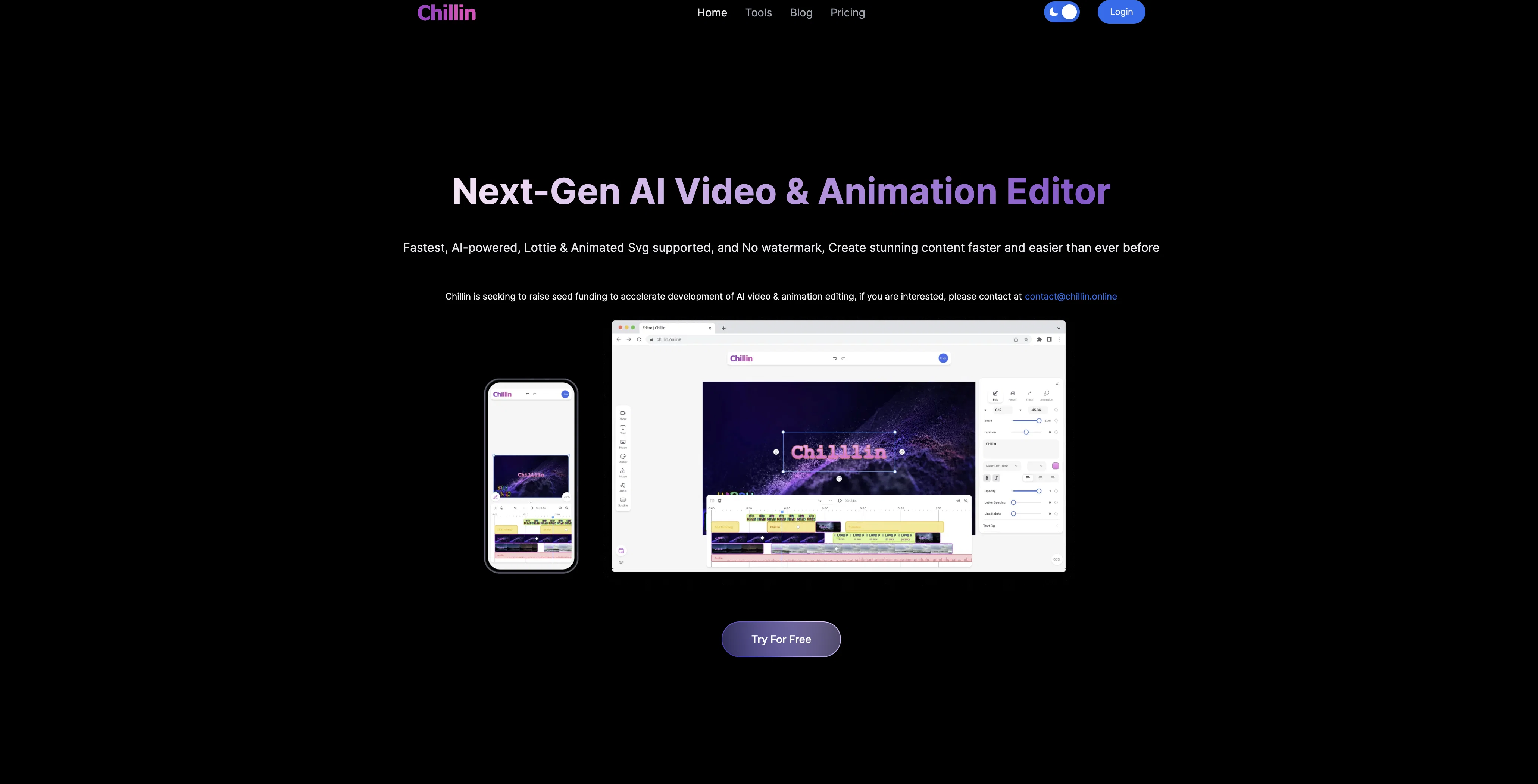
Chillin is an AI-powered online video editor that allows users to create high-quality videos. Without watermarks, it offers a platform for generating professional videos up to 4k 60fps on desktop and 1080p60fps on mobile.
The video exporting speed is faster compared to other online editors, with support for resizing at various resolutions, ratios, and frames per second.
Chillin features a user-friendly interface implementing complex animations, effects, keyframes, transitions, and its powerful timeline assures lag-free movements, zooms, rotations, and timeline dragging.
The AI-driven capabilities extend to automated generation of captions for video or audio in more than 100 languages, and addition of caption animations to videos.
Users have the option of exporting captions as 'srt' files. For an enhanced editing experience, Chillin provides light and dark modes, and supports multiple languages.
The tool further supplements the users' workflows with design-oriented aids such as image compression, GIF compression, video format conversion, and conversion from video to GIF.
Best for
Short scenarios where Chillin tends to shine.
-
Creating engaging short videos for social media
Best for Video editors
-
Generating AI-powered captions for videos in multiple languages
Best for Content creators
-
Removing backgrounds from images for professional use
Best for Social media managers
-
Creating animated explainers with Lottie and SVG
Best for Marketing professionals
-
AI video SaaS, video marketing, and content creation
Best for Animators
Example outputs 1
Sample generations and before/after results for Chillin.
Access & connections
Where you can use Chillin.
Platforms
Capabilities
What this tool accepts, produces, and is strongest at.
Input
- Video
Output
- Video
Pros & cons
Pros
- Watermark-free videos
- Supports 4k 60fps desktop
- 1080p60fps on mobile
- Fast video exporting
- Resizing at various resolutions
- Complex animations implementation
- Keyframes support
- Allows transitions
Show 21 more
- Lag-free interface
- Supports zooms and rotations
- Timeline dragging feature
- 100+ languages caption generation
- Exports captions as srt
- Caption animations feature
- Light and dark modes
- Multi-language support
- Image compression tool
- GIF compression tool
- Video format conversion
- Converts video to GIF
- Professional video quality
- Interactive user interface
- Speeds 3 times faster
- Preview via powerful timeline
- Undo/redo functions
- Integrated workflow tools
- Desktop and mobile compatible
- Supports different ratios, fps
- Text to speech capability
Cons
- Desktop limited to 4k 60fps
- Mobile limited to 1080p60fps
- Complex animations may intimidate users
- No live chat support
- Undefined pricing structure
- Support for 100+ languages may lead to inaccurate translations
- Dependent on internet connection
- Automated captions may contain errors
Show 2 more
- No offline functionality
- Potential privacy concerns for user data
Compare alternatives
Similar tools in the catalog — with a clear reason to open each one.

CapCut Online Creative Suite ✓
FreemiumUnleash creativity with CapCut's all-in-one online suite
Free + from $28.5/mo
Full comparison
ClipFinder ✓
FreemiumTurn hours of streams and VODs into viral clips automatically.
Why look Offers a public API
Full comparison
Gling - AI Video Editing Software for YouTube ✓
FreemiumAI-powered video editing for YouTube creators.
Free + from $10/mo
Full comparison
Captions ✓
PaidAI-powered creative studio for studio-grade videos.
Why look Offers a public API
Full comparisonPeople also view
Tools that often show up alongside Chillin in collections and comparisons.

Wondershare Filmora ✓
PaidEdit smarter, faster and easier with Filmora’s powerful AI video tools.

Video to Video AI ✓
PaidTransform videos using simple text commands.
Gling - AI Video Editing Software for YouTube ✓
FreemiumAI-powered video editing for YouTube creators.
ClipFinder ✓
FreemiumTurn hours of streams and VODs into viral clips automatically.
Captions ✓
PaidAI-powered creative studio for studio-grade videos.
CapCut Online Creative Suite ✓
FreemiumUnleash creativity with CapCut's all-in-one online suite

MF0.ai ✓
PaidEvery top AI in one chat. Real memory. No subscription.

DraftReel ✓
Free TrialOne click. Complete short-form video package.
Releases 1
FAQ 12
What is Chillin?
What resolution can I export videos in using Chillin?
Can I use Chillin on mobile devices?
Is the video exporting speed faster than other online video editors?
Can Chillin create custom animations?
How does Chillin's interface handle zooms and rotations?
How does Chillin use AI?
Can Chillin automatically generate captions for videos?
What languages does Chillin's automated caption feature support?
Can I export captions as 'srt' files from Chillin?
Does Chillin offer both light and dark modes?
What workflow tools does Chillin provide?
Related tools
Recommended

Snapy AI ✓
FreemiumAuto-edit videos into shorts with AI prompts.

AutoClipper ✓
FreemiumWith AutoClipper you can produce clips at scale every day.

Vmaker ✓
FreemiumTransform raw footage into pro videos with AI.

HitPaw Edimakor ✓
FreemiumAI-powered video editing made easy.

2short ✓
FreemiumAI-powered YouTube Shorts generator for 10X faster growth.

Ideamap - Brainstorm and Mindmap AI ✓
FreemiumBoost your creativity with AI-powered brainstorming.