

Canva's Magic Insights ✓
Get quick AI insights from your data.
Free + from $100/yr
Verdict
A quick read before you dig into the full page.
- Best if
- Get quick AI insights from your data
- Skip if
- Doesn't support complex statistical analysis
- Pick this when
- Discover patterns and trends
Considering Grapha AI instead? Compare side by side
Overview
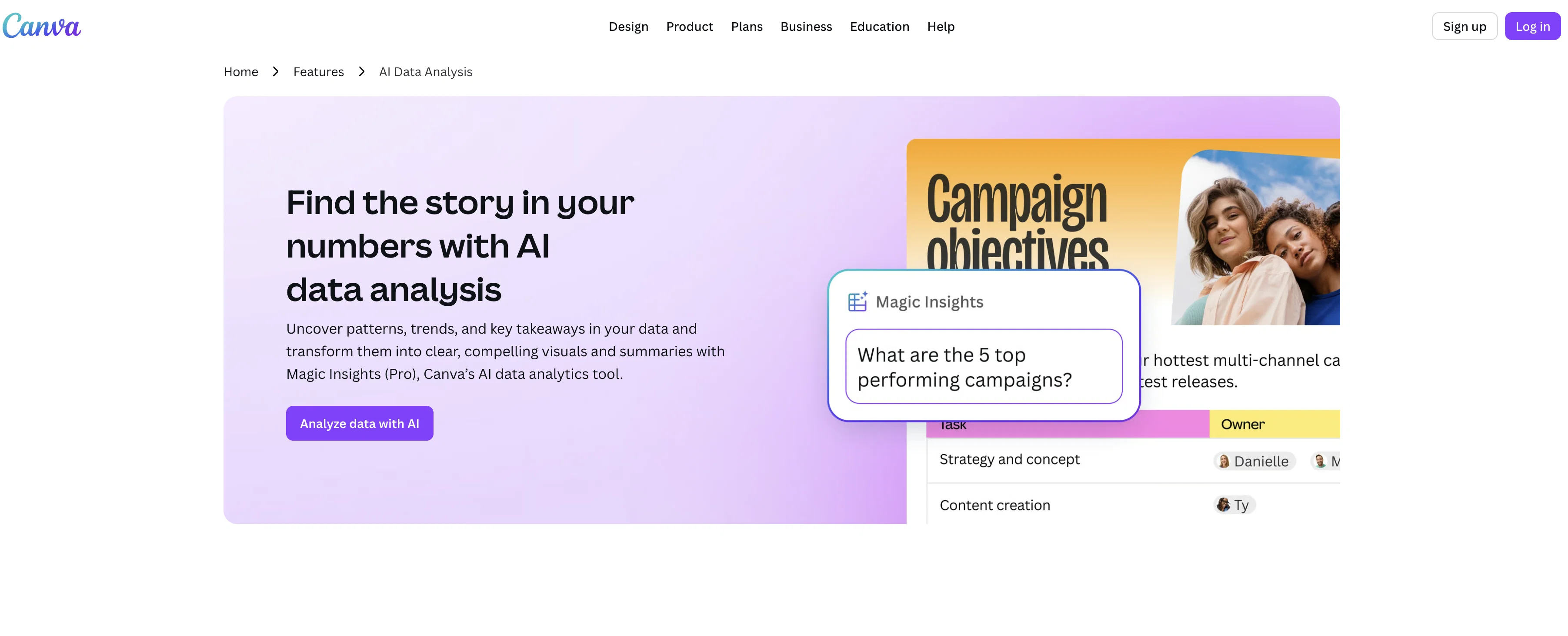
Magic Insights is Canva's AI-driven data analysis tool. It is designed for discovering patterns and trends in data, and transforming them into digestible summaries and visually compelling graphics.
Magic Insights equips users with the capability to interpret their logged data without the need for manual perusal or in-depth statistical knowledge. The tool automatically scans respective data for meaningful insights, significantly reducing the time one might ordinarily dedicate to data interpretation.
Moreover, it enables users to query their data in plain language and provides insights within seconds. In addition to data analysis, Magic Insights generates instant charts that effectively communicate data stories, which can be integrated seamlessly into any Canva design or layout.
This can be beneficial for various applications, including presentations and social posts with a data-driven focus. Besides data analysis, users can also locate suitable formulas for their calculations using Magic Formulas, and have the option to transform raw data into visually appealing charts with Magic Charts.
The tool is also easy to operate, with multiple practical features such as data set selection, AI-powered insight generation and a feature to directly apply the insights to users' designs.
Access & connections
Where you can use Canva's Magic Insights, and what it plugs into.
Platforms
Integrations
Capabilities
What this tool accepts, produces, and is strongest at.
Input
- Tabular
Output
- Text
Pros & cons
Pros
- Discover patterns and trends
- Transform data into graphics
- Automatically scans for insights
- Significantly reduces data interpretation time
- Plain language data query
- Provides insights within seconds
- Generates instant charts
- Charts integrate with Canva designs
Show 26 more
- Applicable to presentations and social posts
- Magic Formulas locate suitable calculations
- Transform raw data into visuals
- Easy to operate
- Multiple practical features
- Ability to select data sets
- Directly apply insights to designs
- Instant charting
- Data-driven design
- Fast insight generation
- Canva Integration
- Data set selection
- Sheet or any other design integration
- Add charts to sheets
- Present summaries with key takeaways
- Can import data from third-party apps
- Copy and paste insights into designs
- Generate insights and charts simultaneously
- Suitable for multiple functions
- Option to instantly add chart to sheet
- Online data analysis
- Single question computation with Magic Formulas
- Customizable data visualizations
- Sheet upload from device or apps
- Interactive visuals creation
- App with Magic Formulas
Cons
- Limited to Canva integration
- Requires data set selection
- Dependent on plain language queries
- Doesn't support complex statistical analysis
- Browser compatibility issues
- Limited free usage credits
- Limited third-party app imports
- Limited chart customization
Show 2 more
- Imprecise formula recommendation
- Data insights specific to design
Compare alternatives
Similar tools in the catalog — with a clear reason to open each one.

Grapha AI ✓
PaidUncover hidden trends and patterns in your data effortlessly.
from $150
Full comparison
DataSquirrel ✓
FreemiumData cleaning & visualization for insights gained.
Why look Typically cheaper
Full comparison
Breadcrumb ✓
FreemiumAutomate data work and reporting with AI Agents. No data|coding skills required.
Why look Typically cheaper
Full comparison
Anomaly AI ✓
FreemiumAI data analysis workspace for business datasets and reports.
Why look Typically cheaper
Full comparison

ChartPixel ✓
FreemiumAI-assisted graphs and insights in 30 seconds!
Why look Typically cheaper
Full comparisonReleases 1
FAQ 12
What is Canva's Magic Insights?
What does Magic Insights do?
How does Magic Insights discover patterns in data?
Can I use Magic Insights without in-depth statistical knowledge?
How does Magic Insights reduce time for data interpretation?
How can I query my data using Magic Insights?
What type of charts does Magic Insights generate?
How can Magic Insights be integrated with other Canva designs?
Can I use Magic Insights for presentations and social posts?
What is the role of Magic Formulas in Magic Insights?
How can I create visually appealing charts with Magic Insights?
What are some practical features of Magic Insights?
Related tools
Recommended

Cursor ✓
FreemiumAI-powered IDE for faster coding

WebsitePublisher AI ✓
FreemiumYour AI builds a full app, right from your phone

VenturusAI ✓
FreemiumBusiness idea analysis and reporting.

Stunning ✓
PaidBuild AI-powered websites in seconds

Hyperis ✓
FreemiumOrganized task prioritization.

D-ID ✓
FreemiumCreate AI-generated videos with ease
More from this creator

remove.bg ✓
FreemiumRemove image backgrounds in 5 seconds with one click

Canva Magic Design ✓
FreemiumAuto-generate designs with AI

Canva Visual Suite ✓
UnknownDesign for the new visual era

Unscreen Pro ✓
PaidUnscreen Remove video background

Canva AI Code Generator ✓
FreemiumTransform designs into interactive experiences without coding.

Canva Magic Write ✓
FreemiumAI writer for fast first drafts.